





Welcome. You're most likely here because you want to save your favorite high-quality tracks from Deezer for offline listening, and you've heard that Deemix is the tool for the job. You've also likely discovered that getting it to work is far from straightforward. Between extracting hidden browser codes, sudden API errors, and strict account limitations, using Deemix today can easily become a frustrating experience.
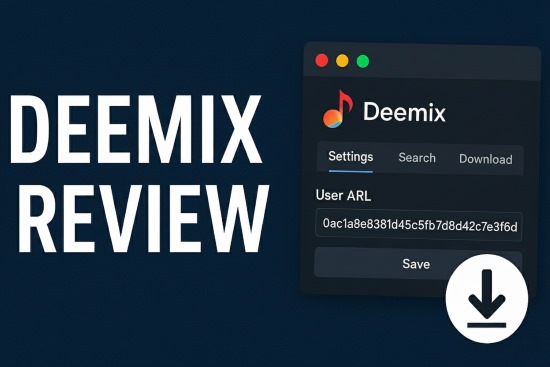
This guide is here to help. We will provide a clear, step-by-step walkthrough on how to properly set up and use Deemix. But more importantly, we'll be honest about the persistent roadblocks you will face. Finally, we will introduce a more reliable and user-friendly solution that achieves the same goal without the technical headaches.
Part 1. How to Use Deemix: A Step-by-Step Walkthrough
Deemix-GUI is a powerful application, but its power comes at the cost of complexity. To function, it requires you to extract a specific login token from your web browser. Follow these steps carefully.
1. The Official Deemix Download and Installation
First, you need to download the application. The only safe place to get Deemix is from its official GitHub repository. Avoid third-party download sites, as they may bundle the software with unwanted extras.
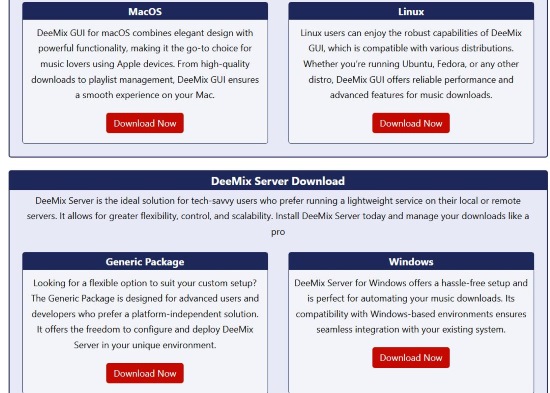
Go to the Deemix download page, find the latest version, and download the appropriate installer for your operating system (Windows, macOS, or Linux). Install it as you would any other application.
2. The Deemix ARL Login Explained
This is the most important and most challenging step. Deemix needs your Deezer ARL token to access your account and its music library. The ARL is a cookie stored by your browser.
Step 1. Log in to Deezer: Open Google Chrome or Mozilla Firefox and navigate to deezer.com. Log in to your account.
Step 2. Open Developer Tools: Once you are logged in, press the F12 key on your keyboard to open the Developer Tools panel. This will open a new window or a side panel with a lot of code.
Step 3. Navigate to Cookie Storage:
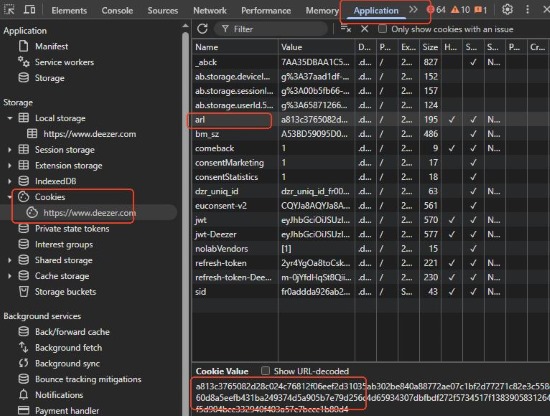
- In Chrome: Look for a tab at the top of the developer panel called Application. Click it. In the menu that appears on the left, expand the Cookies section and select https://www.deezer.com.
- In Firefox: Look for a tab called Storage. Click it. On the left, expand the Cookies section and select https://www.deezer.com.
Step 4. Locate and Copy the ARL: In the main window, you will now see a list of all the cookies Deezer has stored. Look for the one named arl in the "Name" column. Click on the long, random-looking string of text in the "Value" column. This is your ARL token. Copy this entire value to your clipboard.
3. Configuring the Deemix GUI and Downloading Tracks
Now, open the Deemix application you installed.
Step 1. Go to Settings: Find the settings menu within Deemix. There will be a field labeled "User ARL".
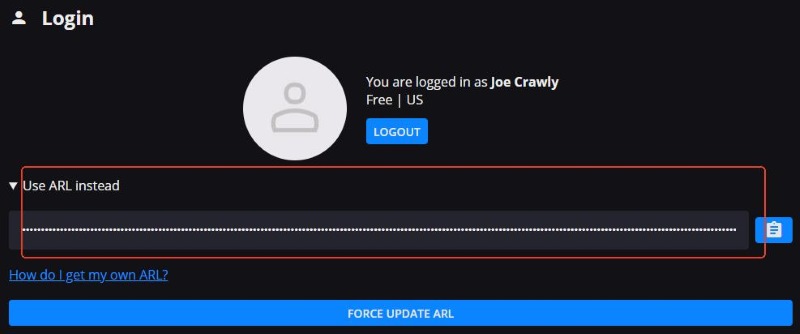
Step 2. Paste Your ARL: Paste the ARL value you copied from your browser into this field and save the settings. If the ARL is valid, Deemix will log you in.
Step 3. Download Music: You can now use the search bar in Deemix to find artists, albums, or tracks. When you find what you want, you can select the desired audio quality (from 128kbps MP3 up to lossless FLAC) and click the download button.
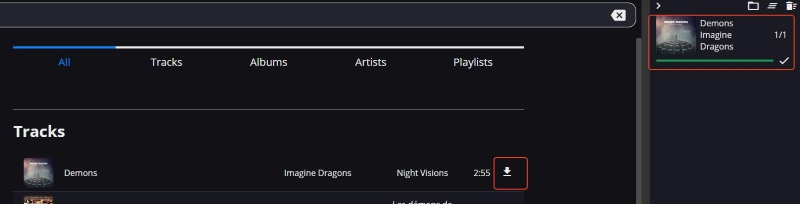
If everything goes perfectly, your music will begin downloading. However, this is where many users run into persistent trouble.
Part 2. Why is Deemix Not Working? Common Errors Explained
Following the guide above might work for a day, a week, or even a month. But inevitably, you will run into issues that are fundamental to how Deemix works.
The Premium Account Requirement
This is the most common issue users face today. Deezer has aggressively patched its API. In the past, a free account ARL could download FLAC files. Today, if you use a free account's ARL, your downloads will either fail or be restricted to low-quality 128kbps audio. You now effectively need an active Premium subscription to get high-quality downloads through Deemix.
The Expiring ARL
Your ARL token is not permanent. It can and will expire or become invalid if you log out of Deezer, change your password, or if Deezer updates its security. When this happens, Deemix will stop working and give you a login error. The only fix is to repeat the entire technical process of finding and copying the ARL from your browser—a tedious chore that makes the app feel constantly broken.
Bugs and Instability
Deemix is a community-driven project, and while the developers do their best, it often lags behind Deezer's official updates. This leads to a host of common bugs that can halt your progress: downloads that get stuck at 0%, random crashes, problems with downloading full playlists, and features that simply stop working.
Account Safety Risks
Using your ARL token in a third-party application is a direct violation of Deezer's Terms of Service. Deezer is aware of tools like Deemix and has implemented measures to detect them. As many users on GitHub and Reddit have reported, this can lead to your Deezer account being temporarily flagged or even suspended.
If you'd rather spend your time enjoying your music library than troubleshooting it, there is a much simpler way.
Part 3. The Best Deemix Alternative for Stable Downloads
Instead of trying to bypass Deezer's protections, a more robust solution is to simply record the audio as it plays. DRmare Streaming Audio Recorder is a professional tool designed for this exact purpose. It's a downloader that allows it to bypass all of Deemix's problems. It works by capturing the audio directly from your computer's sound card in perfect 1:1 quality, preserving every detail of the original track.
- No ARLs, No Errors: Because it records what you hear, it doesn't need your login credentials or any special tokens. If you can play it, you can record it. This completely eliminates the primary point of failure for Deemix.
- Universal Compatibility: DRmare isn't limited to just Deezer. It can record high-quality audio from any source on your computer—including Spotify, Apple Music, Tidal, YouTube, and more.
- Safe and Reliable: As a professional-grade product, DRmare is stable, constantly updated, and comes with customer support. It does not violate service-specific terms in the same way as a downloader, making it a safer choice for your accounts.
The 3-Step DRmare Method for Perfect Downloading
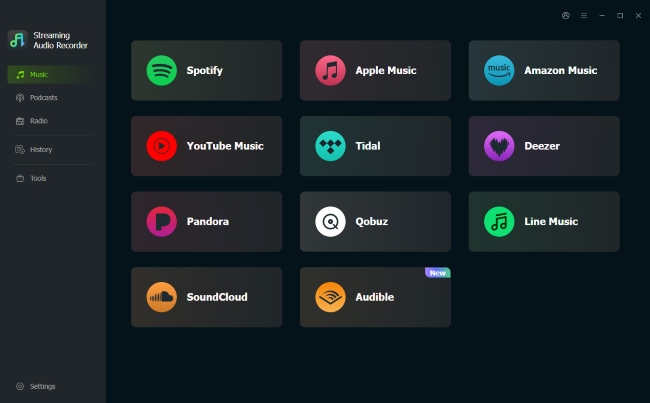
Step 1. Open DRmare Deezer Music Downloader. From its main screen, select the Deezer platform and log in to your account through its secure, integrated web player.
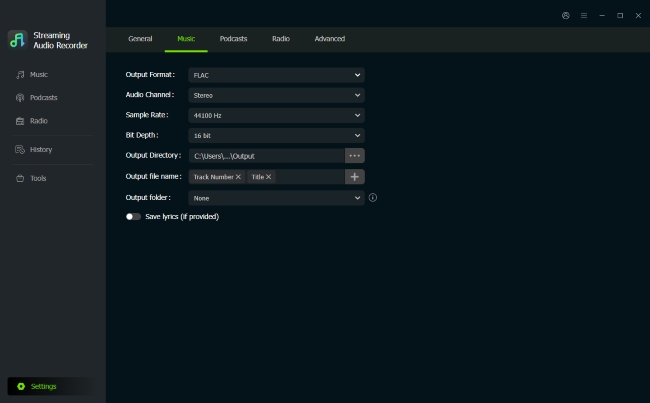
Step 2. Before converting, click the "Settings" icon and choose "Music" tab. Here you can choose your output format (MP3, FLAC, WAV, M4A, etc.), bitrate, and sample rate to ensure you get the exact quality you want.
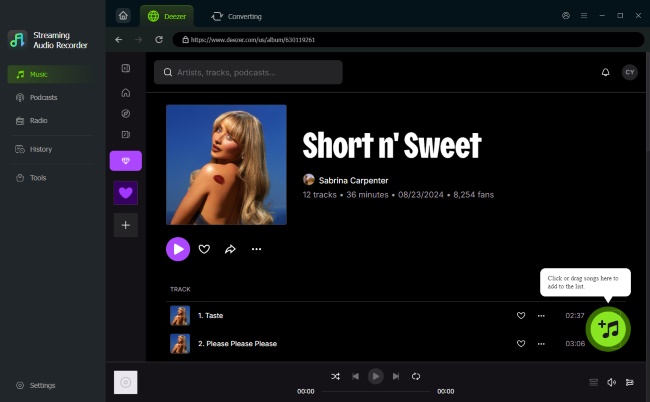
Step 3. Browse Deezer within the DRmare application. When you find a song, playlist, or album you want, click the "Add >Add to List" button. Once your queue is ready, click "Convert" to begin the high-speed download and conversion process.
Part 4. Conclusion
Deemix is a tool born from a clever idea, and for technical users willing to endure the constant maintenance, it can be powerful. However, for the vast majority of music lovers who simply want a reliable way to build a personal offline library, its dependence on the ARL token and its general instability make it a frustrating chore.
If you value your time and want a "set it and forget it" solution that guarantees high-quality results every time, DRmare Streaming Audio Recorder is the clear choice. It replaces complex technical steps with a simple, reliable downloading process, allowing you to focus on what matters most: enjoying your music.

 Home
Home





User Comments
Leave a Comment