





 Audio Capture


DRmare Audio Capture has officially released version 2.6.0, introducing a major overhaul designed to optimize user workflow and media management. This release features a redesigned interface, enhanced recording controls, batch parameter customization, and improved audio metadata recognition. Additionally, multi-language support has been expanded to six languages, and users can now configure custom temporary directories for smoother operational file management.
Alongside these software upgrades, DRmare has refined its flexible subscription structure, offering monthly, yearly, and lifetime plans tailored to varied user demands.
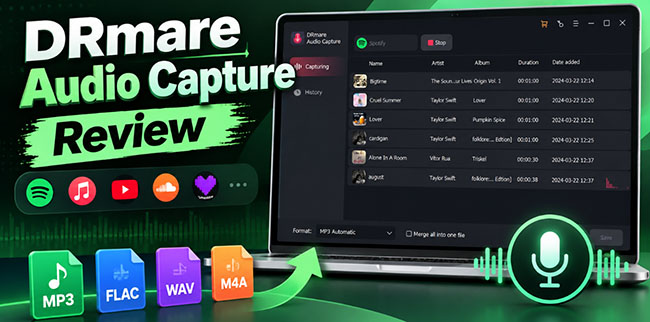
Key Updates in DRmare Audio Capture V2.6.0
The DRmare Audio Capture V2.6.0 upgrade focuses on user experience and productivity, augmenting the software's underlying recording architecture with intuitive controls and refined management tools.
1. Redesigned Interface with Dedicated Recording Controls
The update introduces a modern, streamlined user interface built around efficient control. Newly integrated Start and Stop buttons replace previous contextual commands, allowing users to initiate, pause, or finalize recording sessions directly from the main panel with zero navigation latency.
2. Batch Customization & Automated ID3 Tag Recognition
Managing extensive audio outputs is now significantly faster:
- Batch Customization: Users can apply uniform audio parameters (format, bit rate, sample rate, and channel configurations) across multiple pending tracks simultaneously, ideal for capturing full playlists or albums.
- Automatic ID3 Identification: The built-in identification engine automatically detects and embeds track metadata—including title, artist, album, and genre—ensuring structured file indexing for external media players.
3. Expanded Multi-Language Support
To accommodate its global user base, V2.6.0 expands localized interface options to six languages:
| Supported Language | Interface Status |
|---|---|
| English | Fully Supported |
| Simplified Chinese | Fully Supported |
| French | Fully Supported |
| German | Fully Supported |
| Spanish | Fully Supported |
| Japanese | Fully Supported |
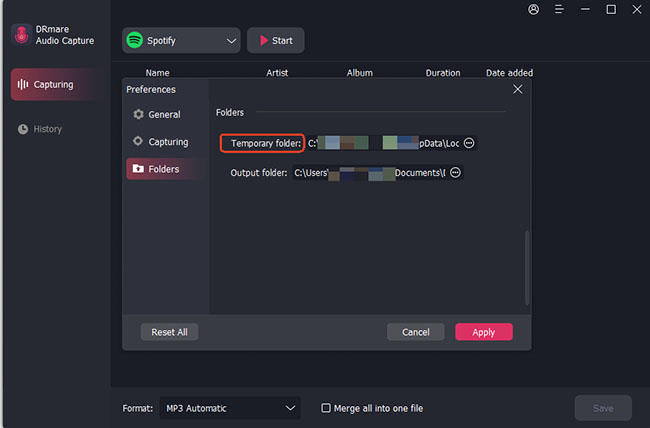
4. Custom Temporary Storage Path Settings
A new Temporary Directory option has been added under system Preferences. Users can now reassign temporary storage paths away from default system drives to secondary storage devices, preventing disk space bottlenecks during large-scale, multi-track recording sessions.
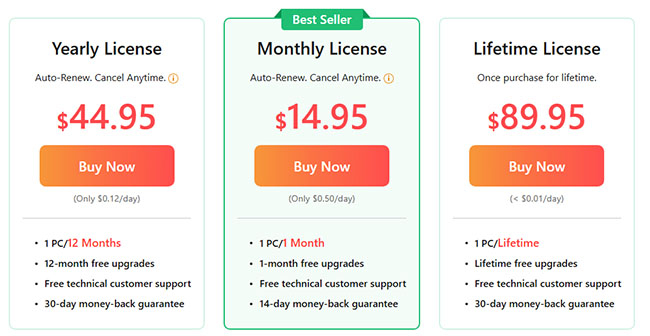
Updated Subscription Plans & Pricing of Audio Capture
DRmare has adjusted its licensing models to offer predictable, cost-effective options based on usage frequency:
- Monthly Plan ($14.95/month): Best for short-term projects or occasional capture needs.
- Yearly Plan ($44.95/year): Highly cost-effective for continuous use, offering approximately 74.9% savings compared to 12 consecutive monthly billing cycles.
- Lifetime Plan ($89.98 one-time): Provides permanent usage rights and perpetual update eligibility for long-term power users.
Software Specifications Overview
DRmare Audio Capture retains its primary capability to record multi-channel audio from streaming browsers, media players, and desktop applications simultaneously without loss of fidelity.
| Feature | Details |
|---|---|
| Core Capabilities | Multi-track audio capture from web browsers and local apps |
| Supported Formats | MP3, M4A, WMA, M4B, AAC, FLAC, WAV, AIFF, etc. |
| Audio Quality | Up to loss-less output; fully customizable parameters |
| Metadata Tagging | Automatic ID3 tag detection & manual tag editing |
| Editing Suite | Audio trimming, splitting, merging, and track reordering |
| Storage Management | Configurable temporary caching directory |
| OS Compatibility | macOS and Windows |
How to Upgrade to DRmare Audio Capture V2.6.0
Existing license holders and new users can upgrade directly via the official pipeline:
-
Download: Obtain the latest setup package from the official DRmare Audio Capture portal.
-
Install: Run the installer for Windows or macOS to overwrite older builds cleanly.
-
Verify: Launch the application and check Menu > About to confirm version 2.6.0 activation.
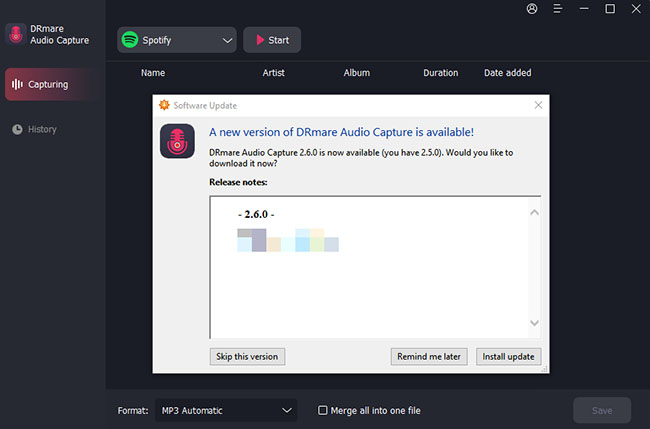
You can also directly open the DRmare Audio Capture from your computer and click the Menu and Check for Update to get the latest version.
Note:
Existing configuration files and license registration data will automatically transfer upon running the official update package.
FAQs About Using DRmare Audio Capture
Does V2.6.0 support automatic translation of captured lyrics or speech?
No. Multi-language support applies strictly to the graphical software interface, not audio content processing.
Can I change the default cache location for large recordings?
Yes. Navigate to Menu > Preferences> Folder to assign a custom path for all temporary files generated during recording.
How does batch customization work?
Batch customization allows you to select multiple audio sources simultaneously within the application dashboard and set unified output parameters prior to recording.
About DRmare
DRmare is a software development company specializing in audio recording, conversion, and digital media utility software. For complete technical specifications, trial downloads, or support queries, visit the official DRmare website.

 Home



User Comments
Leave a Comment