





Can you watch iTunes movies on Roku? The quick answer is Yes! While there is no dedicated iTunes app for Roku, Apple's transition to the Apple TV app has made accessing your library much easier. However, because iTunes purchases are still protected by FairPlay DRM (Digital Rights Management), users often face hurdles when trying to play their movies offline or via local storage.
Whether you want to stream iTunes movies directly via the Apple TV app, cast wirelessly from your phone, or create a permanent DRM-free backup for offline viewing via USB, this guide covers the most reliable methods available today.
- Best for Streaming: Install the Apple TV App directly from the Roku Channel Store to sync your library.
- Best for Wireless: Use AirPlay 2 to cast from an iPhone, iPad, or Mac.
- Best for Offline/USB: Use DRmare M4V Converter to convert protected M4V files to Lossless MP4 for playback via USB or Plex without an internet connection.
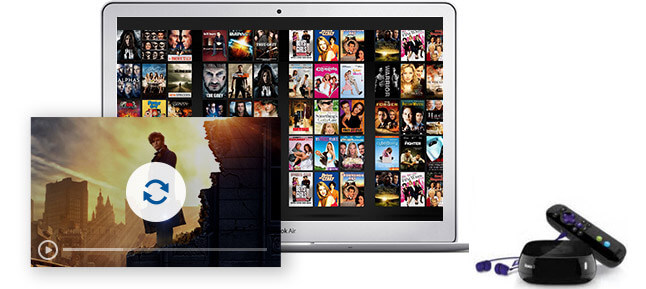
Part 1. How to Watch iTunes Movies on Roku by Apple TV App
Apple has released the Apple TV app, which is a streaming hub that lets users watch a mix of content from various sources. It includes Apple's original streaming service, movies and TV shows available for purchase or rental, and content from third-party channels and streaming services.
Previously purchased or rented iTunes movies, and TV shows now appear in the Apple TV app. The good thing is that most Roku models (Roku Express, Stick, Premiere, Ultra, and Roku TVs) now support the native Apple TV app, which allows direct access to your iTunes content on Roku.
How to Watch iTunes on Roku TV via Apple TV App
Step 1. Press the 'Home' icon on your Roku remote. Scroll down and choose 'Streaming Channels' to open the Channel Store.
Step 2. Choose 'Search Channel'. Then enter 'Apple TV' to search.
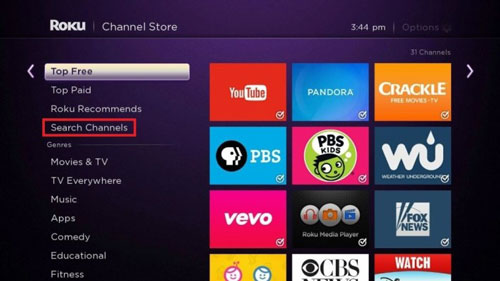
Step 3. Highlight 'Apple TV' via the directional pad on your Roku remote. Touch 'OK' to see the details and then choose 'Add Channel'. Then the Apple TV channel will be in your Roku channels.
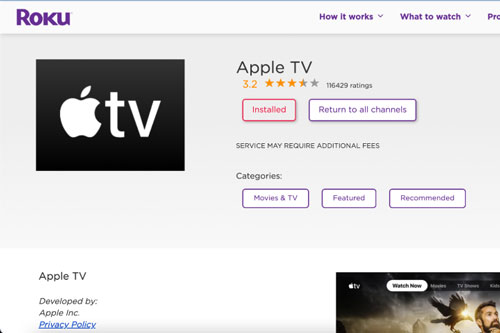
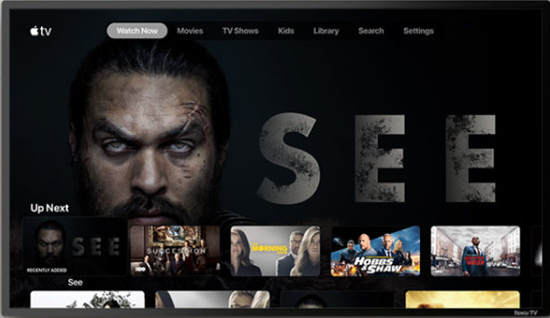
Step 4. Open the Apple TV channel and then log in with your Apple Account. When logged in, go to 'Library' to access your purchased or rented iTunes movies and begin streaming on Roku.
Part 2. How to Cast iTunes Movies to Roku via AirPlay 2
If you own an iPhone, iPad, or Mac, Apple AirPlay 2 provides a seamless wireless bridge to your Roku device. It's compatible with the latest 2025-2026 Roku Pro models and built-in Roku TVs. Unlike basic screen mirroring, AirPlay 2 supports high-quality streaming of iTunes movies with dedicated playback controls. Before you begin, ensure your hardware meets the following standards:
- Roku Hardware: Most Roku 4K streaming sticks, the Roku Ultra, Roku Pro, and Roku TVs (TCL, Hisense, etc.) manufactured after 2019 support AirPlay 2。
- Apple Hardware: An iPhone/iPad running iOS 12.3 or later, or a Mac running macOS Mojave 10.14.5 or later.
- Network Stability: Both devices must be connected to the same Wi-Fi network. For 4K iTunes movies, a 5GHz Wi-Fi band is strongly recommended to prevent buffering.
Step 1. Launch the Apple TV App on your iOS device or Mac and navigate to your Library.
Step 2. Select the iTunes movie or TV show you wish to watch and press Play.
Step 3. Tap the screen to reveal the playback controls. Look for the AirPlay icon and tap it.
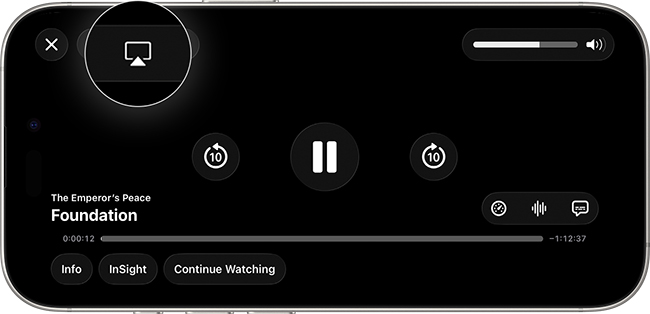
Step 4. A list of available devices will appear. Tap the name of your Roku Streaming Player or Roku TV. If this is your first time casting, a four-digit code will appear on your Roku screen. Enter this code into your iPhone to pair the devices.
Tips: For U.S. Users (Movies Anywhere)
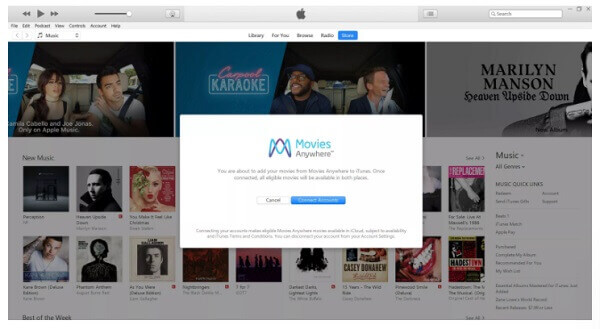
If you are based in the United States, you can also use the Movies Anywhere app to sync your iTunes purchases to Roku.
- Install: Add the Movies Anywhere channel to your Roku.
- Connect: Create an account and link your Apple Account under "Manage Retailers."
- Stream: Your eligible iTunes movies will automatically appear in the Movies Anywhere library on your Roku for instant playback.
Part 3. How to Play iTunes Movies on Roku Offline
The above 2 ways require a high-speed internet connection. If you want to watch your iTunes movies on Roku offline via USB, a Local Media Server (Plex), or in areas with no internet, converting your library to MP4 is the most reliable method.
Apple uses a form of digital rights management (DRM) called FairPlay to protect its content, which restricts playback to Apple devices and certain authorized platforms. This DRM prevents iTunes movies and TV shows from playing on Roku or other third-party devices without first removing the protection.
To get around this, DRmare M4V Converter remains the top choice for maintaining high video quality and AC3 5.1 Surround Sound. It allows you to create a permanent backup of your iTunes videos that can be added to a USB drive and played directly through Roku offline.
| Service | Supported File Format |
|---|---|
| Roku TV | H.264/AVC (.MKV, .MP4, .MOV) |
| iTunes Movies | Protected M4V |
| DRmare M4V Converter | Common MP4, MKV, MOV, AVI, etc. |
Section 1. How to Convert iTunes Movies for Roku
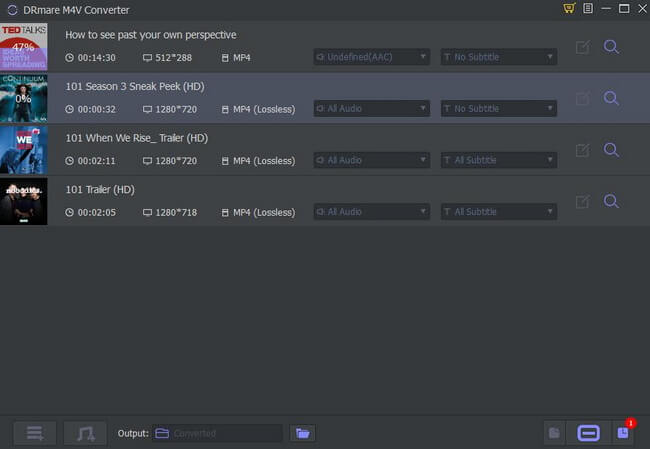
Here is how to convert iTunes movies to Roku-compatible format by DRmare M4V Converter. Please download and install this smart iTunes video converter on your computer first. After that, you can follow the steps below. We will take the Windows version as an example.
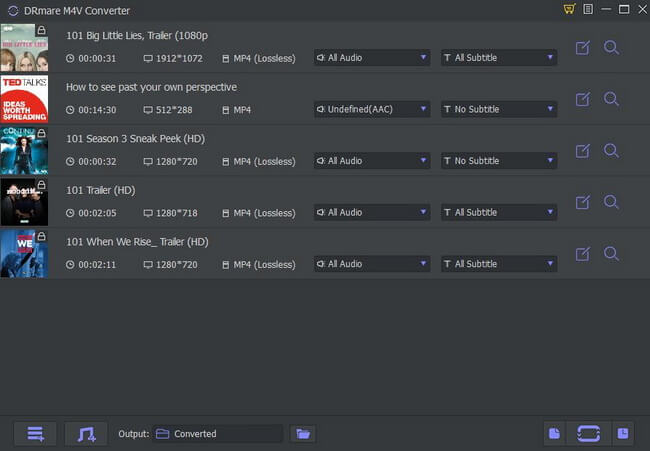
- Step 1Add iTunes Movies/TV Shows to DRmare M4V Converter
After launching DRmare iTunes to Roku Converter, you can drag the files from iTunes library folder to it. Or add the iTunes videos by clicking 'Load iTunes Library' button within the conversion window.
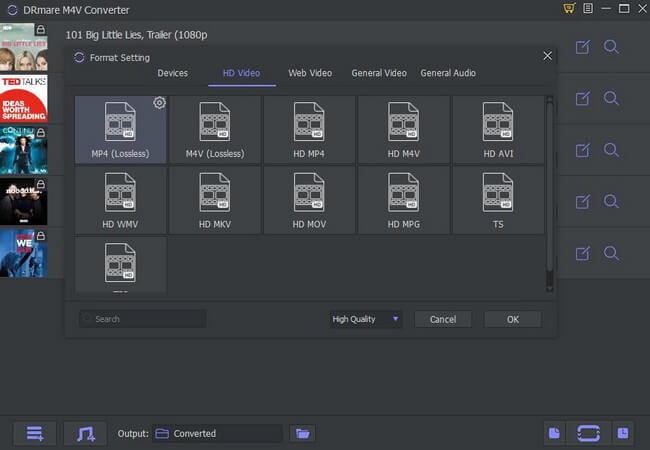
- Step 2Choose output format for iTunes on Roku
To play iTunes movies on Roku, you can click the 'Format' bar and choose 'Lossless MP4' from the profile list. As the name suggests, it will retain the original quality of the iTunes movies and TV shows. It includes the AC3 5.1 surround sound, AAC, CC, AC, and so on.
- Step 3Convert iTunes Movies for Roku TV
When everything is done, click the 'Convert' button to convert your iTunes movies to Roku-supported MP4 format. Once converted, you can click the 'history' panel to locate those converted iTunes videos.
Section 2. How to Watch iTunes Movies on Roku TV
Now it's your time to stream and watch iTunes movies on Roku as you had converted them. Please check the steps below to start.
Method 1. Get iTunes on Roku from iOS Devices via Roku Mobile App
Step 1. Sync iTunes movies to an iOS device from your computer first.
Step 2. Download the Roku player app from Apple Store and install it on your iOS device.
Step 3. Connect your iOS device to the same network as your Roku player.
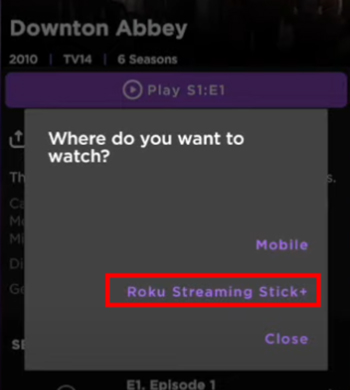
Step 4. Play converted iTunes movies on your phone on a Roku player app and enable the 'Play on Roku' feature within the Roku Mobile app to stream iTunes movies to your Roku TV.
YouTube Video: How to Watch iTunes Movies on Roku
Method 2. Play iTunes on Roku from Mac via Plex
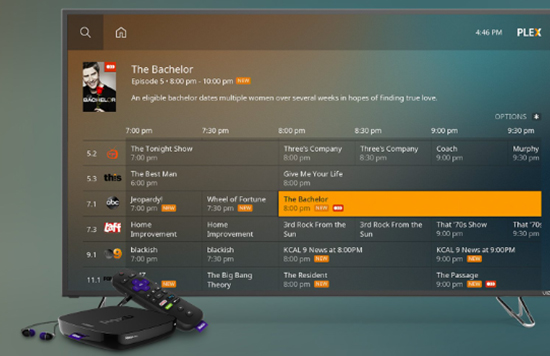
Step 1. Install Plex Media Server on your Mac computer. Once the Plex Server is installed, it will detect all the movies, and TV shows on your Mac. Alternatively, you can manually add your converted iTunes movies to your Plex library.
Step 2. Download and install Plex Channel on your Roku accoun and sign in to the same Plex account.
Step 3. Configure the Plex Server on Roku. Then you can see your converted iTunes movies available to stream. Select favorite iTunes videos to play on Roku via Plex.
Method 3. Watch iTunes Movies on Roku through USB Drive
If your Roku device has a USB port, you can use a USB drive to play your converted iTunes movies:
Step 1. Copy and paste all converted iTunes movies to a USB drive from your computer.
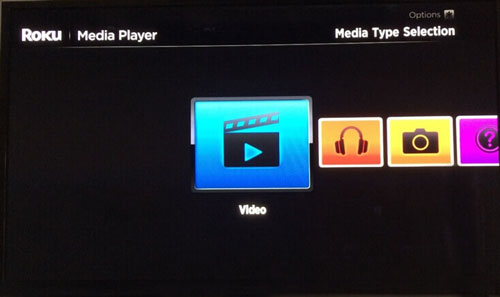
Step 2. Install the Roku Media Player channel via the Channel Store on your Roku or via Roku's website.
Step 3. Launch the Roku Media Player channel and choose 'Video'.
Step 4. Connect the USB drive to Roku's USB port. Then select the USB drive that is attached to Roku.
Step 5. Go to the folder containing the converted iTunes movies and hit 'OK' to open the folder.
Step 6. Choose the video to watch and touch on 'Play' on the remote. Then you can get iTunes Roku TV work.
Part 4. FAQs about Playing iTunes on Roku
What Is Roku Streaming Player?
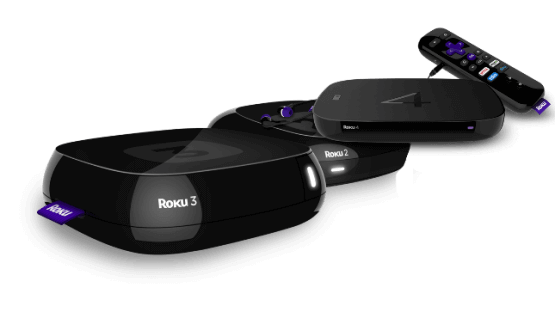
The Roku Streaming Player, or Roku, is a series of digital media player set-top boxes manufactured by Roku Inc. A Roku streaming device gets data (the video stream) via a wired or Wi-Fi connection to an Internet router. Then it can be connected to any television set (or other video display device) with appropriate input connections.
You can stream content from Amazon Video, BBC iPlayer, HBO Go, Hulu, Netflix, and other online media streaming services. Besides, Roku has more than 10 million active users between its streaming players and smart TVs.
Does Roku Have iTunes App?
No, Roku does not have a dedicated iTunes app. However, you can still access your iTunes movies and shows on Roku by using the Apple TV app, which is available on many Roku models. Through the Apple TV app, you can access content from your iTunes library, including purchased and rented movies.
Can I watch iTunes Extras on Roku?
Currently, the Apple TV app on Roku does not support iTunes Extras. To view bonus content, you must use an Apple device or convert the file using DRmare M4V Converter.
Does Apple Intelligence affect Roku streaming?
Not directly, but with the Apple TV app updates, library indexing is faster if your Apple Account has been synced with AI-driven personalized recommendations.
Part 5. In Conclusion
| Method | Best For... | Connection Needed? | Stability Rating |
|---|---|---|---|
| Apple TV App | Instant streaming of your cloud library. | High-Speed WiFi | ⭐⭐⭐⭐ (Solid, but slow UI) |
| AirPlay 2 | Quick casting from an iPhone or Mac. | Local WiFi | ⭐⭐⭐ (Prone to 4K lag) |
| DRmare M4V Converter | Offline viewing, USB playback, and permanent backups. | None (Play Offline) | ⭐⭐⭐⭐⭐ (Most Reliable) |
For the fastest access, use the Apple TV app on your Roku. However, if you are a home theater enthusiast who demands lossless quality or needs to watch movies offline, DRmare M4V Converter is the ultimate solution to unlock your library for any Roku device.

 Home
Home




User Comments
Leave a Comment