





If you are an Apple Music subscriber looking to dive into a new audiobook, you might be searching the app in vain. Are there audiobooks on Apple Music? The short answer is no: Apple Music doesn't include audiobooks in its catalog or subscription. The good news? You don't need an Apple Music subscription to enjoy audiobooks on your devices. Here is everything you need to know about getting and listening to audiobooks in the Apple ecosystem.
Part 1. Does Apple Music Have Audiobooks?
Not as a dedicated audiobook catalog included with Apple Music. While the original iTunes app used to be a one-stop shop for all your media, the company eventually split its ecosystem into dedicated apps.
Apple deliberately separates its media catalogs: Apple Music is purely a subscription-based music streaming service, while Apple Books is the dedicated hub for buying and listening to audiobooks and ebooks. If you are looking for a specific audiobook, the more appropriate place to search is the Apple Books app.
| Service | Main purpose | Audiobooks | Subscription |
|---|---|---|---|
| Apple Music | Music streaming | Don't offer audiobooks | Apple Music subscription |
| Apple Books | Books and audiobooks | Yes | No monthly subscription required |
| Other audiobook services | Audiobook listening | Depends on the service | Varies |
Part 2. Where Can You Get Apple Audiobooks?
For most Apple device users, Apple Books is the place to find, buy, and listen to audiobooks and ebooks with no subscription or monthly commitment.
Pre-installed on your Apple devices, the free app has a dedicated Audiobooks area where you can browse featured releases, categories, and other recommendations, or search for a particular title, author, series, or genre. Audiobooks are generally priced individually, and Apple also offers free titles and samples.
Note:
On Windows, the workflow is somewhat different. Apple currently provides audiobook management through iTunes for Windows, including access to previously purchased audiobooks.
How to Get Audiobooks on iPhone or iPad
If you want to buy an audiobook directly from an iPhone or iPad, the process is fairly straightforward since Apple Books is already integrated with your Apple Account.
Step 1. Open the Books app on your iPhone or iPad.
Step 2. Tap the Audiobooks tab at the bottom of the screen (or in the sidebar on an iPad).
Step 3. Browse curated collections, check out the charts, or use the Search function to find a specific title.
Step 4. Tap on an audiobook to read its description or listen to a free sample.
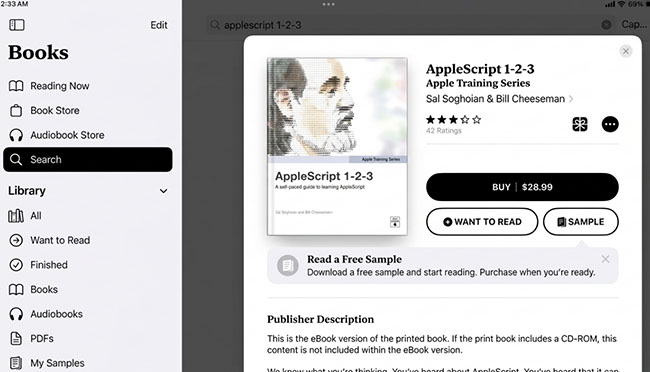
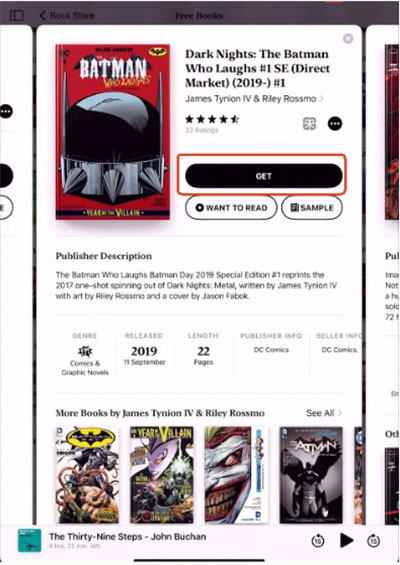
Step 5. Tap the price button to purchase it or click Get for free titles to add it to your library.
Part 3. How to Download Apple Audiobooks for Offline Listening
Once you purchase an audiobook, it is yours to keep in your Apple Books library. You can easily download it to your device for offline listening, perfect for flights or commutes without cellular data. Just go to your library, find the title, and tap the Download icon.
Because your library syncs via iCloud, you can start listening on your iPhone during your commute (or via Apple CarPlay), and pick up right where you left off on your iPad, Mac, or Apple Watch later.
A Quick Heads-up on Files:
Downloading an audiobook for offline listening within the Apple Books app is not the same as downloading a local MP3 file. You cannot export Apple's audiobook files into standard music players, nor can you import outside audiobook files into Apple Music to create a makeshift audiobook library. You must use the Apple Books app for playback.
Part 4. Can You Get and Listen to Audiobooks on Apple Music?
While Apple Music doesn't offer a dedicated audiobook catalog, you can still use the Apple Music app to listen to your personal collection by importing local audio files. The app natively supports uploading standard audio formats such as MP3, AAC, ALAC, WAV, and AIFF.
If your downloaded audiobook files are already in these compatible formats, you can simply add them directly to your Apple Music library and start listening immediately.
Step 1. Launch the Apple Music app on your Mac or Windows PC.
Step 2. Click File in the top menu bar, then select Library and Add to Library, or Import and Import Playlist.
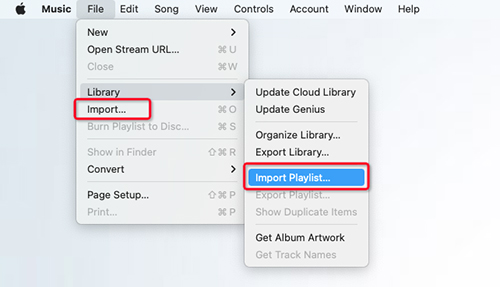
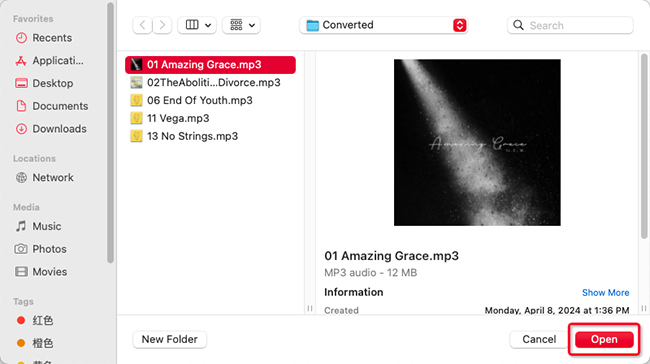
Step 3. Locate your own audiobook files on your hard drive, select them, and click Open.
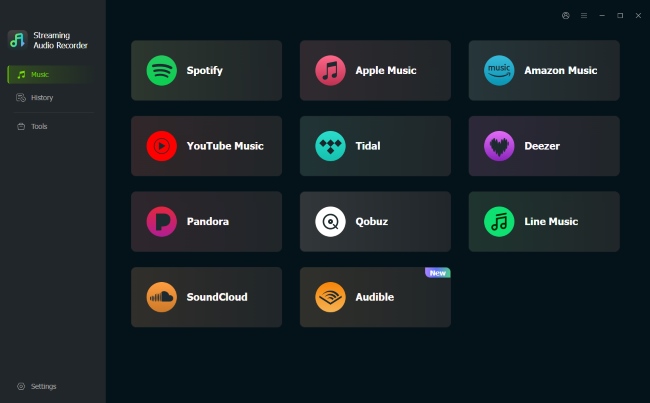
However, many popular platforms like Spotify and Audible use proprietary or encrypted formats in their audiobooks that Apple Music does not support. You cannot import these directly. To solve this, you can use the DRmare Streaming Audio Recorder.
This powerful tool allows you to seamlessly convert unsupported Spotify and Audible audiobooks into compatible formats like MP3, WAV, and AIFF. Once the conversion is complete, you can easily upload the new local files to Apple Music and enjoy your entire audiobook collection in one place.
FAQs About Apple Music and Audiobooks
Do you need Apple Music to listen to audiobooks?
No. Apple Books is available as a free app, and there is no subscription or monthly commitment for the service.
Can I listen to Apple Books audiobooks in the Music app?
Apple Books is the dedicated app for Apple's audiobook catalog and playback. An audiobook being an audio file does not make it part of the Apple Music catalog.
Are there any free audiobooks available?
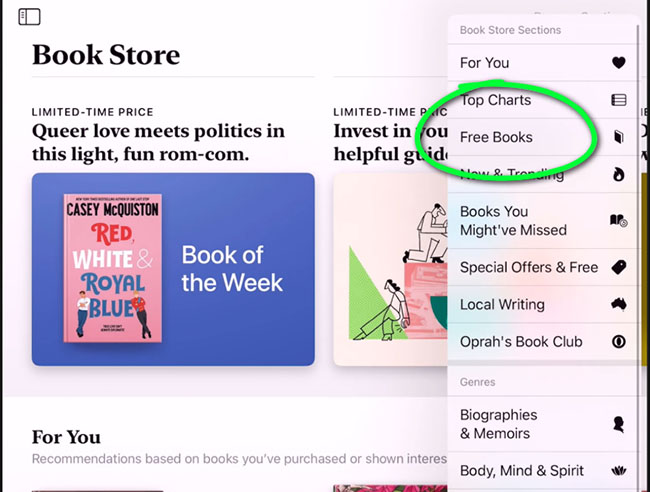
Yes. Apple Books has a dedicated Free Books section for free audiobooks, primarily featuring public domain classics and promotional first-in-series titles.
Are Apple Books audiobooks available worldwide?
Availability varies by region. The catalog of audiobooks you can see and purchase depends entirely on the country or region your Apple Account is registered to.
Bottom Line
As someone who spends a lot of time navigating the Apple ecosystem, here is my hands-on advice: don't waste your time searching for audiobooks in Apple Music. Apple has completely migrated this content to the subscription-free Apple Books app.
The fastest approach is simple: either use Apple Books directly for official purchases, or upload your own local audiobook files straight into Apple Music. If your audiobooks are locked on platforms like Audible or Spotify, just convert them to standard MP3s first using DRmare Streaming Audio Recorder, drag them into your desktop library, and you will have your entire collection seamlessly organized in one place.

 Home
Home





User Comments
Leave a Comment