





As a platform renowned for its studio-quality sound, Qobuz is a haven for audiophiles, but downloading high-resolution tracks for offline use isn't always easy. This often leads users to seek quick solutions like Qobuz Telegram bots. But are they truly safe and reliable? In this guide, we'll review popular Qobuz Telegram downloaders, uncovering their hidden risks and introducing a more stable way to save your favorite Qobuz tracks for long-term listening.
Part 1. What Is Qobuz Telegram Bot
For many audiophiles seeking offline access to high-fidelity music, a Qobuz Telegram bot serves as a popular tool. Essentially, it is an automated script running within the Telegram messaging app that extracts audio directly from Qobuz's servers. By simply pasting a track or playlist link into the chat window, this Qobuz downloader bypasses streaming restrictions to deliver a standalone audio file.
Key Features of Qobuz Telegram Bot:
Direct In-App Interface: All the actions happen within the Telegram bot chat window without navigating ad-heavy websites.
Hi-Res Audio Support: Fetch Qobuz lossless FLAC files and Hi-Res audio, matching the platform's premium streaming quality.
Automated Metadata Tagging: Automatically pull and embed essential ID3 tags, including high-quality album artwork, artist names, and track numbers.
Pros
 Highly Accessible: Works seamlessly on any device with the Telegram app installed.
- Cost-Effective: Completely free to use or relies on community donations.
- User-Friendly: No software installation; simply copy and paste a track URL.
Cons
 Severe Instability: Frequently taken offline without warning due to copyright strikes.
- Account Risks: High chance of permanent bans if you use personal account credentials.
- Security Concerns: Potential data privacy and malware risks from third-party servers.
Part 2. Top 3 Telegram Bots for Qobuz
Many Telegram bots disappear just as quickly as they launch due to copyright. However, a few resilient options have managed to survive and build a solid reputation. Below, we have rounded up the top three active Qobuz Telegram bots that can help you seamlessly save your Qobuz music for high-fidelity offline listening.
DezAlty-Bot
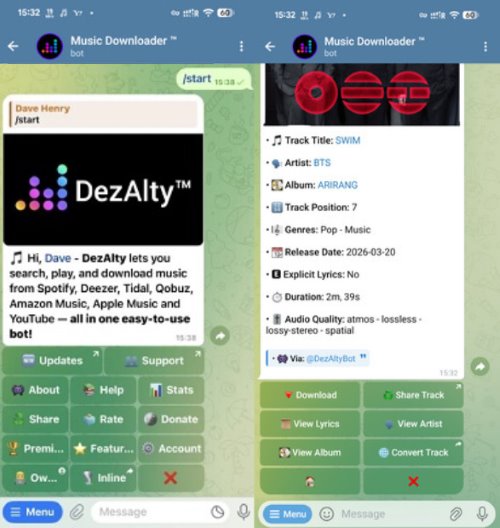
DezAlty-Bot is widely regarded as one of the most comprehensive all-in-one music downloading tools available on the app. This versatile script does not just pull from a single source; it actively supports multiple major streaming services, including Qobuz, Tidal, Deezer, Apple Music, and Spotify. It also includes advanced features like an ID3 tag editor, a link converter, and a lyrics downloader, making it a powerhouse for organizing your offline library.
Step 1. Open your Telegram app, search for the @DezAltyBot username, and click "Start" to initiate the chat interface.
Step 2. Send a valid Qobuz track, album, or playlist link directly into the messaging window.
Step 3. Choose your desired audio quality from the provided inline menu options and wait for the bot to generate the downloadable files.
Pros
- Supports true 24-bit/192kHz downloads from multiple platforms (Qobuz, Tidal, etc.).
- Open-source code allows for community updates and self-hosting.
Cons
- The abundance of advanced features and settings can overwhelm beginners.
- Remains highly vulnerable to sudden DMCA copyright takedowns.
Lossless Robot
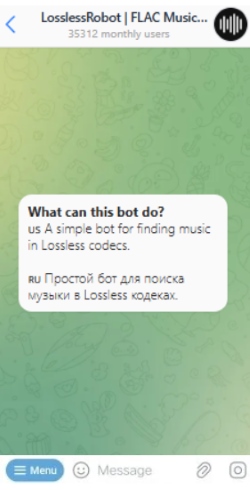
For users seeking a straightforward Qobuz downloader without the hassle of complicated menus, Lossless Robot is a highly reliable option. Operating on a freemium model, the bot allows casual listeners to easily grab standard, CD-quality FLAC files at no cost. However, to unlock the absolute highest tier of audio, specifically Qobuz's maximum potential with 24-bit/192kHz Hi-Res tracks and Atmos mixes, you will need to upgrade to the bot's paid premium subscription.
Step 1. Locate the Lossless Robot in your Telegram search bar and start a new conversation.
Step 2. Paste the URL of the Qobuz song or album you wish to save for offline listening.
Step 3. Tap the download arrow once the bot returns the FLAC file to save it directly to your device's local storage.
Pros
- Extremely straightforward and user-friendly chat interface.
- Standard 16-bit CD-quality FLAC files are completely free to download.
Cons
- True 24-bit/192kHz Qobuz Hi-Res audio is locked behind a premium paywall.
- Carries financial risk; you lose your subscription money if the bot gets banned.
MusicsHuntersbot
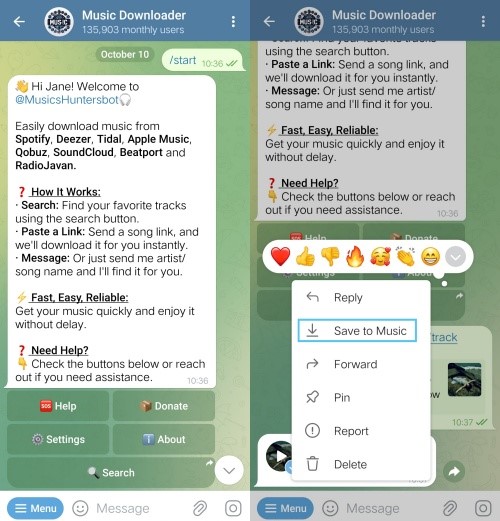
Another highly popular option for music enthusiasts is MusicsHuntersbot. This intelligent Qobuz Telegram Bot is designed to scrape audio from a variety of platforms, including YouTube, SoundCloud, and Qobuz, completely free of charge. It excels at preserving essential track details, automatically embedding metadata into the final audio file.
Step 1. Search for @MusicsHuntersbot within the Telegram bot directory and tap "Start" to activate it.
Step 2. Input the specific name of the artist and song, or simply paste the direct Qobuz link into the chat.
Step 3. Select your preferred output format when prompted and wait for the conversion process to complete before downloading.
Pros
- 100% free to use with no hidden premium subscription requirements.
- Automatically preserves and embeds essential ID3 metadata and album artwork.
Cons
- Audio quality can be inconsistent, occasionally sourcing non-lossless files
- Prone to slow download speeds or unresponsive queries during peak server traffic.
Part 3. Is It Legal to Use Qobuz Telegram Bots
Using Qobuz Telegram bots comes with significant legal and security risks. While these bots may seem convenient, they carry serious risks that are hard to evaluate.
First, relying on third-party scripts or bots to extract and store music directly violates Qobuz's Terms of Service. These tools bypass the platform's protections, which can be considered copyright infringement. Account safety is a real concern. If Qobuz detects unusual or suspicious activity, such as automated scraping, your account could be permanently banned. Finally, many Telegram bots are unverified and potentially unsafe. They may expose users to security threats, including malware or data breaches.
Part 4. Best Alternative to Qobuz Telegram Bots
Given the unreliability and safety risks associated with Qobuz Telegram bots, utilizing a dedicated desktop application is a far superior solution. If your core goal is to save Qobuz FLAC audio for offline listening on any device, DRmare Streaming Audio Recorder provides a safe and professional alternative.
Instead of relying on third-party Telegram servers, DRmare allows you to extract audio in lossless quality, transforming it into permanent local files. The software seamlessly supports Qobuz alongside other 9 major platforms, ensuring you can build an organized, high-fidelity library without worry about sudden server shutdowns.
- Step 1Set Up Lossless Audio Parameters
Open the DRmare application on your computer to begin building your local archive. Navigate to the top-right menu, choose "Preferences> Conversion" tab. Here, you can define your output as FLAC and maximize the settings to 24-bit/192kHz, ensuring a perfect listening experience.

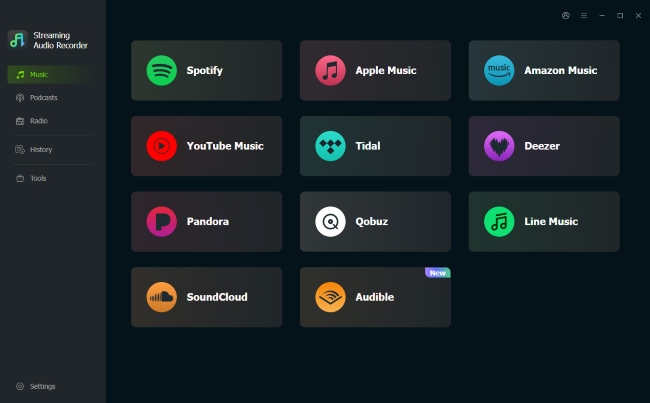
- Step 2Log In Securely Without Third-Party Servers
Unlike a Telegram bot that might expose your private data to unknown hosts, this software utilizes a highly secure integrated web player. Simply click the Qobuz logo on the main dashboard to launch the browser. Sign in with your account to establish a reliable connection for grabbing your favorite Qobuz tracks.
- Step 3Select High-Fidelity Music for Extraction
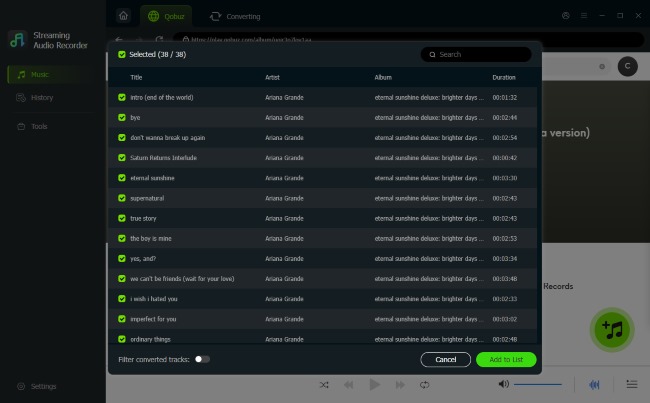
Browse the built-in streaming interface to locate the specific albums or playlists you want to save. When you find your desired tracks, click the "+" icon to gather them. Review your selections carefully, then hit "Add to list" to move everything into the processing queue.
- Step 4Execute the Local Conversion Process
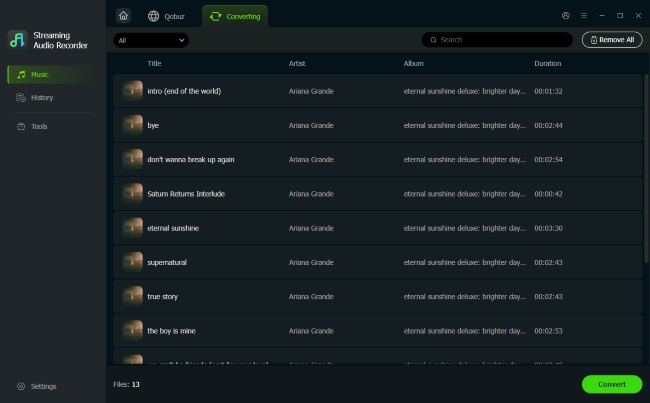
Click "Convert" to command the software to start extracting your audio. It will swiftly transform the Qobuz music into permanent local files while automatically embedding ID3 tags. Once the extraction finishes, your unencrypted music is safely stored in the "History" folder.
Part 5. Wrap up
| Feature | Qobuz Telegram Bots | DRmare Streaming Audio Recorder |
|---|---|---|
| Supported Platforms | iOS, Android, Web, PC | Windows & Mac |
| Stability | Low | High |
| Output Formats | Usually limited to FLAC or MP3 | FLAC, WAV, MP3, AIFF, M4A, M4B |
| Audio Quality | 16-bit/44.1kHz or 24-bit Hi-Res | Up to 24-bit/192kHz |
| Metadata | Basic (album art and tags are occasionally missing or incorrect) | 100% Preserved (High-quality cover art, artist, track, etc.) |
| Account Safety | Risky; potential for account bans | High |
| Batch Processing | Limited; often one track at a time | handles full playlists/albums |
| Ease of Use | No installation required | Requires a simple one-time setup |
| Price | Free or Freemium | Paid with Free trial |
Qobuz Telegram bots provide a quick and free way to grab music, but they lack the long-term reliability needed for a growing collection. The constant threat and the potential risk to your personal Qobuz account make it a temporary "quick fix". For a truly reliable and high-quality experience, DRmare Streaming Audio Recorder is the logical choice. It bypasses the instability of messaging scripts and gains the freedom to enjoy your Qobuz music on any device.

 Home
Home





User Comments
Leave a Comment