





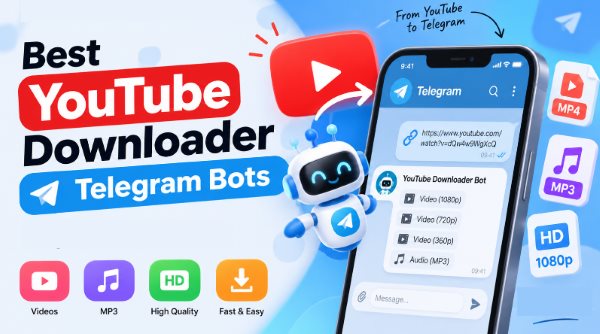
Many users want a quick way to save YouTube audio without complicated setups. A YouTube downloader Telegram bot offers a convenient solution right inside your messaging app. You simply paste a link, and the bot processes the media on its server, delivering a playable YouTube MP3 or MP4 file to your chat. Free telegram bot for YouTube download can go offline or impose file size limits. To help you avoid dead links and unreliable options, we tested the current landscape to find the best Telegram bots for downloading YouTube music and videos.
Part 1. Quick Comparison: YouTube Downloader Telegram Bots
| YouTube Telegram Bot | Best for | Video | Audio | Output Quality |
|---|---|---|---|---|
| @YTsavebot | Overall YouTube downloads | ✓ | ✓ | 1080p MP4 / MP3 |
| @ytbaudiobot | YouTube audio & podcasts | x | ✓ | 320kbps MP3 |
| @ytfinderbot | YouTube video downloads | ✓ | ✓ | Up to 1080p |
| @YTBMusBot | YouTube Music tracks | x | ✓ | High-bitrate MP3 |
| @scdlbot | Playlists & indie music | ✓ | ✓ | Original bitrates |
| @Youtube_dwnldr_bot | Flexible video resolutions | ✓ | ✓ | Mobile to 1080p |
Part 2. 6 Best Telegram Bots to Download YouTube Videos and Music
What to Do If a YouTube Download Bot Is Not Working:
The availability of any Telegram bot for YouTube download can change overnight. Because they operate in a legal gray area, Telegram routinely suspends bots for terms of service violations.
- Try another supported Bot: Keep two or three bots from this list pinned in your chats as backups.
- Check whether the YouTube URL is supported: Age-restricted, private, or region-locked videos usually cause bots to return an error.
- Use a desktop alternative: Dedicated desktop software like DRmare does not rely on shared, easily banned Telegram servers.
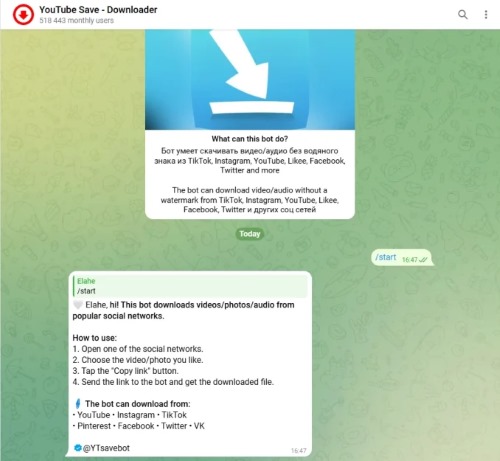
1. YTsavebot — Best Overall YouTube Telegram Bot
🔗Link: https://t.me/ytsavebot?
When you need a reliable utility that handles both video clips and standalone audio, @YTsavebot delivers consistent daily performance. In practical testing, processing times are relatively short for standard 5-to-10 minute clips, and download speeds rarely throttle on standard 1080p files. While heavy peak-hour traffic can occasionally introduce a brief queue delay, its server uptime remains noticeably more dependable than most ephemeral competitors.
Pros
 Fast inline toggle between MP4 and MP3 formats
- Clean interactive UI with minimal ad intrusion
- Does not support 4K or ultra-high-definition streams
- Stable downloads across multiple resolutions up to 1080p
Cons
 Occasional queue delays during peak traffic hours
2. ytbaudiobot — Best for YouTube Audio and Podcasts
🔗Link: https://t.me/YtbAudioBot
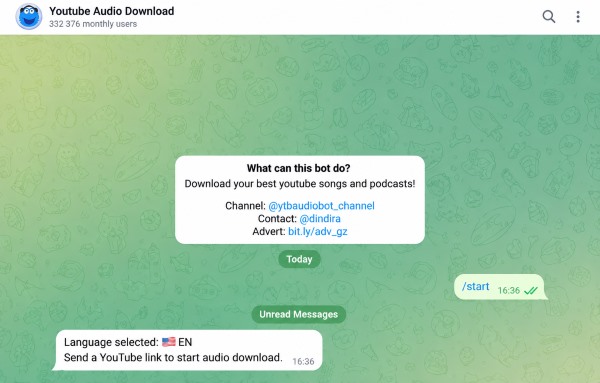
Dedicated music collectors and podcast listeners who care about audio quality may find @ytbaudiobot particularly useful. Instead of filling the chat with video resolution options, it focuses on extracting audio and keeps the process centered on listening. It works well for music, podcasts, spoken-word content, and longer DJ sets. For an offline audio library, retaining track metadata such as titles, artists, and artwork is also a practical advantage.
Pros
- Extracts audio up to 320kbps target fidelity
- Automatically retains ID3 metadata and embedded cover art
- Reliable processing for long-form podcasts and talks
Cons
- Strictly audio-only with no video download capability
- Cannot parse private, age-restricted, or regional URLs
3. ytfinderbot — Best for YouTube Video Downloads
🔗Link: https://t.me/ytfinderbot
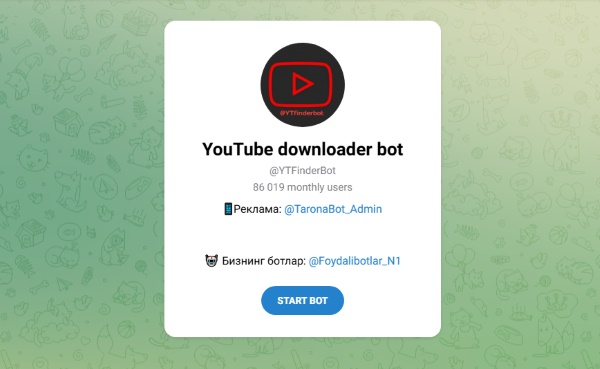
If your primary goal is saving video files directly to your phone's camera roll or local hard drive, @ytfinderbot is tuned specifically for video processing. In addition to accepting standard YouTube links, it supports inline search queries, letting you locate and select videos without leaving Telegram. The bot generates standard MP4 files formatted for universal playback on modern media players and mobile operating systems.
Limitations:
Because Telegram enforces file upload caps on automated accounts, very long broadcasts or multi-hour compilations may fail, but short-form vlogs and music videos process quickly.
Pros
- Integrated inline search functions directly inside any chat
- Encodes to standard H.264/MP4 for broad compatibility
- Fast queue turnaround on short to medium clips
Cons
- Frequently times out on videos exceeding 60 minutes
- Lacks granular audio bitrate selection settings
4. YTBMusBot — Best for YouTube Music
🔗Link: https://t.me/YTBMusBot
Built specifically around the YouTube Music catalog, this bot operates effectively in private direct messages as well as public community groups. Instead of pulling from random third-party scrapers, it queries official music uploads to retrieve original studio tracks and single releases. You can share music links to group conversations, allowing other members to preview or download songs collaboratively.
Since it focuses strictly on music tracks rather than long video captures, server response times remain rapid and steady. It bridges the gap between a standalone music downloader and a collaborative chat tool.
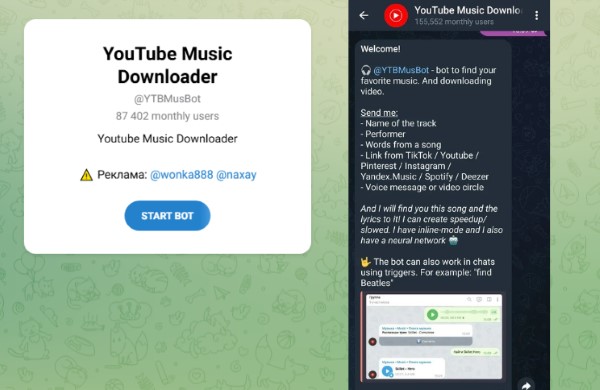
Pros
- Operates directly inside community group chat rooms
- Targets official studio releases rather than noisy video rips
- Delivers lightweight files that download rapidly on mobile data
Cons
- Restricted strictly to music tracks (no MP4 support)
- Occasional matching misses on unlisted live bootlegs
5. scdlbot — Best for Music Metadata and Multi-Platform Audio
🔗Link: https://t.me/scdlbot
Built on open-source scraping utilities and originally designed for SoundCloud, @scdlbot parses YouTube playlists, tracks, and Bandcamp releases with equal competence. Instead of attempting to pack an entire playlist into a single massive archive, it delivers files sequentially in readable chat threads. Keep in mind that extensive playlists will take several minutes to process track-by-track to respect platform rate limits.
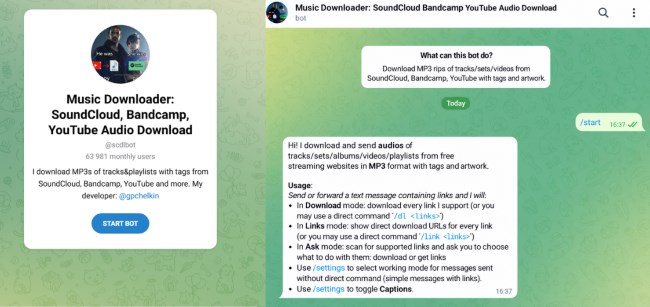
Pros
- Parses complete YouTube and SoundCloud playlists sequentially
- Unified support across YouTube, SoundCloud, and Bandcamp
- Preserves dynamic range without harsh artificial limiting
Cons
- Large batch playlists take considerable processing time
- No video file download options
6. Youtube_dwnldr_bot — Best for Video Quality Options
🔗Link: https://t.me/Youtube_dwnldr_bot
@Youtube_dwnldr_bot relies on resilient infrastructure designed to manage heavy daily usage. It provides an extensive ladder of resolution options, giving users granular control over their final file size. You can quickly pull a compact 360p or 480p file when bandwidth is tight, or select 1080p HD when archiving footage for editing or desktop storage. Consistent server availability makes it the most dependable backup when newer bots go offline.
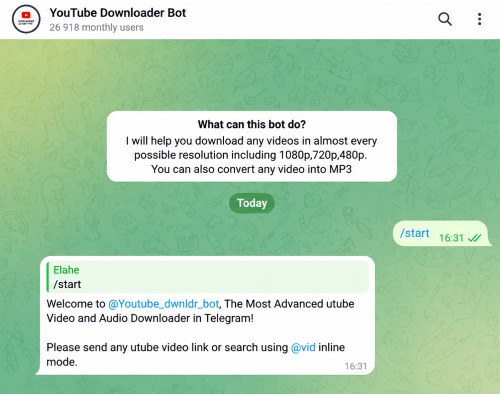
Pros
- Resilient server architecture handles peak traffic spikes well
- Clear, accessible switch between video and audio modes
- Wide resolution ladder ranging from 144p to 1080p HD
Cons
- Large file queues occasionally stall during heavy server load
- Basic interface lacks built-in inline search commands
Other YouTube Telegram Bots to Try:
- @MusicsHuntersbot — Search and download music from multiple platforms directly through Telegram.
- @utuberabot — Find YouTube videos by keyword or inline search, with MP3 conversion available for audio downloads.
- convert_youtube_to_mp3_bot — Convert YouTube videos to MP3 and receive the audio directly in Telegram.
Part 3. How to Download YouTube Videos with a Telegram Bot
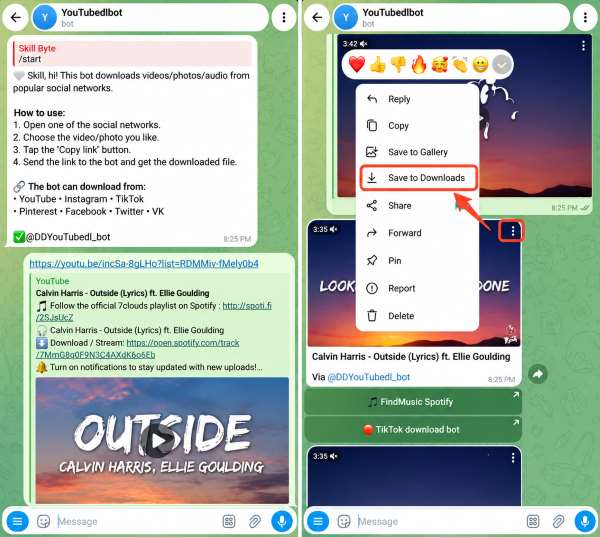
Once you have selected the right bot for your media preferences, running it inside the app takes just a few moments. Because these utilities function directly inside active conversations. The overall interaction flow remains similar across the entire Telegram platform.
Step 1. Launch your Telegram app on mobile or desktop, type the exact bot username into the search field, select the verified profile from the results list, and open the private conversation window.
Step 2. Click the Start button at the bottom of the screen or type /start to wake the bot up, ensuring its remote server responds and displays the welcome message along with the initial configuration choices.
Step 3. Head to YouTube to copy the URL of your chosen video, paste the complete link into the Telegram message input box, and hit send so the bot can parse the source media streams immediately.
Step 4. Tap your desired format (MP4 or MP3) and resolution from the interactive inline buttons, wait for the processing queue to finish, and tap the delivered media file to save it straight to your local drive.
Part 4. Alternative to YouTube Telegram Bots: DRmare Streaming Audio Recorder
While a Telegram YouTube download bot is convenient for grabbing a quick video clip, building a permanent offline media library requires a more robust workflow. Relying on a dedicated desktop tool like DRmare Streaming Audio Recorder bypasses the strict limitations of community-run bots.
Why Choose DRmare YouTube Downloader?
Before choosing the best Spotify to MP3 converter, we need to know how to choose it. In fact, you can evaluate them from sound quality, audio format, conversion speed, ease of use, and costs. Below you can check the details.
-

1. Local Processing
It processes YouTube downloads locally on your computer, reducing reliance on remote bot servers and minimizing disruptions caused by server outages or heavy traffic.
-
2. Metadata Preservation
Essential track details such as titles, artists, albums, and cover art stay intact, making it easier to build and manage a well-organized offline music library.
-
3. Batch Playlist Downloading
Large YouTube playlists can be handled in batches, with multiple tracks processed at speeds of up to 30X for a more efficient download experience.
-
4. Lossless Audio Output
Supporting lossless formats such as FLAC and WAV, along with MP3, AIFF, M4B, M4A, giving you more control over audio quality than many Telegram bots.
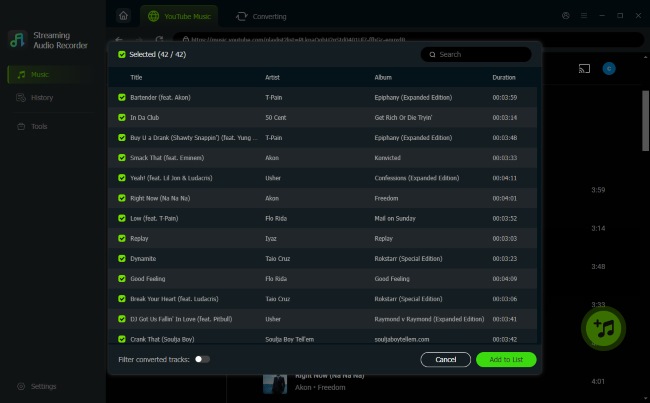
YouTube Telegram Bots vs. DRmare Streaming Audio Recorder
| Feature | Telegram Bots | DRmare Streaming Audio RecorderDRmare |
|---|---|---|
| Stability | Variable (often go offline) | Extremely stable local software |
| Batch/Playlist Support | Rarely supported | Yes, full automatic playlist parsing |
| Metadata & ID3 Tags | Usually discarded | Automatically preserved (Title, Cover Art) |
| File Size Limits | Capped at 2GB (Telegram limit) | Unlimited |
| Output Quality | Compressed MP3/MP4 | Lossless FLAC, WAV, AIFF, high-bitrate MP3 |
Part 5. FAQs About YouTube Downloader Telegram Bots
Are YouTube Telegram Bots safe?
Generally, yes. Legitimate media downloader bots only require a public video URL to process a file. However, you should never enter personal passwords or financial details into a Telegram bot. Be cautious of bots that force you to join spammy advertising channels to unlock the download feature.
Can you download YouTube playlists with Telegram bots?
Most standard bots fail when fed a playlist link because parsing multiple videos simultaneously overloads their free servers. A few specialized bots, like @scdlbot, can handle playlist links, but they often process them slowly. For large batches, desktop software is highly recommended.
Do YouTube Telegram bots have file size limits?
Yes. Telegram restricts file uploads to 2GB for free users (and 4GB for Telegram Premium subscribers). If a bot attempts to download and send a 4K video or a 10-hour audio compilation that exceeds this size, the download will fail.
Can Telegram bots convert YouTube videos to MP3?
Yes. The vast majority of bots, including @YTsavebot and @ytbaudiobot, offer direct MP3 extraction. Once you paste the video link, you can select the audio-only option from the menu, and the bot will strip the video track and send you the converted MP3 file.

 Home
Home





Batch convert YouTube Music to MP3, FLAC, WAV, M4A, AIFF, and M4B with full metadata, offering high-quality output and a more reliable alternative to Telegram bots.