





 I was looking for a reliable YouTube to MP3 safe website that doesn't bombard you with annoying ads or try to install harmful software. Many of the ones I've tried either had constant pop-ups or felt suspiciously unsafe, making me concerned about potentially downloading malware onto my device. Are there any trusted, ad-free options out there that you would recommend?
Most traditional web-based YouTube to MP3 converter sites now compromise user security by hiding malicious scripts or adware inside their conversion buttons. To cut through the noise, we ran 25 trending online downloaders through an isolated sandbox environment. Our goal was to find platforms that deliver clean, fast extractions without weaponized ads. Below is our verified shortlist of the top 10+ safest YouTube to MP3 websites you can use directly in your browser today.
Editor's Top Pick:
If you are looking for a quick, specific solution based on your priorities, here is our tested takeaway:
- For the absolute safest, ad-free experience with maximum fidelity (320kbps): Skip web utilities entirely and use local desktop software like DRmare Streaming Audio Recorder at home to eliminate all browser-based malware risks.
- For a fast, browser-based conversion with no software install: Use YTMP3 or CNVMP3 (best for tracks under 1 hour).
- For direct music discovery and ripping without leaving the page: Use MP3Juice's integrated search engine.
Part 1. 10+ Safest YouTube to MP3 Download Websites
Site 1. YTMP3
🔗Website: https://yt2mp3.gs/
✨Best for: Users who want a no-fuss solution for quick conversions.
📌Rate: ⭐⭐⭐⭐
YTMP3 is a user-friendly, safe, online YouTube to MP3 site that focuses on simplicity. It allows users to download YouTube videos to MP3 (audio) or MP4 (video) formats without hassle and without spending a cent. The website has no any annoying ads and the output quality could be 192kbps. However, it limits video length to around 1 hour for faster processing.
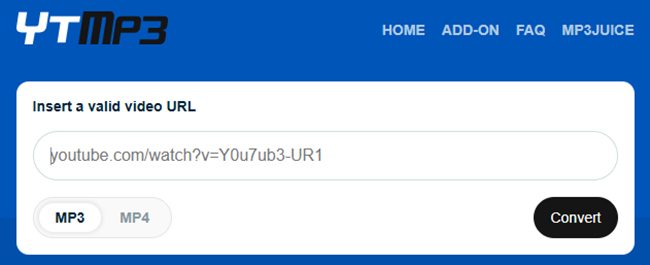
Step 1. Open YouTube, find the video you want to download, and copy its URL from the address bar.
Step 2. Go to safe YTMP3 converter, and paste the copied link into the provided field on the YTMP3 homepage.
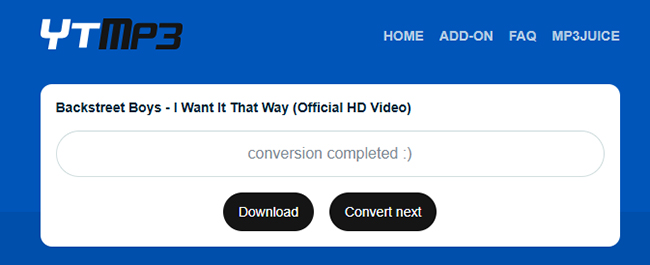
Step 3. Make sure the "MP3" option is selected. Hit the "Convert" button, wait a few seconds, and then click "Download" to save the MP3 file.
Pros
 Fast conversion speeds with minimal steps.
- No pop-up ads, ensuring a smooth experience.
- Works on both desktop and mobile browsers.
Cons
 Limited format options (only MP3 and MP4).
- Cannot download entire playlists.
Site 2. EzMP3
🔗Website: https://ezmp3.net/ojle/
✨Best for: Users who need to split YouTube files into small segments.
📌Rate: ⭐⭐⭐⭐
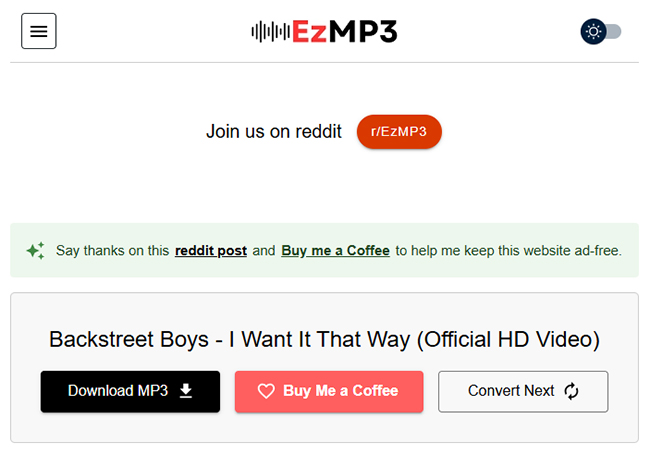
EzMP3 is also an efficient and safe YouTube to MP3 website that offers quick downloads with a focus on user safety. It is ad-free, making it an ideal choice for users who want a hassle-free experience without the risk of pop-ups or malware. The site provides high-quality MP3 downloads (up to 320kbps) without requiring any software installation. Besides, it provides a Trim Audio option for you to split YouTube MP3 files online.
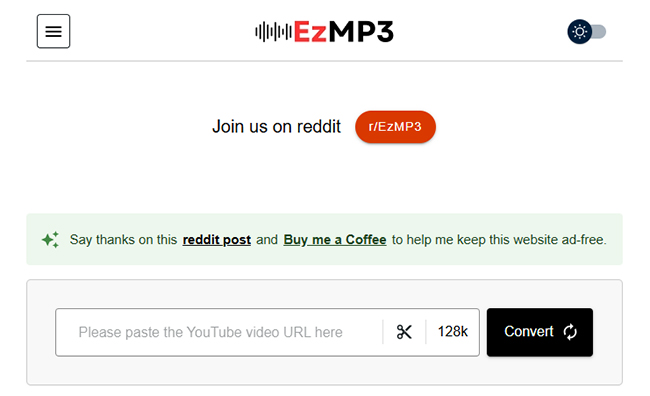
Step 1. Open EzMP3 website in your browser. Paste the copied YouTube link into the input box on the homepage.
Step 2. Confirm that "MP3" is chosen as the output format. Choose the output quality as 320kbps and click the "Save" button to confirm it.
Step 3. Hit the "Convert" button and wait a few moments for the conversion to complete. You can locate all MP3 file on your device and play them when you don't have access to the internet.
Pros
- No ads, pop-ups, or malware risks.
- Quick conversion and download times.
- Free, with no registration required.
Cons
- Limited to YouTube videos only.
- Required to confirm you are a human before conversion.
- May have occasional slowdowns during peak usage times.
Site 3. CNVMP3
🔗Website: https://cnvmp3.com/v54
✨Best for: Users who look for a straightforward, safe, and free website to download YouTube MP3 without pop-up ads or security concerns.
📌Rate: ⭐⭐⭐⭐
CNVMP3 is an easy-to-use and ad-free online YouTube to MP3 converter safe site known for its clean interface. It allows users to convert YouTube videos to MP3 quickly without intrusive ads or unnecessary pop-ups. This tool also supports MP4 downloads, giving you flexibility if you want to save videos instead of just audio.
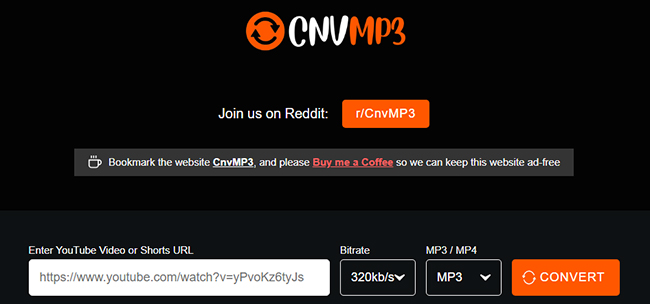
Step 1. Open YouTube and find the video you wish to download. Copy the video's URL from the address bar.
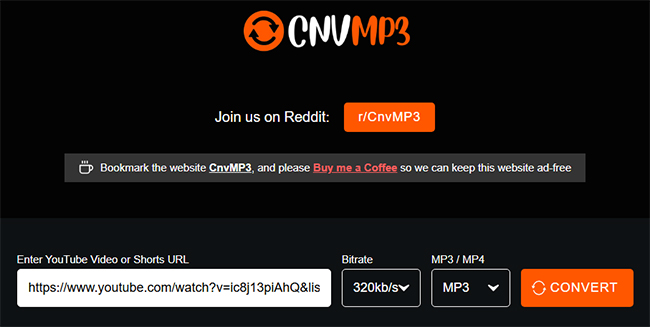
Step 2. Open your browser and visit safe CNVMP3 site. Paste the copied link into the input field on the CNV MP3 homepage.
Step 3. Ensure that "MP3" is selected for conversion. Press the "Convert" button and this website will download YouTube files to MP3 quickly and automatically.
Pros
- No intrusive ads or pop-ups.
- Simple and intuitive interface and quick conversion speed.
Cons
- The output quality is low, up to 96kbps
- Supports multiple websites beyond YouTube, such as TikTok and Facebook.
Site 4. Keepvid
🔗Website: https://keepvid.online/en37/youtube-to-mp3/
✨Best for: Users who want to download content from different social media platforms.
📌Rate: ⭐⭐⭐
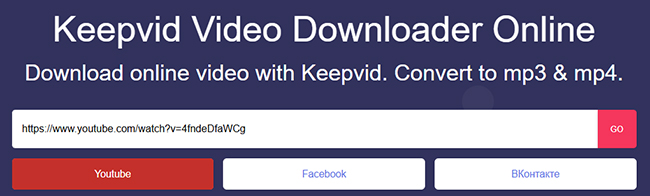
KeepVid is a trusted and popular tool for converting YouTube videos to MP3 quickly and securely. It features a straightforward interface, making it a favorite among users looking for a safe experience. However, during conversion, the conversion process is very slow and it brings you into a new page and requires you to confirm you are over 18 in the age verification page.
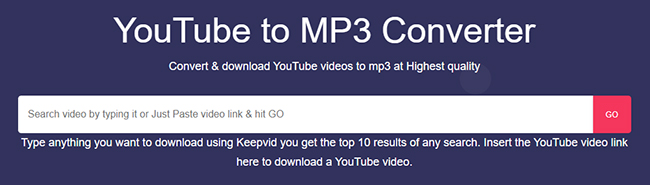
Step 1. Copy the YouTube video link from your web browser.
Step 2. Visit Keepvid YouTube to MP3 website, paste the link to the target address bar, and choose "YouTube" as the target source.
Step 3. Click the "Go" and "Download Now" to move the next step, you have to confirm you are over 18. After confirmation, it will download the MP3 file to your device.
Pros
- It allows you to preview content but has ads.
- Support many website, like Twitter, Instagram, and Facebook.
Cons
- Limited features beyond MP3 conversion.
- The success rate is low.
- Have some ads during conversion.
Site 5. Y2Mate
🔗Website: https://en1.y2mate.is/v-66/
✨Best for: Users looking for an all-in-one YouTube MP3 downloader site with multiple format options.
📌Rate: ⭐⭐⭐⭐
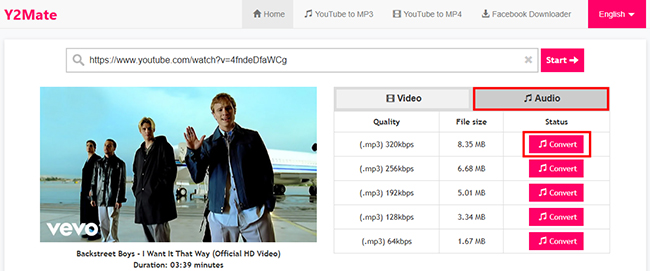
Y2Mate is a versatile online tool that allows users to convert YouTube videos to various formats, including MP3 and MP4 with different quality preserved. It supports MP3 downloads in multiple bitrates (64kbps to 320kbps) and MP4 downloads in different resolutions (144p to 1080p). It also supports unlimited conversion and download at no cost. It's known for its speed and simplicity.
Step 1. Find the YouTube video you want to convert and copy its link.
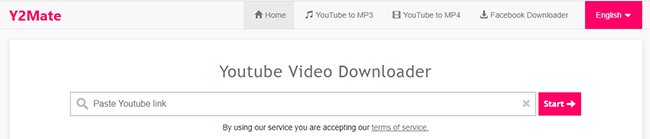
Step 2. Visit Y2Mate. Insert the copied link into the search box and click the "Start" button to load files.
Step 3. Choose the "Audio" option and select the desired bitrate (e.g., 320kbps). Click "Convert", then press "Download" once the conversion is complete.
Pros
- No registration or installation required.
- Easy-to-use interface that's beginner-friendly.
Cons
- Displays intrusive ads during the download process.
- Can occasionally redirect users to unwanted pages.
Site 6. MP3Juice
🔗Website: https://mp3juice3.ninja/
✨Best for: Users who want to search for and download MP3s in one place.
📌Rate: ⭐⭐⭐
MP3Juices is on online music search engine tool that offers a unique experience by allowing users to search directly on the platform. Users can directly enter keywords or YouTube video links to find songs for listening to or downloading without having any subscription. It can directly download YouTube MP3 tracks without the need to convert files separately.

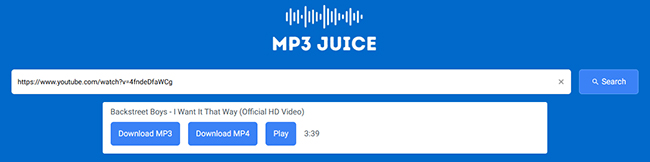
Step 1. Open your browser and go to MP3Juice. You can either search for a video directly using keywords or paste a YouTube link into the search box.
Step 2. Click the "Search" button to find the download source.
Step 3. Press the "Download MP3" tab to convert the YouTube video to MP3 and save it.
Pros
- Integrated search functionality to find YouTube videos.
- No need to visit YouTube to get the video link.
- Fast and straightforward search and download process.
Cons
- Can be blocked in certain regions due to copyright concerns.
Site 7. Converto
🔗Website: https://ww3.converto.re/en6/
✨Best for: Users who prefer online tools with advanced features.
📌Rate: ⭐⭐⭐
Converto is a simple and safe YouTube MP3 downloader site with a clean and easy-to-navigate interface. It allows users to download MP3 files efficiently while offering some customization, like trimming audio files before download. What's more, it provides a built-in ID3 tag editor to edit ID3 tags manually, like artist, title, album, and cover art.
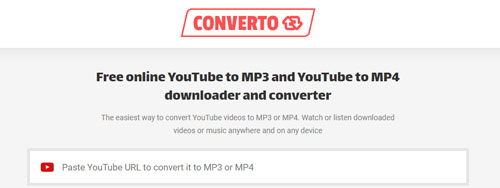
Step 1. Open the YouTube video you want and copy its link. Head to Converto and paste the link into the search bar, it will automatically load files to download.
Step 2. Select "MP3" from the options and click the "Gear" icon to adjust other settings, like editing ID3 tags, and choosing the part you want to cut.
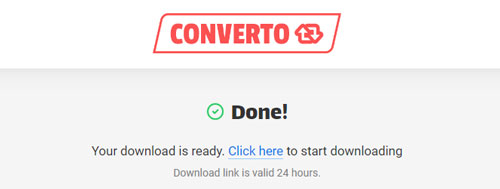
Step 3. Click the big red "Convert" button to save the MP3 file from YouTube.
Pros
- Clean interface with no ads.
- Option to edit file name and quality.
- Fast and efficient conversion.
Cons
- Occasional delays with longer videos.
- The conversion process takes some time
Site 8. Convert2MP3
🔗Website: https://en.convert2mp3.club/index_20.html
✨Best for: Users who want to download YouTube to not only MP3 but also other audio and video formats.
📌Rate: ⭐⭐
Convert2MP3 is a long-standing online YouTube to MP3 safe site known for its reliable performance. It's a great option for users who want a quick download process without software installations. Similar to MP3Juice, it also enables users to search for content, such as video title without using YouTube link. Apart from MP3, this website supports lots of other audio and video formats, including M4A, AAC, FLAC, WMA, OGG, MP4, AVI, WMV, and 3GP.
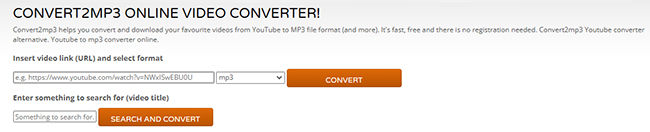
Step 1. Search for target YouTube file or copy the YouTube URL into the target area on Convert2MP3.
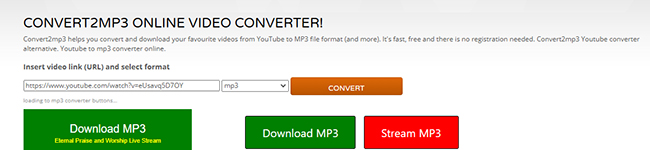
Step 2. Drop down the settings option to select the target output format and click the "Convert" button to get the file ready to download.
Step 3. After that, hit on the "Download MP3" button to get your YouTube MP3 tunes.
Pros
- Supports multiple audio and video formats.
- No registration required.
Cons
- Sometimes fail to download.
- Interface may appear dated.
Site 9. 9Convert
🔗Website: https://app.9convert.cc/en10/youtube-video-downloader/
✨Best for: Users who want a free and safe website.
📌Rate: ⭐⭐⭐
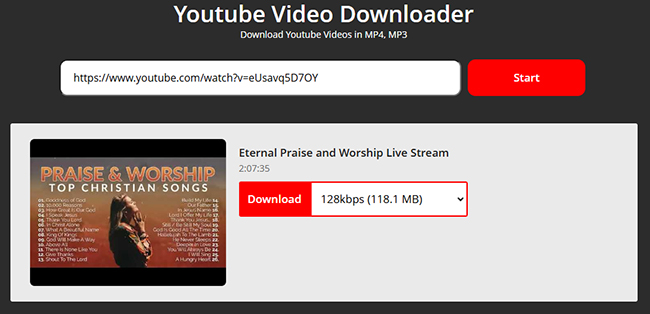
9Convert is a reliable tool that focuses on high-speed YouTube to MP3 conversions. It offers a clutter-free experience with no unnecessary ads, allowing users to download audio content seamlessly. But there is only one option to export YouTube MP3 files (128kbps).

Step 1. Copy the link of the YouTube video and paste the link in 9Convert.
Step 2. Click "Start", choose MP3 (128kbps) format, and tap the "Download" button to get downloaded files.
Pros
- Fast conversion and download speeds.
- Supports multiple audio and video formats.
Cons
- Support downloads in one bitrate and format.
- Does not offer advanced customization options.
Site 10. Wave.video
🔗Website: https://wave.video/convert/youtube-to-mp3-30
✨Best for: Users seeking a comprehensive online video editing suite that also supports YouTube to MP3 conversion, regardless of the YouTube clip's format.
📌Rate: ⭐⭐⭐
Wave.video is mostly known as an online video editor, but it also offers a convenient and secure YouTube to MP3 converter. It can transform your YouTube videos into MP3 audio regardless of their original format (like MP4, M4V, WebM, AVI, MKV, WMV, or MOV) without compromising the audio quality. There's no need to sign up for an account; the process is straightforward, and the interface is clean, free from intrusive ads or malware. Plus, if you want to edit your YouTube videos, you can do that right on the same website.
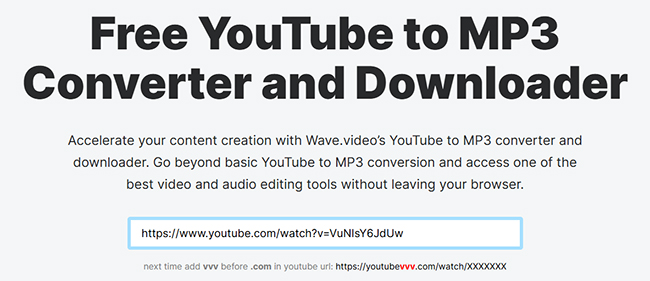
Step 1. Open Wave.video in your browser and navigate to their YouTube to MP3 converter page.
Step 2. Copy and paste the copied YouTube video URL you'd like to convert into the designated input field.
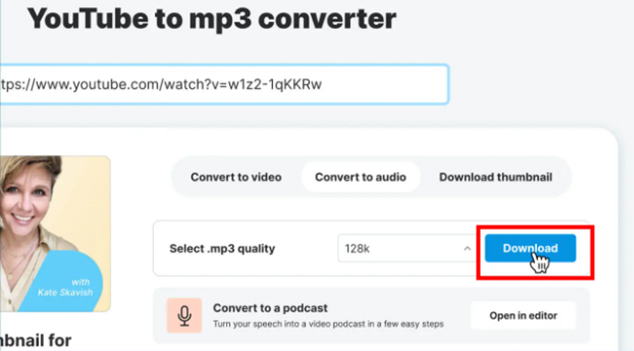
Step 3. Choose the audio quality of MP3 files and click the "Download" button to start the process. Once the conversion is complete, you will retain your MP3 file.
Pros
- Clean interface with no intrusive ads.
- Have some editing functions.
Cons
- Conversion speed might vary based on server load.
- MP3 is the only output format.
Site 11. AMP3
🔗Website: https://amp3.cc/
✨Best for: Users looking to convert entire YouTube playlists or exceptionally long files (up to 4 hours) with built-in audio trimming.
📌Rate: ⭐⭐⭐
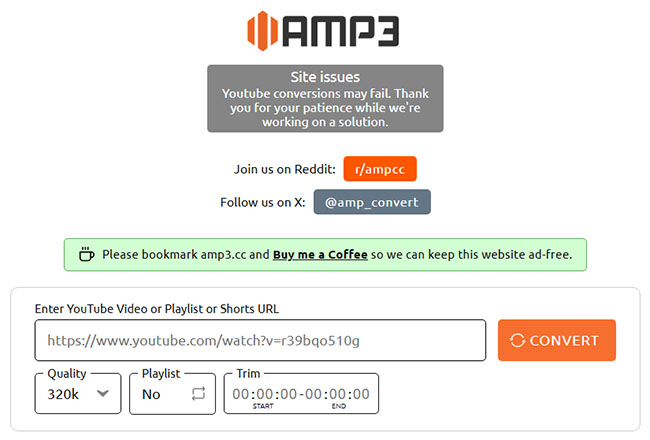
AMP3 is a feature-rich, browser-based YouTube media extractor engineered specifically for users who need to handle heavy-duty conversion tasks. While traditional online downloaders frequently crash when processing large files, AMP3 successfully parses full YouTube playlists, Shorts, and long-form videos extending up to 4 hours (240 minutes).
The platform features a clean, security-conscious interface that allows you to configure variable audio profiles scaling up to 320kbps. Furthermore, it integrates an onboard audio trimmer to crop tracks prior to downloading, alongside localized language options and a dark/light mode UI toggle.
Step 1. Copy the target YouTube video, Short, or Playlist URL from your browser's address bar.
Step 2. Navigate to the safe AMP3 web terminal and paste the link into the centralized input field.
Step 3. Select your preferred audio profile (up to 320kbps). Use the native trimming sliders if you only require a specific segment, then initiate the extraction to save the MP3 directly to your storage.
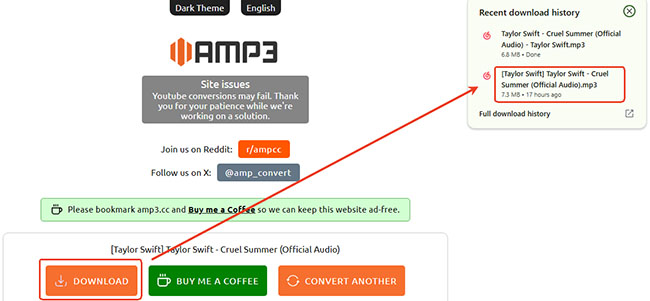
Editor's Real Test Result:
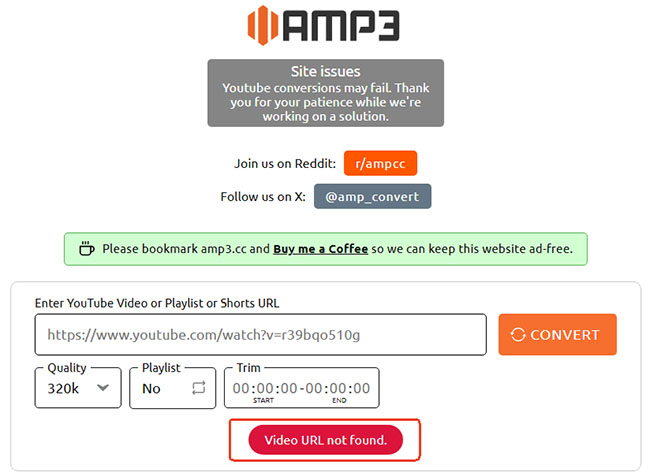
Our hands-on testing revealed an intermittent parsing glitch: the site occasionally fails to recognize active links, throwing a false "Video URL not found" error that requires page refreshes or multiple conversion attempts.
Pros
- Seamlessly expands and batch-processes entire playlist queues from a single link.
- Ideal for extracting multi-hour audiobooks, DJ sets, lectures, or lengthy podcasts.
- Features on-the-fly audio trimming and interface dark-mode toggles without requiring secondary extensions.
Cons
- Frequently triggers a false "Video URL not found" error on valid YouTube links, requiring users to copy-paste the URL again or refresh the web terminal.
- Metadata parameters like album artwork or advanced track tags are not automatically populated for batch downloads.
Site 12. YTBMP3
🔗Website: https://ytbmp3.org/convert/
✨Best for: Users prioritizing a clean, ad-free environment for ripping full playlists and long podcasts over high-fidelity bitrates.
📌Rate: ⭐⭐⭐
YTBMP3 is a straightforward, security-centric web utility tailored for seamless browser-based audio extractions. Unlike mainstream competitors that trap users in a loop of aggressive adware and malicious redirects, this platform maintains an entirely clean, ad-free interface. It stands out by natively supporting complex, long-form inputs, including multi-hour talk shows, podcasts, and full YouTube playlist expansions from a single URL.
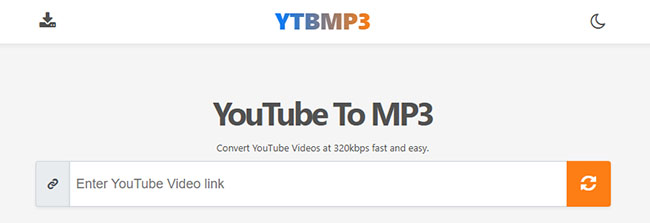
Step 1. Copy the wanted YouTube URL and paste it in the prominent search input box of YTBMP3 site. Tap the Convert icon to generate download link.
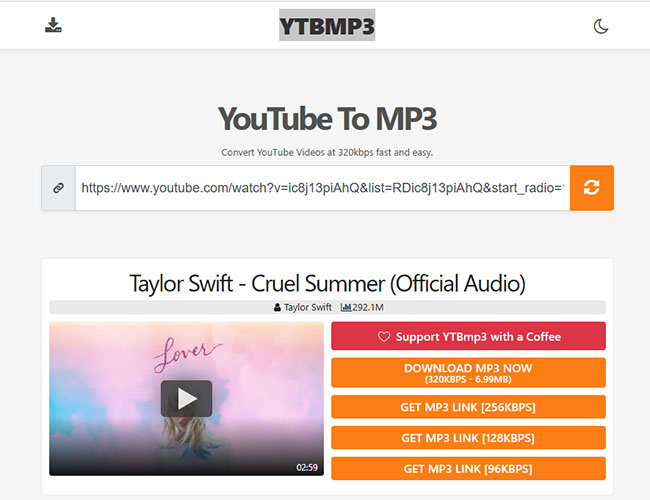
Step 2. Click the target audio quality, it will automatically save MP3 tracks to your local device.
Editor's Real Test Result:
Our 2026 hands-on testing via Spek audio analysis exposed a deceptive quality inflation tactic: while the downloaded file's metadata header falsely claims a premium 320kbps stream, the underlying spectrogram reveals a rigid audio brickwall cutoff at exactly 16 kHz. This structural ceiling proves the backend simply pads a low-grade 128kbps rip into a bloated 320kbps container, offering zero actual fidelity enhancement.
Pros
- Offers a highly secure, malware-free user experience completely devoid of pop-ups or deceptive layout buttons.
- Capable of expanding and staging entire playlist links for sequential file extraction without manual URL re-pasting.
Cons
- Deceptively alters file metadata to report 320kbps while delivering a hard-capped 16 kHz frequency shelf, indicating an inflated 128kbps audio source.
- Server-side rendering speeds are mirror-slow when processing long-form audio files or deep playlist queues.
Note:
These safest YouTube to MP3 converter sites often update their domains due to frequent YouTube API changes. We check and update these links monthly. Clicking the links below should take you to the latest working address. If a link appears broken, please use a search engine to find the updated domain.
Expired & Broken: Free YouTube to MP3 Sites to Avoid [Don't Waste Time]
The online YouTube to MP3 ripping ecosystem operates in a highly volatile technical and legal environment. Due to aggressive YouTube API updates and domain enforcement actions, tools that worked yesterday can break overnight.
To save your time and prevent unnecessary browsing frustration, our team actively audits these platforms. The following entries have been confirmed non-functional, do not attempt to use them:
1. Hire Quotient
- ❌Current Status: Abandoned / Permanently Offline (HTTP 404 Error)
- 📝Symptom: Previously valued as a rare, ad-free, browser-based converter tool, Hire Quotient's media downloader sub-portal has gone entirely dark. The conversion page now consistently terminates at a 404 error screen, confirming that the service has been discontinued.
2. Cobalt
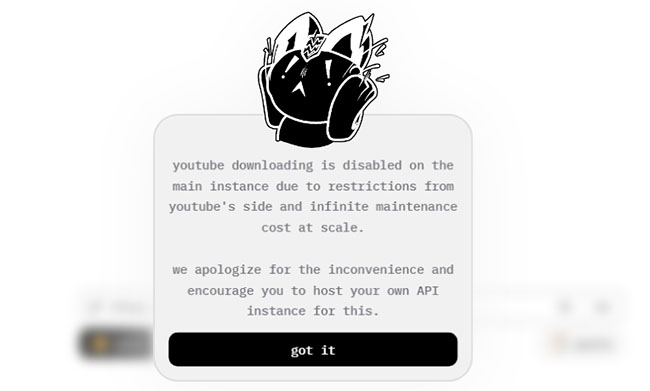
- ❌Current Status: Extraction Feature Disabled
- 📝Symptom: While the minimalistic web interface loads successfully, Cobalt has completely suspended its YouTube scraping pipeline. Pasting any valid YouTube URL instantly triggers a native front-end error popup stating: "YouTube downloading is disabled."
3. Gettvid
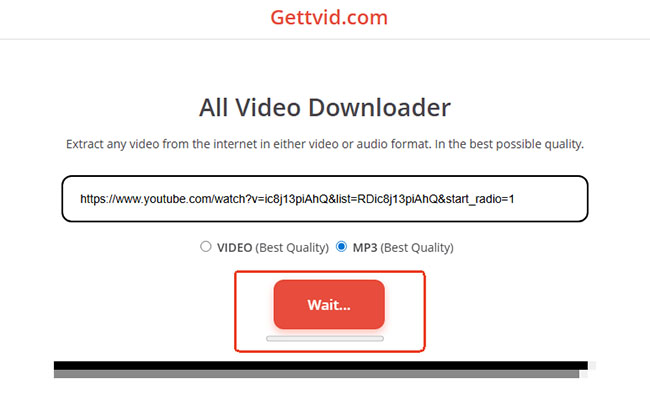
- ❌Current Status: Server Hang / Infinite Frozen Loop
- 📝Symptom: The input terminal appears operational, but the backend rendering engine is dead. After pasting a link, selecting the MP3 profile, and clicking the "Extract" button, the system permanently freezes on a "Wait..." status indicator with zero console progression or file delivery.
4. GreenConvert
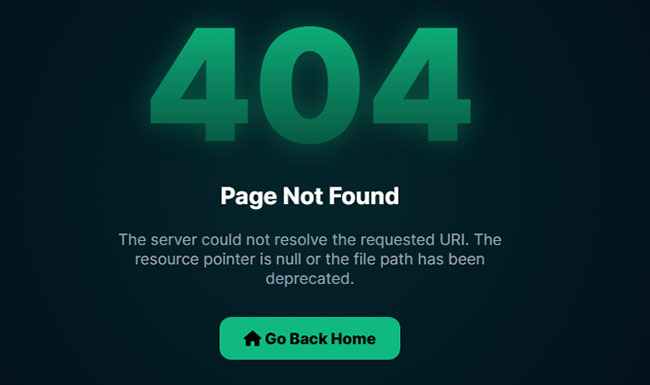
- ❌Current Status: Completely Offline (HTTP 404 Error)
- 📝Symptom: Once a popular online utility praised for its built-in audio trimming and dual M4A/MP4 output support, GreenConvert's servers have been entirely decommissioned. Attempting to access its address drops visitors onto a dead HTTP 404 page, indicating the project is defunct.
Part 2. Comparison Table of YouTube to MP3 Safe Websites
To make it easier for you to choose the safest YouTube to MP3 website, we've compared these sites based on various criteria, such as conversion speed, supported formats, ease of use, and potential drawbacks. Whether you're looking for a straightforward, ad-free experience or advanced features like trimming and ID3 tag editing, this comparison table will help you find the perfect fit for your needs.
Below is a detailed comparison of these top 12 sites, highlighting their unique features, pros, and cons:
| Website | Best For | Pros | Cons | Max Bitrate | Ads | Additional Features |
|---|---|---|---|---|---|---|
| YTMP3 | Simple and quick conversions | Fast, ad-free, user-friendly | Limited to MP3 & MP4, video length ≤ 1 hr | 192kbps | No | Works on desktop & mobile |
| Y2Mate | Multiple format options | Easy interface, no registration | Intrusive ads, redirects | 320kbps | Yes | Supports multiple bitrates |
| CNVMP3 | Ad-free experience | No intrusive ads, fast conversion | Low output quality (up to 96kbps) | 96kbps | No | Supports MP4 & other sites (TikTok, Facebook) |
| EzMP3 | Splitting YouTube audio | No ads, high-quality downloads | Requires human verification | 320kbps | No | Trim audio option |
| MP3Juice | Searching & downloading in one place | Integrated search engine | May be blocked in some regions | 320kbps | No | Search YouTube directly |
| Keepvid | Multi-platform support | Previews content, multiple sources | Age verification needed, ads | 320kbps | Yes | Supports Facebook, Instagram, etc. |
| Converto | Advanced customization | Clean interface, ID3 tag editing | Occasional delays for long videos | 320kbps | No | Trimming & ID3 tags |
| Convert2MP3 | Multiple formats | Supports MP3, AAC, FLAC, video formats | Dated interface, occasional failures | 320kbps | Yes | Search for content by title |
| 9Convert | Fast & clutter-free experience | Fast downloads, no ads | Only 128kbps, limited options | 128kbps | No | Simple conversion |
| Wave.video | Multiple YouTube formats | No need to sign up | Only MP3 option | 128kbps | No | Edit videos |
| AMP3 | Converting full playlists & long files (up to 4 hours) | Handles massive files up to 4 hrs, batch playlist extraction, clean interface | Intermittent false "Video URL not found" glitches, no ID3 tag syncing | 320kbps | No | Onboard audio trimmer, dark/light mode UI toggle, localized languages |
| YTBMP3 | Ad-free browsing & safe ripping on restricted networks | 100% malware-free, no pop-ups, expands full playlist URLs easily | Fake 320kbps upscaling | 128kbps (Actual) | No | Playlist expansion, clean and highly secure layout |
Key Takeaways:
- If you prioritize no ads and high-quality MP3 downloads, EzMP3 is a great choice.
- For those looking for tools with additional features like trimming or ID3 tag editing, Converto, EzMP3, and Wave.video are top picks.
- Sites like Y2Mate and Convert2MP3 are versatile but come with the drawback of intrusive ads and potential redirects.
- MP3Juice and Convert2MP3 offer the flexibility of searching for content without a YouTube link, making them convenient for discovering new music.
Part 3. Recommended: YouTube to MP3 320kbps Safe Desktop Software
🔗Website: https://www.drmare.com/
✨Best for: Users looking for a robust and feature-rich tool for bulk downloads.
📌Rate: ⭐⭐⭐⭐⭐
While online sites offer quick and convenient solutions, they often come with certain limitations, such as intrusive ads, lower output quality, or restrictions on video length. If you're looking for a more robust, secure, and reliable option to convert YouTube songs to MP3 without any of these drawbacks, DRmare Streaming Audio Recorder is an excellent desktop alternative.
It is a powerful software designed to deliver high-quality audio downloads directly from YouTube and other streaming platforms. Unlike online tools, it ensures a completely ad-free, virus-free experience with no restrictions on video length or audio quality. The software allows users to download YouTube Music in lossless quality, and save files in multiple formats, including MP3, FLAC, WAV, and more. Additionally, it retains full ID3 tags for a seamless music library experience.

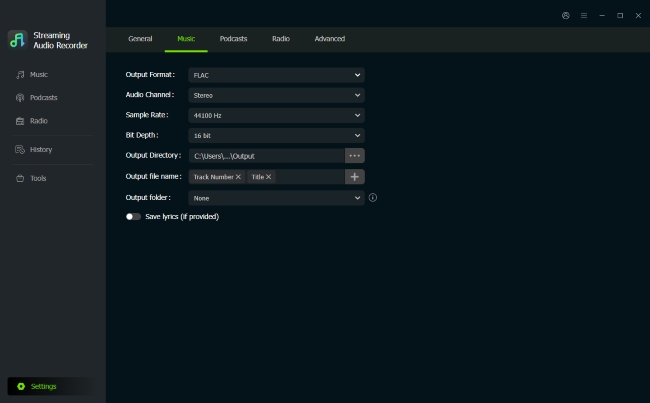
Step 1. Open DRmare Streaming Audio Recorder on your desktop. Click the "Settings" >"Music" option to customize the YouTube Music output parameters. You can set the output format to MP3 and adjust other settings like bitrate (up to 320kbps), sample rate, and channel to ensure the best audio quality.
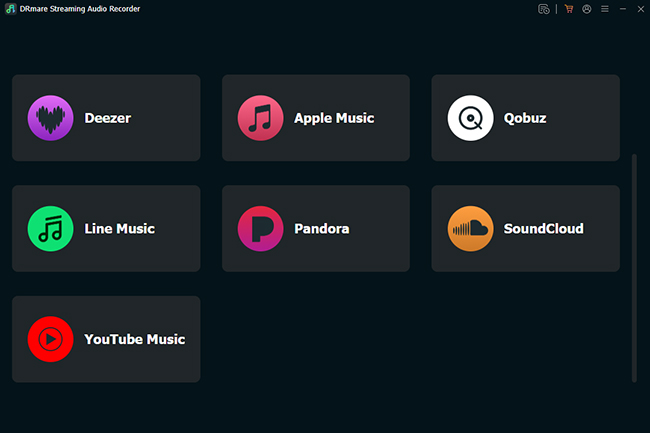
Step 2. Go back to the main interface of DRmare Streaming Audio Recorder and you can see all available streaming music services. Scroll down to find the "YouTube Music" option and tap it to open the built-in YouTube Music downloader and log in to your YouTube Music account.
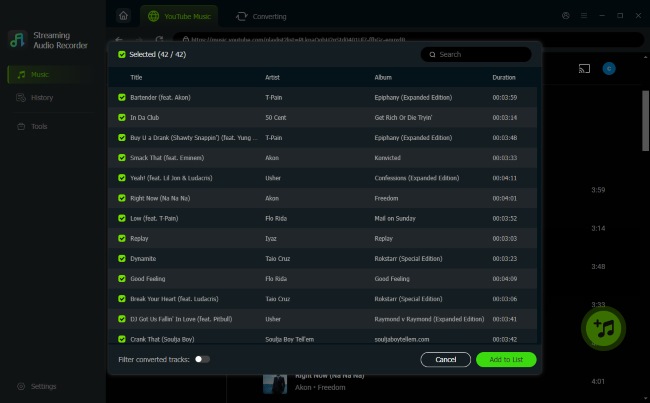
Step 3. Browse your YouTube Music library and find the favorite songs that you'd like to download as MP3. Once found, click the "Add" > "Add to List" button to load them to the conversion queue.
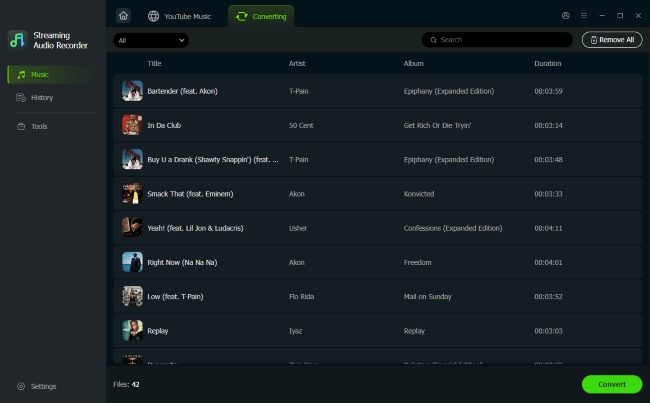
Step 4. Tap the "Convert" icon under the Converting tab, it will automatically download added YouTube songs and playlists to MP3. You can find them in the "History" section.
Part 4. FAQs about Safest YouTube to MP3 Converters
Are YouTube to MP3 websites legal?
Downloading content from YouTube without the creator's permission can violate YouTube's Terms of Service, especially if the content is copyrighted. Always download content that is either royalty-free or that you have permission to use.
Can I download YouTube videos directly from the YouTube app?
The YouTube app allows downloads for offline viewing, but the downloaded content is only accessible within the app and cannot be converted to MP3.
Is there a risk of viruses with online YouTube to MP3 sites?
Yes, some websites may contain malware. Stick to reputable converters like the ones listed above, and ensure your antivirus software is up to date.
What is the safest YouTube to MP3 converter?
This post covers the top 12 safest YouTube to MP3 sites, avoiding malware, aggressive adware, and deceptive pop-ups. However, desktop applications, like DRmare Audio Capture are generally safer than online sites because they don't rely on ad-filled web pages. The conversion happens locally on your computer.
Part 5. In Conclusion
Choosing a reliable YouTube to MP3 safe website is essential to avoid malware and intrusive ads. The tools listed above are among the best options, offering both online and desktop solutions.
For a safer experience, use an ad-blocker and antivirus software when visiting these download sites to prevent potential threats. Or you can directly use DRmare Audio Capture to extract music from YouTube with the highest fidelity. By using it, you can avoid the risks associated with pop-up ads and unreliable sites, ensuring that your downloads are both safe and efficient.

 Home
Home





User Comments
Leave a Comment