





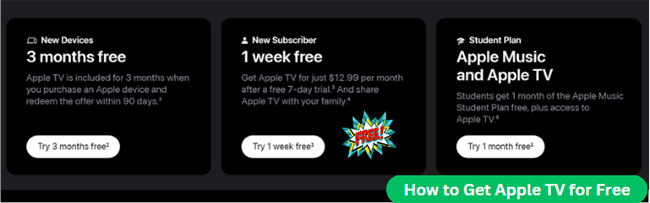
Apple TV (formerly Apple TV+) normally costs $12.99 per month in the U.S. (£9.99 per month in the UK), but you don't necessarily have to pay full price right away. Several legitimate trials, device promotions, student benefits, and carrier offers can reduce the cost or let eligible users watch without paying for a limited period.
The best Apple TV free trial offer depends largely on whether you are a new subscriber, recently bought an Apple device, qualify for a student plan, or already receive streaming perks through your mobile carrier. If you are looking for a way to get free Apple TV trial for a limited period, you can find the most suitable way in this article.
Note:
Offers checked in August 2026. Pricing and promotions may change by region, carrier, retailer, and account eligibility.
Is Apple TV Free in 2026?
No. Apple TV is normally a paid streaming subscription, although Apple continues to offer several ways to access it temporarily without paying the standard monthly fee.
Apple TV Free Offers at a Glance
| Apple TV Free Option | Free Period | Best For | Main Limitation |
|---|---|---|---|
| Standard Apple TV free trial | 7 days | New subscribers | Auto-renews as paid subscription |
| New Apple device offer | 3 months | Eligible new device owners | Must be redeemed within the eligible period |
| Apple Music Student plan | Included for a limited time | Verified college students | Requires an active Student subscription |
| Apple One trial | Up to 1 month | Users trying several Apple services | Only for services you haven't tried |
| Carrier promotions | Varies | Eligible mobile customers | Depends on plan and country |
| Family Sharing | No extra charge for family members | Household members | Someone in the family still pays |
Important Note:
Offers usually cannot be stacked. A user who has already redeemed one Apple TV promotion, for example, may not qualify for another. If you qualify for the 3-month device promo, claim it before starting a standard 7-day trial!
1. Get the 7-Day Apple TV Free Trial
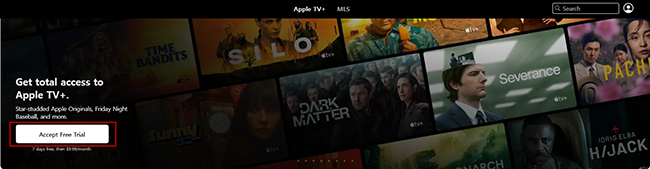
The simplest option for someone who has never subscribed before is Apple's standard Apple TV 7-day free trial. A payment method is normally required because the trial is designed to renew as a paid subscription when it ends. Before confirming the offer, check the renewal date displayed on the subscription screen so you know when billing is scheduled to begin.
How to Sign Up for the Apple TV Free Trial for 7 Days:
Step 1. Go to Apple TV: Visit the Apple TV website or open the Apple TV app on your device.
Step 2. Sign in Apple TV Account: Use your Apple Account to sign in or create a new one.
Step 3. Start the Free Trial: Once logged in, you will be prompted to start the 7-day free trial by clicking the "Accept Free Trial" button. Follow the on-screen instructions to activate the trial and begin streaming.
Note:
If you only want the free week, review your subscription settings before the renewal date. You have to cancel before the 7 days are up to avoid the $12.99 charge.
2. Get Apple TV 3 Months Free Trial with a New Apple Device
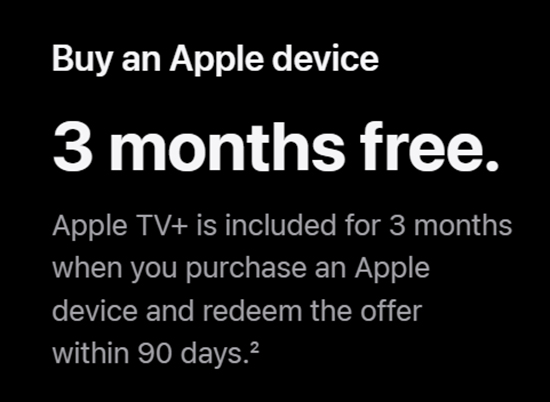
Buying an eligible new Apple device can provide a much longer Apple TV trial. Apple currently offers 3 months of Apple TV at no additional cost with eligible new purchases such as an iPhone, iPad, Mac, or Apple TV device. For users already planning to buy Apple hardware, this is usually more valuable than the standard 7-day trial.
Eligible Apple Devices:
Common qualifying products include:
- iPhone
- iPad
- Mac
- Apple TV (hardware)
How to Activate Apple TV Free Trial 3 Months:
Step 1. Set up your eligible new Apple device and sign in with your Apple Account.
Step 2. Open the Apple TV app, and you'll be prompted to redeem your free trial.
Step 3. Follow the on-screen steps to review the renewal terms and complete activation.
Tips:
You need to redeem this within 3 months of setting up the device. If you or your Family Sharing group have claimed a similar hardware promo before, you might not be eligible again.
3. Get Free Apple TV with an Apple Music Student Subscription
Verified college or university students get the best bundle deal. The Apple Music Student plan ($6.99/month in the U.S.) currently includes access to Apple TV content at no additional charge for a limited time. If you already pay for Apple Music, you might already have Apple TV for free!
How to Get Apple TV for free via the Apple Music Student Plan:
Step 1. Check Eligibility: Ensure that you're enrolled in a college or university and meet the requirements for Apple's Student Plan. Apple uses a service called UNiDAYS to verify your student status.
Step 2. Sign Up for the Apple Music Student Plan: If you're not already subscribed, go to the Apple Music app on your iPhone, iPad, or Mac, or visit Apple Music's website. Select the Student Plan, you will be prompted to verify your student status through UNiDAYS by logging in and confirming your student credentials.
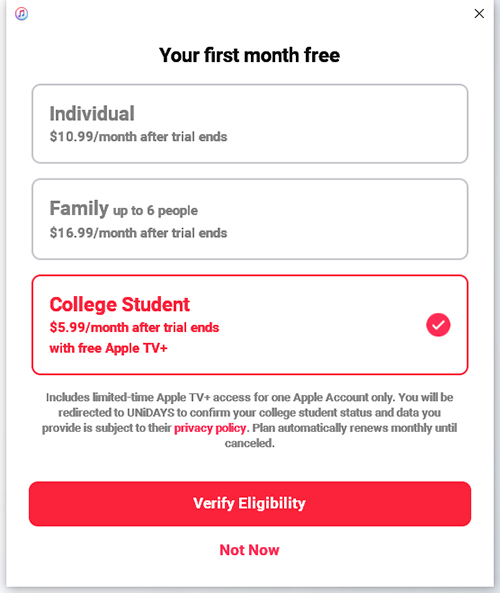
Step 3. Activate Apple TV for Free: Once you've successfully subscribed to the Apple Music Student Plan, Apple automatically grants you free access to Apple TV. You don't need to pay anything extra or take additional steps to activate Apple TV.
Limitation:
Apple TV access included through the Student plan is not necessarily the same as a standard Family Sharing Apple TV subscription. If several people in a household need access, check the sharing terms before choosing this route.
4. Try Apple TV for Free Through an Apple One Free Trial
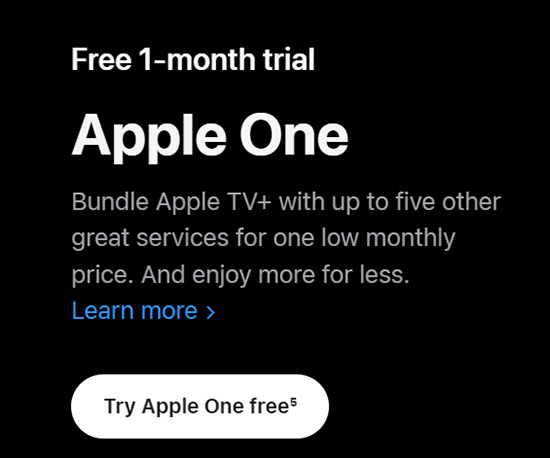
Apple One combines several Apple services into one subscription. Depending on the plan, this can include Apple Music, Apple TV, Apple Arcade, iCloud+, and additional services. New Apple One subscribers may receive up to one month free for eligible services they do not already subscribe to.
How to Get Apple TV for Free for 30 Days via Apple One:
Step 1. Open Settings: Go to Settings on your Apple device.
Step 2. Tap on Your Name: Open your Apple Account settings.
Step 3. Subscriptions: Tap "Subscriptions" and choose "Apple One."
Step 4. Start the Free Trial: Sign up for the trial, which gives you access to Apple TV and other services for 30 days at no cost.
Note:
If Apple TV is already active on your account, signing up for Apple One does not necessarily create a fresh one-month Apple TV trial.
5. Current Free Apple TV Carrier and Retailer Deals
Several carriers and service providers offer free Apple TV as part of their subscription bundles. Here are some examples:
Free Apple TV Deals in the US
Target Circle:
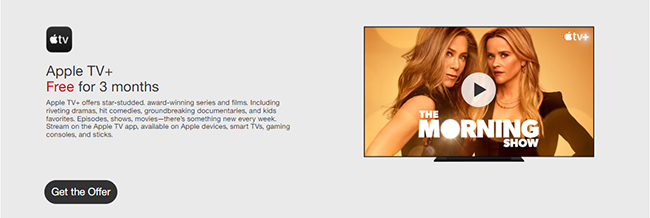
Target often runs promotions through its Target Circle loyalty program, offering special deals, including free trials for streaming services like Apple TV. One such promotion is the 3 months free Apple TV offer available to Target Circle members. The Target Circle Apple TV free trial is frequently available for both new and returning subscribers who do not currently hold an active subscription.
T-Mobile:
T-Mobile continues to offer Apple TV benefits for specific plans, though the details vary by plan. Eligible customers may receive a free trial or access Apple TV at a discounted monthly rate. Before signing up for a separate subscription, you can log in to your T-Mobile account to check the entertainment benefits included with your current plan.

Verizon:
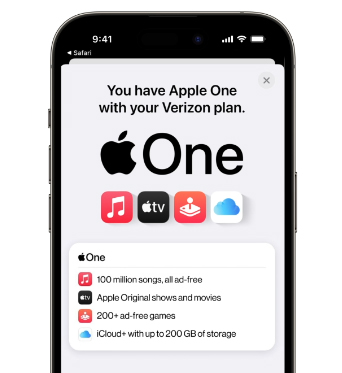
Verizon has also offered Apple services through selected plan perks, including Apple One-related benefits. These offers are usually tied to specific plans or optional perks rather than a universal free Apple TV subscription for every Verizon customer. If you already use Verizon, checking your account benefits first may prevent you from paying for Apple TV separately.
Best Buy and Other Retailers:
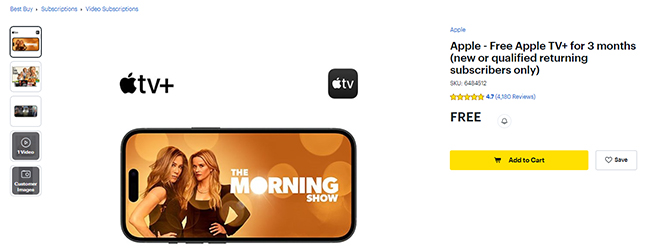
Best Buy has previously offered several months of Apple TV to qualifying users, while newer promotions may provide shorter periods or require a membership. Retailer deals should therefore be treated as temporary bonuses rather than permanent ways to get Apple TV free.
Free Apple TV Deals in the UK
EE:
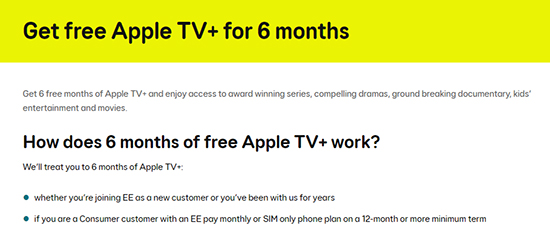
EE currently provides Apple TV promotions to some eligible UK customers, although the duration can depend on the type of EE service or plan. Some mobile offers provide around 3 months, while certain EE TV-related promotions may run longer. Check the benefit listed under your account before activation.
O2:
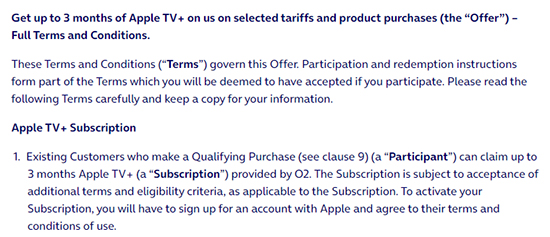
O2 periodically includes Apple TV promotional access with eligible Apple device purchases and selected offers. Because qualification can depend on the device, tariff, and purchase period, it is better to verify the current promotion on the exact product or plan you are buying rather than assuming every O2 customer receives the same trial.
6. How to Watch Apple TV Through Family Sharing at No Extra Cost
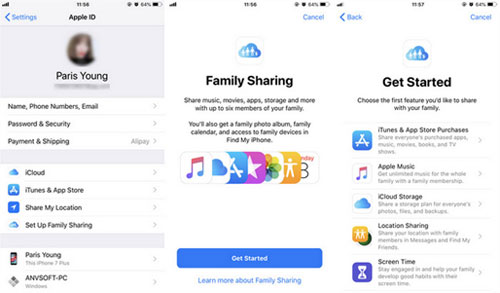
Family Sharing can make Apple TV effectively free for additional household members, although the Apple TV subscription itself is still being paid for by someone in the group. A standard Apple TV subscription can generally be shared with up to five other family members, allowing as many as six people in the Family Sharing group to access supported Apple TV content.
How to Share Apple TV with Family:
Step 1. Go to Settings > Your Name > Family Sharing.
Step 2. Invite family members to join your Family Sharing plan.
Step 3. Once added, all members will have access to the shared Apple TV subscription without any additional charges.
What Happens When Your Apple TV Free Trial Ends?
When a free Apple TV period finishes, the subscription normally renews at the price shown when you activated it unless you cancel. If you cancel your trial, you immediately lose access to the streaming library. Furthermore, any movies or shows you downloaded for offline viewing within the Apple TV app will expire and become unplayable. However, your watch history, playlists, and library preferences remain safely tied to your Apple Account in the cloud, ready to reappear if you ever resubscribe.
Advanced Tip: Save Apple TV Videos for Flexible Offline Playback
Because official downloads are locked inside the Apple TV app and expire with your trial, some users who travel frequently or need files for non-Apple smart TVs turn to third-party tools like DRmare Apple TV Downloader. It allows you to save supported Apple TV videos locally as standard MP4 or MKV files. It can be useful when device compatibility matters more than staying entirely within the Apple TV app.
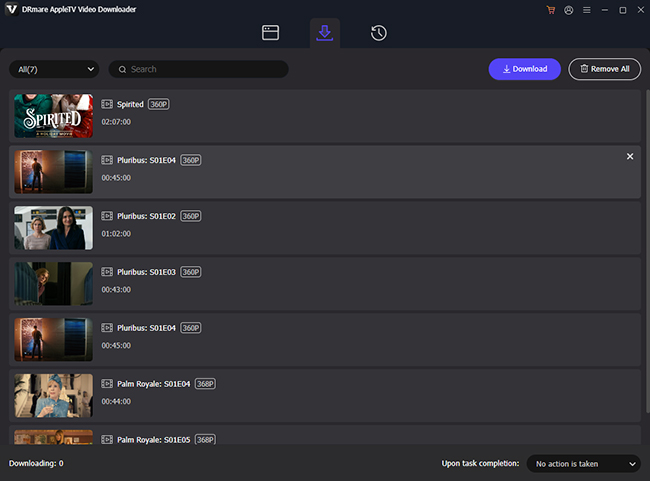
Step 1. Download and install the software on your computer. Open it from your desktop or start menu. You can log in to your Apple TV free trial account and browse your library. Find your favorite video and tap the "Download" > "Add to List" button to load them to the Download List tab.
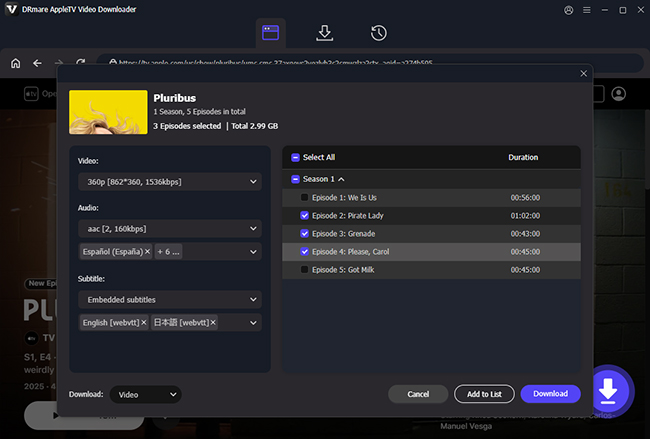
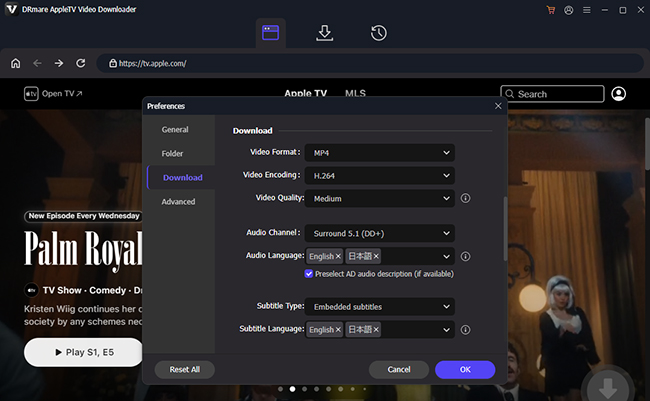
Step 2.Choose the output format (MP4 is commonly used) and adjust other video settings according to your preferences by clicking the "menu" > "Preferences" > "Download" option. You can adjust the resolution, bitrate, and frame rate and choose audio tracks, subtitles, etc.
Step 3. After configuring your settings, click the "Download" button to start the conversion process. The software will convert Apple TV movies and shows to unprotected MP4 files. All files are available for use forever even if your subscription ends.
Disclaimer:
Always check the copyright laws in your country and Apple's terms of service before using third-party downloaders.
FAQs about Getting Free Apple TV Trial
Does Apple TV Have a Free Trial?
Eligible new subscribers can currently receive a 7-day Apple TV free trial. Some users may qualify for longer promotional periods, such as 3 months with a new eligible Apple device.
Can Returning Subscribers Get an Apple TV Free Trial?
Sometimes, but it depends on the promotion. Apple and third-party partners occasionally make offers available to qualified returning subscribers, while standard new-user trials generally have stricter eligibility. The offer shown after you sign in is the most reliable indication of whether your account qualifies.
Does the Apple TV Free Trial Require a Payment Method?
Yes. Apple normally requires a valid payment method when you activate a subscription trial because the service is set to renew when the promotional period ends. The renewal date and price should be displayed before activation.
What Happens If I Cancel an Apple TV Free Trial Early?
The result depends on the promotion. Some Apple TV offers may allow access until the scheduled end date, while others may end promotional access as soon as you cancel. Read the cancellation message shown in your subscription settings before confirming, especially when using a multi-month device offer.
Is Apple TV Free with Amazon Prime?
No, Apple TV is not included with an Amazon Prime subscription. Apple TV is a separate streaming service offered by Apple and requires its own subscription. However, you might find promotions or bundles for Apple TV through various retailers or device purchases.
How to Cancel Apple TV Free Trial Subscription?
To cancel your Apple TV Plus free trial, follow these ways:
1. Go to tv.apple.com: At the top of the page, you can click the account icon to choose Settings. Scroll down to choose Subscriptions > Manage > Cancel Subscription.
2. Use your iPhone or iPad: Tap [Your Name] at the top of the screen under the Settings app. Tap Subscriptions, and find and tap on Apple TV from the list of subscriptions. Tap Edit Subscription to choose Cancel Subscription.
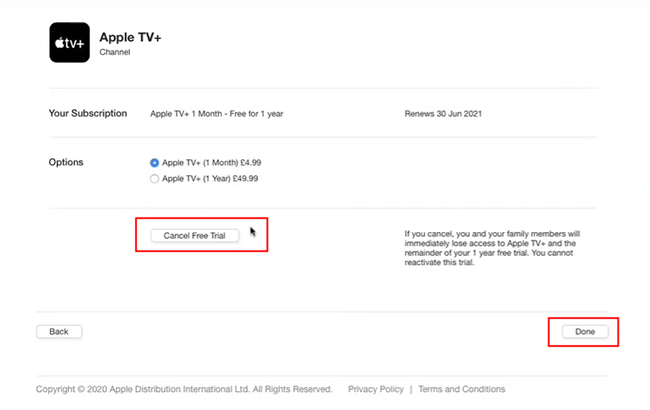
3. Use the Apple TV app: Open the Apple TV app on your computer and choose Account > View My Accounts from the top menu. Now scroll down to the Settings section and choose Edit > Cancel Free Trial.
In Conclusion:
Getting Apple TV for free comes down to matching your situation with the right offer. New users can start with the 7-day trial, while recent device buyers should claim their 3-month promotion. Students, eligible mobile customers, and households using Family Sharing also have excellent free or low-cost options. Since promotions change frequently, always verify current terms, renewal dates, and early cancellation rules before signing up.

 Home
Home





User Comments
Leave a Comment