 Trustpilot
 Spotify Music Converter
 Spotify Music Downloader
 Convert Spotify to MP3, FLAC, WAV
 15X Batch Speed in High Quality
 Manage Spotify Music Library
 Play Spotify on Multiple Devices
Spotify Free accounts restrict users to online playback heavily interrupted by targeted advertisements. Besides, relying solely on cloud access leaves your Spotify music collection vulnerable to account issues or internet outages. DRmare Spotify Music Converter offers a reliable offline backup solution by directly extracting audio data and downloading tracks from the integrated web player. This software securely transfers your entire media library to your local hard drive, and the Spotify downloads are completely ad-free, guaranteeing uninterrupted playback.

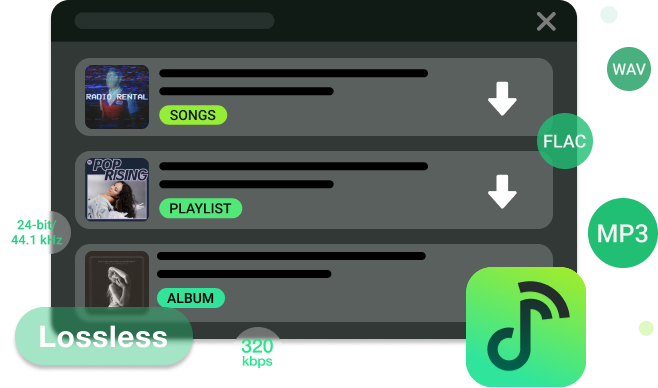
Extract single tracks as 24-bit/44.1 kHz FLAC files or 320kbps MP3 files, without the tedious process of building new playlists just for exporting.

Process multiple albums and custom playlists simultaneously into universally compatible formats like MP3, WAV, AIFF, and FLAC, without ads.

Download podcast episodes into formats like M4A, M4B, and MP3, enabling seamless offline playback on independent audio players across any device.

Download your favorite and purchased audiobooks directly to your local drive to permanently bypass the platform's 15-hour monthly listening cap.
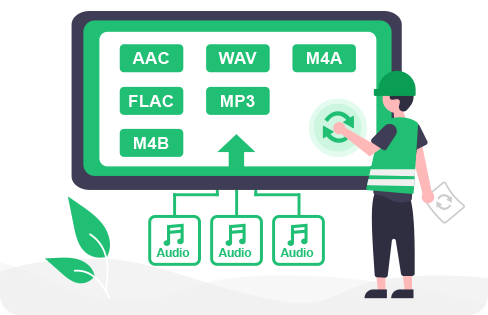
DRmare Spotify Converter is designed to convert your Spotify music into a variety of widely used audio formats on Mac and Windows without installing the Spotify desktop app. It can batch convert Spotify tracks, playlists, and albums to MP3, FLAC, WAV, AIFF, M4A, and M4B.
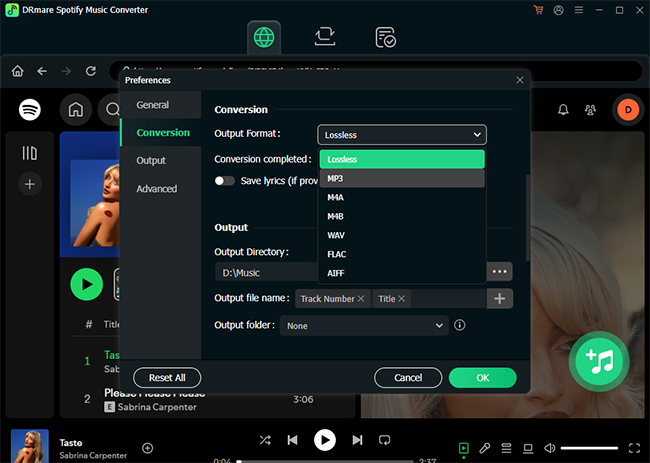
Rather than simply changing file extensions, the extraction engine prioritizes strict audio fidelity. You retain full control over the technical output to match your specific hardware requirements. You can manually adjust bitrates, bit depth, sample rate, and audio channel configurations up to 320kbps or select 24-bit/44.1 kHz for high-quality preservation. All Spotify files are compatible with high-end DACs and dedicated offline media players.
Traditional audio recording software captures sound in real-time, meaning a three-minute song requires three minutes to process. Our conversion engine utilizes multi-threaded processing technology to bypass this limitation, accelerating the batch download task up to 15X faster on both Windows and macOS operating systems.
Every download automatically captures the original track data natively during the extraction phase. DRmare Spotify Music Converter natively extracts and embeds essential ID3 tags directly into your local files. Title, artist, album artwork, year, genre, and synchronized lyrics are permanently attached, ensuring your offline library remains perfectly organized and searchable.
DRmare Spotify Music Converter makes managing massive localized music collections simple. The built-in organization tools automatically arrange your converted files into dedicated folders based on artist or album names, while an integrated ID3 tag editor allows for precise manual metadata adjustments.
Because the final outputs are standard audio formats, you have complete ownership over how they are utilized. You can directly transfer these folders to external hard drives or personal cloud servers for permanent safekeeping. These Spotify files can also be synced to mobile devices to create custom ringtones, offline listening queues, or collaborative local playlists without platform restrictions.
Spotify restricts simultaneous playback across multiple devices under a single account. By utilizing local file extraction, this software bypasses network limitations, allowing you to transfer local Spotify downloads to any hardware. You can seamlessly sync your music collection to smartwatches, smart speakers, car stereos, game consoles, and standalone MP3 players. Enjoy complete ownership of your offline media ecosystem. You can listen to different Spotify songs on multiple devices at the same time and play Spotify songs in any order while playing games as you like.
 MP3 Player
 Car's USB drive
 Smart Speaker
 Smartwatch
 Game Console
Your primary streaming profile could be compromised or wiped clean due to sudden server errors, accidental deletions, or unauthorized account access. The newly integrated Spotify Music Library Backup & Restore function provides a definitive safeguard by establishing a secure, two-way sync between your local storage and the streaming platform's servers.
The software systematically backs up your account's structural data, including custom playlists, saved albums, and track metadata, directly onto your local hard drive as a lightweight snapshot. Your years of digital music curation can now be instantly recovered without hours of manual rebuilding.

This direct-download environment naturally filters out all injected advertisements during the conversion process.

Manually edit track titles to match your personal library naming conventions before conversion.

Utilize a single-click toggle to automatically detect and skip duplicate tracks, preventing unnecessary storage waste.

Operating directly through an embedded browser interface eliminates the need for official desktop client installations.

The software features a built-in media player that allows you to preview content and manually adjust playback speeds.

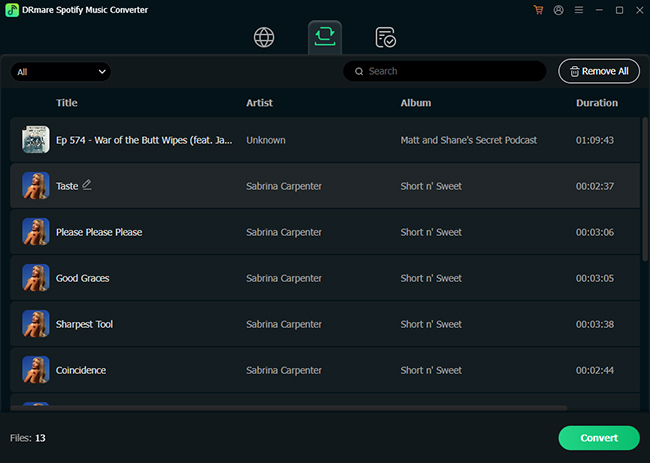
Manage your active conversion list by manually removing unwanted tracks from bulk playlists prior to extraction.

Maintain peak software stability by utilizing the built-in cache-clearing diagnostic tool, which maximizes ongoing conversion success rates.

Save synchronized lyrics alongside your downloaded tracks for a complete offline experience.

Advanced local archiving does not require a steep learning curve or complex technical knowledge.
Looking to download audio from Spotify, Apple Music, YouTube Music, Tidal, SoundCloud, Amazon Music, Audible, and more to FLAC, MP3, WAV, for offline listening? Get the all-in-one solution to download streaming music from top 10+ major platforms.
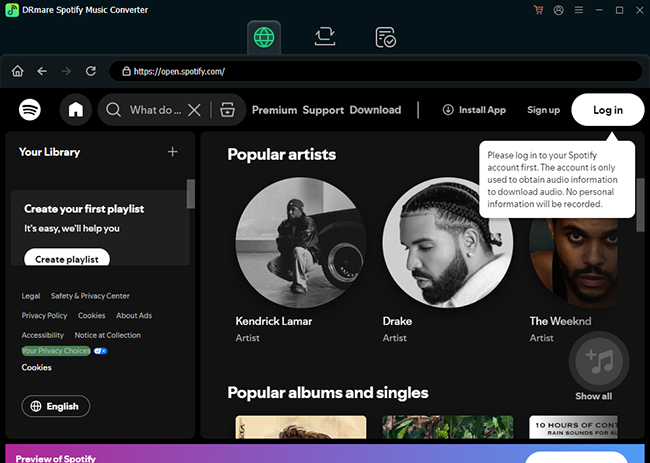
Download, install, and launch DRmare Spotify Music Converter on your computer. Click Log in to securely log into your Spotify account via the embedded web player interface.
Navigate to the Preferences menu to configure your desired output format and bitrate, then click the green Add icon to queue your selected playlists.
Click Convert to initiate the batch conversion process. Save the high-resolution audio files directly to your local hard drive for permanent offline access.

DRmare Spotify Downloader easily turned my Spotify library into high-quality MP3s or HiFi FLAC with lyrics. I can now listen to my playlists on any device, anywhere. It keeps the song details and album art. Definitely worth it!
- Annie Jones

Great software! It converts my favorite Spotify songs to FLAC with no quality loss, which is awesome. The batch processing saves tons of time. Perfect for music lovers who want to listen offline. I really recommend it!
- James Carter

Safe software! DRmare exceeded my expectations! I've run several scans and can confirm the installer is 100% clean, no viruses or hardware issues encountered. It helps me play Spotify on my old MP3 player! Five stars!
- William Anderson
Is it safe to use DRmare Spotify Music Converter?
Yes, the software is thoroughly verified as a secure, localized archiving tool that poses no threat to your computer or personal data.
Is it legal to use DRmare Spotify Music Converter?
Yes, using this software is completely legal when restricted strictly to personal fair use and format shifting. It is intended solely for individuals backing up their legally accessed streams for offline, non-commercial listening. We do not endorse piracy or the unauthorized distribution of copyrighted materials.
Does DRmare maintain the original high-quality bitrate?
The conversion engine preserves the exact source bitrate without applying forced compression. It outputs pristine audio up to 24-bit/44.1 kHz for FLAC files and a true 320kbps for MP3 files, provided the source track supports that resolution.
Can I use DRmare on the latest macOS Tahoe and Windows 11?
Yes, DRmare Spotify Music Converter is fully compatible with both the latest macOS Tahoe (macOS 26) and Windows 11.
Is DRmare Spotify Music Converter free to use?
DRmare Spotify Music Converter is available for free download. However, the free trial version imposes limitations on the output, allowing only the first 30 seconds of each track to be converted; you must upgrade to the premium version to remove this restriction.
Will my Spotify account get banned for using this software?
Normally, using DRmare will not trigger a ban. However, if Spotify's servers suspend your account for high-speed recording, you can restore your Spotify account by 3 steps.
A mighty Spotify playlist downloader to download and convert unlimited Spotify songs, playlists, podcasts, and audiobooks to MP3, FLAC, WAV, AIFF, M4A, and M4B even without Spotify Premium.
 System Requirements:
Windows 10/11.
macOS 11, 12, 13, 14, 15, 26.
 Rating:
4.9 / 5.0


 Pricing:
Starting at $19.95
 Supported Formats:
MP3, M4A, M4B, FLAC, WAV, AIFF












DRmare Spotify Music Converter is a must-have tool for Spotify users. It removes protection while keeping audio quality and metadata intact. With an intuitive interface and batch processing, it's perfect for both casual listeners and audiophiles.
DRmare Spotify Converter efficiently converts Spotify content to common formats like MP3 or FLAC at 320kbps or 24-bit/44.1 kHz quality. It preserves ID3 tags and album art while offering customizable output settings for different needs.
DRmare Spotify Music Downloader excels as a technical workaround for Spotify's restrictive DRM model, offering users a way to own their music. Its format versatility, speed, and metadata retention are undeniably appealing, especially for those with niche playback devices.