





Spotify offers two subscription tiers: Free and Premium. The free version includes ads, shuffle limitations on mobile, and restricted control, while Premium ($12.99) unlocks ad-free listening, offline downloads, and higher audio quality. Spotify continues to provide limited-time trial access to Premium, ranging from 2, 3, 4, to 6 months, through official and partner-based promotions. However, availability varies significantly by region, device, and eligibility rules.
This guide organizes only commonly reported and verifiable ways to get Spotify Premium free trial 6 months, 4 months, 3 months, and 30 days, helping you understand what is realistically available today and what conditions may apply. Besides, you can find a way to get Spotify Premium lifetime to use offline Spotify music locally once your trial ends.
Note:
All promotional methods listed below are currently active and available as of our last check on September 3rd 2026. Currently, Spotify's U.S. Premium page is advertising 3 months for $0 for eligible Premium Individual users, followed by $12.99/month. The offer is currently scheduled to end on September 23, 2026.
Part 1. Quick Summary: 2026 Best Spotify Free Trial Offers:
Here is a quick overview of the best Spotify Premium free trial offers available in 2026. The table below helps you easily find the perfect plan for your needs:
| Duration | Method / Partner | Target Audience | Key Requirements / Conditions |
|---|---|---|---|
| Lifetime | DRmare Spotify Music Converter | All Users Globally | Permanent Solution: Converts songs to local MP3 for use after trials expire. |
| 6 Months | Partner Promotions | Depends on promotion | Six-month Spotify trials have existed through partners, but no current general 6-month offer has been verified for September 2026. |
| 4 Months | Times Prime | Times Prime Members | Must have an active Times Prime membership to generate the code. |
| 4 Months | Xiaomi | Eligible Xiaomi Users | Purchase an eligible Xiaomi device. |
| 4 Months | OnePlus | Eligible OnePlus Device Owners | Valid until 30th March 2028; Certain flagship models qualify for 4 months through Red Cable Club |
| 4 Months | Tata Play | Eligible Tata Play subscribers in India | Active Tata Play subscribers; redemption must follow the designated Tata Play offer journey. |
| 3 Months | Microsoft Rewards | Bing & Edge Users | Valid until January 21, 2028; search on Bing for 3 days within a 14-day window to earn the reward. |
| 3 Months | H&M Membership | H&M App Members | Valid until Nov 5, 2026; redeemable through the H&M app offer section. |
| 3 Months | Disney+ Perks | Eligible Disney+ subscribers in the U.S. | Spotify offers appear as limited-time Disney+ Perks. |
| 3 Months | Opera | Eligible Users in Selected Countries | Valid until Nov 1st, 2026; Spotify promotion through Opera's Music Player. |
| 30/90 Days | Official Spotify Trial | All New Users | Standard offer available anytime on Spotify.com; requires payment info. |
Regional Availability Summary
Spotify trial availability is not uniform globally. Here is a simplified breakdown:
- United States: Official Spotify offers, Microsoft Rewards, and partner promotions such as Disney+ Perks.
- United Kingdom & Europe: Official Spotify offers and selected partner promotions, including Opera in eligible markets.
- Asia: Device and service-based promotions are more common, including OnePlus, Xiaomi, and Tata Play.
- Global: Official Spotify trial offers remain the most direct option, while partner promotions may provide longer trial periods.
👉 Users should always check eligibility at signup time, as promotions, trial lengths, and availability can vary by region, account history, device, and partner.
Part 2. Can You Get Spotify Premium Free Trial 6 Months?
Six-month Spotify trials have existed, but this is where you need to be particularly careful with older search results. Spotify has previously offered six-month promotions through partners and devices. However, I could not verify a current general six-month Spotify Premium offer for September 2026 that is available to ordinary users simply by visiting Spotify.
That doesn't mean every six-month promotion you encounter is necessarily fake. It may be a partner-specific promotion, but you should check whether the promotion is still active, who qualifies, and when it expires before entering payment information. An old page saying “6 months free” isn't enough evidence that the same offer is still redeemable today.
Part 3. How to Get Spotify Premium 4 Months Free Code
3.1 Get Spotify Premium 4 Months Free Trial via Times Prime
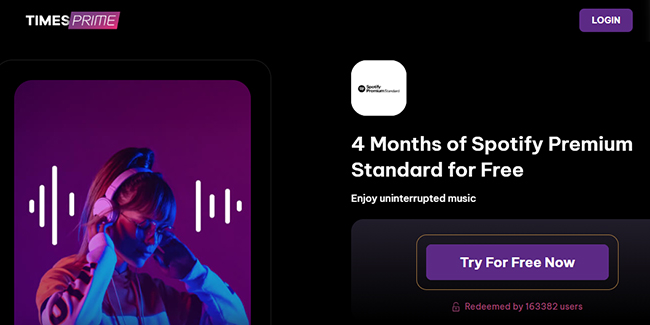
Spotify and Times Prime have joined forces to offer members a premium audio upgrade. As part of their membership, Times Prime users are now eligible for four months of Spotify Premium for free. This partnership provides a seamless transition to ad-free listening and high-fidelity streaming, perfectly complementing the other lifestyle rewards included in the Times Prime ecosystem.
Step 1. Become a Times Prime member by signing up on the Times Prime website.
Step 2. Log in to your Times Prime account and navigate to the Offers section.
Step 3. Locate the Spotify Premium offer and click on it to generate your unique redemption code.
Step 4. Visit the Spotify Premium redemption page and log in with your existing Spotify account or create a new one if you're a first-time user.
Step 5. Enter the free code and activate your free trial of Spotify Premium.
Offer Entrance: https://www.timesprime.com/categories/entertainment/spotify-premium-code
Duration: Not known, still valid
Available for: Spotify new subscribers
3.2 Get Spotify 2/3/4 Months Free Spotify Premium Trial with Xiaomi Products
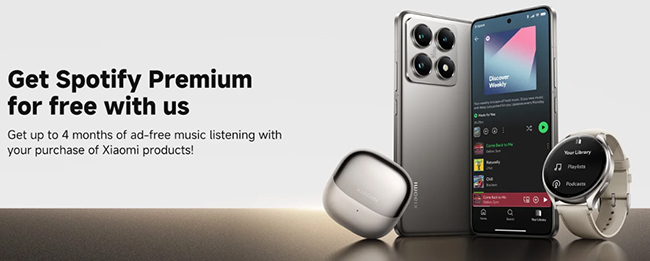
As part of a strategic partnership in 2026, Xiaomi and Spotify are offering up to 4 months of Premium for free to users of the latest Xiaomi, Redmi, POCO devices, smartwatches and hearphones. If you have an eligible products, this is currently the most stable ways to get an extended trial to enjoy all the Premium features without complex third-party tasks.
Step 1. Open the Xiaomi "Services & Feedback" or "Xiaomi Community" App. Most eligible devices will have a promotional banner on the home screen of these apps.
Tips:
If you don't see the banner, ensure your Region in System Settings is set to a participating country (e.g., Germany, Spain, or Singapore) and restart your device.
Step 2. Look for the "Spotify x Xiaomi: 4 Months Free" gift icon and tap "Claim Now" to verify your device's IMEI. The app will generate a unique redemption link.
Step 3. Click the link, which will redirect you to Spotify's official site with the 4-month offer pre-applied.
Step 4. Link your payment method (Credit card or PayPal). You won't be charged until the 120-day trial ends.
Offer Entrance: https://www.mi.com/global/event/spotify-premium/
Duration: Unknown, still availd
Available for: Spotify new subscribers
3.3 Get a 4-Month Spotify Free Trial via OnePlus
OnePlus has partnered with Spotify to give eligible device users a complimentary Premium experience. Through the Red Cable Club benefits program, eligible OnePlus customers can claim up to four months of Spotify Premium for free, depending on their device series and offer eligibility. The promotion gives users a simple way to enjoy ad-free listening and other Premium features without paying during the trial period.
- 4 months for eligible flagship OnePlus models
- 3 months for eligible N and Nord series models
- 2 months for certain users whose previous Premium access ended more than 30 days ago
Step 1. Link your OnePlus device to Red Cable Club during device setup, or through Settings later.
Step 2. Open the Red Cable Club homepage from Settings and find the Spotify benefit or banner.
Step 3. Select Claim Now and choose Activate Free Trial. Complete the Spotify activation process.
Offer Entrance: https://www.oneplus.in/rcc/spotify
Duration: March 30, 2028
Available for: Spotify new subscribers
3.4 Get 4 Months of Free Spotify Premium with Tata Play
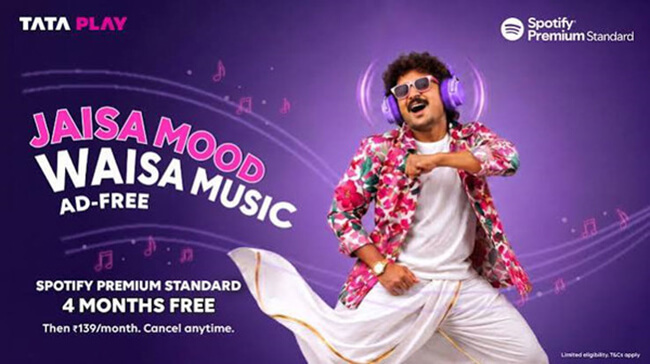
If you're an eligible Tata Play subscriber in India, you can claim 4 months of Spotify Premium Standard at no additional charge during the promotional period. The offer is limited to eligible first-time Spotify Premium users; anyone who has previously subscribed to Spotify Premium directly or through another partner isn't eligible.
Step 1. Open the designated Tata Play offer journey and select the Spotify promotional offer.
Step 2. Sign in with an existing Spotify account or create a new one if eligible.
Step 3. Complete the Spotify activation process and provide the requested payment information if prompted.
The current Tata Play terms list the post-trial price as ₹139/month and limit the promotion to one redemption per eligible customer. Tata Play and Spotify also reserve the right to change or withdraw the promotion.
Offer Entrance: https://www.tataplay.com/dth/help/spotify-music
Duration: Not known, still valid
Available for: Spotify new subscribers
Part 4. How to Get Spotify 3 Months Free Code
4.1 Get Spotify Premium 3 Months Free Code via Microsoft Rewards
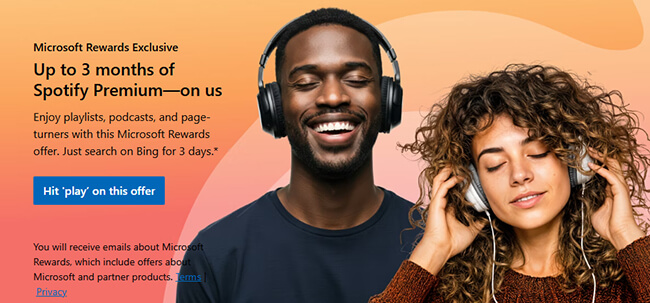
Microsoft Rewards is a good platform developed by Microsoft, which allows users to do tasks to earn points from various online activities. All points can be redeemed for a variety of rewards. Thanks to the cooperation between Microsoft and Spotify, only if you search with Microsoft Bing on Microsoft Edge for 3 days within 14 days, you can get a 3 months of free Spotify Premium Individual subscription. Let's see how to earn points and redeem them.
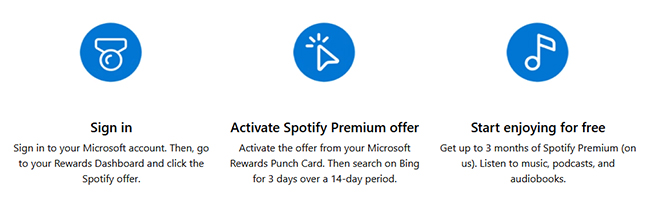
Step 1. Create a Microsoft account and authorize it on your Microsoft Rewards dashboard.
Step 2. Find the activity Spotify offers. Search on Microsoft Bing for 3 days within 14 days to get this offer.
Step 3. Redeem it and enjoy Spotify free trial for 3 months.
Offer Entrance: https://www.microsoft.com/en-us/rewards/spotify-premium-offer
Duration: January 21, 2028
Available for: 3 months for Spotify new subscribers, and 2 months for existing users whose Premium access ended over 30 days ago and who have not redeemed a Spotify welcome back offer in the last 24 months
4.2 Get Spotify Premium Free Trial 3 Months via H&M
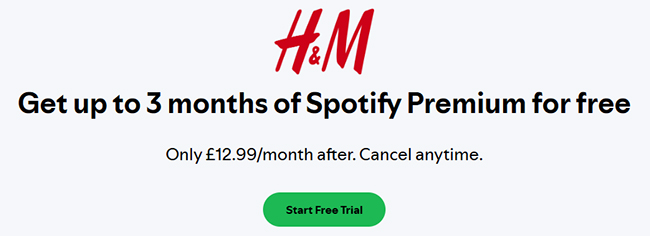
Spotify and H&M have teamed up to offer three months of Spotify Premium for free to new users who sign up through H&M's membership program. This is a great opportunity for music enthusiasts to enjoy Premium features free of charge for three months.
Step 1. Download the H&M app and sign up for a free H&M membership if you don't already have an account.
Step 2. Go to the Offers section within your H&M account. Locate the Spotify Premium deal and follow the prompts to generate a unique Spotify 3 months free code.
Step 3. Copy the generated code and visit the Spotify Premium redemption page.
Step 4. Log in to your Spotify account or create a new one if you're a first-time user.
Step 5. Enter the code on the redemption page and click "Start Free Trial" to activate your Spotify 3 months free trial.
Offer Entrance: https://www.spotify.com/uk/ppt/hm/
Duration: November 5, 2026
Available for: Spotify new subscribers
4.3 Get Spotify Free Trial 3 Months Through Disney+ Perks
Disney+ subscribers in the U.S. can access Disney+ Perks, a subscriber-only benefits program that periodically includes Spotify Premium promotions. The current Perks listing provides 3 months of Spotify Premium Individual to eligible new Spotify users, followed by $12.99/month unless cancelled.
Step 1. Maintain an active Disney+ subscription and go to Disney+ Perks.
Step 2. Sign in with the MyDisney account associated with your Disney+ subscription.
Step 3. Look for the Spotify Premium offer in the available Perks, open the promotion and review its eligibility and expiration date.
Step 4. Follow the redemption instructions to activate Spotify Premium.
Disney+ says an active Disney+ subscription is required to access Perks, and the MyDisney account email should match the email associated with the Disney+ subscription.
Offer Entrance: https://www.disneyplus.com/explore/articles/disney-plus-perks
Duration: November 11, 2026
Available for: Spotify new subscribers
4.4 Get a 3-Month Spotify Free Trial Through Opera
Opera currently advertises a separate Spotify promotion for 2 months for eligible users in selected countries. The offer is available to users who haven't tried Premium before in markets including the U.S., UK, Germany, France, India, Indonesia, Malaysia, the Philippines, Thailand, Turkey, Vietnam, and several others. The offer must currently be redeemed by November 1, 2026. The redemption process is tied to Opera's browser:
Step 1. Open the Music Player in Opera's sidebar and look for the Spotify promotion.
Step 2. Select the offer. Opera redirects you to Spotify.
Step 3. The promotional code is applied automatically. Complete the Spotify activation process.
The exact terms can vary by country, so the promotion displayed during redemption should be treated as the final reference.
Offer Entrance: https://www.opera.com/features/spotify
Duration: Unknown, still valid
Available for: Spotify new subscribers
Tips: Keep an Eye on Spotify's Surprise Free Trial Offers
Spotify often surprises potential users with limited-time free trial offers, where new users can enjoy up to three months of Spotify Premium for free. These promotions usually appear randomly throughout the year, making them a fantastic opportunity to experience Premium features without spending a penny. Here is how to catch these Spotify Premium free deals:
- Check Your Email: Spotify frequently sends free trial offers directly to potential users via email. Make sure to subscribe to Spotify's newsletter or promotional updates to stay informed.
- Visit Spotify's Website: Occasionally, Spotify advertises these free trial offers on their homepage or promotions page.
- Look Out for Seasonal Campaigns: During holidays or special occasions (e.g., Black Friday, Christmas), Spotify often rolls out extended trial periods for new users.
Part 5. How to Get 30 Day/90 Day Spotify Free Trial
There is no need to rely on other platforms to do any tasks. To attract more users to experience and subscribe to its paid version, Spotify consistently offers a one-month free trial of its Premium service to all new users who haven't experienced it before. If you haven't tried Premium before, you can follow the general steps to start the Spotify trip:
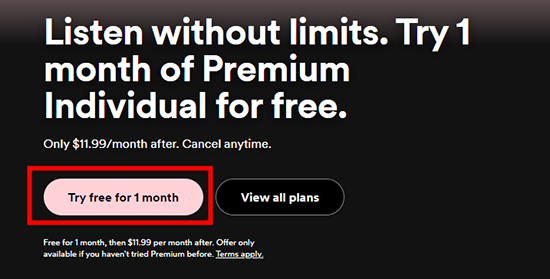
Step 1. Go to the official Spotify website and sign up or log into your free Spotify account.
Step 2. Go to the Account overview and click the "Manager your plan" option.
Step 3. Scroll down and click the "Join Premium" button to choose the Premium plan.
Step 4. Even though it's a free trial, Spotify may require you to enter your payment details. This is because the service will automatically transition to a paid subscription after the trial period ends.
Step 5. Once you've selected the Premium plan and provided the necessary information, you should be able to start your free trial.
Offer Entrance: https://www.spotify.com/us/premium/
Duration: Not known, still valid
Available for: Spotify new subscribers
Updated:
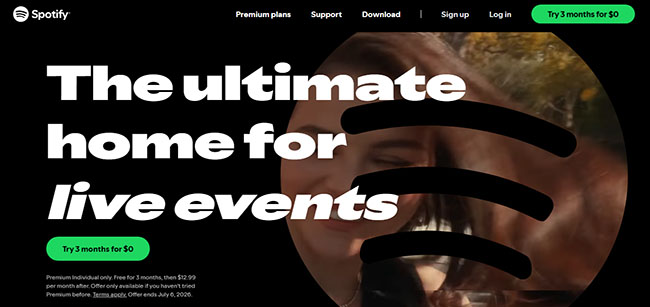
The official free trial has been extended from 30 days to 3 months (Premium Individual only). Offer ends September 23, 2026.
Part 6. How to Extend Spotify Premium Free Trial to Forever
If you don't subscribe to Spotify Premium after your trial, all your downloaded songs will disappear. So, we are here to provide you with a way to keep Spotify music forever. What you need is DRmare Spotify Music Converter, which allows you to download and convert music from Spotify without a Spotify Premium account. This means that even if you are a free Spotify user, you can download music for offline listening. Even better, it stores the songs in your local folder so you can keep them forever.
The tool is also capable of downloading Spotify albums, playlists, audiobooks, and songs to common audio formats like MP3, FLAC, etc. It works quickly while maintaining the original quality of Spotify audio content. Additionally, it will save complete metadata of Spotify audio files, such as album art, etc.
Tips:
Most users stack a Spotify free trial (like Xbox) with DRmare Spotify Music Converter during the final month. By doing this, you can convert your 'Trial Downloads' into local high-quality FLAC or MP3 files. This creates a Spotify Lifetime experience because your library remains playable even after you cancel the trial, avoiding the $12.99 auto-charge.
- Step 1Import audio files from Spotify to DRmare program
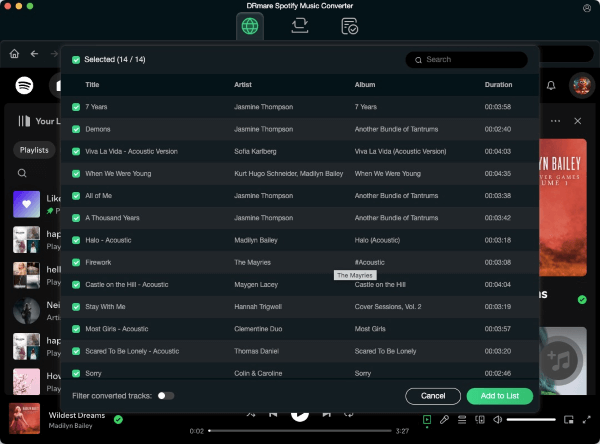
Install and start DRmare Spotify Music Converter for Windows or Mac on your computer. Then enter the integrated Spotify Web Player to add favorite songs to the conversion queue. You can browse your music library and click the "Add" > "Add to List" button to load them for conversion.
- Step 2Alter output audio parameters for Spotify audio files
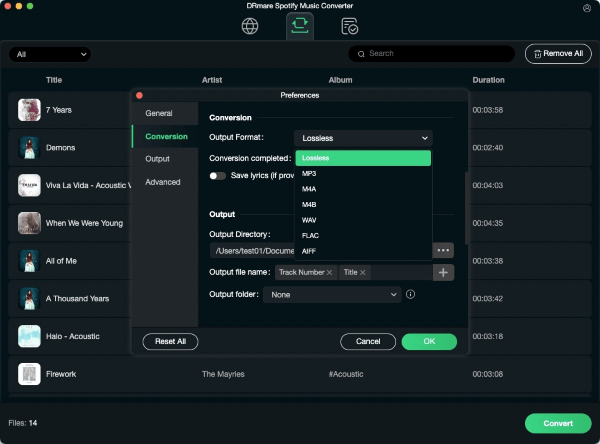
For the Windows users, you can go to the 'Menu' icon at the DRmare tool and choose 'Preferences' to open the settings window. Then click 'Conversion' in the new window. For the Mac users, please open the Mac's system menu from the top-left corner of the screen. Next, click 'DRmare Spotify Music Converter' to open 'Preferences' and then tap 'Conversion'. Now, you can start to edit the output settings by changing the audio format, bit rate and so on. Once done, locate the 'OK' button and hit on it to apply.
- Step 3Download and convert Spotify tracks for use offline forever
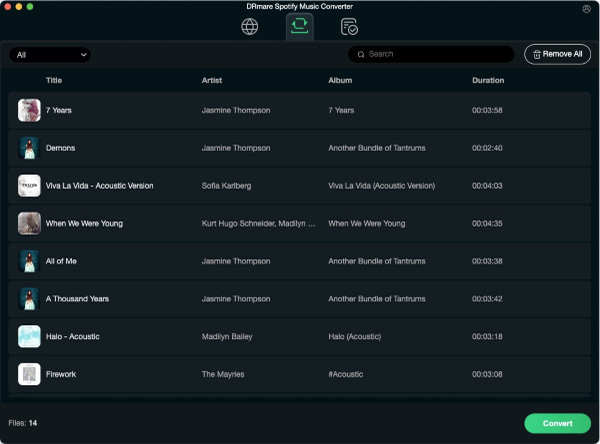
Now, touch the big 'Convert' button to download and convert Spotify audio files at once. Later, you can find the converted Spotify music tracks via the 'Converted' section in the DRmare Spotify Music Converter. You can also head to locate Spotify local files on your computer by clicking on the 'search' icon on the track. At last, you can enjoy Spotify music offline without premium forever on any device.
Note:
DRmare uses audio conversion technology for personal backup only. Please use this tool for private, non-commercial enjoyment and ensure compliance with local copyright laws to respect creators' rights.
Part 7. What Happens After the Spotify Free Trial?
A Spotify free trial isn't a permanently free Premium account. Unless the applicable subscription is cancelled before the trial ends, Spotify's terms generally provide for the account to become a paid subscription and charge the payment method at the applicable recurring price. For the current U.S. three-month Individual promotion, the advertised price after the trial is $12.99/month. So before starting any trial, pay attention to the "after trial" price as carefully as the $0 promotional price.
How to Cancel Spotify Premium Free Trial
To cancel Spotify Premium, you can follow these general steps.
- Go to the Spotify official website on your web browser.
- Click the "Profile" > "Account" to navigate to the account overview.
- Look for and select the "Manage your plan" option related to your subscription.
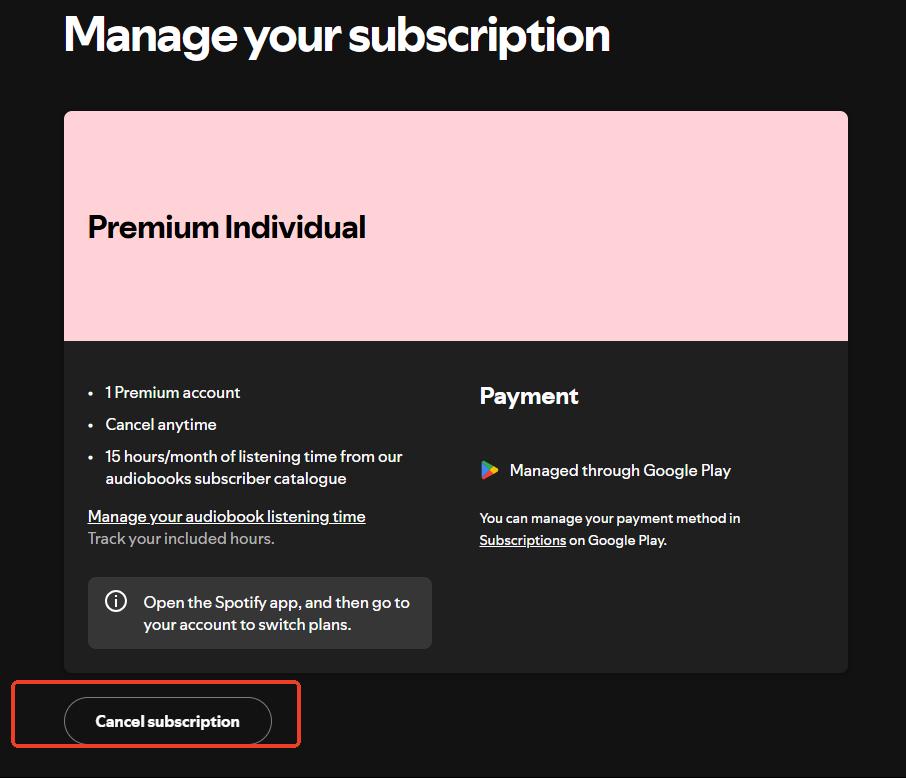
- Then, you can click the button "Cancel Subscription" to unsubscribe from Spotify free trial.
Note:
There is one important exception for zero-priced trials. Spotify says that cancelling during a $0 free trial immediately switches the account to Spotify Free, and the zero-priced trial can't be reactivated. That's different from cancelling an ordinary paid Premium subscription, where access generally continues until the end of the current billing period.
If your trial came through a third-party partner, cancellation may need to be handled through that partner instead. Spotify's terms specifically distinguish between direct Spotify trials and third-party promotions.
Part 8. FAQs about Spotify Free Trial
How to Get a Free Trial on Spotify?
There are two main ways to try Spotify Premium for free:
1. Visit Spotify's Official Website: Go directly to the Spotify website to check for available free trial offers. These are often highlighted on the homepage or Premium subscription page.
2. Explore Partner Promotions: Spotify frequently collaborates with various brands and services to offer free trials (e.g., H&M, Amazon, Xbox). Search online or check promotional campaigns from these partners to find exclusive deals.
Keep in mind that free trials are typically available only for new Spotify Premium users.
How Long Is a Spotify Free Trial?
Spotify offers different free trial lengths depending on the promotion. The standard free trial for Spotify Premium is 1 month, but Spotify has also offered extended trials, such as 3 months, 4 months, or even 6 months through special partner promotions.
Can I Use a 6-month Trial if I've Had Premium Before?
Officially, no. These trials are for "New Subscribers." However, many users simply create a new Spotify account with a different email to qualify.
How Many Times Can I Redeem Spotify Premium Free Trial?
Generally speaking, eligible users can only redeem a Spotify trial offer once. Previous trial users or users who have previously subscribed to Spotify Premium are not allowed to redeem the offer again. But you can re-register a new Spotify account to enjoy the trial.
What's the Difference Between Spotify Premium and Spotify Free?
Spotify offers two tiers of service: Spotify Free and Spotify Premium. Here's a comparison to help you decide which one suits your needs:
| Feature | Spotify Free | Spotify Premium |
|---|---|---|
| Ads | Frequent ads interrupt your listening experience. | Completely ad-free listening. |
| Offline Listening | Not available; requires an internet connection. | Download music and podcasts for offline use. |
| Audio Quality | Standard (up to 160 kbps). | High-quality streaming (up to 24-bit/44.1 kHz FLAC quality). |
| Track Skips | Limited to 6 skips per hour. | Unlimited skips; play any song you want. |
| Device Control | Shuffle play only on mobile devices. | Full control over playback on all devices. |
| Podcasts | Available with ads. | Ad-free podcast playback. |
| Monthly Cost | Free | $12.99/month (varies by region and plan). |
Can You Download Music from Spotify Free Trial?
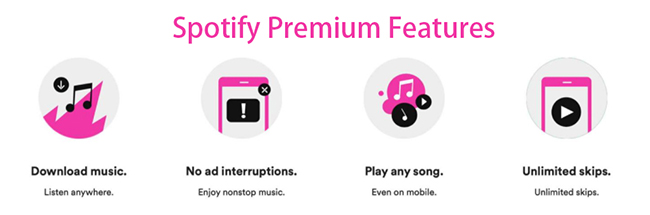
Yes. By using Spotify's free trial plan, you can access Spotify Premium features for a limited period without incurring any charges. Downloading music for offline listening is one of the highlight Premium features.
Does Spotify Automatically Charge You After Free Trial?
Yes. If you don't end the free trial on Spotify in advance, you will be automatically charged to continue your subscription. In general, Spotify will send you a reminder 7 days before your free trial ends.
Why Was I Charged $12.99 Immediately after Signing Up for a Trial??
This is usually a temporary authorization hold to verify your payment method. It is typically refunded within 3–5 business days, but ensure your card has at least $15 to avoid 'Verification Failed' errors.
What Are Some Expired Ways to Get a Spotify Premium Free Trial?
Several free trial offers have expired as below: You can avoid these outdated offers to save time and check for current deals.
- Just Eat – 4-month trial, expired Feb 28, 2026.
- Walmart+ – 6-month trial, expired March 6, 2023.
- PayPal – 3-month trial, expired September 15, 2023.
- Starbucks – 6-month trial, expired.
- Xbox Game Pass – 6-month trial, expired.
- AT&T – 6-month trial, expired.
- Currys PC World – 6-month trial, expired November 4, 2021.
- Chase Credit Card – 6-month trial, expired September 30, 2020.
- Flipkart – 6-month trial, expired May 15, 2021.
- Amazon in UK - The promotional link is no longer valid; you will be redirected to the official website.
Part 9. In Conclusion
While there are 10 ways to get a Spotify Premium free trial 6 months, 4 months, 3 months, 2 months, or 1 month, they all share one major flaw: once the trial ends or you log out, your offline library is wiped. As mentioned in the guide, using DRmare Spotify Music Converter acts as the perfect safety net. By converting your trial-period downloads into permanent local files (MP3/FLAC), you ensure that your curated playlists stay with you forever, even if you decide not to renew the $12.99/month subscription. You can start to explore your music world with Spotify, no need to worry about expiration dates.

 Home
Home





User Comments
Leave a Comment