





Spotify's dominance comes with tighter restrictions. While Spotify Premium prices have risen, the platform has further limited how users can interact with downloaded content: keeping it locked within the app and tied to an active subscription.
This has made third-party converters like TuneCable Spotify Downloader essential for those who want to take full control over their music experience. But does TuneCable actually deliver on its promises, and is it a safe addition to your toolkit? In this expert review, we analyze TuneCable Spotify Music Downloader's performance, its hidden "YouTube Fallback" risks, and and see how it compares to the industry benchmark, DRmare Spotify Music Converter.
Part 1. What Is TuneCable Spotify Downloader?
TuneCable Spotify Downloader is a professional-grade desktop and Android utility designed to bypass streaming limitations and save Spotify content for permanent offline playback anywhere. It positions itself as a comprehensive solution for Spotify free and premium users with several notable features:
Key Features: What Does TuneCable Spotify Downloader Deliver?
- Format Flexibility: Beyond standard MP3 and AAC, it supports FLAC, WAV, AIFF, and ALAC. This is crucial in 2026 as more users shift toward high-fidelity local playback systems. This variety ensures compatibility with any device or media player, from smartphones to specialized audio equipment.
- 10X Turbo Speed: While competitors now reach 15X or 35X, TuneCable Spotify Converter's 10X speed remains stable for batch-downloading large playlists without triggering Spotify's "Suspicious Activity" filters.
-
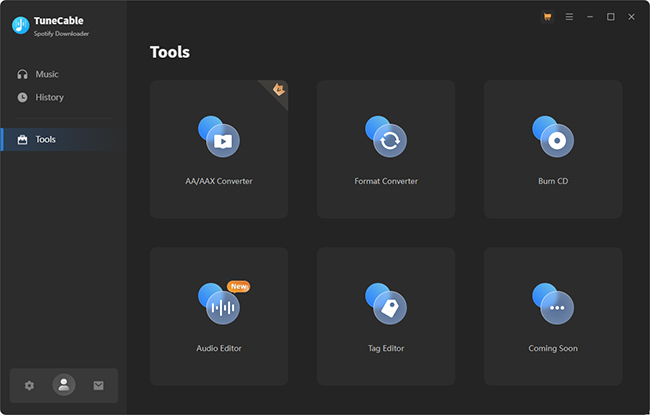
Built-in Toolkit: Unlike bare-bones converters, it includes a Format Converter, CD Burner, an AA/AAX Audiobook Converter, Audio Editor, and a Tag Editor, making it a "swiss-army knife" for media management.
-
Lyric Preservation: It can save Spotify lyrics as
.txtor.lrcfiles, a feature highly requested by mobile power users. - Metadata Preservation: It preserves ID3 tags, like artist info, album art, and track numbering during conversion. This feature ensures your Spotify music library remains well-organized after conversion.
- Universal Spotify Accessibility: It offers full compatibility for both Free and Premium Spotify users, bridging the gap between subscription tiers. It provides the flexibility to source music via the Spotify App or the built-in Web Player, ensuring a seamless download experience regardless of your setup.
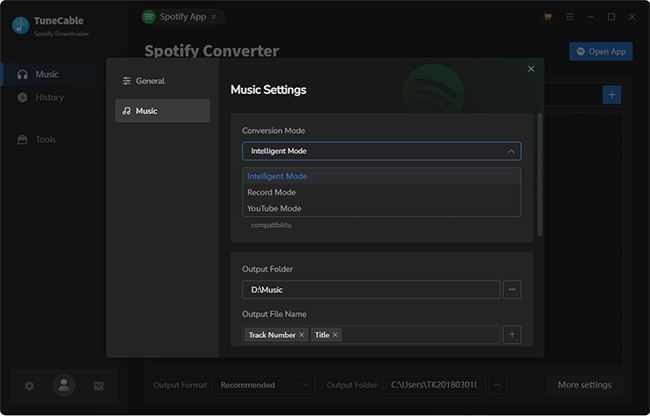
- Flexible Dual-Source Downloading: It offers a versatile Dual-Mode system designed to maximize success rates and audio quality. Users can choose between Record Mode, which captures high-fidelity streams directly from the Spotify app or web player, and YouTube Mode, which provides an alternative high-speed download path by matching tracks with their YouTube counterparts.
Part 2. TuneCable Spotify Converter Performance Benchmarks: Real-World Test
To provide an accurate TuneCable Spotify Downloader review, our team conducted a stress test using TuneCable v3.4.1 on a Windows 11 environment.
- The Test: A 50-track Spotify "Discover Weekly" playlist.
- The Result: Total conversion time was 14 minutes and 42 seconds.
- Success Rate: 48 out of 50 tracks were successfully converted. 2 tracks failed due to "Regional Restrictions": a common issue where the software cannot fetch metadata for certain grayed-out songs.
- Audio Quality: Using Spectrum Analysis, we verified that using both "Spotify Record" and "Spotify App" modes consistently reaches a 320kbps ceiling, perfectly mirroring the high output of Spotify Premium. Besides, a Spotify Premium account is required. In contrast, recordings sourced via the Spotify Web Player, Free accounts, or the YouTube Record mode do not meet the 320kbps threshold, resulting in a measurable loss of audio detail.
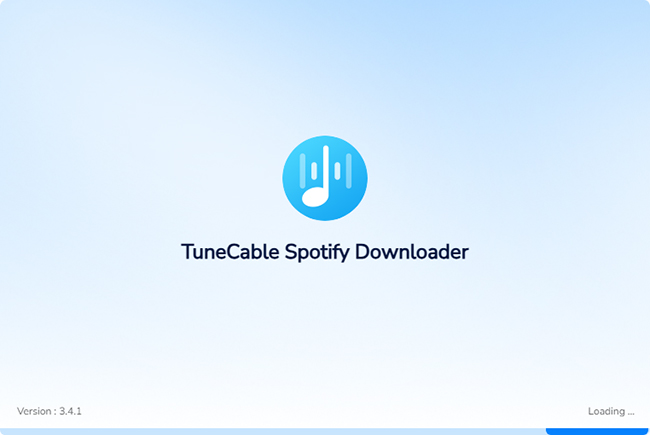
- Extended Startup Loading Time: When launching the software, there is a significant delay before the main interface appears. It remains stuck on the loading screen.
Part 3. How to Use TuneCable Spotify Music Downloader
In 2026, TuneCable has streamlined its interface to accommodate both the "App-to-App" drag-and-drop method and the "Web Player" cloud-parsing mode, ensuring that even users without the Spotify desktop client installed can successfully archive their music. This section provides a refined, step-by-step walkthrough of the latest TuneCable build.
How to Use TuneCable Spotify Downloader for Mac/Windows
Step 1. Go to the official product page of TuneCable Spotify Downloader and then download and install the right version according to your computer operating system.
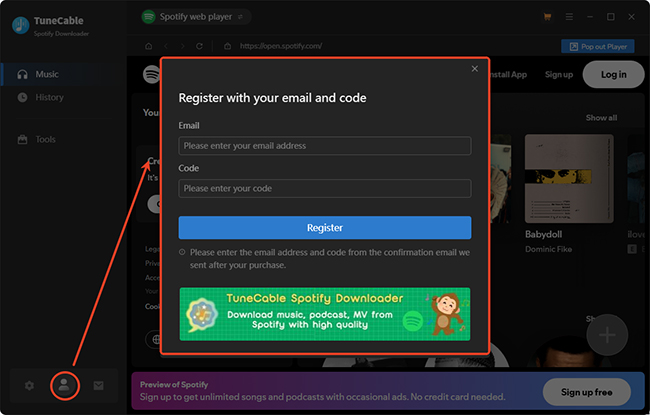
Step 2. Once installed, open this tool and click on the 'User' icon at the bottom left, then fill in TuneCable registration code you purchased. Or you can directly use the free trial version to try it for free.
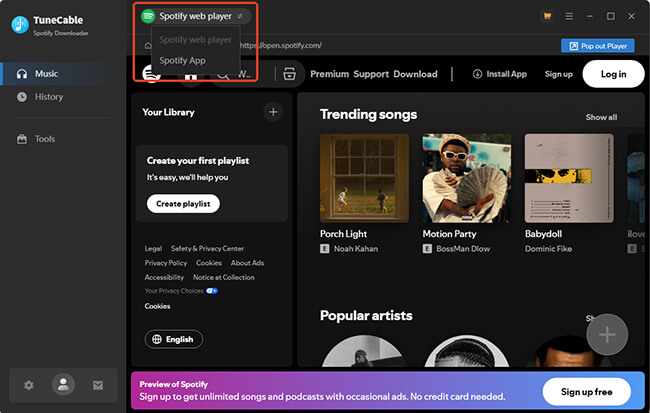
Step 3. Now you can choose the Spotify App or Spotify Web Player as your recording mode. For the better quality, you can use the Spotify app.
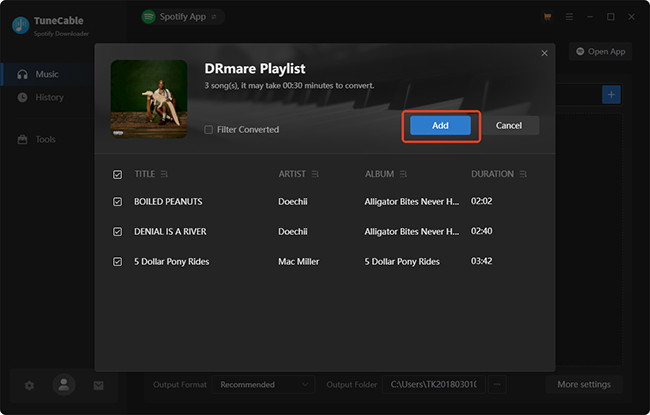
Step 4. After that, you can directly drag and drop songs from the Spotify app to its main interface. Alternatively, copy the Spotify URL and enter it and click on 'Paste'. Tap the 'Add' button to load them to the conversion queue.
Expert Safety Tip:
To protect your primary Spotify account from ToS flags, we recommend using a free secondary account for all conversions. Simply share your main playlists with this secondary account to keep your primary profile 100% safe.
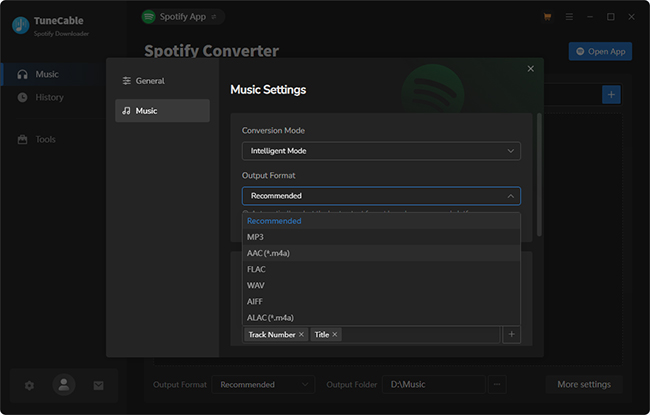
Step 5. To personalize the output settings of added Spotify tracks, you can click on the 'Settings' button at the bottom left corner. You can customize the Conversion Mode, Output Format, Bit Rate, Sample Rate, and Output File Name, Output Folder, and Output Organized. We recommend setting the 'Conversion Mode' to 'Spotify Record' rather than 'YouTube Download' to ensure the highest audio fidelity.
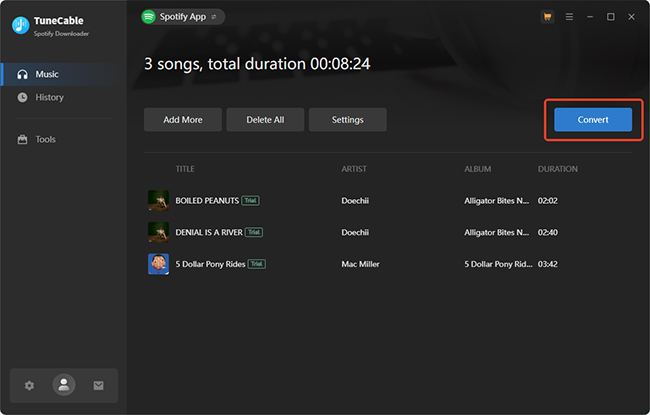
Step 6. Click 'Convert' and it will start the conversion process for you. When it ends, choose 'History' to find your local Spotify files.
Pro Tip:
After conversion, use TuneCable's built-in Tag Editor to ensure your Spotify files have high-res album art before syncing them to other devices.
How to Use TuneCable Spotify Music Downloader for Android
Step 1. Download the official TuneCable Spotify Music Downloader Mod APK directly from the TuneCable website. Go to your Android settings and enable "Install from Unknown Sources" for your browser.
Security Tip:
Always verify the APK signature. Official TuneCable files are digitally signed to ensure they haven't been tampered with by third parties. To avoid malware, never download 'TuneCable Cracks' from third-party forums; stick to the official site's signed builds.
Step 2. Launch the TuneCable app on your Android device. You will be greeted by an integrated Spotify web interface. Log in to your Spotify account (both Free and Premium accounts are supported).
Step 3. Browse the interface to find the specific playlist, album, or artist you want to save. Look for the floating '+' (Add) icon in the corner. Tap it to parse the link; the app will generate a list where you can check or uncheck individual songs.
Step 4. Before hitting the final button, head to the app's Settings menu to customize your output. Once configured, tap the 'Download' button. Your tracks will be processed and stored locally, appearing in the app's 'Library' tab for offline playback.
Part 4. Pricing Analysis of Tunecable Spotify Music Converter
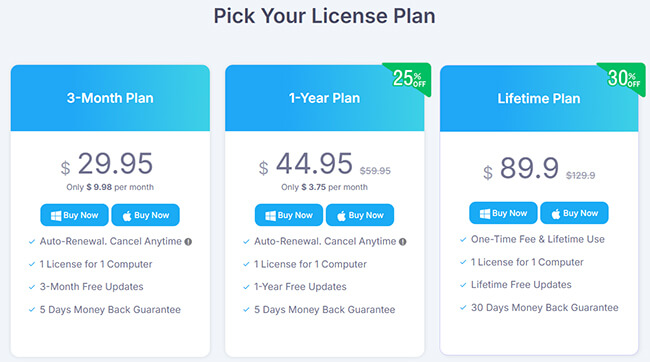
TuneCable offers a tiered pricing structure designed for users committed to building a long-term music library. Below is the current breakdown of their official plans:
| Plan | Current Price | Monthly Equivalent | Key Features |
|---|---|---|---|
| 3-Month Plan | $29.95 | $9.98 / mo | 1 PC License, 5-Day Money Back |
| 1-Year Plan | $44.95 (Save $15) | $3.75 / mo | 1 PC License, 1-Year Updates |
| Lifetime Plan | $89.90 (Save $40) | N/A | Lifetime Updates, 30-Day Money Back |
| BeatOne Bundle | $159.90 | N/A | Users of Spotify, Tidal, Apple Music, and Amazon Music |
Important Market Advisory: No 1-Month Plan Available
It is crucial for users to note that TuneCable does not offer a standalone 1-Month subscription. Unlike many competitors who provide a $14.95 to 19.95 monthly entry point, TuneCable's minimum commitment starts with the 3-Month Plan at $29.95.
Part 5. Critical Concerns: What the TuneCable Won't Tell You
Despite TuneCable's promising capabilities, several potential drawbacks deserve consideration:
- Free Trial Limitation: When using the free version of TuneCable, the file length of each song is limited to the first minute. You have to upgrade to TuneCable Spotify Downloader full version to unlock it.
- Technical Issues: The presence of an extensive error code FAQ on Tunecable's website indicates potential technical challenges. Common issues include conversion failures, authentication problems, and occasional software crashes that might require troubleshooting.
- The "YouTube Fallback" Trap: If TuneCable cannot find a direct high-quality match on Spotify, it may silently switch to YouTube as a source. This can lead to lower bitrates and incorrect metadata.
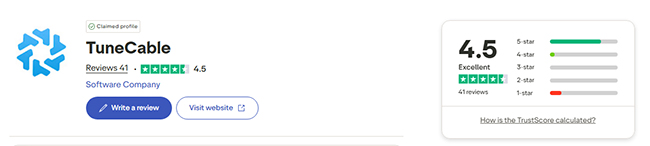
- Review Disparity: While their site claims a 4.8/5 rating, third-party sites like G2 and Trustpilot show lower scores (approx. 3~4.5/5), often citing customer service response times.
| Positive Testimonials | Critical Feedback |
|---|---|
| Ease of use and intuitive interface | Inconsistent conversion results |
| High-quality audio output | Customer service issues |
| Effective preservation of metadata | Concerns about the software potentially sourcing tracks from YouTube |
| Helpful additional features like the CD burner | Limited trial version that only converts one minute of each track |
| Ability to work with Free Spotify accounts | Technical problems requiring troubleshooting |
Part 6. Market Comparison: TuneCable vs DRmare Spotify Music Converter
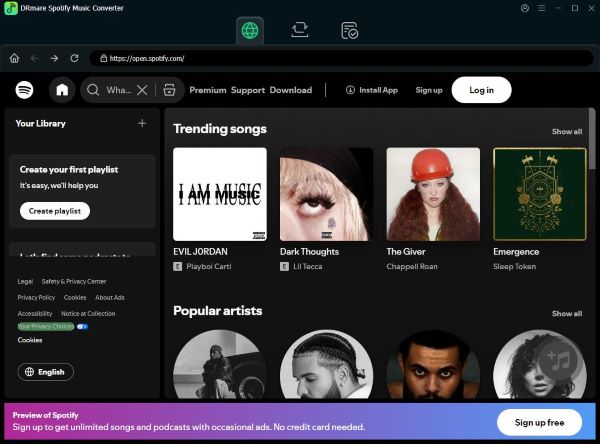
In a crowded market of Spotify converters, DRmare Spotify Music Converter is the strongest rival to TuneCable, by prioritizing user accessibility and raw performance.
| Feature | TuneCable | DRmare |
|---|---|---|
| Minimum Entry Fee | $29.95 (3 Months) | $19.95 (1 Month) |
| 1-Month Plan | ❌ Not Available | ✅ Available ($19.95) |
| Max Speed | 10X | 15X |
| Refund Policy | 5 Days (Subscription) | ✅14 Days (Subscription) |
| Lifetime Price | $89.90 | $89.95 |
Why DRmare is the 2026 "Value King":
- Lower Initial Risk: DRmare continues to provide a 1-Month Plan for $19.95. This allows you to fully unlock the software for a single month to archive your entire library at 1/3 less than TuneCable's minimum cost.
- Superior Speed: DRmare's 15X engine consistently outperforms TuneCable's 10X limit in batch-processing scenarios, saving hours during massive library migrations.
- Better Consumer Protection: With a 14-day money-back guarantee on its monthly plan (vs. TuneCable's 5 days), DRmare offers a significantly safer testing window for new users.
Part 7. Conclusion
TuneCable Spotify Downloader is a robust, feature-rich tool that caters to users who want more than just a downloader, but it comes with a high entry barrier.
- Choose TuneCable if you are a power user who specifically needs the built-in CD Burner or the AA/AAX Audiobook converter and are willing to pay the $29.95 upfront fee.
- Choose DRmare if you want the lowest entry cost ($19.95), faster conversion speeds, and a more user-friendly refund policy. It remains the most logical choice for 90% of Spotify users.

 Home
Home





User Comments
Leave a Comment