





For years, Tidal was known as the "luxury" streaming service, a platform reserved for audiophiles willing to pay a premium for better sound. This comprehensive review offers a detailed, up-to-date look at the current TIDAL subscription tiers. We will break down the available plans, provide clarity on their pricing, and help you choose the perfect streaming experience.
Part 1. The New Tidal Subscription Pricing Structure
TIDAL has increased the monthly prices of its main subscription plans. The new rates apply from each subscriber’s first billing date on or after August 3, 2026. The included audio features remain largely unchanged, and this update primarily affects the monthly subscription cost
The New Tidal Subscription Plans and Pricing
While the complexity is gone, Tidal still offers variations to fit different household needs.
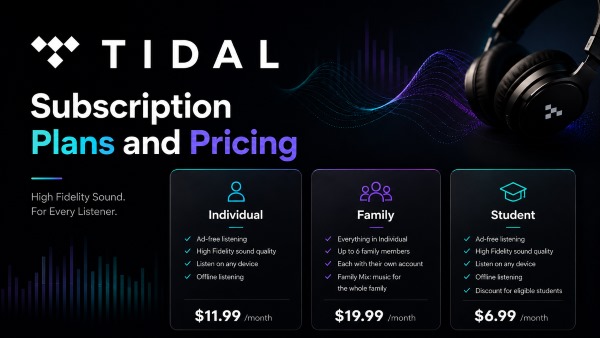
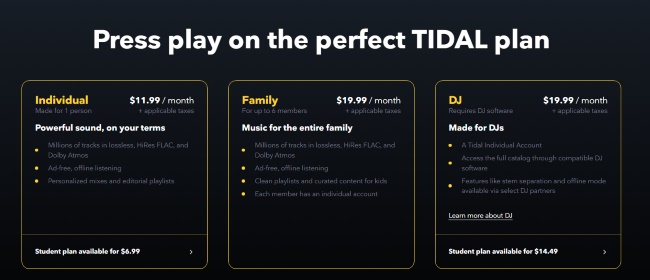
- Individual Plan: $11.99/month. This is the standard plan for one user.
- Tidal Family Plan: $19.99/month. This covers up to 6 family members living at the same address. Each person gets their own private account and playlists.
- Student Plan: $6.99/month. Verified students can get 50% off the standard rate.
| Plan | Previous Price (Monthly) | New Price (Monthly) |
|---|---|---|
| Individual | $10.99 | $11.99 |
| Family | $16.99 | $19.99 |
| Student | $4.99 | $6.99 |
What Happened to the Tidal Free Tier?
If you are looking for a free, ad-supported version of Tidal similar to Spotify Free, you are out of luck. Tidal has discontinued its free tier. You can create a new Tidal account to get Tidal Premium service for free, as they still offer a standard 30-day free trial for new users to test the waters before committing.
Part 2. What Does the New Standard Tidal Subscription Plan Include?
The new, consolidated Tidal plan delivers a powerful feature set that rivals, and in some ways, beats its main competitors right out of the box.
- Cost: $11.99 USD per month.
- Audio Quality: Lossless, up to Hi-Res FLAC (24-bit, 192 kHz), and Dolby Atmos / Sony 360 Reality Audio spatial audio formats.
- Library Access: Over 110 million tracks.
- Features: Offline listening, ad-free experience, Tidal Connect, and exclusive content.
The "DJ Extension" Add-on
For the mix-masters, Tidal has separated its DJ integration into a paid add-on. If you use software like Serato, VirtualDJ, or djay Pro, you will need to pay an extra $9 per month fee on top of your subscription to stream Tidal tracks directly into your DJ decks.
Part 3. How to Unlock the Limitation in Tidal Subscription
Tidal's subscription model means that when you cancel your monthly fee, you lose access to your entire curated music library, potentially hundreds of songs saved over months or years. This is a common disappointment for users who discontinue their service.
The solution is to download and permanently save your favorite Tidal tracks to your computer before your subscription ends. By converting the music to unprotected local files, you retain access to your curated collection forever, ready to play offline on any device. The DRmare Streaming Audio Recorder is the most effective tool for this purpose. It acts as a dedicated downloader, converting Tidal's DRM-protected tracks into FLAC, WAV, MP3, and more local audio formats. You can keep them indefinitely, even after canceling your Tidal subscription.
How to Download Tidal Music for Offline Use
Step 1. Install and open the DRmare Streaming Audio Recorder on your Windows or Mac computer. Before adding tracks, you can tap the "Settings" > "Music" option to open the settings window and customize the output parameters.

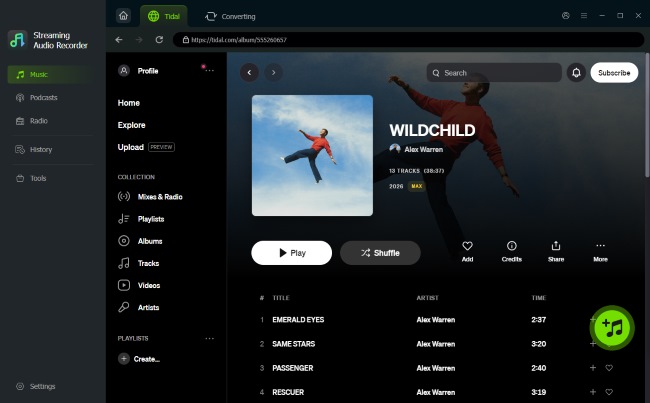
Step 2. Select the "Tidal" icon from the main interface to open the built-in Tidal web player. Tap the "Log in" button to sign in to your Tidal account and browse your Tidal library. You can tap the "Add" > "Add to List" button to import them to the conversion list.
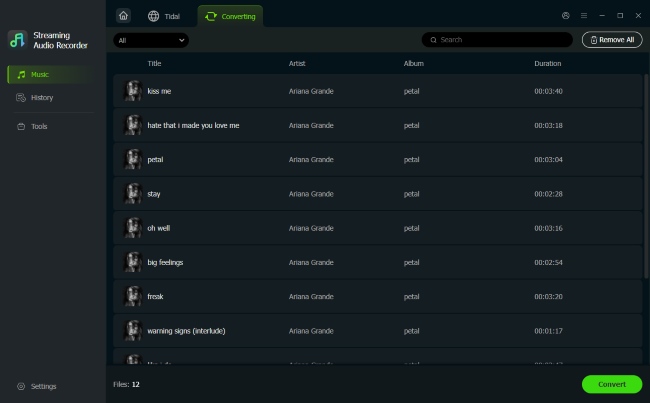
Step 3. Click the "Convert" button at the bottom of the "Converting" window. The conversion process will start immediately at the high-speed rate, downloading and converting the selected Tidal tracks.
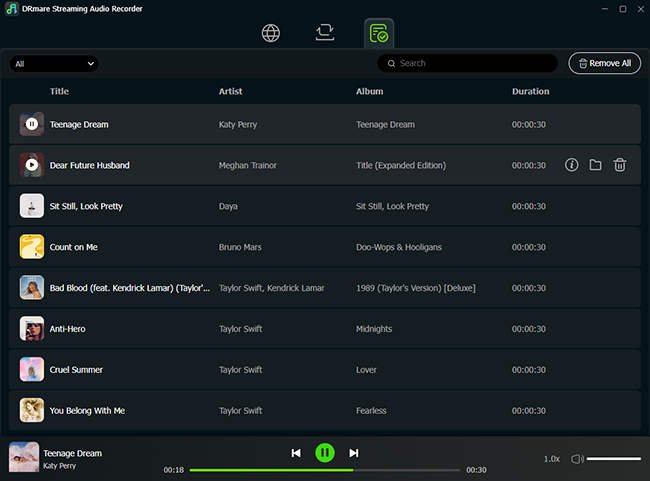
Step 4. After the conversion is complete, click the "History" > "folder" icon to open the designated output folder on your computer. You now have permanent, high-quality audio files of your favorite Tidal tracks, ready to play offline on any device, even if you decide to cancel your Tidal subscription.
Part 4. In Conclusion
TIDAL continues to offer high-quality streaming through a straightforward subscription model. Although the latest price increase makes the service less affordable than before, it may still offer good value for listeners who prioritize premium sound quality. For users who do not want to accept the higher monthly cost, DRmare Streaming Audio Recorder provides an alternative way to save compatible tracks for offline listening before canceling their subscription.

 Home
Home





User Comments
Leave a Comment