





 "What is the official and trustworthy version of Cobalt.tools for downloading videos? I've come across several different versions of the site online, and I'm concerned that certain copies could contain viruses, spyware, or other security risks. And are there any reliable alternatives you would recommend?"
As one of the more popular tools for saving online media offline, Cobalt.tools has attracted growing attention from users looking for a reliable video and audio downloader. And many people still have an question "Is Cobalt.tools safe?". In this comprehensive guide, we will take a closer look at its core features, evaluate its overall safety, and explore some of the best alternatives available today.
Part 1. What is Cobalt.tool
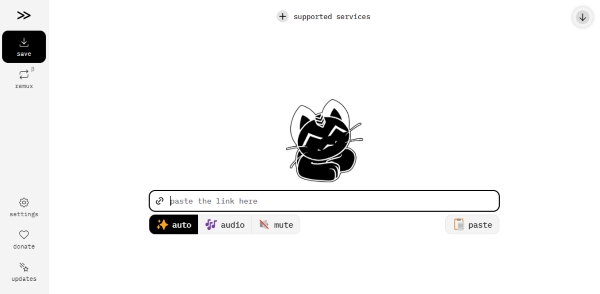
Cobalt Tools is a highly accessible web-based downloader designed to help you save videos and audio from the favorite websites effortlessly. One of the main reasons so many users trust the platform is its clean and straightforward experience. Unlike many browser-based downloaders filled with intrusive ads and hidden trackers, Cobalt Tools offers a clutter-free interface that feels safer and more user-friendly than many competing services.
As a versatile free video downloader, Cobalt Tools supports a wide range of popular social media and streaming platforms: dailymotion, facebook, instagram, loom, ok, pinterest, newgrounds, reddit, rutube, snapchat, soundcloud, streamable, tiktok, tumblr, twitch clips, twitter, vimeo, vk, youtube, bilibili, bluesky.
Is Cobalt Tools Free?
Yes, Cobalt.tools is completely free to use, and you don't have to worry about unexpected paywalls or hidden fees during the downloading process. Unlike many online downloaders, Cobalt.tools allows you to download videos and audio without creating an account or making any payment.
Furthermore, the service operates without any sneaky background trackers or data-harvesting algorithms. This means you can download your favorite content with total peace of mind, knowing that nobody is tracking what you are saving.
Part 2. Is Cobolt.tools Safe and Legit
Yes, Cobalt Tools is generally considered safe to use. Its reputation is not built on marketing claims alone, but also on strong community trust and transparency. Since the project is fully open-source, its code can be publicly reviewed and audited by developers on GitHub, while users actively discuss their experiences and report issues on platforms like Reddit. This level of openness makes it much easier for the community to identify potential security concerns or suspicious behavior. The platform has also received strong ratings from website safety evaluators. For example, Scamadviser gives Cobalt Tools a high trust score of 95 out of 100, suggesting that it is widely regarded as a reliable and low-risk service.
Key Features That Set Cobalt Tools Apart
When evaluating this platform, several core functionalities make it stand out from typical web-based tools. Instead of forcing users to sit through unskippable ads, it prioritizes a completely transparent, user-first approach.
Cobalt.Tools Downloader Features:
- Uncompromised Privacy: The platform operates on a strict zero-log policy, keeping all backend requests completely anonymous.
- Smart Media Processing: Whenever possible, tasks like formatting happen locally on your device for maximum efficiency; otherwise, the server streams the file directly to you without ever saving it to a disk.
- Advanced Protection: Users can enable forced tunneling to hide their download sources even from their network providers, and the open-source nature allows tech-savvy individuals to self-host the service.
Pros
 100% Free: No premium tiers or hidden subscriptions.
- Strict Privacy: A zero-log policy ensures your data remain private.
- Ad-Free Interface: Enjoy smooth downloading without pop-ups, trackers, or malware links.
- Wide Platform Support: Easily grab content from major hubs like YouTube, TikTok, and Instagram.
Cons
 Occasional Downtime: Social media API updates can temporarily break downloads.
- No Batch download: lacks bulk downloading or playlists saving.
- Mobile Glitches: Smartphone users may occasionally experience minor bugs or download failures.
User Experience of Cobolt.tools
Based on authentic user feedback from Trustpilot, Cobalt.tools has received overwhelmingly positive reviews from the vast majority of its users. You'll find it an audio and video downloader that actually respects user experience. Instead of dealing with annoying ads or sneaky trackers, you get a clean, straightforward platform that works seamlessly with almost all major social media sites. However, a few folks have pointed out that the mobile version can be a bit hit-or-miss. You might run into the occasional glitch or download error when trying to save files directly to your phone.
Part 3. How to Use the Cobalt.tools Downloader
Getting your favorite content offline is incredibly straightforward with this platform. The entire process only takes a few seconds to grab a quick video. And many users specifically use Cobalt Tools YouTube to MP3 features for quickly extracting audio from online videos.
Step 1. Grab the link to the content you want to save. Simply head to the original social media post or video page, locate the share option and copy the URL directly to your device's clipboard.
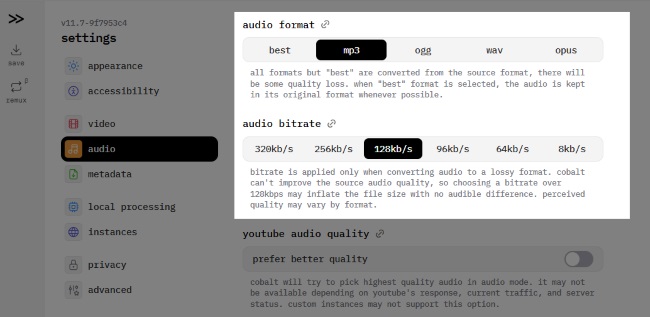
Step 2. Head to the Cobalt Tools website. Before downloading, click the "settings" section to customize your output. Here, you can choose between video or audio formats, adjust your preferred quality or bitrate, and even tweak the file name style.
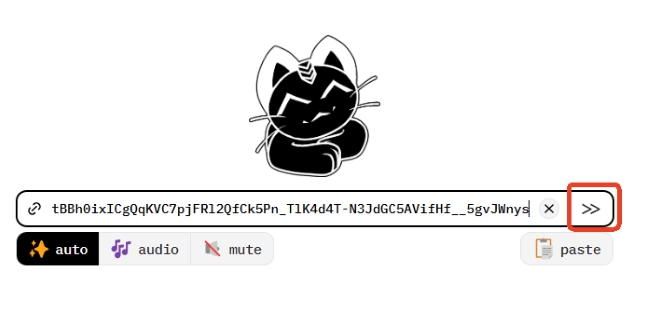
Step 3. Paste that copied URL into the prominent search box on the "save" homepage. Hit the arrow button next to it to tell the platform to start analyzing your link.
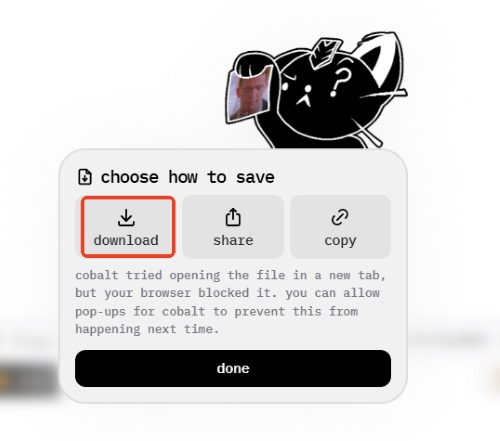
Step 4. Wait just a brief moment for the system to process the media. As soon as the final "download" button appears on your screen, click it to securely store the file onto your device.
Pro Tips: What to Do If Cobalt Not Working?
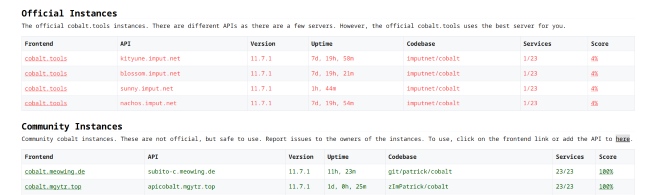
Because Cobalt is open-source, there are multiple Cobalt.tools instances and community-hosted mirrors available online. If you notice the service taking too long to load or server downtime, switching to a community instance can usually solve the issue quickly.
- Find Backups: Visit cobalt.directory for an up-to-date list of working alternative instances.
- YouTube Workaround: Try using cobalt.meowing.de specifically if you are having trouble saving YouTube videos.
Part 4. Top Alternatives to Cobalt.tools
There are times you might experience cobalt tools down during peak hours. Because web-based services can fluctuate, it is always a smart idea to have a backup plan ready. If you are searching for a solid cobalt tools alternative Reddit users recommend, there are perfect options for you. Whether you want another quick web app or a robust desktop solution, here are two excellent tools to keep your media downloads running smoothly.
Downr
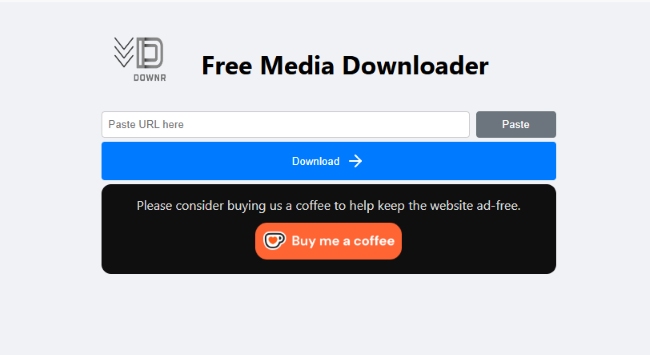
Downr is a powerful online platform that works as an all-in-one media downloader directly within your browser. It allows users to effortlessly save videos and audio from major platforms such as YouTube, TikTok, and Reddit. Best of all, the service is free to use and places a strong emphasis on user privacy, helping you download content securely without ads, malware, or data harvesting. Here are the two main ways to use Downr:
-
Web version: Web version: Ideal for fast, on-the-go needs. You can easily grab standard-definition media directly through the main website without having to install any extra software or navigate complex menus. Simply paste your desired link into the search bar, click download, and get your files instantly.
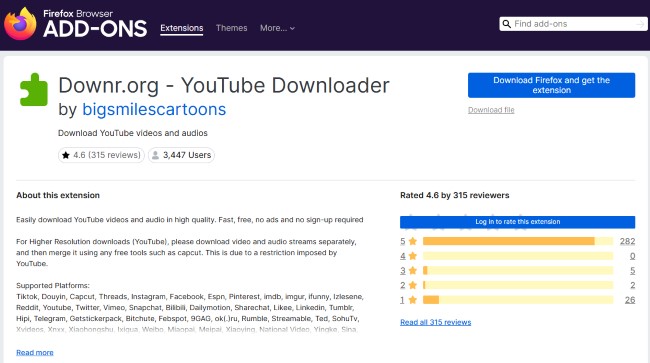
- Browser extension: Highly recommended for unlocking premium, high-definition video resolutions like 1080p. Installing this lightweight add-on provides to seamlessly save high-quality YouTube content locally.
DRmare Streaming Audio Recorder
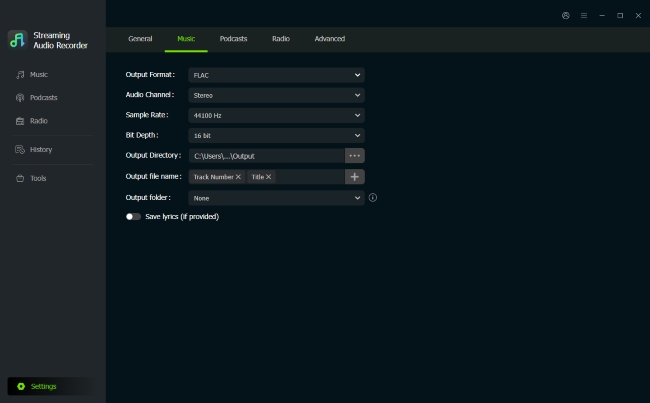
While online platforms are undeniably convenient, you might occasionally find cobalt tools not working due to sudden server overloads. If you need a highly reliable cobalt.tools alternative for your media archiving, making the jump to dedicated desktop software provides unmatched stability. DRmare Streaming Audio Recorder is an exceptional and long-term solution. Instead of scraping URLs, this advanced hub utilizes a built-in web player to bypass heavy encryption. This clever design guarantees uninterrupted, high-quality files downloading every single time.
- Fast Lossless Speeds: Download streaming audio up to 30X faster while preserving the original sound quality.
- Batching & Customization: Save multiple tracks in various formats, adjust audio parameters with editable metadata and lyrics.
- Broad Platform Support: Seamlessly archive high-quality streaming audio from YouTube, Spotify, and other 8 major services.
Part 5. Summary
In summary, Cobalt.tools stands out as a secure, completely free, and privacy-focused downloader. It successfully avoids the pitfalls of malware and ads found on similar sites. However, since it can face unexpected downtime, having an alternative like Downr or DRmare is always a smart move.

 Home
Home





Download Lossless YouTube Music tracks to MP3, FLAC, WAV, M4A, AIFF, or M4B offline on any device without a YouTube Premium subscription.