





Spotify 20: Your Party of the Year(s) has quickly become one of the most talked-about in-app experiences in Spotify's recent updates because it shifts the focus away from yearly summaries and instead builds a long-term picture of your listening identity. Instead of showing what you played this year, it looks at everything since the day you joined Spotify.
This guide breaks down what Spotify 20 actually is, what data it shows, how it works, and how you can access it inside the app without confusion.
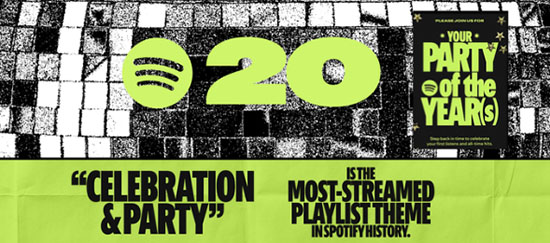
Part 1. What Is Spotify 20: Your Party of the Year(s)?
Spotify 20 is a mobile-only in-app experience designed to celebrate Spotify's 20-year journey by giving users a personalized recap of their entire listening history. Unlike Spotify Wrapped, which focuses on a single year, this feature looks at your lifetime listening behavior.
It builds a narrative around your music identity using long-term listening data, turning years of streaming into a story you can scroll through in a sequence of visual cards. At its core, Spotify 20 is not just a playlist or summary. It is a structured storytelling experience that blends data, nostalgia, and shareable visuals.
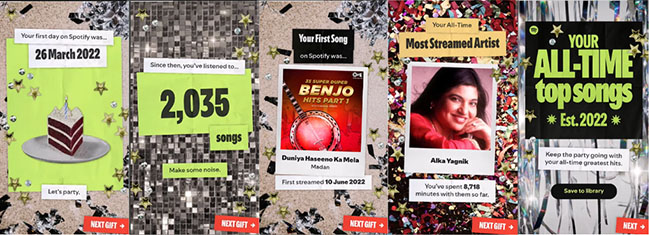
Part 2. What Spotify 20 Shows You (Core Features Explained)?
Spotify 20 pulls together several long-term listening insights that Spotify has collected over time. These are not limited to recent activity but reflect your entire account history.
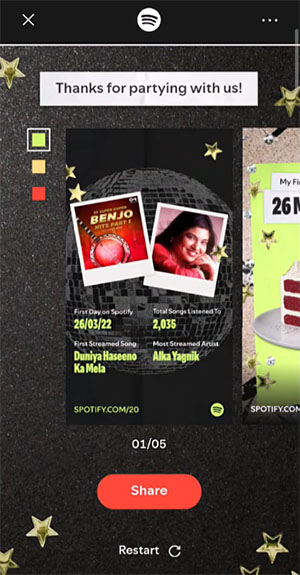
Your First Day on Spotify
This shows the exact date you first created your Spotify account and started streaming music. It often becomes one of the most nostalgic moments for users because it marks the beginning of their listening journey.

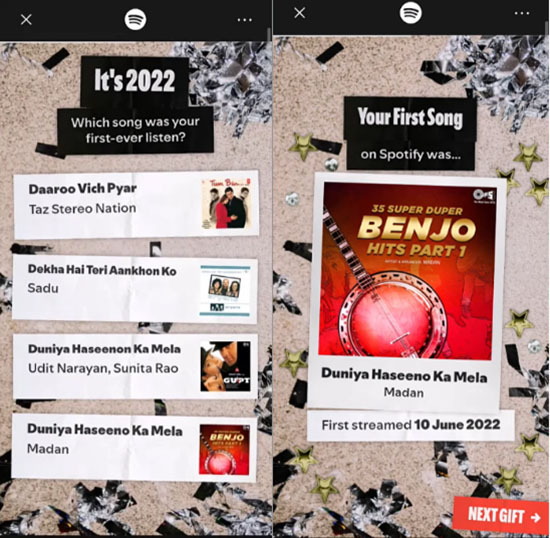
Your First Streamed Song
Spotify highlights the very first track you ever played, giving you a special showcase of your first streamed song. This detail often surprises users because it reflects their early music taste or even accidental first plays.
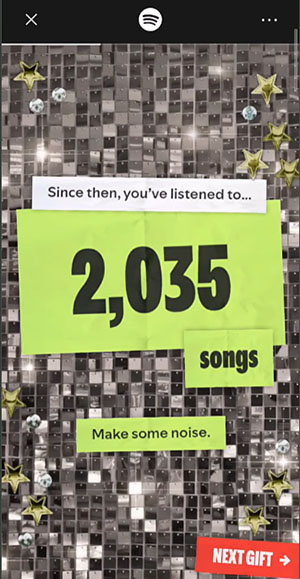
Total Unique Songs You've Listened To
This metric shows how diverse your listening habits are by counting how many different tracks you've played since joining.
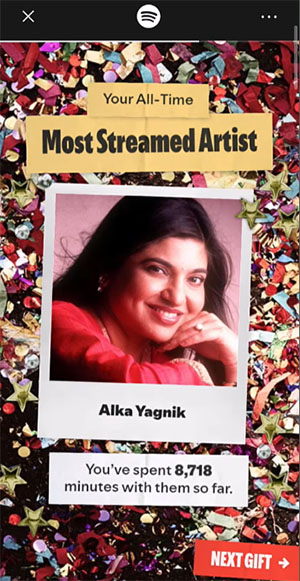
Your All-Time Most-Streamed Artist
Spotify identifies the artist you have played the most across your entire history on the platform.
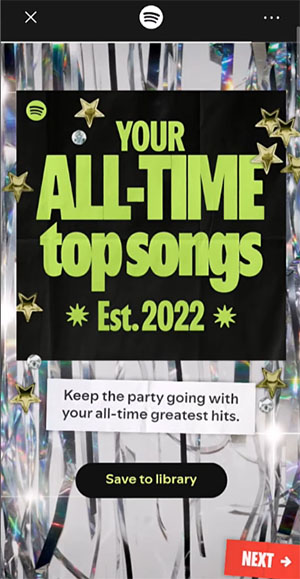
All-Time Top Songs Playlist (Top 120 Tracks)
One of the most important outputs is a personalized playlist of your 120 most-played songs. It also includes play count information, making it a true reflection of your long-term taste. You can click the Save to library button to save the all-time songs playlist to your library.
Each of these elements is designed to build a timeline of your listening identity rather than a snapshot of a single year.
Part 3. How Spotify 20 Works Behind the Scenes
Spotify 20 is built on your historical streaming data. Instead of limiting itself to a fixed timeframe like January to October (as some yearly summaries do), it aggregates data across your entire account lifespan.
The system organizes your listening behavior into patterns such as:
- Most frequently played tracks over time
- Early-stage listening history
- Long-term artist preference strength
- Total diversity of music consumption
Rather than simply listing statistics, Spotify transforms this data into a structured "story flow" where each screen represents a milestone in your music history. The result is an experience that feels more personal and reflective than a standard playlist. You can loop these results by clicking the Restart icon.
Part 4. How to Access Spotify 20 Step by Step
Spotify 20 is designed to be easy to find, but it is only available inside the mobile app.
Step 1. Open the Spotify Mobile App: Make sure you are logged into your account on either iOS or Android.
Step 2. Find Spotify 20 Hub: You can go to the Picked for you section access "The Party of the Your Year(s)" or click the type "Spotify 20" in the search bar to find it.
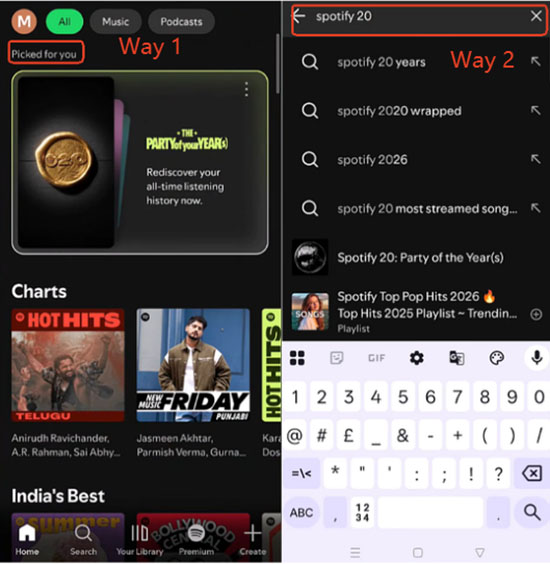
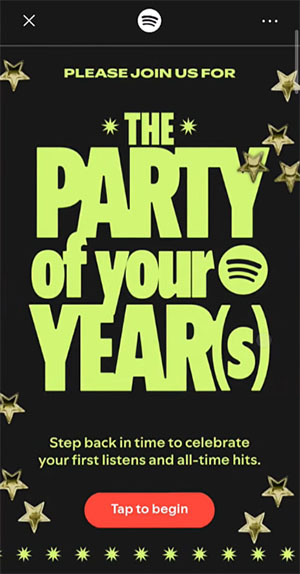
Step 3. Explore Your Story: Click the "Tap to begin" button that appears in the search section. Once inside, you will be guided through a series of story-style screens showing your listening milestones.
Step 4. View Your Final Playlist: At the end of the experience, you will unlock your All-Time Top Songs playlist, which you can save directly to your library, and share the results with others.
Step 5. Share Spotify 20 Results on Social Media: Every major milestone inside the experience can be converted into a visual card designed for social media. Once generated, you can click the "Share" button to share these cards directly to platforms like Instagram Stories, TikTok, Snapchat, and other social apps.

Pro Tips: How to Download Your All-Time Top Songs Playlist for Free
If you want to keep your Spotify 20 All-Time Top Songs Playlist or any long-term Spotify playlist permanently on your device but use a free account, DRmare Spotify Music Converter can help you save it offline and play it anywhere without limitations. It can download your Spotify playlist to local MP3, FLAC, WAV and other files. You can transfer and play them on any device as you like.
Part 5. Spotify 20 vs Spotify Wrapped (Key Differences Explained)
Although Spotify 20 and Spotify Wrapped look similar at first glance, they serve completely different purposes.
| Feature | Spotify Wrapped | Spotify 20 |
|---|---|---|
| Time Range | One calendar year | Entire account history |
| Focus | Yearly listening trends | Long-term music identity |
| Output | Annual recap story | Lifetime listening story |
| Playlist | Top songs of the year | Top 120 all-time songs |
| Purpose | Trend reflection | Personal nostalgia archive |
Spotify Wrapped helps you understand what defined your year in music. Spotify 20, on the other hand, helps you understand your entire listening journey since day one. This difference is the main reason both features can exist side by side without replacing each other.
Part 6. Why You Might Not See Spotify 20
Not every user will see Spotify 20 immediately, and there are a few common reasons for this.
-
App Not Updated: Older versions of the app may not support the feature.
-
Gradual Rollout: Spotify often releases major features in stages, so availability may vary.
-
Limited Account Data: If your account has minimal listening history, some insights may not generate properly.
-
Mobile-Only Restriction: Spotify 20 is only available on mobile devices, not desktop or web player.
-
Regional Availability: Some markets may receive the feature later than others depending on rollout timing.
If it doesn't appear, it usually resolves itself after updating the app or waiting for full rollout completion.
Part 7. FAQs About Spotify 20: Your Party of the Year(s)
Is Spotify 20 available to everyone?
Not all users receive it at the same time. Availability depends on rollout timing and account eligibility.
Can I see Spotify 20 on desktop?
No, the experience is designed exclusively for the mobile app.
Why is my first song incorrect?
This can happen if early account data is incomplete or if tracks were played in unusual contexts.
Does Spotify 20 include private session data?
Listening in private mode may not always be reflected in your historical summaries.
Can I download my Spotify 20 playlist?
Yes, the All-Time Top Songs playlist can be saved to your library and downloaded if you have offline access enabled.
Part 8. Final Thoughts
Spotify 20 is less about statistics and more about storytelling. It reframes your listening habits into a long-term identity map, showing how your taste has evolved since the very first day you joined Spotify.
For users who already enjoy Spotify Wrapped, this feature adds a deeper layer of reflection by focusing not on "what defined your year," but on "what defines your entire listening history." If Spotify Wrapped is a snapshot, Spotify 20 is the full album. Now, see and share your Spotify 20.

 Home
Home




User Comments
Leave a Comment