





Many users ask the same question: "Can I download music from SoundCloud to my MP3 player?" The answer is yes, but it depends on the type of MP3 player you use. SoundCloud itself places strict limits on music downloads. Even with a SoundCloud subscription, offline tracks are locked inside the app and protected by DRM, which means they can't be transferred to most MP3 players.
There are some modern MP3 players that support Wi-Fi and apps, allowing SoundCloud to run directly. While traditional MP3 players only play local audio files, you need to download SoundCloud music as MP3 files first. This article covers both types of MP3 players and shows how you can play SoundCloud music on any MP3 player.
Part 1. Top 5 Compatible SoundCloud MP3 Players
If you want listen to SoundCloud on the go, choose a compatible MP3 player that functions like a dedicated audio smartphone is a good choice. Unlike basic MP3 players, these modern Android-based devices feature Wi-Fi connectivity and Google Play Store access. This allows you to install the official SoundCloud app directly, giving you the freedom to stream or download your favorite music for offline playback.
Note:
MP3 players such as SanDisk, Mighty, and AGPTEK lack the operating system required to run SoundCloud. To use these offline devices, you will need to record or convert your streams into MP3 format.
| Players | FiiO M23 | Sony NW-A306 | iPod Touch (7th Gen) | HiBy M300 | Astell&Kern SR35 |
|---|---|---|---|---|---|
| OS | Android 12 | Android 14 | iOS 15 | Android 13 | Android (Custom) |
| SoundCloud Support | Native (Play Store) | Native (Play Store) | Native (App Store) | Native (Play Store) | Open APP Service (APK) |
| Key Feature | High Power Output (670mW) | DSEE Ultimate AI Audio Upscaling | Full iOS App Ecosystem | Built-in Speaker & FM Radio | Quad-DAC Mode (High-Fidelity) |
| Best For | Power & Versatility | Overall Balance | iOS Users | Budget & Portability | Audiophile Sound |
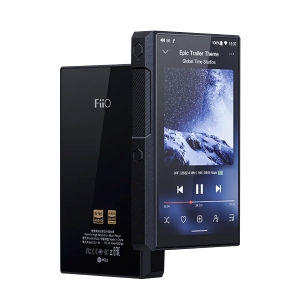
1. FiiO M23
FiiO is a giant in the portable audio space. The M23 acts like a high-end Android phone dedicated entirely to music. It features powerful internals (Snapdragon 660 processor) that make browsing the SoundCloud app smooth and lag-free.
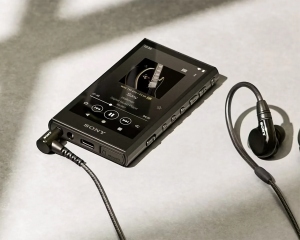
2. Sony NW-A306
The Sony Walkman NW-A306 is the market leader for a reason. It combines a compact, retro-inspired design with full Android 12 capabilities. It is small enough to fit in a watch pocket but powerful enough to stream high-bitrate audio directly from SoundCloud via Wi-Fi.
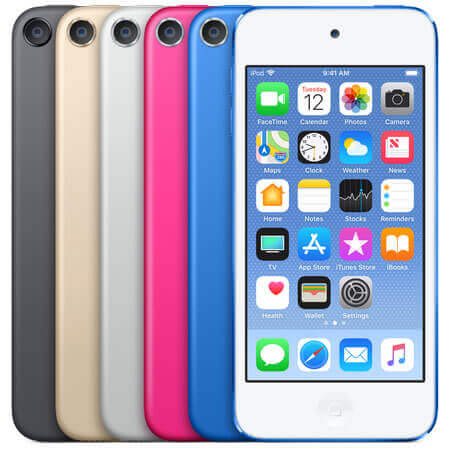
3. iPod Touch (7th Gen)
Though discontinued by Apple, the iPod Touch remains the most user-friendly option if you can find one in good condition. It runs iOS, meaning you get the exact same SoundCloud app experience as on an iPhone.
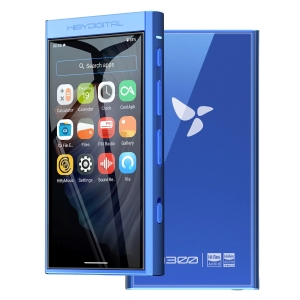
4. HiBy M300
The HiBy M300 is the closest thing to a modern "iPod Nano." It is an affordable, pocket-friendly device that prioritizes streaming. It runs a very modern version of Android (Android 13), ensuring app compatibility for years to come.
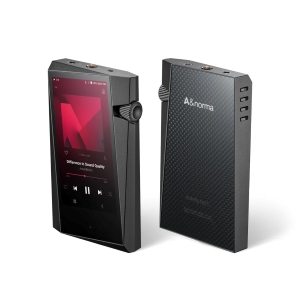
5. Astell&Kern SR35
Known for luxury design and "master quality" sound, Astell&Kern players like the SR35 are for serious listeners. Unlike standard Android players, A&K uses a locked-down system for better audio purity. To use SoundCloud, you must use their "Open APP Service", which allows you to manually install the SoundCloud APK file.
Part 2. How to Download Music from SoundCloud to Any MP3 Player
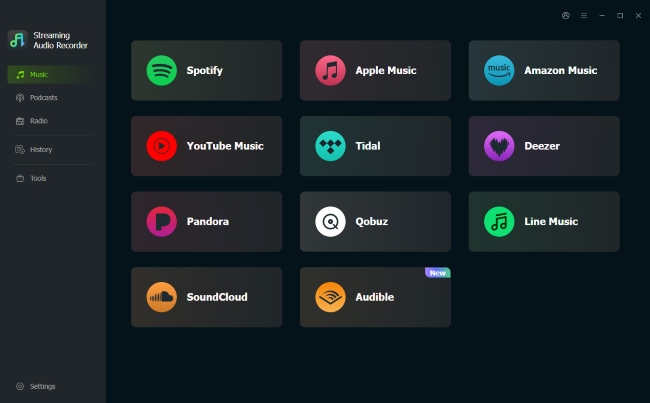
If you own a MP3 player incompatible with SoundCloud music, or simply want to keep your SoundCloud favorites permanently without a subscription, you need an effective solution--DRmare Streaming Audio Recorder, which can bypass the limitation of offline listening locked within the app and help you use SoundCloud music on any MP3 player or other devices.
Unlike online downloaders, this tool works by downloading SoundCloud songs with lossless quality. It allows you to save any track and playlist as MP3, WAV, or FLAC formats that work on literally any device. Without a SoundCloud Go/Go+ subscription, you have full ownership of your music library with all ID3 tags intact for easy navigation.
- Step 1Configure Output for MP3 Player Compatibility
Before you start, ensure the files will be compatible with your device. Click the "Settings" icon in DRmare and select the "Music" section. Set the output format to MP3, as this is the universal standard supported by every player from simple SanDisks to modern Sony Walkmans. You can also maximize the bit rate here for better sound quality on SoundCloud.

- Step 2Access Your SoundCloud Library
Click the SoundCloud icon within the DRmare interface to open the integrated web player. Log in to your SoundCloud account just as you would on a browser. This connects DRmare directly to your SoundCloud playlists.
- Step 3Select SoundCloud Tracks to MP3 Player
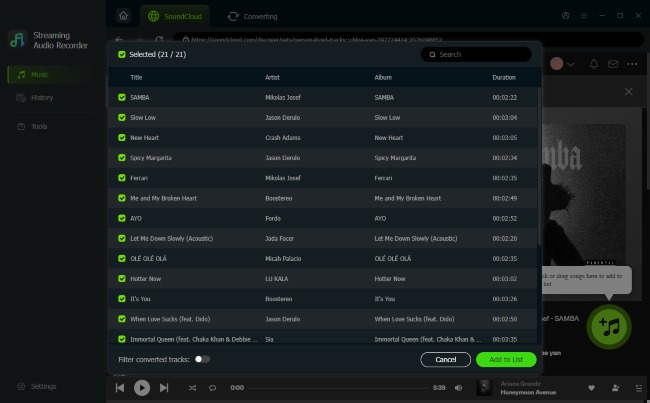
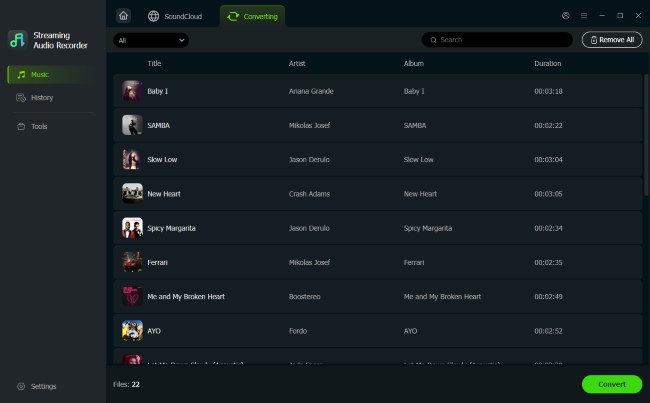
Navigate to the specific playlist or track you want to transfer. Click "Add" and then press the "Add to List" button to put that music into the conversion list. You can select individual songs or entire playlists from SoundCloud for your MP3 player.
- Step 4Convert and Save Songs as Local MP3 Files
Once your list is ready, click "Convert" and it will convert SoundClooud to real MP3 files on your computer. After the conversion finishes, check the "History" part to verify your tracks are ready for transfer to your MP3 player.
Part 3. How to Transfer SoundCloud Music to MP3 Player
Now that you have your SoundCloud tracks saved locally on your computer, the final step is transferring them to your portable MP3 player. Whether you are on Windows or Mac, you can easily move your music via USB connection or by syncing your library.
Tips:
If your MP3 player shows "No Files", it may be an incompatible file system. Most MP3 players, like SanDisk Clip, do not support the NTFS file system. So before transferring files, ensure your USB drive is formatted to FAT32 or exFAT. Since reformatting will erase all existing data on the drive, remember back up your files first.
For Windows
Windows makes it straightforward to manage your music, giving you the choice between a simple drag-and-drop method or using a media manager to keep your playlists organized.
File Explorer
Step 1. Plug your MP3 player into your PC using the USB cable. Open File Explorer and find your player listed under "This PC".
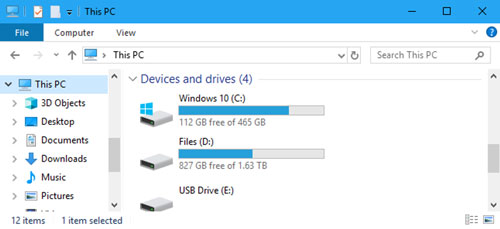
Step 2. Open the "Music" folder on your player. Simply drag your downloaded SoundCloud files from your computer and drop them right into this folder.
Windows Media Player
Step 1. Connect the MP3 to your device and open Windows Media Player. Click the "Sync" tab on the top right. Drag your SoundCloud tracks into the "Sync List" area.
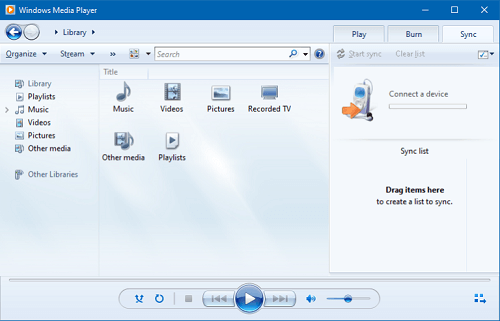
Step 2. Hit the "Start Sync" button. The software will handle the transfer and ensure your files are organized correctly on the device.
For Mac
On a Mac, the process is just as seamless, though the specific tool you use will depend on whether you prefer the Finder integration or the classic iTunes interface.
Finder
Step 1. Plug in your MP3 player to your Mac, and it will be in the Finder sidebar.
Step 2. Just drag your SoundCloud MP3s directly from the "Music" app onto the MP3 player window.
Note:
If your MP3 player doesn't appear in Finder, download the "OpenMTP" utility, which is the most stable way to drag-and-drop on macOS 16.
Music App
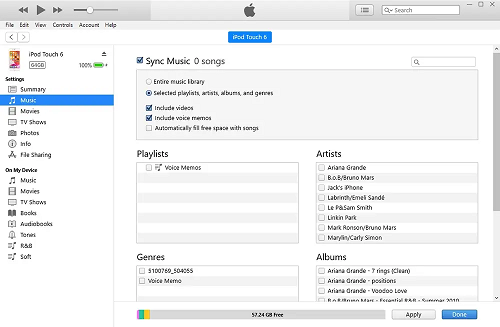
Step 1. Open Music and go to "File > Import" to add your SoundCloud MP3s to your library.
Step 2. Select your device in the sidebar. Head to the "Music" tab, check "Sync Music," and choose the playlist you just downloaded. Click "Apply" to sync the tracks. Your SoundCloud mixes will now live natively in your MP3 player.
Part 4. Conclusion
Ultimately, the best way to listen to SoundCloud music on an MP3 player comes down to personal preference. If convenience matters most, a modern and MP3 player that works with SoundCloud MP3 player is the most straightforward option. It lets you use the official SoundCloud app for streaming and offline listening with minimal effort. If you prefer a rugged, distraction-free device with longer battery life, converting SoundCloud tracks into standard MP3 files is the better choice. In that case, tools like DRmare Streaming Audio Recorder make it possible to save playlists as high-quality MP3s, giving you full control over your offline music library.

 Home
Home




User Comments
Leave a Comment