





TIDAL already offers a polished desktop experience, but the default app leaves limited room for interface customization and advanced tweaks. If you enjoy personalizing your music setup or want more control over how TIDAL looks and works, TidaLuna provides an interesting experience with custom themes, plugins, and interface enhancements that are not available in the official app.
In this guide, we'll explore what TidaLuna is, how to install and customize it, and some of the best alternatives to help you create a more personalized high-resolution music listening experience.
Part 1. What is TidaLuna?
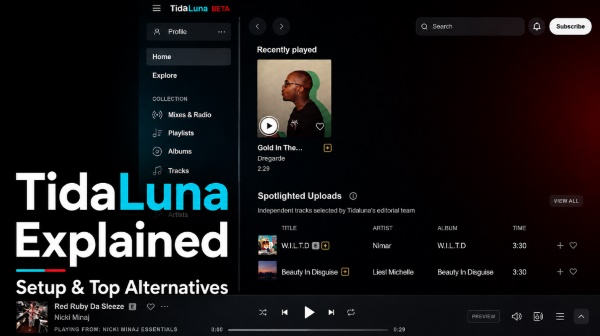
TidaLuna is a dedicated client modification designed to enhance the TIDAL desktop application. Instead of replacing TIDAL, it works by adding extra customization possibilities, allowing users to modify the interface and extend certain functions through themes and plugins. Through this framework, users can install various plugins and apply unique visual aesthetics that the stock application simply does not offer.
Key Features of TidaLuna:
- Custom Themes — Change TIDAL's visual style with community-made themes, including custom colors, layouts, and interface designs.
- Community Plugins — Extend the TIDAL desktop experience with plugins created by the TidaLuna community.
- Interface Customization — Adjust certain UI elements and visual components beyond the options available in the standard TIDAL app.
- Community-Driven Enhancements — Explore new tweaks developed by users to create a more personalized listening experience.
Limitations:
It is important to note that TidaLuna is not an official TIDAL product. It is maintained by the community, which means new features, compatibility, and updates depend on ongoing development.
TidaLuna vs TIDAL Official App
The choice between TidaLuna and the official TIDAL app mainly depends on whether you prioritize customization or stability.
| Feature | TidaLuna | Official TIDAL App |
|---|---|---|
| Custom themes | Yes | Limited |
| Plugins | Yes | No |
| Interface customization | More flexible | Standard design |
| Update stability | May require adjustments | More predictable |
| Best for | Users who enjoy customization | Users who want a simple streaming experience |
Part 2. How to Install TidaLuna on Windows/Mac/Linux
Step 1. Completely close the TIDAL desktop app before installation. This helps prevent background processes from interfering with the setup process.
Step 2. Visit the official TidaLuna GitHub repository and open the "Releases" section to find the latest version. Download the installer file available for Windows, macOS, and Linux that matches your operating system.
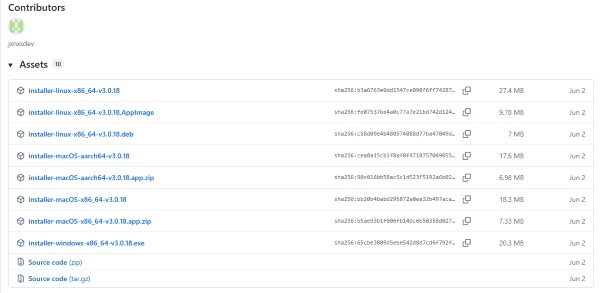
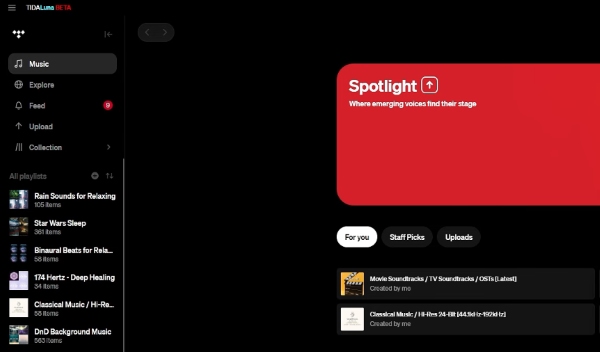
Step 3. Open the downloaded TidaLuna installer and follow the on-screen instructions to complete the installation. Relaunch the TIDAL desktop app. If the installation is successful, you should see the TidaLuna splash screen when starting the app, confirming that the customization layer has been applied.
Manual Installation of TidaLuna:
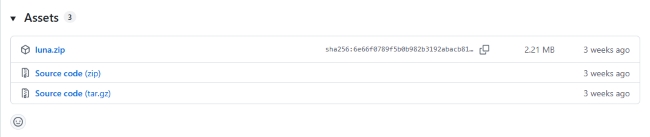
Manual Install is only needed if for some reason the Luna Installer is not working for you. If you fall into this rare category, you can manually rename the app.asar file in your TIDAL resources directory and extract the Luna files directly beside it.
Part 3. How to Use TidaLuna Themes and Plugins to Customize TIDAL
Once you have the framework installed, the real fun begins. The community has developed a wide array of visual and functional upgrades that you can toggle on or off directly within the app.
Popular TidaLuna Themes For TIDAL Interface
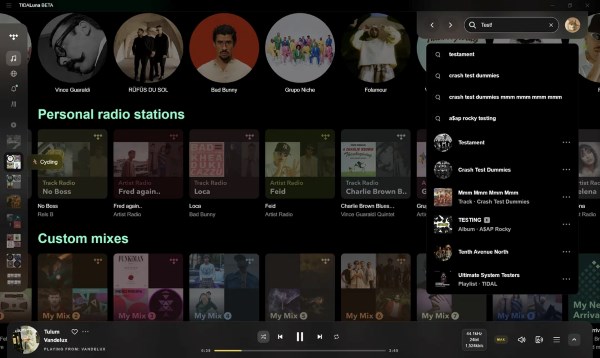
One of the fun parts of TidaLuna is the ability to customize how the TIDAL desktop app looks. Community members have shared their own TidaLuna themes, ranging from simple visual tweaks to much more immersive redesigns. For example, one Reddit user shared a theme with a more full-screen look, including auto-hidden sidebars and customizable visual effects.
These community themes can make TIDAL feel surprisingly different from the standard interface. Just keep in mind that they are unofficial projects, so some visual elements may occasionally stop working properly after a TIDAL or TidaLuna update.
Community Plugins Worth Exploring
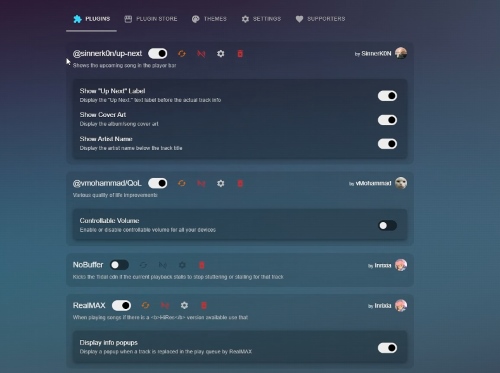
While themes focus on changing how TIDAL looks, plugins are what make TidaLuna more flexible in everyday use. These community-created extensions are designed to improve small details, add extra controls, or customize parts of the interface that are not available in the standard TIDAL app.
The TidaLuna plugin ecosystem is still growing, but users can already find a variety of practical additions created by the community. Popular examples include NoBuffer, RealMAX, Tidal Tags, and DiscordRPC, covering areas such as playback improvements, metadata enhancements, and social integrations. You can explore available options through the "PLUGIN STORE" and choose the ones that match your listening habits.
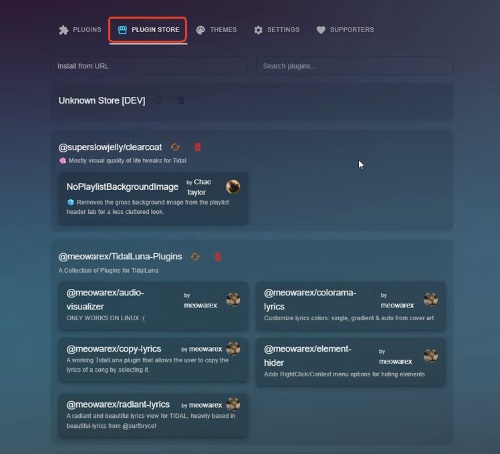
Some interesting plugins on TidaLuna include:
- Radiant Lyrics — Enhances the lyrics experience by adding a more dynamic presentation, including visual effects that match album artwork and more engaging lyric animations.
- Element Hider — Helps create a cleaner interface by allowing users to hide unwanted elements, such as certain banners, buttons, or menu sections they rarely use.
- Audio Visualizers — Adds visual effects during playback, bringing a more classic media-player feel with animated audio waves or other playback visualizations.
Part 4. Is TidaLuna Safe to Use?
Security is a valid concern when you're installing a third-party tool that modifies an official application. TidaLuna is an open-source project, which means its code is publicly available for review and can be examined by the community.
There is no indication that TidaLuna is designed to collect payment information or access users' account credentials. However, as with any third-party customization tool, it is important to download the installer only from trusted sources and keep your software updated.
Can TidaLuna Break After Updates?
Because TidaLuna modifies or extends the TIDAL desktop experience, compatibility issues may occasionally occur after TIDAL updates. Major changes to the official app may affect modified files, themes, or active plugins. If TIDAL stops working correctly after an update, reinstalling or running the TidaLuna installer again may help restore compatibility.
Part 5. Best Alternatives to TidaLuna
While TidaLuna is currently the go-to client mod for TIDAL, you can also choose other ways to upgrade your music streaming experience. Depending on your preference and need, several alternatives offer different approaches.
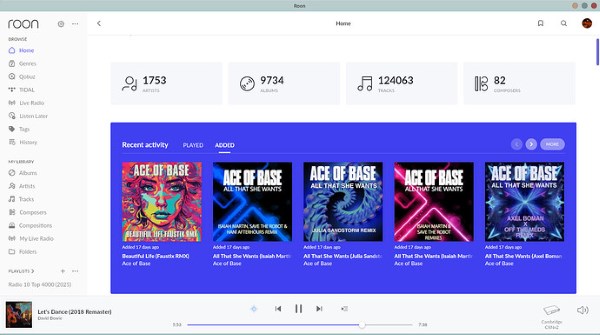
1. Roon (Premium TIDAL Integration for Audiophiles)
If you enjoy TIDAL but want a more advanced music management experience, Roon is one of the strongest alternatives. Instead of modifying the TIDAL desktop app, it creates a separate music library interface with rich metadata, artist connections, album information, and multi-device playback controls. It is especially suitable for audiophiles who want a premium listening environment rather than simple interface customization.
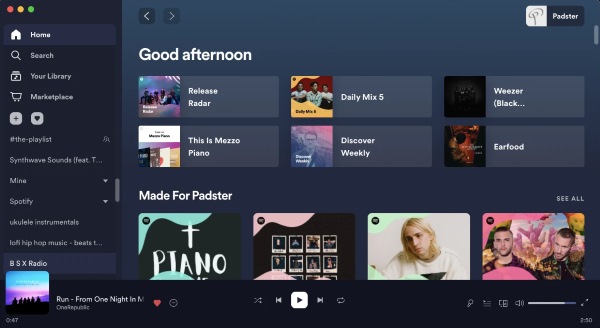
2. Spicetify (Best TidaLuna Alternative for Spotify Users)
For users who like the customization concept behind TidaLuna but mainly use Spotify, Spicetify offers a very similar approach. It modifies the Spotify desktop client with custom themes, extensions, and interface tweaks. Thanks to its larger community ecosystem, Spicetify provides a wider selection of ready-made themes and plugins compared with most music app customization projects.
3. Strawberry Music Player (Free & Open Source Desktop Player)
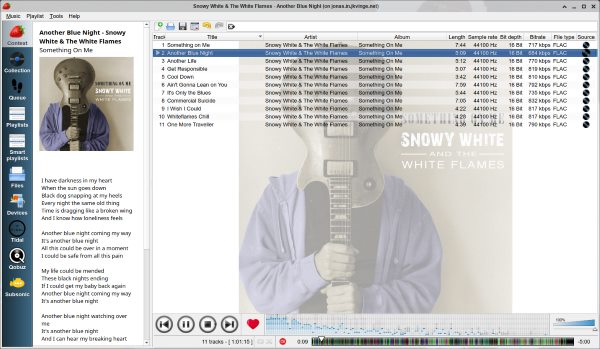
If you prefer owning and managing your own music library, Strawberry Music Player takes a different approach from TidaLuna. Rather than customizing a streaming app, it focuses on local audio playback with features such as advanced audio output options, playlist management, and support for multiple platforms. You can download Strawberry from its official website, while its source code is available on GitHub for those interested in the project's development.
TidaLuna Alternatives Comparison
| Tool | Main Focus | Custom Themes | Plugins/ Extensions |
Best For |
|---|---|---|---|---|
| TidaLuna | Customize TIDAL desktop app | ✓ | ✓ | TIDAL users who want a personalized interface |
| Roon | Premium music management | Limited | Limited | Audiophiles who want advanced library features |
| Spicetify | Spotify customization | ✓ | ✓ | Spotify users who enjoy modding their app |
| Strawberry | Local music playback | Limited | Limited | Users who prefer open-source desktop players |
Part 6. Another Way to Enhance Your TIDAL Experience
TidaLuna focuses on changing how TIDAL looks and feels, but some users may be looking for more flexibility in how they manage and enjoy their music. For example, you may want to keep your favorite tracks available for offline playback, organize your music library locally, or listen across different devices without being limited to the TIDAL app.
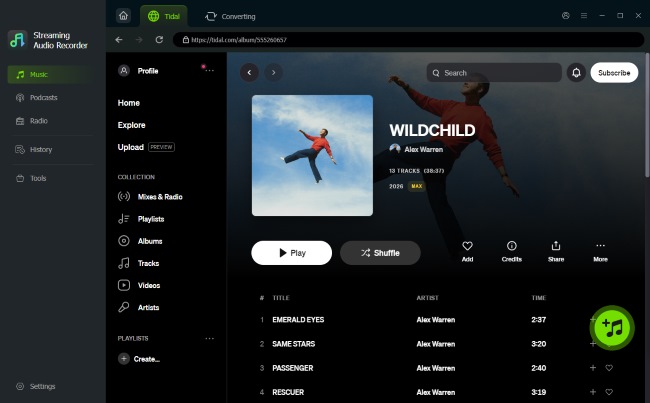
In this case, a tool focused on audio management can offer a different approach. Unlike TidaLuna, DRmare TIDAL Music Converter focuses on saving and managing TIDAL music for more flexible personal playback.
- Flexible Audio Conversion: Convert TIDAL tracks into MP3,, WAV, FLAC, etc for playback on different devices and media players.
- Fast Conversion Speed: Process music at up to 100X faster than real-time playback, allowing users to save playlists and albums more efficiently.
- Smart Metadata Retention: Keep important track information, including titles, artists, album artwork, and track numbers, to help organize your local music library.
Part 7. Final Thoughts
For listeners who enjoy experimenting with interfaces, TidaLuna provides a unique community-driven experience. However, users who prioritize official support, advanced music management, or offline flexibility may find alternatives such as Roon or music converter tools DRmare more suitable.

 Home
Home





User Comments
Leave a Comment