





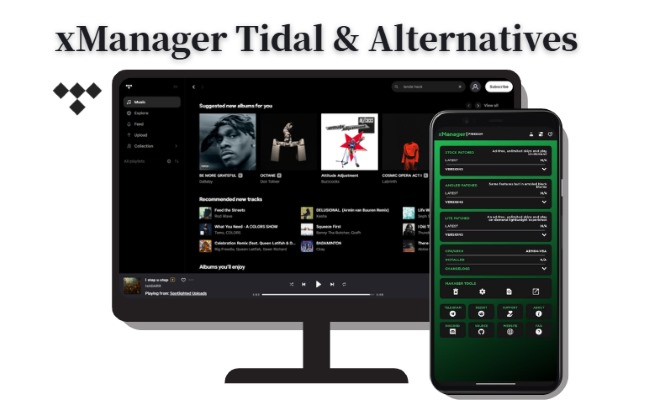
Looking for a working update or fix for xManager Tidal? Unfortunately, xManager Tidal is no longer able to provide stable or functional support. Rather than wasting time on its broken versions, it's better to understand what your options are now. In this guide, we'll explain why xManager Tidal stopped working and introduce three safe and high-quality alternatives that remain fully functional today.
Part 1. Why Is xManager Tidal Not Working
On April 10, 2024, Tidal officially discontinued its Free subscription tier. Previously, xManager relied on this free tier to access the app and unlock premium features. Once Tidal moved to a fully subscription-based model, the servers began requiring valid payment tokens for almost every action. And Tidal now performs frequent subscription checks with its servers. Since a mod APK cannot fake a server-side "Paid" status, the app simply fails to load music or refuses to log in.
Part 2. Top xManager Tidal Alternatives
With xManager Tidal no longer working, you need to turn to alternative solutions that actually match your devices and download requirements. Below, we introduce three proven alternatives, covering the Tidal desktop downloader, command-line tool, and online converter, so you can choose the option that fits your preference.
DRmare Streaming Audio Recorder
If you're looking for a dependable upgrade over xManager Tidal, DRmare Streaming Audio Recorder offers a more reliable and professional experience. It provides a stable environment for converting and downloading Tidal music into local files that can be played on any device, without requiring an active subscription.
Designed for audiophiles who won't compromise on sound quality, DRmare preserves original HiFi and Hi-Res FLAC audio, ensuring your offline library sounds identical to the official platform. It can also convert Tidal tracks into multiple formats, including MP3, FLAC, WAV, AIFF, M4A, and M4B at up to 37X speed.
How to Use DRmare Alternative to xManager Tidal
- Step 1Set Lossless Output Settings for Tidal
After installing and launching the software, click the "Settings" icon. Navigate to the "Music" tab to define your audio parameters. To match the HiFi quality you're used to from Tidal, we recommend selecting FLAC or WAV as the format. You can also choose to automatically sort your downloads by Artist or Album, ensuring your new local library remains perfectly organized.

- Step 2Access Your Tidal Library and Import Tracks
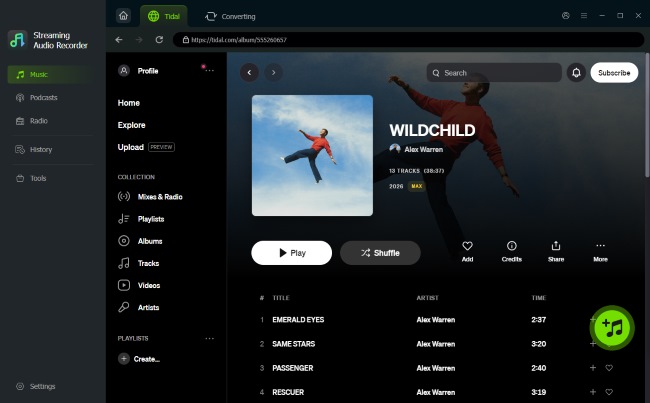
On the main dashboard, click the Tidal icon from supported platforms to trigger the built-in web player. Log in to your account to browse your playlists from Tidal. Once you've located the songs or albums you want to move offline, simply click the "Add" (+) and "Add to List" buttons. This will import the metadata into the conversion queue.
- Step 3Convert Tidal Music and Play Offline
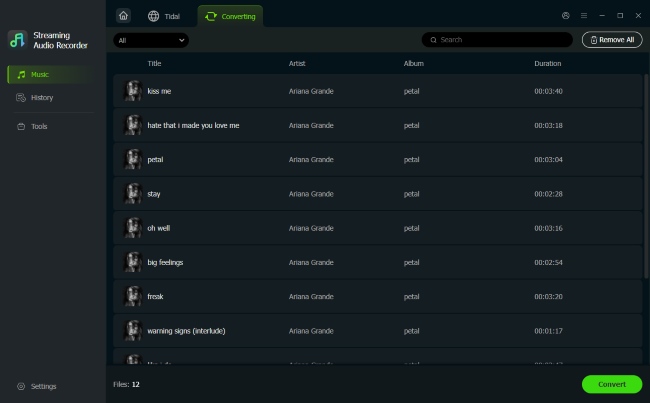
With your tracks selected, hit the "Convert" button to download Tidal music. You can now access Tidal files directly on the "History" icon or navigate to the Output Folder on your computer. Then you can transfer these DRM-free files to your phone or other player, serving as a permanent replacement for the xManager Tidal mod.
Tidal DL
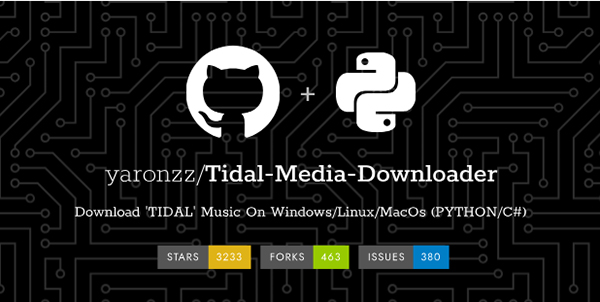
If you're more tech-savvy and prefer an open-source approach, Tidal-DL is an incredible command-line tool that allows you to download tracks and playlists directly by using a Tidal URL. Tidal-DL allows you to grab everything from standard AAC to bit-perfect FLAC and Hi-Res tracks. It is perfectly cross-platform, so whether you're on Windows, macOS, Linux, or even Android, you can take your library with you.
Note:
While Tidal-DL is free to use, you will need an active Tidal subscription to authenticate the downloads.
How to Use the Tidal DL to Download Tidal Music
Step 1. First, ensure your computer has Python installed (version 3.6 or later). You can quickly check this by opening your terminal or command prompt and typing "python --version".
Step 2. Simply type the command "pip3 install tidal-dl --upgrade" into your terminal and hit "Enter". Or you can download Tidal-dl from the GitHub website.
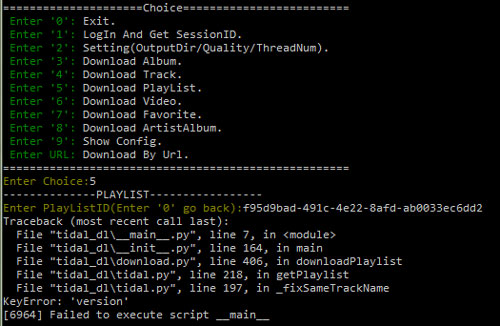
Step 3. Type "tidal-dl" into the terminal and press "Enter" to launch the interface. Enter "2" and press "Enter" to open the settings menu. Here, you can select your preferred Audio Quality and choose where you want your music saved.
Step 4. Follow the prompts to log in with your Tidal account. Then copy the URL of the song or playlist from Tidal and paste it into the tool. And Tidal-DL will save your tracks to your local folder in seconds.
Lucida
For those who prefer not to install software, Lucida offers a web-based alternative. It is a Tidal downloader that is incredibly fast on any browser.
Step 1. Navigate to the Tidal app or web player, locate your desired track, and copy its shareable URL.
Step 2. Head over to the Lucida website, paste the link into the central search bar, and hit "Go" to initiate the process.
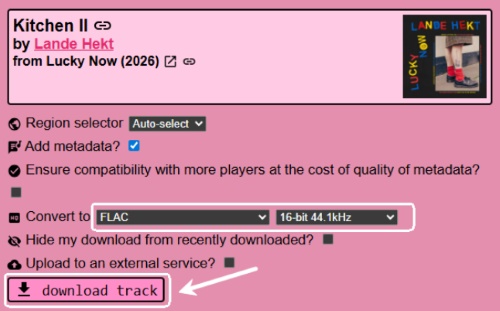
Step 3. Customize your output bitrate or format, then click "Download Track" to save the Tidal track directly to your device.
Note:
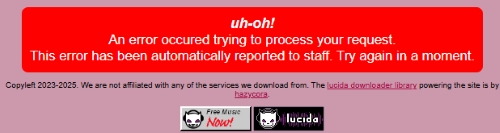
As an online downloader for Tidal, Lucida sometimes crashes or fails to load due to high server traffic or temporary domain blocks. If you require a more reliable solution for downloading large playlists, the desktop-based alternatives DRmare or Tidal-DL are recommended.
Part 3. FAQs about xManager Tidal
Is Xmanager TIDAL safe?
Generally, the official xManager Tidal is considered a clean and community-vetted tool. However, installing any modified Tidal APK inherently bypasses official security checks. The APKs it facilitates may contain adware or unwanted scripts. It also violates Tidal's Terms of Service and can lead to a permanent account ban.
Why is Tidal no longer free?
Tidal restructured its pricing in 2024 to simplify its tiers and better compete with other platforms. By removing the free tier, they aimed to ensure that artists receive higher royalty payments from every single stream on the platform.
What is the safest alternative to xManager Tidal?
The safest alternative is DRmare Streaming Audio Recorder. It does not modify the original Tidal app code, and is much less likely to trigger security alerts or lead to account bans.
Part 4. Comparison of xManager Tidal Alternatives
| Feature | DRmare Streaming Audio Recorder | Tidal-DL | Lucida |
|---|---|---|---|
| Tidal Premium Needed | No | Yes | No |
| Output Quality | Lossless HiFi / Hi-Res | Lossless FLAC / Master | Up to FLAC |
| Conversion Speed | 37X Faster | Standard | Standard |
| Supported Formats | MP3, FLAC, WAV, AIFF, M4A,M4B | FLAC, MP4, M4A | FLAC, MP3, M4A AAC, WAV, OGG |
| Difficulty Level | Beginner Friendly | Advanced (Command Line) | Easy |
| OS Compatibility | Windows, macOS | Windows, Mac, Linux, Android | Any Browser |
| Success Rate | High | Medium | Medium |
| Requirement | DRmare Software | Python & Tidal Sub | Target URL |
While the era of the xManager Tidal mod has ended due to server-side security, these three alternatives provide a more stable and high-quality path forward. Tidal-DL suits for user prefer open-source command-line tools. Lucida is convenient for a quick download without software installation. DRmare is the most robust choice for those building a permanent, high-res library with professional organization and extreme speed.

 Home
Home




User Comments
Leave a Comment