





If you've ever searched for a quick way to extract audio from YouTube videos or save live performances, you've probably come across TubeRipper. Known as a YouTube audio extractor, it has become a popular choice for quick online downloads. But is it reliable? In this hands-on TubeRipper review, we'll evaluate its audio quality, safety, performance, and the best TubeRipper alternatives available today.
Part 1. How Does TubeRipper Work?
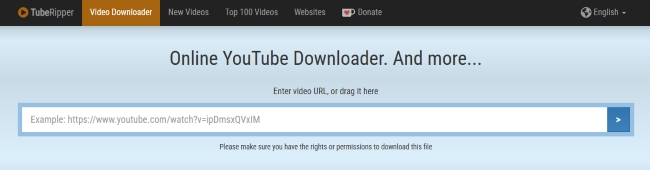
TubeRipper is a browser-based media extractor that primarily rips audio and video for YouTube. And it actually supports hundreds of diverse platforms like Vimeo, Bandcamp and Zattoo. It requires no account or software installation, you simply paste a target URL to quickly download formats like MP3, OGG, M4A or MP4.
Over the past few months, I have used it to pull several indie tracks that available on the YouTube platforms. The entire process generally boils down to a few basic actions:
Step 1. Open your browser, navigate to the YouTube video you want to copy, and grab the full URL from your address bar.
Step 2. Head over to the TubeRipper YouTube video downloader tool interface and paste that specific link into the central input field. Then press Enter or tap the arrow icon next to it.
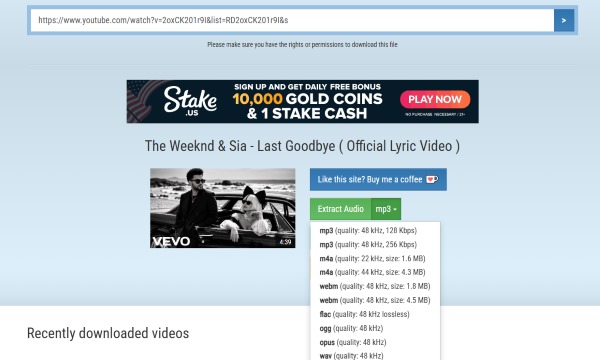
Step 3. Once the video details and thumbnail appear, select your preferred output format from the "Extract Audio" menu. After choosing the format, the tool will automatically start downloading and converting the YouTube video.
Part 2. TubeRipper Performance Review
Is TubeRipper Still Working?
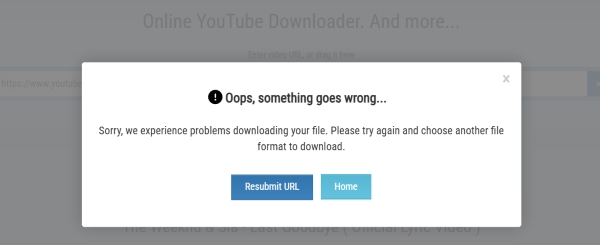
Since the original .com domain frequently goes offline, you can switch to tuberipper.cc or tuberipper.net to find a working connection. However, my testing reveals that all of these domains rely on the exact same server infrastructure. If you encounter a "server busy" error or a download failure, bouncing between these URLs will usually still fail to process your video links. At that point, you can either wait it out or switch to a stable alternative like DRMare Streaming Audio Recorder for your YouTube downloads.
Audio Quality Test About TubeRipper
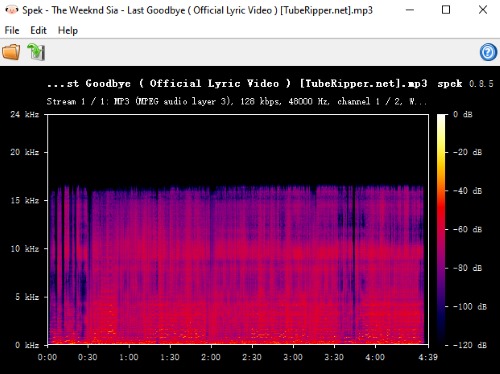
Based on the provided Spek spectrogram, the visual data tells a clear story about the file's compression and fidelity. The key evidence is the sharp frequency cutoff at around 16 kHz. Above this point, the spectrogram is completely dark, showing that no usable audio information exists in the higher frequency range.
This "brick-wall" cutoff is characteristic of a heavily compressed 128 kbps MP3 file, where high-frequency content is removed to reduce file size. Although the file may claim a 48 kHz sample rate (theoretically supporting up to 24 kHz), the actual audible content is limited far below that range.
Based on the objective physical data presented in the spectrogram, we can draw the following conclusions regarding its actual playback performance.
- Loss of high-frequency detail: Frequencies above 16 kHz are missing, resulting in reduced clarity in cymbals, vocal airiness, and fine ambient textures.
- Acceptable for casual listening: On phone speakers or in noisy environments, these losses are typically less noticeable to most listeners.
Part 3. Is TubeRipper Safe to Use?
No. Based on my personal experience and Reddit feedback, the site appears to have serious safety concerns. One of the most common issues mentioned is the presence of invisible ad scripts that can trigger unexpected redirects, sometimes leading to phishing pages, fake software update prompts, or misleading antivirus warnings.
Additionally, because the main service often suffers from downtime, users may encounter numerous unofficial mirror or clone sites, which further increases the risk of scams and malicious pages. When you access the tool to download YouTube files, it is generally recommended to keep your ad blockers actively running to reduce exposure to potentially redirects and ensure a much cleaner experience.
Pros
 Zero software installation required.
- Supports multiple media formats.
- Quick browser-based interface.
Cons
 Frequent server instability and downtime.
- Aggressive, hidden ad redirects.
- Heavy, lossy audio compression.
Part 4. Best TubeRipper Alternatives for Safer YouTube Downloading
Because of the severe audio compression and the sketchy ad redirects, finding a reliable tuberipper alternative is highly recommended for anyone who values their digital security. If you are tired of dealing with server errors, looking into tools or sites like TubeRipper will save you a massive amount of frustration.
DRMare Streaming Audio Recorder
If you want to completely ditch the malicious ad redirects and fake quality metrics, DRmare Streaming Audio Recorder is a powerful desktop alternative for YouTube audio download. Unlike online rippers that secretly compress your music, this dedicated software provides a 100% clean, ad-free environment and actually delivers lossless audio on its promises. For anyone looking to build a high-quality music collection without the security headaches or tedious manual labor, upgrading to this YouTube Music Downloader is a significant improvement.
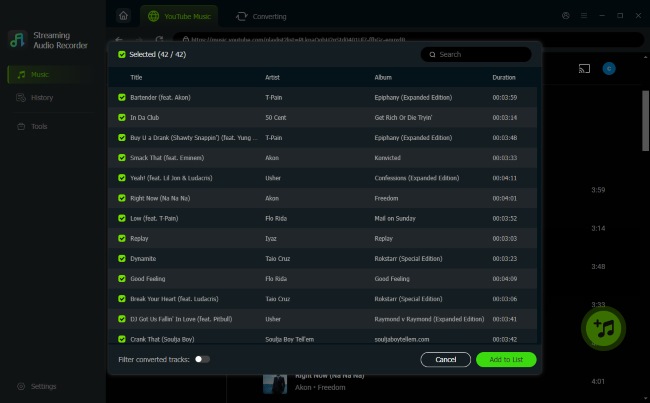
- True Lossless Audio Quality: Bypasses web compression entirely and save your favorite tracks in premium formats like FLAC, WAV, or high-bitrate MP3, ensuring you enjoy high-fidelity files.
- Time-Saving Batch Downloading: With web rippers, you are forced to painfully copy and paste links one by one. DRmare allows you to convert multiple audio streams simultaneously.
- Smart ID3 Tag Preservation: Instead of a messy filenames and contain watermarks like [TubeRipper.net]. DRmare automatically identifies the song and embeds the correct ID3 tags. It pulls the official album cover, artist name, track title, and genre, keeping your local offline library perfectly organized.
CutYT
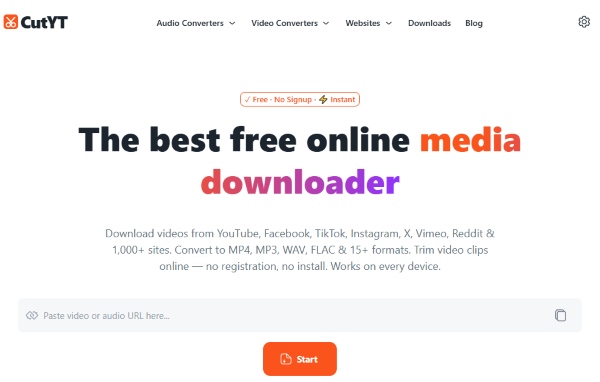
If you still prefer the sheer convenience of a web-based tool but want to completely avoid the headache of malicious ads, CutYT is an exceptional TubeRipper alternative free of those predatory redirects. The entire user interface is focused strictly on utility, meaning you can extract your audio from YouTube fast without having to dodge annoying fake download buttons. What really makes this platform shine is its built-in editing feature, which actually allows you to easily cut and trim the audio track to your exact desired length right in the browser before you even save it.
Pros
- No Caps: Zero daily download restrictions or hidden paywalls for longer tracks.
- 100% Cloud-Based: Operates directly in-browser, perfect for quick mobile or public device use.
- Cleaner Browsing: Famously lacks the aggressive pop-up advertisements found on rival platforms.
Cons
- Connection-Bound: Processing and conversion speeds rely entirely on your network.
- No Playlist Support: Requires manual downloading for every single track, making it tedious.
- Barebones Files: Offers zero metadata or advanced ID3 tag customization for your library.
YT1s
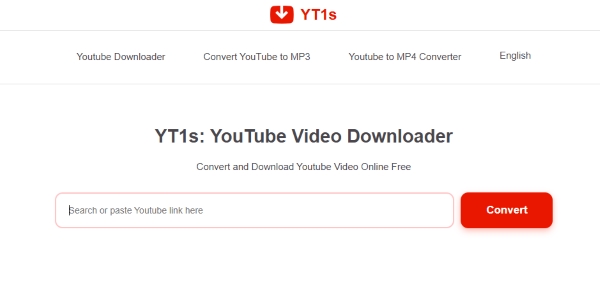
Unlike basic rippers that lock you into one setting, YT1s lets you manually select your audio quality, offering flexible bitrates that range from a compact 64kbps all the way up to a much crisper 320kbps. It also provides fantastic format compatibility, seamlessly converting your target video links into MP3, MP4, WEBM, and M4A files. This level of customization makes it a highly dependable backup whenever the TubeRipper site goes offline.
Pros
- Zero Onboarding: Download content instantly without creating a user profile.
- Completely Free: No premium subscriptions, trials, or sudden credit card demands.
- Dual-Format Output: Handles both MP3 audio extraction and MP4 video downloads.
Cons
- Fake Quality Caps: The final audio and video resolution often falls short of advertised claims.
- Ad Hijacks: Flooded with intrusive third-party redirects and sketchy script pop-ups.
- Shady Mirror Network: Features and safety vary wildly across unofficial clone domains.
Part 5. Is TubeRipper Worth Using?
Ultimately, while TubeRipper may still function as a quick YouTube downloader for the occasional throwaway file. However, its inconsistent performance and heavily lossy audio output makes it incredibly hard to fully trust for high-quality audio backup.
For users who prioritize safety, true lossless quality, and a stable YouTube audio extractor experience, powerful alternatives like DRmare are often a significantly better long-term choice for building your personal media library.

 Home
Home





Download YouTube Music tracks and albums to FLAC, WAV, or MP3 with zero audio quality loss, enabling you listen to them offline on all devices without a YouTube subscription.