





Finding a reliable converter for YouTube Music can help you to listen to your favorite tracks offline when you are commuting or traveling. This comprehensive guide breaks down the best YouTube Music converter available today. By analyzing their features and performance, you can easily find the perfect YouTube Music converter for Mac, Windows, or the web to build your permanent libraries.
No.1 DRmare Streaming Audio Recorder
- Rating: ⭐⭐⭐⭐⭐ (4.9/5)
- Device: Windows, macOS
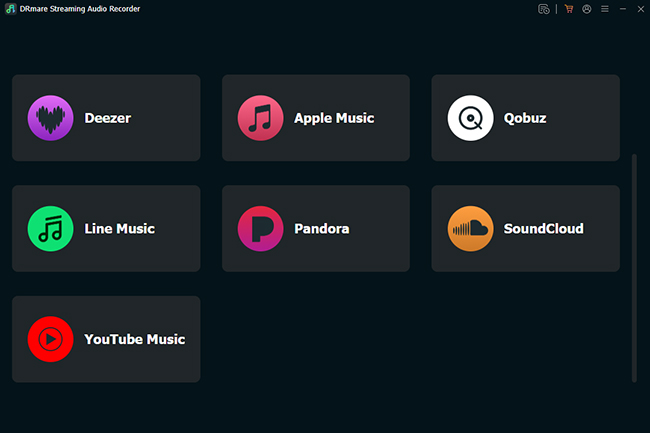
DRmare Streaming Audio Recorder is the gold standard for users who want more than just a simple rip. Instead of trying to extract video files—which YouTube frequently blocks—it works as a smart, all-in-one downloader with a built-in web player. This allows you to download YouTube Music within the app, bypassing encryption and regional restrictions. It serves as a cost-effective hub for high-fidelity audio, supporting 10 major platforms, including Spotify, Apple Music, Tidal, and Amazon Music, making it the ultimate long-term solution for building an expansive, ad-free offline library without multiple software subscriptions.
Pros
 Batch downloading at 30X speed
- Lossless quality with full ID3 tags & lyrics
- No ads with a free YouTube account
Cons
 Requires a paid license for full functionality
- Desktop-only
How to Convert YouTube Music Tracks on Mac and PC:
Step 1. Launch DRmare YouTube Music converter and navigate to the "Settings" menu located in the left-lower corner, then open the "Music" section. Here, you have full control over your audio profile. This allows you to choose high-fidelity output formats like FLAC or MP3 to maximize your listening experience.

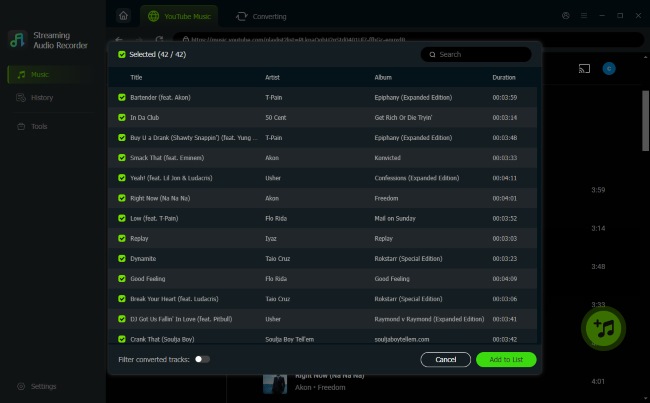
Step 2. Click on the YouTube music icon to launch the built-in web player. Here, you can safely log in to your account to access your personal library. Browse for the exact albums or playlists you need, and press the "Add" > "Add to List" button to prep your tracks for batch downloading.
Step 3. Press the "Convert" button to download lossless YouTube music to your computer while automatically filtering out any advertisements. Then you can check your YouTube music files on the "History" tab.
No.2 MediaHuman
- Rating: ⭐⭐⭐⭐⭐ (4.7/5)
- Device: Windows, macOS, Linux (Ubuntu)
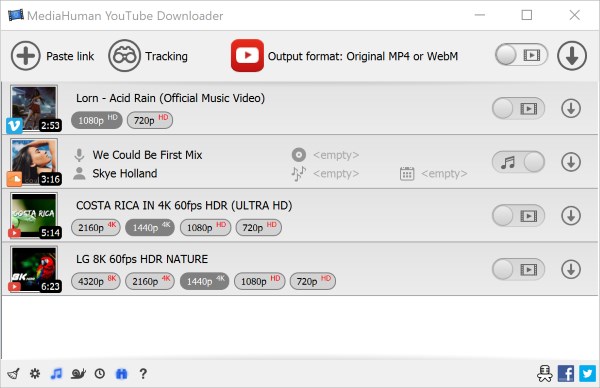
MediaHuman YouTube Converter is a specialized desktop application built strictly for audio extraction. It is a dedicated tool that prioritizes quality and organization, making it a favorite for audiophiles. It supports high-bitrate 320kbps YouTube audio (MP3/AAC/M4A) and can automatically export files to your iTunes or Apple Music library.
Pros
- Ad-free "TurboBoost" for near-instant downloads
- Automatically monitors playlists for new tracks
- Exceptional metadata and lyric retrieval
Cons
- Strictly for audio (no video downloads)
- Free version has slight speed limits
- Lacks built-in audio editing
No.3 SnapDownloader
- Rating: ⭐⭐⭐⭐ ⭐(4.6/5)
- Device: Windows, macOS
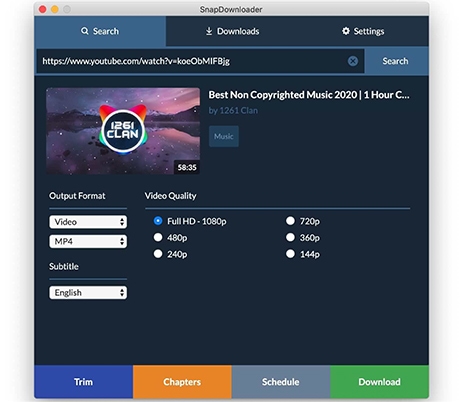
If you need a versatile tool that acts as both an audio extractor and a YouTube music video converter to MP4, SnapDownloader is a top-tier choice. It is renowned for its ultra-fast speeds and its ability to handle content up to 8K resolution. Though primarily used for downloading high-resolution videos, SnapDownloader also possesses the powerful capability of exporting audio from entire YouTube playlists and downloading it directly in an MP3 format.
Pros
- Downloads audio and video from over 900 websites
- Exports entire YouTube playlists directly to MP3
- Built-in trimmer to cut precise audio segments
Cons
- Premium software (with 48 hours free trail)
- Can be resource-heavy during massive bulk downloads
- No native mobile applications
No.4 Allavsoft
- Rating: ⭐⭐⭐⭐ (4.5/5)
- Device: Windows, macOS
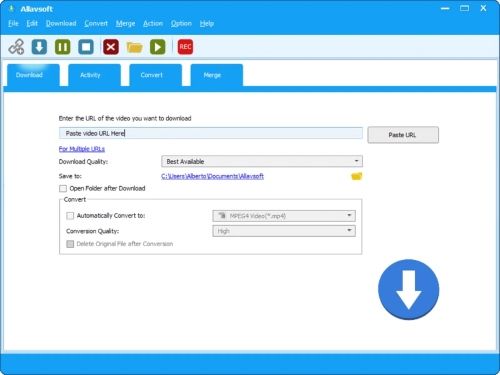
Allavsoft is a comprehensive YouTube video and music converter that allows users to download audio and video files from over 1,000 popular streaming platforms, including YouTube, Spotify, and Vimeo. In terms of downloading audio files directly from YouTube, Allavsoft is incredibly versatile. It acts as a powerful one-click extraction tool that supports a wide variety of audio formats, such as MP3, WMA, WAV, AAC, and FLAC. Additionally, it stands out by offering highly practical features, including scheduled downloading for off-peak internet hours and the ability to automatically detect and skip advertisements during the batch download process.
Pros
- Extracts audio from over 1,000 sites
- Supports lossless formats like FLAC, WAV, and Apple Lossless M4A
- Able to pause/resume and schedule for off-peak hours.
Cons
- Visual design feels older compared to modern applications
- Free trial is limited to just 5 total downloads
- Occasional stability issues with large batches
No.5 CutYT
- Rating: ⭐⭐⭐⭐ (4.4/5)
- Device: Online (Web Browser)
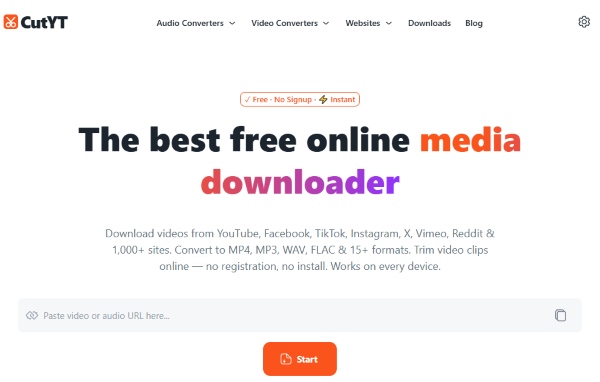
If you need a media file immediately and want to avoid software installations or account sign-ups, CutYT stands out as a highly efficient online solution. The online YouTube converter platform supports converting YouTube to high-fidelity formats like WAV and FLAC. Furthermore, it sets itself apart from typical free sites by maintaining a remarkably clean interface. You will not have to dodge deceptive download buttons that often lead to malware.
Pros
- Easily cut and extract specific audio segments
- Exports directly to uncompressed audio formats
- Works instantly across browsers without an account
Cons
- With no batching converting options
- Lacks advanced metadata support
- Overall performance are capped by browser limitations
No.6 TubeRipper
- Rating: ⭐⭐⭐⭐ (4.3/5)
- Device: Online (Web Browser)
TubeRipper is a versatile YouTube to music converter. TubeRipper reveals the technical "backend" of a video. It displays every available audio and video stream separately, allowing you to manually pick the exact bitrate, codec, and file size you want. While it excels at YouTube, this completely free tool is built to extract media from over 100 popular websites.

Pros
- Enables instant downloads directly from your browser
- Allow to view and select from every raw backend media stream available
- Extracts high-quality and lossless files
Cons
- Tracks can only be processed one at a time
- Seeing all separate audio and video streams can confusing
- Does not attach ID3 tags to the files
No.7 YTMP3
- Rating: ⭐⭐⭐⭐ (4.2/5)
- Device: Online (Web Browser)
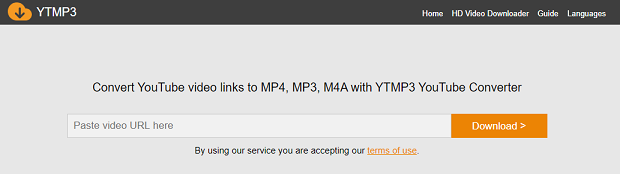
YTMP3 remains a go-to free YouTube MP3 music converter for millions of users. Its core appeal lies in its absolute simplicity: it requires zero software installation and no account registration, making it the perfect tool for listeners who just need to grab a single podcast or song. However, the platform permanently caps audio exports at a moderate 192kbps quality and completely restricts the conversion of any video longer than 90 minutes.
Pros
- Requires zero installation, sign-ups, or subscription
- Functions smoothly across all operating systems and mobile devices
- Interface is perfectly designed for fast, one-off track downloads
Cons
- Heavy reliance on deceptive pop-up ads
- Audio extraction is limited to a 192kbps bitrate
- Reject any media file exceeding 90 minutes in length
No.8 NewPipe
- Rating: ⭐⭐⭐⭐⭐ (4.6/5)
- Device: Android
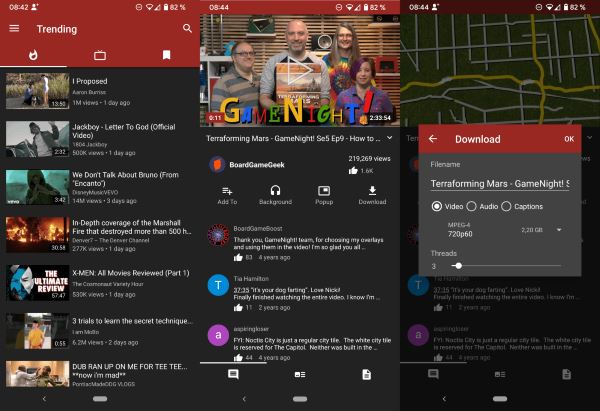
For mobile owners who prefer a dedicated application over a web browser, NewPipe remains the undisputed champion of the open-source community. Operating entirely independent of Google Play Services, providing a completely ad-free and tracking-free environment. It features an integrated download manager that effortlessly saves audio tracks directly to your device's internal storage. Furthermore, it supports true background playback without a premium subscription.
Pros
- Listen to streams with your screen off without a premium account
- Uses no Google APIs or tracking scripts
- Free with a transparent codebase, no in-app purchases, and zero ads
Cons
- Only installed via APK or F-Droid
- Cannot log into a Google account to sync your existing watch history
- Backend platform updates by YouTube can temporarily break the app
Comparison of the Top 8 YouTube Music Converters
| Tool | Rating | Supported Devices | Output Quality | Batch Download | Supported Platforms | Limitation |
|---|---|---|---|---|---|---|
| DRmare Streaming Audio Recorder | 4.9 | Windows, macOS | Lossless (FLAC, MP3, etc.) | ✔ | 10 platforms including YouTube | Requires paid license |
| MediaHuman | 4.8 | Windows, macOS, Linux | Up to 320kbps | ✔ | YouTube only | No video support |
| SnapDownloader | 4.6 | Windows, macOS | High-quality MP3 + up to 8K video | ✔ | 900+ websites | Resource-heavy |
| Allavsoft | 4.5 | Windows, macOS | Lossless (FLAC, WAV, etc.) | ✔ | 1000+ sites | Limited free trial |
| CutYT | 4.4 | Web-based | High-quality (WAV, FLAC) | ✖ | YouTube | No batch processing |
| TubeRipper | 4.3 | Web-based | Custom selectable streams | ✖ | 100+ sites | No metadata support |
| YTMP3 | 4.2 | Web-based | Up to 192kbps | ✖ | YouTube | Ads + quality cap |
| NewPipe | 4.6 | Android | High-quality audio | ✖ | YouTube | No Google account sync |

 Home
Home





Download YouTube Music tracks to FLAC, MP3, WAV, M4A, AIFF, or M4B for offline listening on any device without a YouTube Premium subscription.