





Quick Overview: Shazam Free Apple Music Offers
- New Users: Up to a 3-month free trial.
- Existing/Returning Users: Up to a 2-month free trial.
- Requirements: An active Apple Account and the Shazam app (or web access).
- Key Benefits: Ad-free streaming, offline listening, and cross-platform syncing across devices.
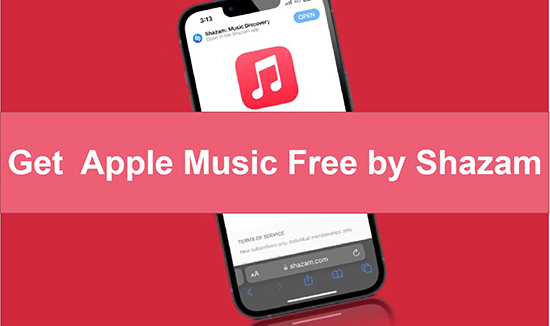
Apple Music is a premium, subscription-based streaming service costing $11.99 per month, which doesn't offer a permanent ad-supported free tier. However, if you are looking to explore the platform's extensive library without immediately committing to a paid plan, Shazam is currently offering an excellent bundle.
The Shazam Apple Music free offer allows eligible users to try Apple Music without paying immediately. Depending on your Apple Account, location, and current promotions, you may receive up to 3-month free Apple Music with Shazam. Below is a complete guide on how to redeem this trial, who can claim it, along with a pro tip on how to create high-fidelity local backups of your favorite tracks.
Part 1. What Is The Free Apple Music Shazam Offer?
The Shazam Apple Music offer is a promotional partnership between Shazam and Apple Music that gives eligible users temporary access to Apple Music at no cost. Since Apple acquired Shazam, the two services have become closely integrated. When you identify a song using Shazam, you can quickly open it in Apple Music and continue listening. The promotion is designed to introduce Shazam users to Apple Music's full experience, including:
- ✨Instant Gratification: Discovering a song and you can listen to it immediately on Apple Music offers instant satisfaction and keeps the music experience uninterrupted.
- ✨Curated Playlists: Apple Music's curated playlists, based on your Shazam and listening history, help you discover new music tailored to your tastes.
- ✨Offline Listening: With the offer, you can download your favorite Apple Music tracks and listen to them offline.
- ✨Music Videos and Lyrics: Apple Music provides access to music videos and lyrics, allowing you to enjoy a more immersive music experience.
- ✨Cross-Platform Syncing: Your music library and playlists sync across all your Apple devices, ensuring a seamless music experience wherever you go.
Part 2. How Long Can You Get Shazam Free Apple Music Deal?
The length of the Shazam Apple Music promotion is not fixed. Apple and Shazam may adjust promotional periods depending on region, account eligibility, and marketing campaigns. Previously, some users received longer Apple Music trials through Shazam promotions, including offers lasting several months. Today, the available trial period may vary.
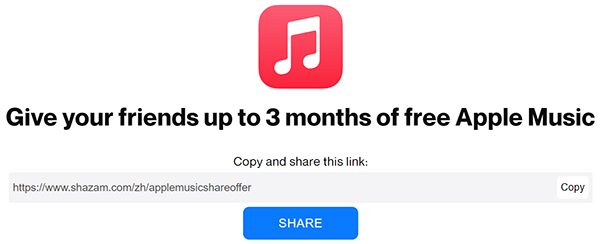
For New Apple Music Users - 3 Months
The primary target for this offer is users who have never subscribed to Apple Music before. If you are a new user, you can visit the following promotion page to get Apple Music for 3 months for free.
📍Offer Page: Shazam Apple Music Offer for 3 Months
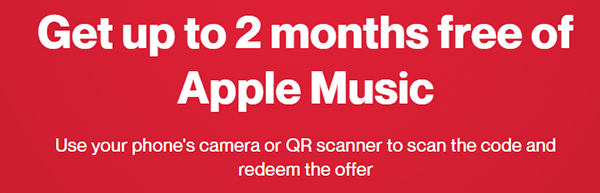
For Old Apple Music Subscribers - 2 Months
If you are an existing Apple Music subscriber, you can get up to 2 months of Apple Music for free via Shazam. You need to use your phone's camera or QR code scanner to scan the code and redeem the offer.
📍Offer Page: Shazam Apple Music Offer for 2 Months
Vary in Different Regional
The free Apple Music offer via Shazam is generally available worldwide, but there might be regional restrictions or variations in the duration of the free trial. Check the availability in your specific region. Generally speaking, it is up to three months.
Part 3. How to Redeem 3 Months of Free Apple Music Shazam
Whether you're currently returning to Apple Music or a new user, you can get this offer only if you are a Shazam subscriber. Here are two ways for you to redeem this promotion. Now let's see how it works in detail.
Via Web Browser (Desktop & Mobile)
Step 1. Open the free Apple Music Shazam webpage on your desktop or mobile browser.
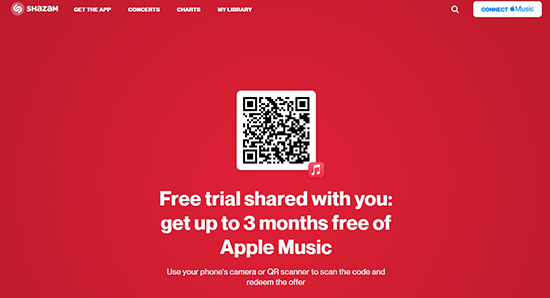
Step 2. Use your mobile phone to scan the QR code on the screen or you can directly visit the promotion page on your mobile devices.
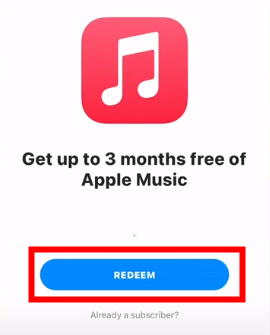
Step 3. You'll see an offer page telling you that you're eligible to try Apple Music.
Step 4. Tap on 'REDEEM' to redeem Apple Music 3 months for free and it will open the Apple Music app on your device. You can then listen to Apple Music for 3 months. (If you don't have the Apple Music app installed, you'll be prompted to create an Apple Account and then install the app on your device.)
Via Shazam App
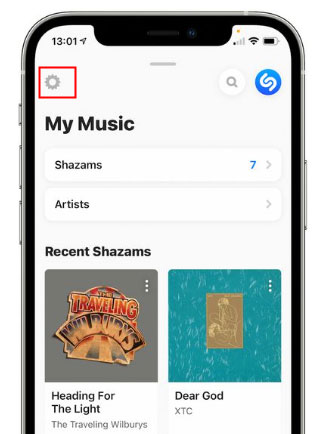
Step 1. Open the Shazam app on your iOS or Android phone and then pull up the 'My Music' tab from the bottom.
Step 2. Click the 'Settings' icon at the top left corner of the main interface. Under the Streaming section, it will show the Apple Music option.
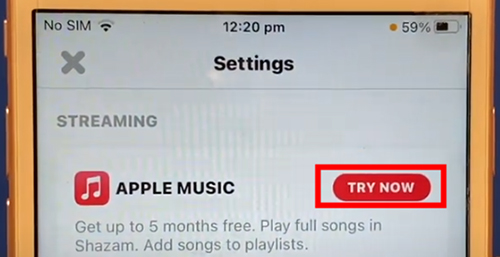
Step 3. Press the 'Try Now' button to see the Apple Music free offer. Hit on the 'Try It Free' button to get an Apple Music subscription at no cost.
Note:
If you don't want to pay the $11.99/month fee after the offer ends, you'll need to cancel your Apple Music subscription at least one day before the trial ends. Or, you can read on to extend your free trial and play Apple Music for free forever.
Part 4. How to Extend Shazam Apple Music Free Trial to Forever
Once your promotional trial concludes, you will lose access to your downloaded offline tracks unless you transition to the $11.99/month paid tier. To manage your music library efficiently during the trial, you can use the DRmare Apple Music Converter to convert Apple Music to MP3 or other popular audio formats. It allows you tocreate personal, high-fidelity local backups of your favorite playlists.
Modern versions of DRmare operate entirely through an integrated web player module, deprecating the need for standalone desktop application dependencies. This allows you to browse, play, and convert your library directly via the internal web browser pipeline.
How to Download and Save Apple Music Songs Forever
Step 1. You can click the "Download" button above to install DRmare Apple Music Converter on your computer for free. Or you can also navigate to the official website of DRmare Software to download it. Then launch the software and you will see the built-in Apple Music Web Player.
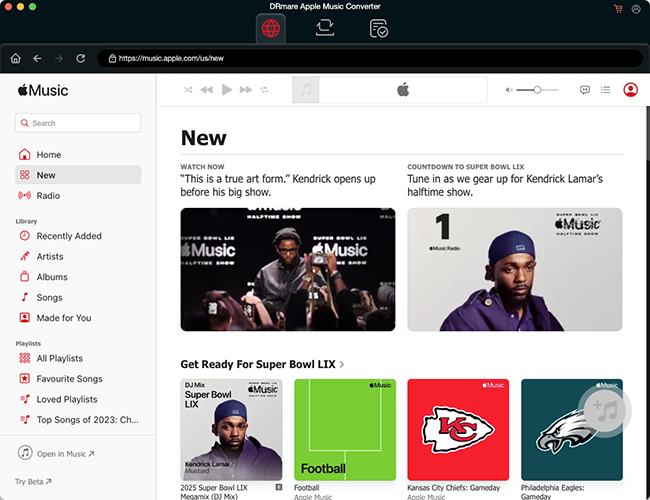
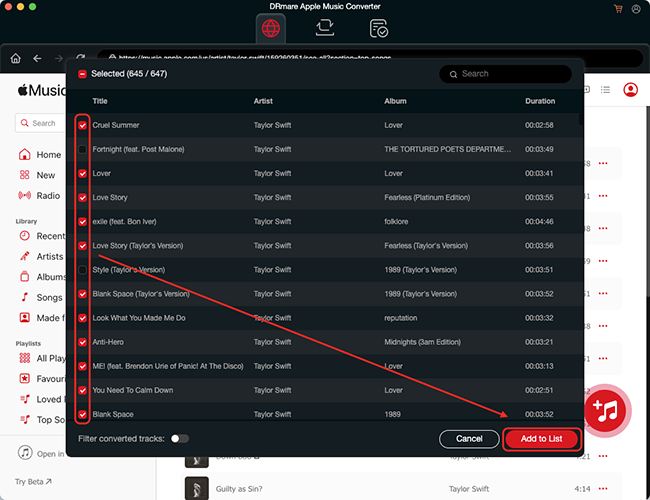
Step 2. Tap the "Sign In" button within the web browser to log into your Apple Account and access your library. Find the favorite songs that you'd like to download, and click the "Add" > "Add to List" button to load them to the conversion queue.
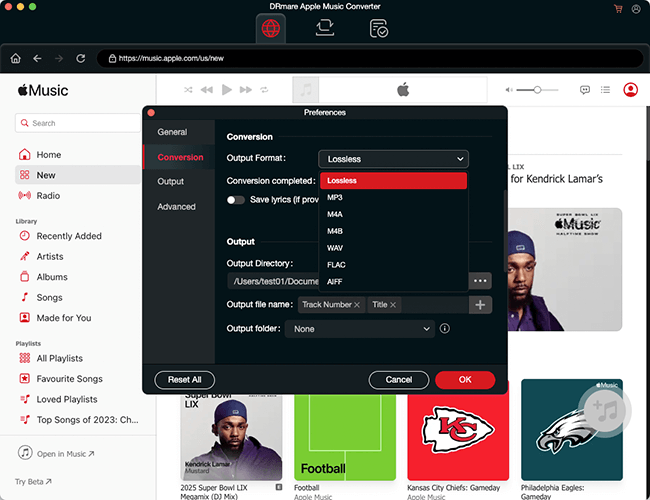
Step 3. If you want to convert Apple Music to a specific format, please click the "menu" icon or "DRmare Apple Music Converter" option to choose "Preferences". In the settings window, you can reset the Apple Music output format and other audio parameters, including channels, bitrate, sample rate, and more. Then click "OK" to apply the changes. If you skip this step, all added songs will be downloaded as Lossless by default.
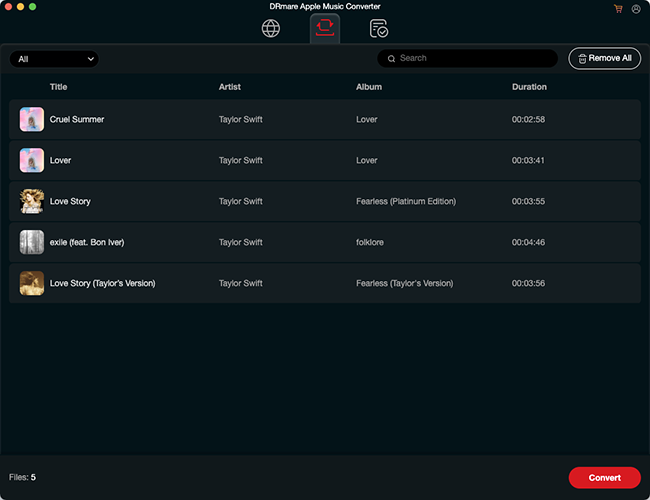
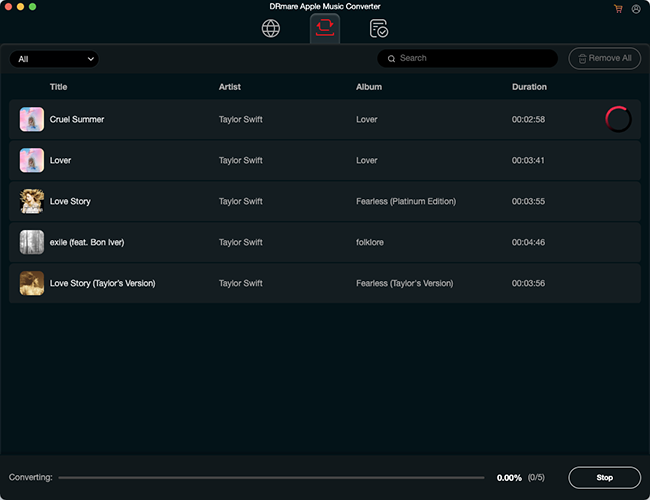
Step 4. Now click the big "Convert" button at the bottom right under the "Converting" tab and it will start converting all your added Apple Music songs. It will batch convert all songs at once at 30X faster speed. If you want to stop, simply click on the track.
Step 5. When the conversion is done, you will see a red tip with numbers occur on the "Converted" button. Simply click on it and you can see and listen to all Apple Music downloads offline within this converter. Or you can head to the destination "Output" folder to view them in your computer. You can keep them forever or move them to other devices for playback.
Part 5. FAQs about Shazam Apple Music Free Offer
Does Shazam Offer Free Apple Music?
Yes, Shazam actively offers promotional free trials for Apple Music. Eligible new users typically receive 3 months, while returning users may receive up to 2 months.
Is Shazam Apple Music Free Trial Available Worldwide?
Availability varies by country and promotional campaign. If you do not see an offer in Shazam, it may not currently be available for your Apple Account or region.
How Many Times Can I Redeem Shazam Apple Music Offer?
How to Use Shazam and Apple Music Together?
Shazam a Song: Open the Shazam app and tap the Shazam button to identify a song playing around you. Shazam will quickly display the song title, artist, and album.
Listen on Apple Music: Once the song is identified, tap the "Listen in Apple Music" button. You will be taken directly to the song within the Apple Music app.
Can I Listen to Apple Music after My Free Trial Ends?
No. Once your free trial ends, you can't access your full music library even if you've downloaded Apple Music songs. But you can use DRmare Apple Music Converter to extend your free trial for offline listening to Apple Music forever.
Part 6. In Conclusion
The Shazam Apple Music promotion is one of the easiest ways to experience Apple Music without immediately paying for a subscription. By getting free Apple Music with Shazam for 3 months, 2 months, and 1 month, you can discover more and more favorite songs through Shazam and listen to them on Apple Music.
During your free trial, we suggest you backup Apple Music songs locally. It allows you to enjoy Apple Music unlimitedly.

 Home
Home





How to get free Apple Music codes for existing and new users? Here, we collect 15 ways to get Apple Music for free for all users, including a forever way.