





 What is the best and safest website to download songs from SoundCloud in lossless quality, ideally with full metadata and cover art preserved?
-- From Reddit
SoundCloud is great for discovering new music, but streaming isn't always ideal, especially when you're offline or on unstable connections. The online SoundCloud downloader makes it easy to save songs using just a link and a browser, but it usually comes with compromises in sound quality and playlist support. This article reviews popular free SoundCloud downloader online tools and introduces a more reliable alternative for downloading SoundCloud music for long-term use.
Part 1. Comparison of Free Online SoundCloud MP3 Converters
Below is a curated list of 9 online SoundCloud downloader tools, comparing their supported formats, playlist capabilities, audio quality, and overall usability to help you choose the right option.
| Online SoundCloud Downloader | Output Format | Download Playlist | Preserve ID3 Tags | Real Audio Quality | No Ads |
|---|---|---|---|---|---|
| Cobalt | MP3 / OGG / WAV / OPUS | ❌ | ✅ | Original stream (128-320kbps) | ✅ |
| CloudMP3 | MP3 | ❌ | ✅ | 128kbps | ❌ |
| SoundCloudmp3 | MP3 | ✅ | ✅ | 128kbps | ✅ |
| SoundCloudMe | MP3 | ✅ | ❌ | 128kbps | ✅ |
| MusicVerter | MP3 | ✅ | ❌ | 128kbps | ✅ |
| KlickAud | MP3 | ❌ | ❌ | 128kbps | ❌ |
| SoundCloudMate | MP3 | ❌ | ❌ | 128kbps | ❌ |
| ForHub.IO | MP3 | ❌ | ❌ | 128kbps | ❌ |
Note:
Most free SoundCloud online downloaders are not entirely safe. To maintain free services, these sites often rely on aggressive ad networks that can expose your device to malware through "fake" download buttons or phishing redirects. Additionally, they frequently track user data for third-party advertisers and may deliver deceptive audio quality, upscaling standard 128kbps streams to larger files without actual sound improvement.
Part 2. Best Alternative for SoundCloud Online Downloader
Free SoundCloud downloader online tools often rely on re-encoding audio streams, which leads to unstable quality, incorrect bitrates, and missing metadata. Beyond these quality issues, you may face download failures and sudden site shutdowns, and are typically restricted to low-quality MP3s with no real playlist management.
Unlike unreliable web-based converters, DRmare Streaming Audio Recorder offers a stable and high-fidelity solution. It bypasses browser compression to download SoundCloud music in 100% lossless quality. With support for universal formats like MP3, WAV, and FLAC, you can easily save tracks and playlists to any device. This tool allows you to curate a fully offline library with intact ID3 tags, eliminating the need for a SoundCloud subscription while avoiding the quality issues common with free online tools.
Keep SoundCloud with DRmare SoundCloud Downloader
- Step 1Set Output Format for SoundCloud
Launch DRmare and open "Settings" from the menu. Under the "Music" section, select an output format such as MP3, WAV, or FLAC. Advanced options like bitrate, sample rate, and channel settings can also be adjusted here. After setup, click the SoundCloud icon to access the built-in web player and sign in.

- Step 2Load SoundCloud Songs for Conversion
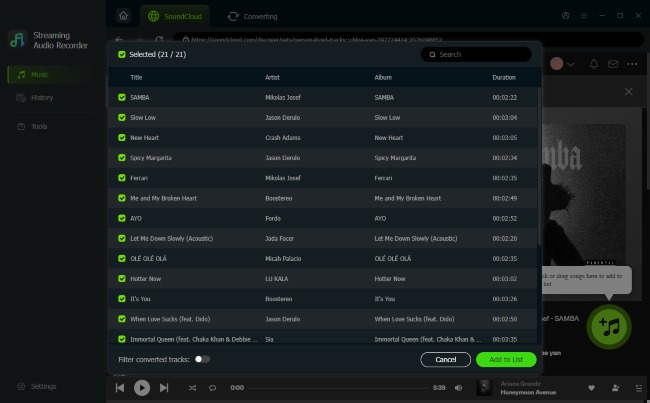
Navigate through SoundCloud to locate the desired playlists from SoundCloud. Simply click or drag songs into DRmare's queue. Or using "Add > Add to List" and multiple tracks and entire playlists can be added at once, making it far more efficient than online tools.
- Step 3Download and Convert SoundCloud Music
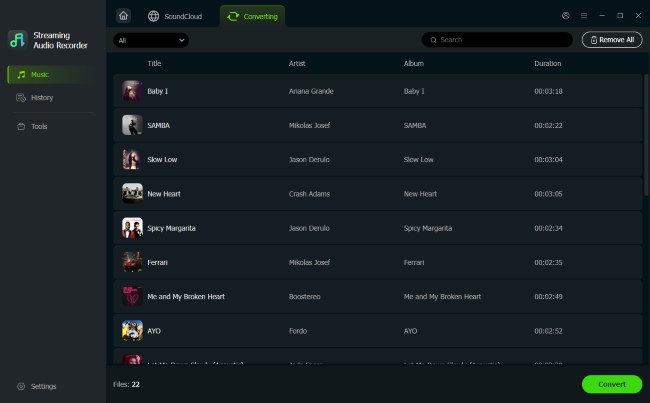
Click "Convert" to begin downloading SoundCloud tracks in your selected format. Once completed, open the "History" section to locate your files, ready to be transferred and played offline on any device.
Part 3. Top 9 Tools for SoundCloud Downloader Online for Free
Below are 9 popular tools commonly used as a SoundCloud downloader online. These options work directly in a web browser and allow you to download SoundCloud playlists without software. The following highlights what each tool does well and where its limitations may appear.
1. Cobalt
Recommend: ⭐️⭐️⭐️⭐️
Website: https://cobalt.tools/
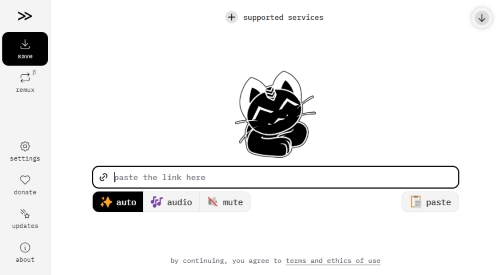
Cobalt is an open-source, ad-free, tracker-free "all-in-one" media downloader. Unlike most competitors that are riddled with ads, Cobalt is an open-source web tool designed with a "no-bullshit" philosophy. It features a sleek, professional interface that supports over 20 platforms, including SoundCloud, YouTube, and Twitter. Its standout feature is the ability to "Remux" rather than re-encode. This means it extracts the raw audio stream from SoundCloud without degrading quality.
Pros
 Zero ads or trackers. Unique "Remux" mode without audio re-encoding, ensuring maximum compatibility.
- Supports MP3, OGG, WAV, and OPUS, with options to toggle metadata.
Cons
 Lacks the ability to download entire playlists or multiple files simultaneously.
- Conversion can be slower as files must be processed in a queue before downloading.
Test Result:🔍
Cobalt is perfect for free online SoundCloud downloaders. It refuses to lie about "320kbps upscaling" and instead focuses on file integrity. By using the "Best" or "Remux" settings, you avoid the quality loss associated with MP3 conversion, which means you are getting the exact digital bits SoundCloud serves to you.
2. CloudMP3 (Not Working)
Recommend: ⭐️⭐️⭐️⭐️
Website: https://cloudmp3.cc/en1/
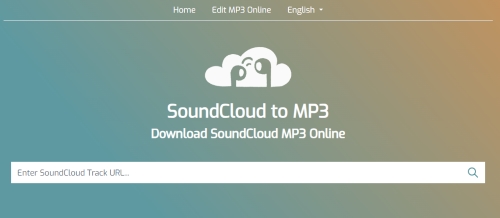
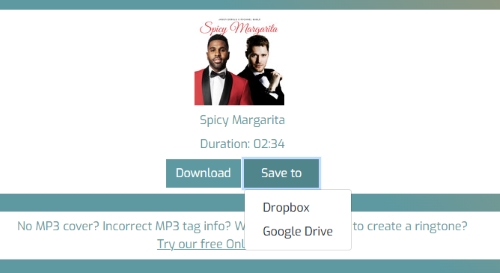
CloudMP3 highlights its cloud integration, specifically targeting users who struggle with file management. Its primary selling point is its seamless integration with cloud storage services. Instead of downloading a file to your phone's limited storage, CloudMP3 allows you to authenticate with Dropbox or Google Drive and save the file directly to your cloud account. It includes a basic audio trimmer, allowing you to edit the track into a ringtone.
Pros
- Allow saving to Dropbox and Google Drive.
- Includes options to trim audio and edit MP3 tags.
Cons
- "High Quality" options are often just upscaled low-quality files.
- Playlists must be downloaded track-by-track manually.
Test Result:🔍
Do not trust CloudMP3's "320kbps" label. It artificially inflates the volume, causing clipping (+1.24 dB), and lacks the nuance of the original artist's mix. It is acceptable for voice memos or podcasts, but not recommended for music where audio fidelity matters.
3. SoundCloudmp3
Recommend: ⭐️⭐️⭐️⭐️
Website: https://soundcloudmp3.org/
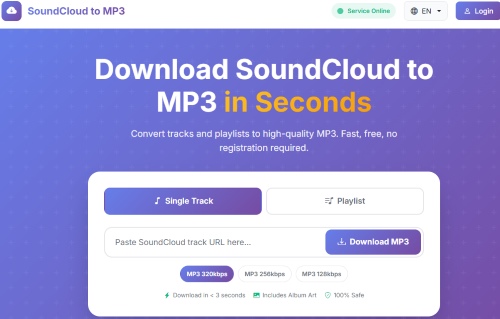
SoundCloudmp3 As one of the highest-traffic tools on the list, SoundCloudmp3 is the workhorse of online downloaders. It is less about fancy features and more about raw processing power, making it the go-to choice for heavy users. It is known for its ability to handle long-form audio, making it a favorite for users looking to download 1-hour+ DJ sets or podcasts that other tools often fail to process.
Pros
- No ads and allows sharing download links directly to social platforms.
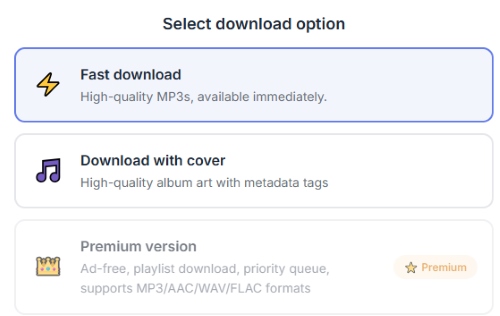
- Supports playlist downloading, multiple formats, and preserves SoundCloud cover art with ID3 tags.
Cons
- Including cover art significantly costs long conversion time.
- Full functionality is restricted or requires a premium upgrade.
Test Result:🔍
SoundCloudmp3 is one of the safest online converters. It avoids the "loudness war" trap and does not clip your audio, but the actual audio data is likely still the standard 128kbps. With dynamics preserved, making it a better choice for podcasts or classical music. And it doesn't appear to be functioning properly at the moment. Although the server status indicates that the website is online, clicking the download button or link does not trigger any response, preventing you from completing the download process.
4. SoundCloudMe
Recommend: ⭐️⭐️⭐️
Website: https://downcloudme.com/enTc/
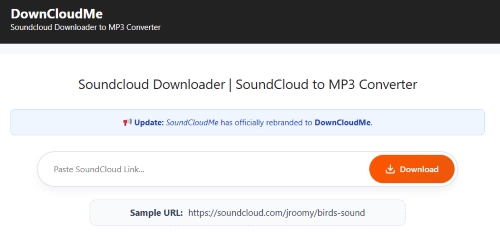
Originally known as SoundCloudMe, the tool has now been rebranded as DownCloudMe while keeping its original focus on simplicity. It is a basic, no-frills SoundCloud downloader designed for users who want to save tracks without dealing with complicated settings or unnecessary features. One standout feature is its "Backup Download Link", which provides an alternative download source when the server is unavailable. This small but practical addition improves download stability and makes DownCloudMe a more dependable option compared with many basic online SoundCloud downloaders.
Pros
- Provides backup download links.
- Completely free of pop-ups or malware.
- Capable of parsing full playlist URLs.
Cons
- Need to click "Download" for every single track in a playlist.
- Filenames cluttered with random numbers.
- Fails to download SoundCloud Go+ premium tracks.
Test Result:🔍
Test reveals that ScloudMe alters the original audio during the download process, prioritizing loudness over fidelity, which results in measurable damage to the file. the standard 128kbps stream that has simply been made louder, rather than a true high-definition file.
5. MusicVerter
Recommend: ⭐️⭐️⭐️
Website: https://www.musicverter.com/soundcloudtomp3
MusicVerter takes a minimalist approach to SoundCloud downloading, offering a clean interface. It allows you to save individual SoundCloud tracks through a simple workflow. While the free version claims to provide 320kbps MP3 downloads for SoundCloud Music, the actual output quality is closer to a compressed 128kbps file.
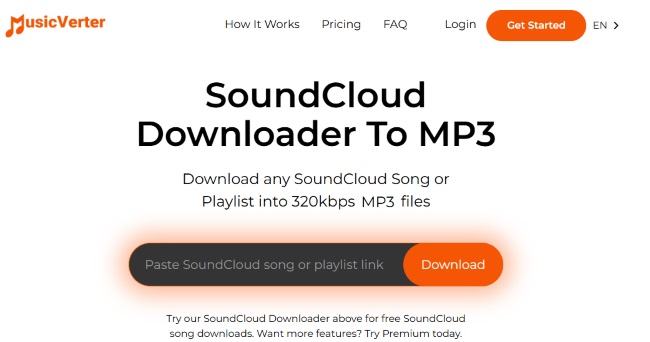
For users who need more functionality, the Premium version unlocks additional features, offering playlist downloads and MP3, AAC, WAV & FLAC formats conversion, allowing you to download an unlimited number of tracks for a more flexible experience.
Pros
- The interface is extremely clean with almost no pop-up ads.
- Support batch downloading of playlists.
Cons
- Only provides MP3 format output.
- Not real 320 kbps.
Test Result:🔍
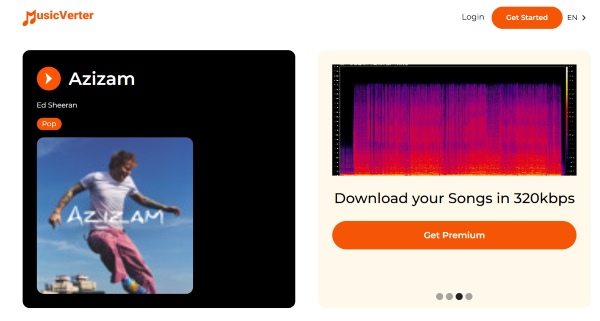
MusicVerter does not provide true 320kbps audio. The file is actually a low-quality 128kbps. Spectrum analysis showed it appears to take the standard low-quality SoundCloud stream, applies a destructive volume boost that causes distortion, and simply saves it with a "320kbps" label. The result is a larger file size with worse audio quality than the original stream.
6. KlickAud
Recommend: ⭐️⭐️
Website: https://www.klickaud.org/en13
KlickAud is a long-standing name among online SoundCloud downloaders and has gained popularity, especially among mobile users, thanks to its simple and responsive interface. However, the user experience is heavily affected by aggressive advertising.
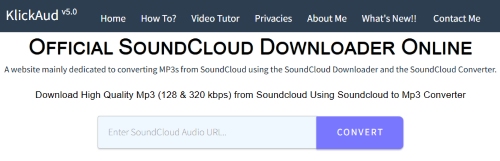
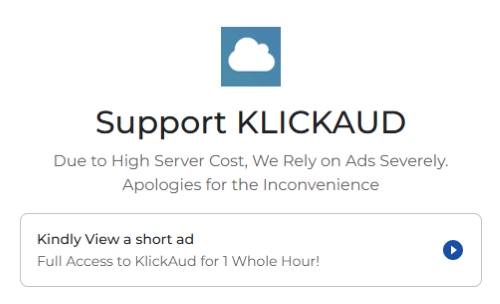
The platform relies on frequent pop-up ads, and you may be required to watch short ads before gaining full access for a limited time(one hour). In addition, download speeds can be noticeably slow, and you may encounter errors such as "Could not fetch download" when attempting to process tracks. With its combination of intrusive ads, limited accessibility, and occasional download failures, KlickAud may feel less convenient compared with newer and more stable alternatives.
Pros
- Smooth experience on smartphones.
- No ads.
Cons
- The page contains several misleading ads.
- Frequently fails to parse "Go+" protected tracks.
Test Result:🔍
KlickAud's claim of "High Quality 320kbps" is misleading. The tool pushes the audio 1.40 dB over the digital limit, creating permanent distortion. With a low overall quality score of 55/100, the resulting file is loud but distorted and is not recommended for high-fidelity listening or playback on quality sound systems.
7. SoundCloudMate
Recommend: ⭐️⭐️
Website: https://soundloadmate.com/enB13
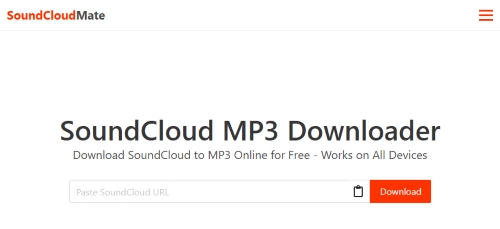
SoundCloudMate originally stood out by focusing on preserving the visual details of your music collection, especially album artwork. It placed more emphasis on maintaining high-quality artwork and offered a dedicated option to extract cover images separately.
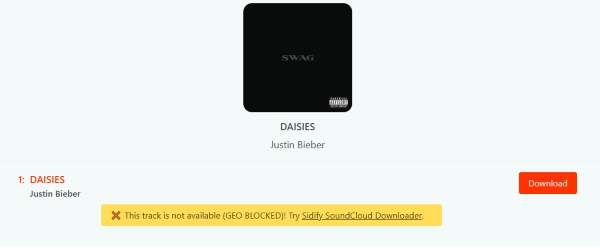
However, the service currently appears to have limited availability, with some download attempts showing messages such as "download SoundCloud music unavailable" and redirecting users to third-party tools like Sidify SoundCloud Downloader instead. As a result, its current reliability and availability may not meet the expectations of users looking for a consistent SoundCloud downloading solution.
Pros
- Download original high-resolution cover images.
- Support 25 languages.
Cons
- Frequent pop-ups and redirect loops when clicking download.
- Downloads often feature garbled text or website URL suffixes.
Test Result:🔍
SoundCloudMate presents a sharp trade-off: exceptional visuals at the cost of audio integrity. While it successfully retrieves High-Res Cover Art, the audio engine is aggressive, injecting a massive +1.60 dB volume boost that pushes the signal far beyond digital limits. This results in permanent clipping that makes the track sound harsh and brittle.
8. ForHub.IO
Recommend: ⭐️⭐️⭐️
Website: http://forhub.io/
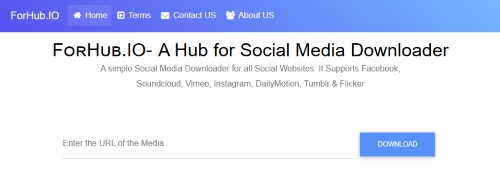
ForHub.IO is a universal media downloader that isn't specialized for SoundCloud but supports it alongside sites like Vimeo and Facebook. Its main draw is its ability to bypass certain privacy locks. It has a higher success rate than others when attempting to download tracks that are set to "Private" (provided you have the secret link).
Pros
- Able to download SoundCloud tracks that are set to restricted.
Cons
- Relies on pop-up ads and has poor support for ID3 tags.
Test Result:🔍
ForHub.IO alters the original audio during the download process, similar to other lower-tier converters. While a Dynamic Range of 12.78 dB is acceptable, it indicates the audio is somewhat compressed. The music retains some punch, but the added distortion from the volume boost negates this benefit.
Part 4. Conclusion
The SoundCloud downloader online for free may be sufficient for quick, one-off downloads. However, as this comparison shows, most free online options are limited to 128kbps audio, depend heavily on intrusive ads, and often fall short when it comes to sound quality, metadata accuracy, and playlist support. If you prioritize reliable downloads and lossless audio quality for your SoundCloud library, DRmare SoundCloud Downloader is a more dependable long-term choice.

 Home
Home





User Comments
Leave a Comment