





Important Update: SpotiCatch Website Is Currently Down
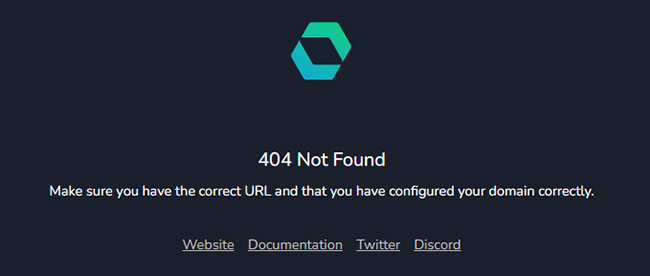
During our latest review update, we found that the SpotiCatch website is currently unavailable. Instead of the normal downloader interface, the site shows a 404 Not Found error indicating that the domain may not be configured correctly. We cannot verify whether the service is temporarily down or has discontinued operations.
Users should avoid purchasing the Plus plan until the website becomes available again and the service status is confirmed. If you need a reliable alternative, DRmare Spotify Music Converter provides a more stable desktop solution for downloading and managing Spotify music.
Recently, SpotiCatch, an online Spotify downloader, has sparked widespread discussion across various forums. Before deciding to use it, you likely want to know more than just a list of features. You probably want to know: Can SpotiCatch actually download Spotify music successfully? Is SpotiCatch safe and legit to use? Does it truly deliver the 320kbps MP3 or FLAC audio quality promised by its Plus plan? And is the paid upgrade worth the cost?
To answer these questions, we tested SpotiCatch from a practical user perspective, including its download workflow, playlist handling, available features, and downloaded audio quality. we also analyzed the output files using Spek spectrogram analysis to check whether the actual audio quality matches what users expect. You can find all the answers you're looking for in this SpotiCatch review.
Quick verdict:
SpotiCatch successfully downloaded individual tracks, albums, and playlists in our free-plan tests. The downloaded MP3 files were genuine 128kbps encodes with an approximately 16kHz cutoff. The website did not require Spotify login credentials, but its overall security and paid-plan quality have not been fully verified. We cannot recommend the Plus plan until its 320kbps and FLAC outputs are independently tested.
Part 1. What Is SpotiCatch?
SpotiCatch is a web-based Spotify downloader designed to convert Spotify music links into downloadable audio files, including MP3 and FLAC without installing desktop software. It currently focuses on Spotify music content only. It supports:
- Spotify tracks
- Spotify albums
- Spotify playlists
However, it does not support Spotify podcasts or audiobooks, which limits its usefulness for users who want to download all types of Spotify content.
Pros
 No Spotify account registration required.
- Simple browser-based workflow.
- Supports Spotify tracks, albums, and playlists.
- Supports ZIP batch downloads.
- Free plan available.
- Ad-free experience.
Cons
 Free downloads are limited to 128kbps MP3.
- Podcasts and audiobooks are not supported.
- CAPTCHA verification may interrupt the workflow.
- Advanced customization features are limited.
- Premium audio quality requires additional verification.
Part 2. SpotiCatch Key Features Overview
SpotiCatch provides both a free plan and a paid Plus plan. The main differences are related to audio quality, download limits, metadata, and speed.
SpotiCatch Free vs Plus Plan
| Feature | Free Plan | Plus Plan |
|---|---|---|
| Price | $0 forever | $5 / 30 days |
| Account required | No | No |
| MP3 quality | 128kbps | 320kbps |
| FLAC support | No | Yes |
| Metadata | Basic | Full |
| Playlist downloads | Up to 100 tracks | Unlimited |
| Download speed | Standard | Priority |
| Ad-free experience | Yes | Yes |
| Lyrics | Not available | Coming soon |
| Custom file naming | No | Coming soon |
| Custom metadata | No | Coming soon |
The free version is clearly positioned as an entry-level option. It removes many barriers, such as account registration and daily restrictions, but limits users to 128kbps MP3 downloads and up to 100 tracks download in a playlist.
The Plus plan targets users who want better output quality and larger playlist downloads. However, advertised specifications do not always tell the complete story, which is why actual file testing is important
Part 3. Testing SpotiCatch: Setup and Download Experience
SpotiCatch Testing Environment
To evaluate SpotiCatch's real-world performance, we tested its download workflow, album or playlist handling, and audio output quality under a consistent setup.
- Operating System: Windows 11
- Browser: Google Chrome
- Test Album: BTS ARIRANG album (14 songs, 41 min 20 sec)
- Test Playlist: Spotify Daily Mix 1 (50 songs, about 3 hours)
- Test Track: BTS "Body to Body" (3 min 09 sec)
- Audio analysis tool: Spek
Operating the SpotiCatch downloader is straightforward, though it does include a minor security hurdle. You do not need to install additional software or configure complicated settings.
How to Use SpotiCatch to Download Spotify Music
Step 1. Copy the shareable link for the track, album, or playlist directly from your Spotify app or Web Player.
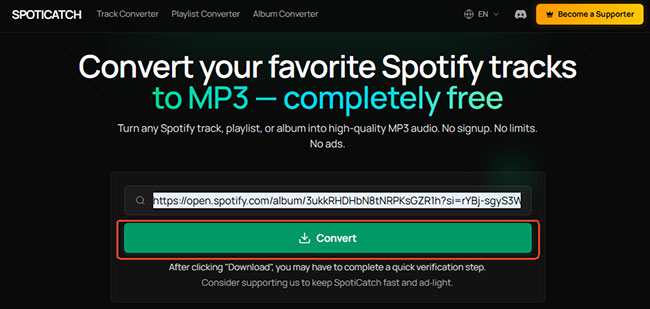
Step 2. Paste the URL into the SpotiCatch search field and click the Convert button to proceed.
Note:
This process requires a CAPTCHA verification step. You must complete the verification to continue.
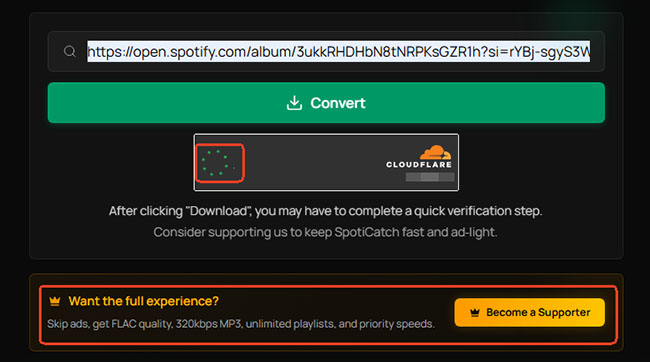
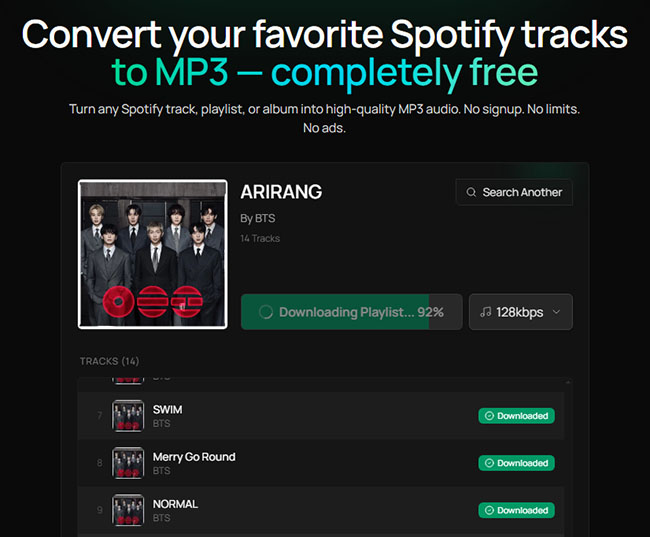
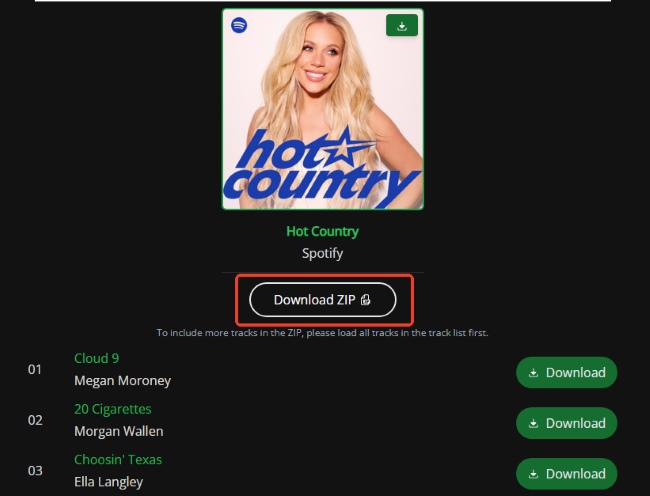
Step 3. Click the Download button and wait for the conversion to finish; downloading a batch as a ZIP archive may take a few minutes.
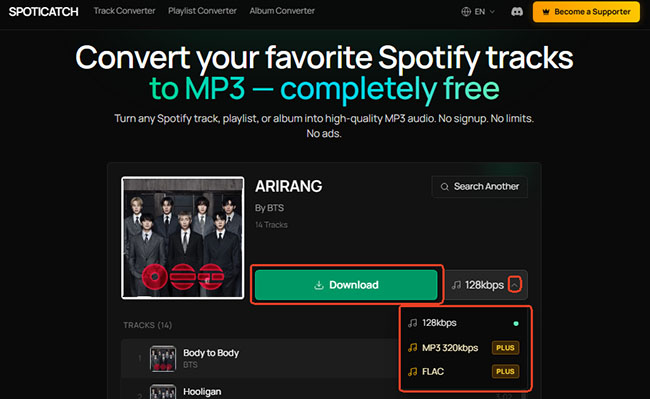
Note:
If you are a Plus user, you can customize the output format to MP3 (320kbps) or FLAC before clicking the Download button.
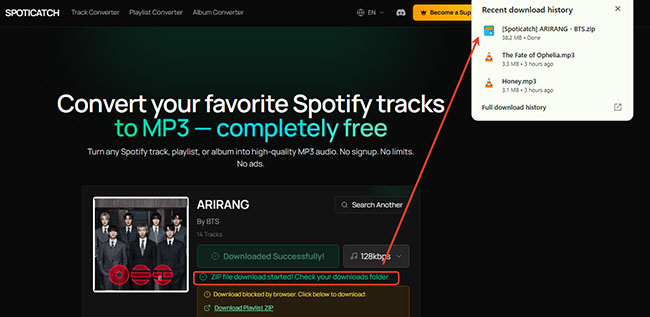
Step 4. Once the conversion is complete, locate the ZIP archive in your device's download folder and extract it to access the MP3 files.
SpotiCatch Performance Test Results
Download Speed and Stability: During testing, we successfully we successfully downloaded all the files under test and obtained the MP3 files. The download speed was quite fast, though it largely depended on the device's current network speed. If the connection was slow, the process would stall before reaching the next step, requiring a page refresh and a restart of the download.
Album/Playlist Download Experience: SpotiCatch supports album and playlist downloads, including ZIP batch downloads, which is useful for users who want to save multiple tracks at once. The free plan allows playlists up to 100 tracks, while Plus removes this restriction.
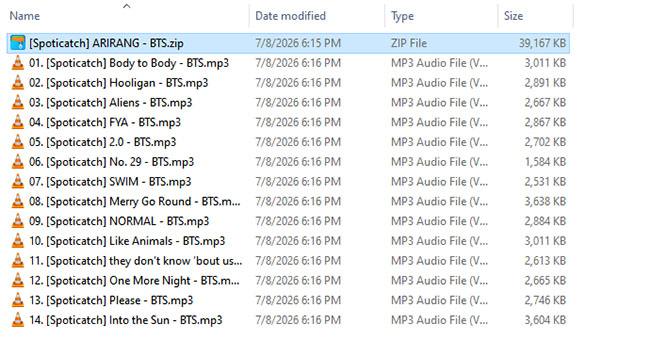
Downloaded MP3 Files: The extracted MP3 files were automatically labeled with filenames containing "SpotiCatch", indicating that the downloads were generated directly through the service rather than using the original Spotify track naming format.
Part 4. SpotiCatch Audio Quality Analysis via Spek
Audio quality is the most important part of this SpotiCatch review. To verify the true quality of SpotiCatch's downloads, we used Spek, a popular acoustic spectrum analyzer to analyze three downloaded test tracks (Body to Body, Hooligan, and Aliens); all of these were downloaded in MP3 128kbps format using the free plan.
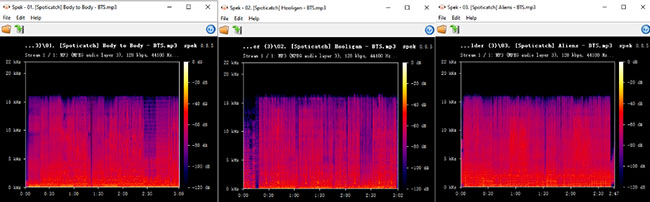
Based on the spectrogram results, there was a perfectly flat, sharp horizontal line right at the 16 kHz mark on the frequency axis in all test files. Above that line, there was nothing but a solid black background, meaning absolutely no high-frequency audio data existed. This specific 16 kHz cutoff is the classic, indisputable signature of standard 128 kbps MP3 compression.
The metadata analysis confirmed the spectrogram findings. The downloaded files were identified as:
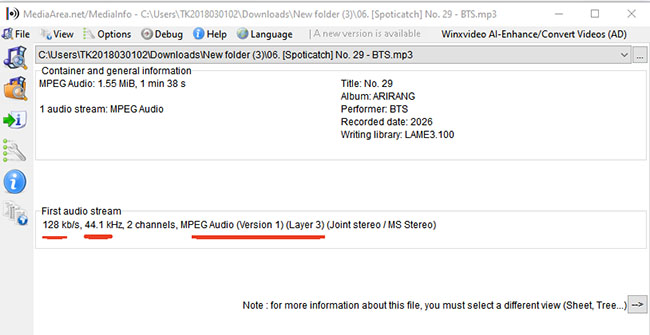
- Format: MP3 (MPEG Audio Layer 3)
- Bitrate: 128kbps
- Sample rate: 44.1 kHz
Based on these tests, the SpotiCatch free plan delivers standard 128 kbps MP3 audio as advertised. The files appear to be genuine 128 kbps encodes rather than artificially upscaled files, but they are better suited for casual offline listening than for users seeking higher-fidelity playback.
Note:
SpotiCatch does not provide access to Spotify's original lossless source files. Based on the tested output files, the free plan appears to deliver standard compressed MP3 audio rather than higher-quality source audio.
Part 5. Is SpotiCatch Safe and Legal to Use?
When reviewing SpotiCatch, safety and legality are two important factors beyond download speed and audio quality. A tool may work technically, but users should also consider privacy, account security, and whether the way content is downloaded aligns with platform rules.
Is SpotiCatch Safe?
From a basic usability perspective, SpotiCatch appears easier to use than many third-party download tools because it does not require users to enter their Spotify username or password. This reduces the risk of exposing Spotify account credentials to an external service.
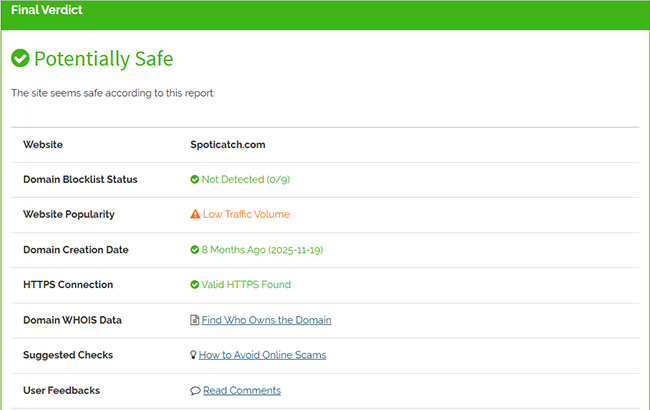
Besides, we conducted a security check on the SpotiCatch website using Scamvoid. Based on the security report, SpotiCatch is considered Potentially Safe. It has a valid HTTPS connection, does not appear on any domain blocklists (0/9), and has been registered for about 8 months, though it does flag a minor warning for having low traffic volume.
Is SpotiCatch Legit?
Spotify provides streaming access through its own apps and subscription features. Downloading music through SpotiCatch may not comply with Spotify's terms of service, especially when the purpose is to bypass official offline listening methods.
You should also consider copyright restrictions. Downloading copyrighted music for unauthorized redistribution or commercial use may violate copyright laws. However, for personal use, legal interpretations vary by country and region. Therefore, before using it, you should understand the applicable rules where you live.
Part 6. Best Alternatives to SpotiCatch
If SpotiCatch's free service falls short of your audio quality standards or download limits, or if you simply wish to avoid tedious CAPTCHA verifications, there are more robust Spotify to MP3 converters available. Depending on whether you prioritize high-fidelity audio or browser-based convenience, here are the top two alternatives.
DRmare Spotify Music Converter
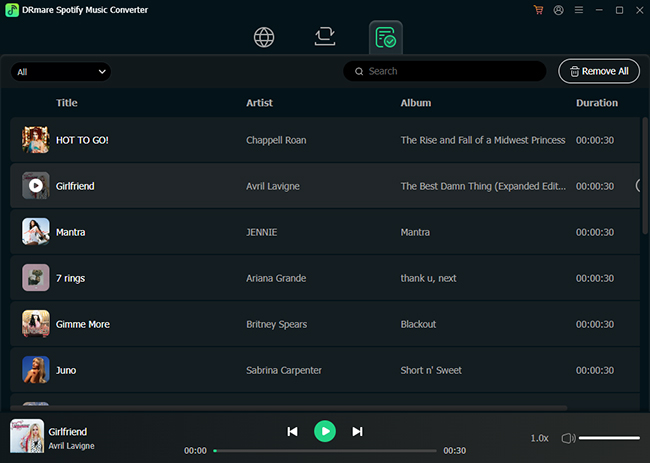
DRmare Spotify Music Converter is a nice option, designed for users who want more control over downloaded audio files. Compared with SpotiCatch, it focuses more on output quality, format flexibility, and music library organization. Besides, it operates stably without CAPTCHA interruptions.
SpotiDownloader
SpotiDownloader is another web-based Spotify downloader focused on simplicity. Similar to SpotiCatch, it is designed for users who want to paste a Spotify link and quickly obtain downloadable audio. However, it doesn't have the download number limit in a ZIP playlist.
SpotiCatch vs DRmare vs SpotiDownloader
| Tool | Type | Quality | Best For |
|---|---|---|---|
| SpotiCatch | Online downloader | Tested 128kbps free | Quick downloads |
| DRmare | Desktop converter | The original audio quality | High-quality music backup |
| SpotiDownloader | Online tool | Depends on source | Simple browser downloads |
Part 7. Final Verdict: Is SpotiCatch Worth Using?
SpotiCatch offers a simple and convenient way to download Spotify music without creating an account or installing desktop software. Its biggest advantages are the easy browser-based workflow, playlist support, and free access.
However, our testing showed that the free plan delivers 128kbps MP3 audio with a 16kHz frequency cutoff. Overall, SpotiCatch works well for quick Spotify downloads, but users who prioritize 320kbps MP3, lossless audio, or advanced music library management may want to consider more powerful alternatives.

 Home
Home





User Comments
Leave a Comment