





Online Spotify-to-MP3 converters continue to gain attention, and SpotiDownloader.com is one of the names users frequently search for as it ranks at top. SpotiDownloader has quickly risen in popularity as a free, web-based solution for downloading and converting Spotify playlists into high-quality audio files. But with mixed reviews, security warnings, and legality questions, the key concern remains: Is SpotiDownloader.com safe to use?
This guide provides an in-depth SpotiDownloader review, exploring its features, pros and cons, security concerns, audio quality realities, and a step-by-step walkthrough on how to use it without compromising your device's safety.
Tips:
SpotiDownloader is a functional but unreliable Spotify-to-MP3 tool that comes with notable safety, consistency, and audio quality concerns. While it can successfully process some downloads, frequent errors, intrusive ads, and questionable output quality make it better suited for occasional use rather than building a stable music library (For this purpose, it's better to use DRmare Spotify Music Converter or Spotify Premium in Part 6.).
Part 1. What Is SpotiDownloader (The Truth Behind the Tool)
Basic Info:
- Link: https://spotidownloader.com/en19
- Availability: Mac, Windows, Android, and iOS
- Support Music Content:Songs, Albums, and Playlists
- Download Output: MP3, ZIP, FLAC
- Recommend Level:⭐⭐⭐⭐
SpotiDownloader is a online free Spotify downloader that claims to let users download Spotify tracks, playlists, and albums as common MP3 files. Currently, it also offers a FLAC beta version download option. It appears to be a direct bridge between streaming and local storage and allows users to listen to Spotify tracks offline anywhere.
How Does SpotiDownloader Work?
However, the technical reality is quite different. SpotiDownloader is essentially a YouTube Audio Ripper optimized for Spotify metadata. When you paste a Spotify link, the tool reads the song title, artist name, and other track metadata from Spotify, searches for a matching audio source on YouTube, and then converts that YouTube audio into an MP3 or FLAC file for you.
Note:
Because it sources from YouTube, you can't download Spotify exclusives, like certain podcasts or audiobooks. Additionally, download accuracy depends on YouTube's library, which may occasionally result in getting live versions or clean edits by mistake.
Key Features of SpotiDownloader:
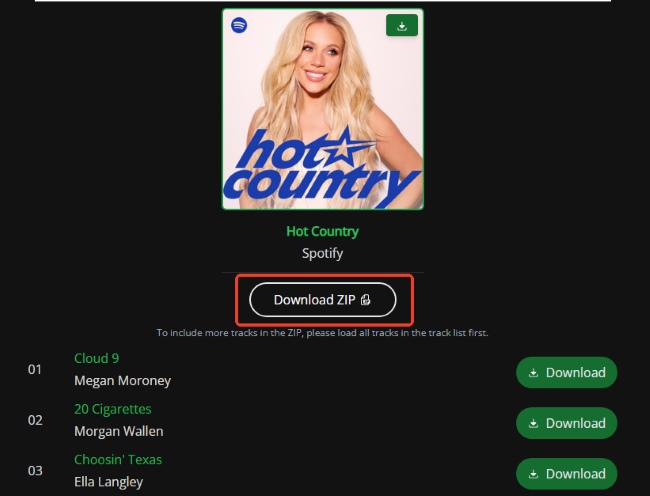
- Tracks, Playlist and Album Support: It can parse entire Spotify playlist or album URLs, allowing users to view a full list of tracks before initiating the download.
- ZIP Archive Downloads: To save time, the tool can bundle multiple songs into a single ZIP file. This reduces the need to click "Download" dozens of times for a single album.
- Comprehensive Metadata: The tool attempts to preserve ID3 tags, meaning downloaded files usually include the song title, artist name, and original album artwork.
- Cross-Platform Accessibility: As a browser-based utility, it requires no software installation, making it compatible with Windows, macOS, Android, and iOS.
Part 2. Is SpotiDownloader.com Safe and Legit to Use?
Is SpotiDownload Safe?
The primary concern for most users is whether the site may expose their device to malware. A scan with a third-party site checker did not detect malicious code in the core files of Spotidownloader.com, suggesting the website itself is not inherently infected at the code level.
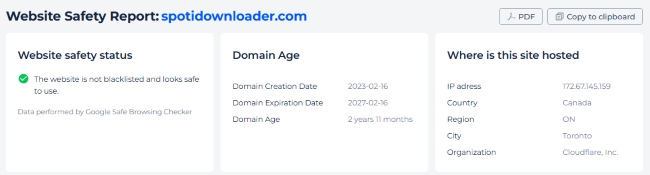
However, this result does not fully eliminate security risks. The main concern lies in the environment surrounding how the service operates. During our testing process, the following elements can introduce unpredictable security exposure during actual use, even if the core site appears clean:
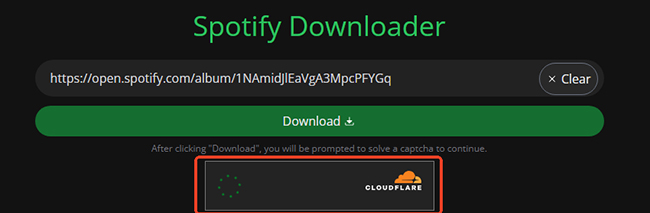
- Mandatory Human Verification: To manage server load, users must complete a CAPTCHA before tracks will even begin to load, adding friction to the process.
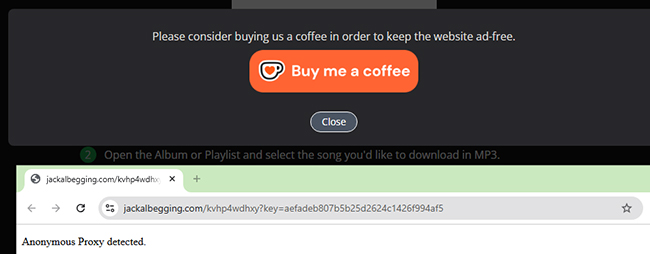
- Intrusive "Buy Me a Coffee" Prompts: The post-download interface is heavily cluttered with donation requests, making for a messy and distracting user experience.
- Malvertising Potential: Some ads may promote "System Cleaners" or browser extensions that are actually adware in disguise.
- Aggressive and Suspicious Redirects: Clicking "Download" frequently triggers new tabs that lead to suspicious third-party domains. These redirects pose a genuine security risk, as they often host "malvertising" that promotes deceptive system cleaners or unwanted browser extensions.
Editor's Final Verdict:
While the website may not contain direct malware, the usage process itself should still be considered potentially unsafe. Besides, it's highly recommended to use a reputable ad blocker if you choose to use SpotiDownloader, which can help reduce intrusive ads, pop-ups, and unwanted redirect behavior.
Is SpotiDownload Legit?
SpotiDownload is not an official or authorized music service. Downloading copyrighted music through it without proper authorization may violate the terms of service of streaming platforms and, in some cases, even infringe upon local copyright laws. This is why the website frequently changes its domain address. Above all, do not use the downloaded content for commercial purposes or distribution.
Part 3. How to Use SpotiDownloader to Convert Spotify to MP3 Safely
To get the most out of the SpotiDownloader while avoiding the pitfalls of malvertising and intrusive redirects, follow these specific instructions to maintain your digital security. Let's see how to convert Spotify to MP3 for free:
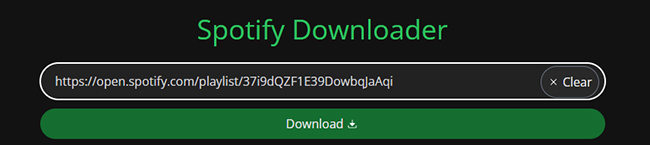
Step 1. Navigate to your Spotify application and locate the song, album, or playlist you wish to save. Click on the "Three Dots" menu, select "Share," and then click "Copy Link" to save the URL to your clipboard.
Step 2. Open a Private or Incognito window in your web browser and navigate to SpotiDownloader.com. Using an incognito window prevents the site from interacting with your logged-in social media or Spotify sessions.
Step 3. Paste your link into the search bar on the homepage and click the "Download" button. You will have to finish the CAPTCHA verification. Wait for the tool to finish fetching the metadata; for large playlists, this may take up to a minute.
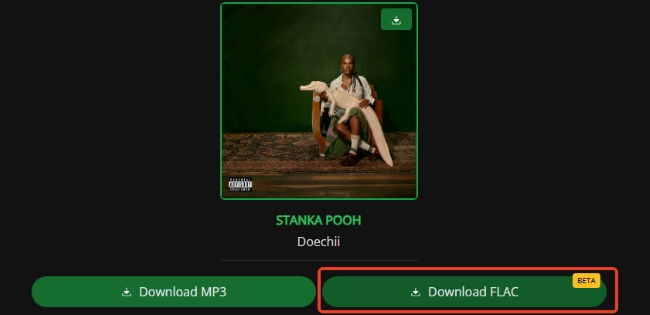
Step 4. Once the tracklist appears, click the "Download MP3", "Download FLAC" button next to your desired song or "Download ZIP" . Be prepared to close any immediate pop-up tabs that appear, these are advertisements and are not part of your actual download. Verify that the final file saved to your device ends in MP3 or FLAC.
Safety Tips for Using SpotiDownloader Safely
- Always use a robust ad-blocker and an updated antivirus program. This will prevent the majority of malicious redirects and "pop-under" ads from executing scripts on your computer.
- Check your downloaded files. Before opening any file, ensure the file extension is strictly .mp3 or .zip. If the "download" results in an .exe, .scr, or .bat file, delete it immediately without opening it.
Part 4. Performance and Audio Quality: Does SpotiDownloader Actually Work?
In our recent tests, SpotiDownloader proved to be highly unreliable. Even after successfully analyzing a Spotify link and navigating the CAPTCHA and ad-redirects, the process often hit a dead end. Upon clicking the final "Download" button, the site frequently triggers a frustrating error message: "Something went wrong. Please try again later."
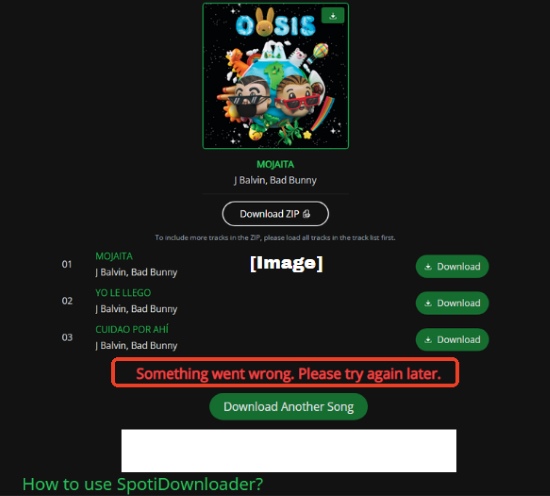
To find out exactly how often these errors occur and what kind of files the site actually delivers, we put the tool through a rigorous, standardized benchmark test.
Our Test Setup & Performance Results
To quantify SpotiDownloader's stability and conversion success rate, we tested the platform under the following controlled environment:
- Operating System: Windows 11
- Browser: Google Chrome (Latest Version)
- Test Source: A curated Spotify Playlist containing 100 tracks spanning various genres and file lengths.
The actual extraction and download results revealed massive vulnerabilities in the tool's core infrastructure:
| Metric | Result | Status / Technical Analysis |
|---|---|---|
| Successfully Parsed | 98 / 100 | High Initial Recognition: The link analyzer is fairly accurate at fetching metadata and reading playlist contents. |
| Downloaded Correctly | 51 / 100 | Partial Success: Only 50% of the playlist was successfully saved onto the local drive with the correct track audio. |
| Wrong Matches | 9 / 100 | Metadata Mismatch: The tool downloaded a song, but fetched the wrong version, a live cover, or an entirely different track from YouTube sources. |
| Failed Downloads | 30 / 100 | Process Halted: Tracks that were successfully parsed but hard-crashed on the final step due to the "Something went wrong" error. |
Spectral Analysis: Checking SpotiDownloader's Audio Quality
To see if SpotiDownloader delivers genuine high-quality audio, we ran the downloaded MP3 file (VOY A LLeVARTE PA PR - Bad Bunny.mp3) through spectral analysis software (Spek) to inspect their true frequency thresholds. Our spectral analysis exposed serious quality inflation:
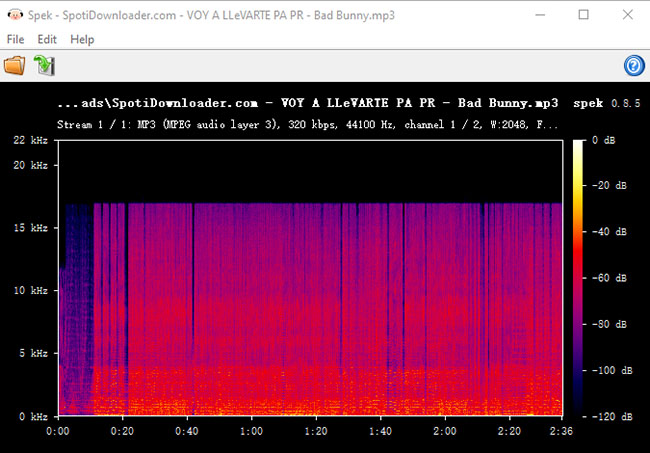
- The Claim: 320 kbps MP3 (44100 Hz)
- The Reality: A hard 16kHz frequency cutoff with complete dead space above it.
- The Verdict: Fake 320kbps (Upscaled). A genuine 320kbps file extends to 20-22kHz. A 16kHz limit is the definitive signature of a 128kbps lossy source that has been forcibly transcoded to a higher bitrate.
Part 5. SpotiDownloader Reviews and Pros and Cons
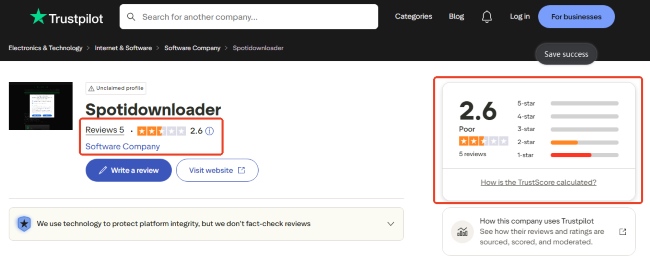
Trustpilot Review Summary: 2.6/5 Stars
While the sample size is small (based on 5 SpotiDownloader reviews on Trustpilot), the low rating highlights significant reliability and safety concerns. Users generally categorize it as a "last resort" tool rather than a premium solution.
Some users say:
- The tool worked for simple, single-track downloads
- It's easy to use
- It requires no sign-in or app installation
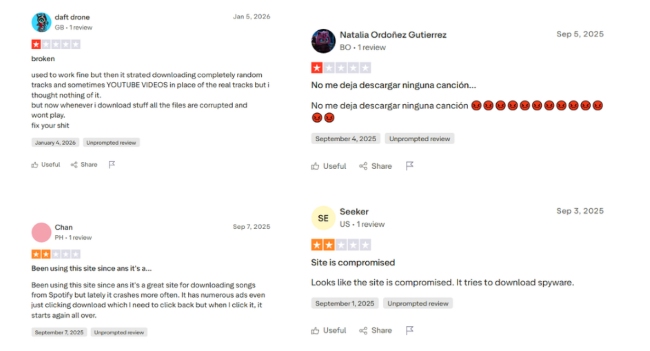
Frequent complaints include:
- Too many pop-ups and redirects
- Downloads not matching the original song
- Browser slowdowns or crashes
- Concerns about spyware or suspicious behavior
- Low audio quality or inconsistent results
Pros and Cons of SpotiDownloader.com
Pros
 Free to use
- No registration or software required.
- Simple interface
- Works for some tracks
- Works on all devices with a browser.
Cons
 Mixed safety signals
- Numerous pop-ups and redirects
- Inconsistent download quality
- Not compliant with Spotify's Terms
- Potential account-related risks
- Low success rate
Part 6. Better, Safer Alternatives to SpotiDownloader.com
Given the persistent "Something went wrong" errors, aggressive ad-redirects, and the technical limitations of YouTube-based scraping, SpotiDownloader often feels like a gamble rather than a tool. If you are looking for a more stable, high-fidelity, and secure way to build your offline library, there are better paths available.
DRmare Spotify Music Converter (The Professional Archiving Choice)
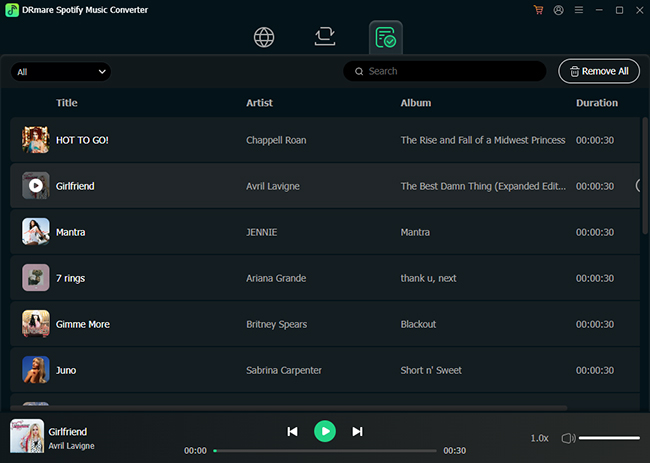
For users who need a reliable way to download and save Spotify music without dealing with broken links or upscaled audio, DRmare Spotify Music Converter is a good choice. Unlike free web tools that rely on unstable server connections, it is a dedicated desktop application that prioritizes audio integrity. It allows you to download and convert Spotify songs, playlists, and more to MP3, FLAC, WAV, M4A, M4B, and AIFF on your local computer.
Every download includes original ID3 tags and high-resolution album art, so you won't have to manually rename files like "SpotiDownloader.com - Track.mp3."
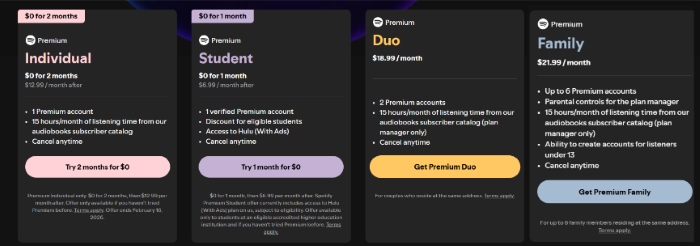
Spotify Premium (The Official & Seamless Choice)
If you want to stay within the Spotify ecosystem while enjoying the best possible experience, upgrading to Spotify Premium remains the most straightforward solution. It allows you to download up to 10,000 songs across 5 devices. This includes the ability to download synchronized lyrics for offline use as well.
You never have to worry about "unusual activity" flags or account bans, as you are operating within the platform's official Terms of Service.
Part 7. The Final Verdict
Is SpotiDownloader.com safe? The answer is a cautious "yes, but with caveats". The site is a functional tool that does what it claims, but it requires a savvy user to navigate its minefield of ads and redirects. It is not a premium solution, and the audio quality remains "average" at best. If you are downloading a single track for a ringtone, it's a quick fix.
If you are building a high-quality, permanent music collection, you should avoid the risks of web-based rippers. Instead, opt for a professional SpotiDownloader alternative like DRmare Spotify Music Converter for Spotify lossless FLAC quality, or stick with the official Spotify Premium for a seamless, secure experience.

 Home
Home





User Comments
Leave a Comment