





If you have ever tried to back up your Spotify music, playlists, and albums for offline listening, you have probably noticed a flood of GitHub repositories claiming to be free Spotify downloaders. But if you dig under the hood, you will quickly realize that most of them navigate a graveyard of abandoned scripts and broken API keys. Following Spotify's aggressive Web API restrictions, which now cap developer accounts at five users and wall off core public metadata, almost every legacy repository that used to work out of the box has either broken down or been hit with legal notices.
To help you skip the frustration of broken dependencies, I spent the last few weeks testing the most active open-source tools in fresh Python virtual environments and desktop setups. Here is my hands-on result of the three absolute best Spotify downloader GitHub projects available today, how they actually work, and where their limits lie.
Quick Comparison: Top 3 Open-Source Spotify Downloaders on GitHub
Here is a quick snapshot of my test findings based on installation friction, metadata accuracy, and practical reliability:
| Features | spotDL (v4.5.2) | Sunnify (v2.4.3) | WilliamSchack Spotify-Downloader |
|---|---|---|---|
| GitHub Repository | spotDL/spotify-downloader | sunnypatell/sunnify | WilliamSchack/Spotify-Downloader |
| Primary Interface | Command-Line (CLI) | Graphical UI + CLI | Graphical UI |
| Platform Support | Cross-platform (Python 3.9+) | Windows, macOS, Linux | Windows-focused |
| Primary Audio Source | YouTube (via yt-dlp) | YouTube / External APIs | YouTube Matching |
| API Key Required? | Optional (SpotipyFree fallback) | No | No |
| Playlist Batching | Fast & stable | Moderately fast | Easy drag-and-drop |
| Real Audio Quality Limit | ~160kbps Opus (re-encoded) | Source-dependent | ~160kbps Opus (re-encoded) |
| Current Status | Actively Maintained (v4.5) | Growing / Stable | Stable |
| Best For... | Developers & CLI users | Casual users who want a GUI | Windows users wanting simple setups |
How GitHub Spotify Playlist Downloaders Actually Work
When evaluating these GitHub repositories, understanding their underlying architecture is essential.
What I Noticed During My Audio Analysis:
When I dumped the output files from these downloaders into Spek (an audio spectrum analyzer), every single "320 kbps MP3" or "FLAC" file downloaded via YouTube matching showed a hard frequency cutoff at around 15.5 kHz to 16 kHz.
This happens because very few of these tools actually pull raw audio files directly from Spotify's secure content delivery network. They query Spotify's web API strictly to scrape metadata, such as track titles, artist credits, ISRC codes, and album cover art. Once the tracklist is gathered, the software hands those titles over to extraction engines like yt-dlp to match the songs on public video and audio platforms, such as YouTube.
Therefore, the downloaded stream is YouTube's 160 kbps Opus audio track. Converting a 160 kbps Opus file into a 320 kbps MP3 or lossless FLAC container does not restore missing acoustic frequencies. It simply bloats the file size. Keep this reality in mind when building your local library!
3 Best Working Spotify Music Downloaders on GitHub (Hands-On Reviews)
1. SpotDL - Best CLI Tool for Large Playlist Syncing
If you are comfortable working inside a terminal, spotDL remains the gold Spotify playlist downloader on GitHub of open-source music archiving. It is fast, highly configurable, and backed by a massive community. How I usually spin it up in terminal:
spotdl https://open.spotify.com/playlist/YOUR_PLAYLIST_ID

During my test runs on spotDL v4.5.2, I noticed that handling API rate limits has become much smoother thanks to the SpotipyFree fallback and asyncio batch processing. It handled a 150-track test playlist with remarkable efficiency. It fetched full ID3 tags, album art, and even synced lyrics effortlessly.
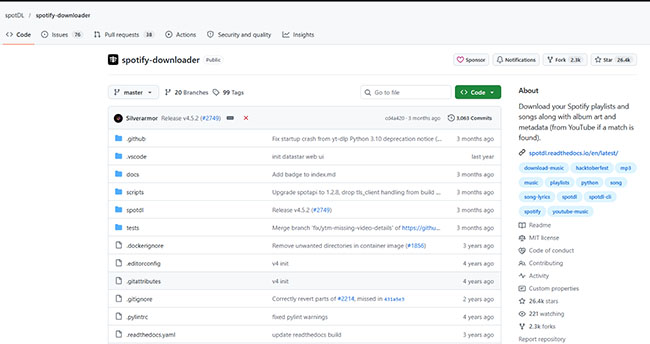
I was particularly relieved to see v4.5.2 fix the critical startup bug introduced in v4.5.1. However, the developers recently removed direct prebuilt .exe binaries from their release page. Besides, getting it to run smoothly requires a bit of environmental setup. You will need Python 3.10+, an updated copy of FFmpeg in your system PATH, and optionally the Deno JavaScript runtime (spotdl --download-deno) to help bypass modern YouTube bot-detection tokens.
- Pros: Blazing fast; handles massive playlists; embed metadata flawlessly.
- Cons: Has a learning curve for non-technical users; occasionally grabs a live acoustic version or cover instead of the original studio track.
2. Sunnify - Best Cross-Platform Desktop GUI
If you want a polished graphical app that works identical across Mac, Windows, and Linux, Sunnify was the pleasant surprise of my testing round.
I tested Sunnify v2.4.3 on both macOS Sequoia and Windows 11. Unlike many abandoned GUI wrappers on GitHub, the developer is actively patching real-world bugs. In the October 2026 update, they resolved an issue where album metadata was dropped during batch playlist grabs.
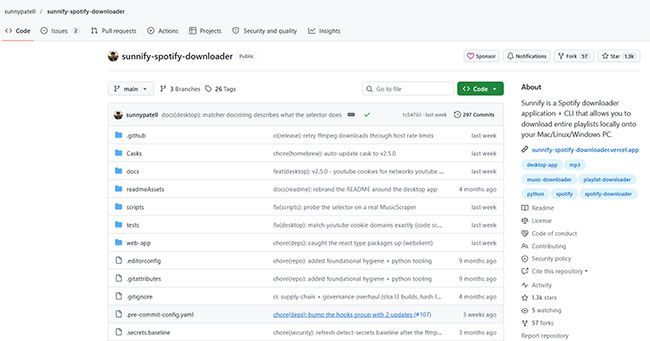
The interface is delightfully clean. You paste a link, choose your preferred format preset, and let it queue up. What stood out during my evaluation was its built-in per-folder manifest system. If a batch download gets interrupted halfway through by a network drop or platform rate limit, Sunnify remembers your progress and seamlessly resumes right where it left off.
It supports multi-format exporting (MP3, M4A, Opus, FLAC, and WAV) while cleanly embedding ID3v2 tags and individual track artwork. Just remember that selecting "FLAC" in the dropdown menu is merely a container choice. It won't magically give you true studio-master lossless audio!
- Pros: Great visual layout; builds binaries for Mac/Win/Linux; excellent album art resolution.
- Cons: Slower download throughput compared to pure CLI spotDL; relies heavily on external API stability.
3. WilliamSchack's Spotify-Downloader - Best Lightweight Windows GUI
For Windows users who just want a straightforward application without messing with command prompts or environment variables, WilliamSchack's project gets the job done. It uses a GPL-3.0-licensed GUI wrapper.
Setting this up on Windows was pain-free. The interface is direct and beginner-friendly. It features multi-threaded downloading capabilities to speed up large album transfers, automatically generates .m3u and .xspf playlist files, and includes support for pulling synchronized .lrc lyric files alongside your music tracks.
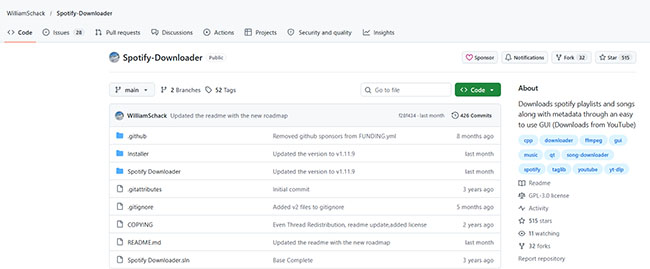
However, during my deep dive into the repository, I noticed the codebase is currently undergoing a massive v2 restructuring. While the current stable build works fine for casual track ripping, some advanced features promised in the documentation are clearly still in active development.
- Pros: No terminal knowledge required; lightweight memory footprint on Windows.
- Cons: Less frequent updates; occasionally fails on ultra-long playlists exceeding 200 tracks.
What Happened to SpotiFLAC and Direct Stream Rippers?
For SpotiFLAC - Spotify FLAC/Lossless Downloader on GitHUb
If you have been following open-source Spotify song downloaders on GitHub lately, you have noticed that SpotiFLAC and SpotiFLAC Next have completely vanished. In mid-October 2026, the maintainer announced that primary repositories under spotiflacapp were taken down following formal legal copyright notices issued by Spotify's legal team.
While third-party community forks and unverified mirrors occasionally pop up across the platform, active maintenance of the original project has ceased. This prompts developers to pivot toward alternative side projects like Stream Hoarder and Mornye.
For Direct GitHub Spotify Downloaders
Furthermore, tools that attempt to bypass digital rights management (DRM) from Spotify directly, such as Zotify or Votify, frequently trigger automated security flags on Spotify's backend, often resulting in permanent account suspensions. Sticking to metadata-matching tools that rely on public video and audio catalogs helps avoid these severe risks entirely.
Other GitHub Spotify Downloader Projects Worth Considering
While the three tools above offer the best starting point for most users, a few alternative open-source projects might fit your workflow better if you have specific hardware or deployment requirements:
- OnTheSpot (ots-downloader/onthespot): A versatile, multi-service downloader that provides GUI, CLI, and Web UI options. It is a fantastic option for power users who want broad platform flexibility, but you should always check the latest release notes for authentication changes and dependency updates before running it.
- Spooty (dougchansan/spooty): A self-hosted option designed around a web-based client and Docker deployment. It parses Spotify links and sources audio via YouTube, making it ideal if you prefer running services on a home server or NAS rather than installing local desktop clients.
- Supersu-man Spotify Playlist Downloader (supersu-man/spotify-playlist-downloader): A Spotify downloader on GitHub (built with Jetpack Compose) for Android users. It fetches playlist track information, pairs it with YouTube Music audio via the NewPipe extractor, and automatically tags the output files directly on your phone.
A Quick Word on GitHub Project Safety:
I wouldn't automatically recommend every repository tagged with spotify-downloader. A recent code commit, a high star count, or a bold claim of "320 kbps lossless output" doesn't inherently guarantee that the software is safe to run or that the audio quality is genuine. Always inspect the release artifacts and stick to verified project builds.
Critical Warning: How to Spot Fake "Spotify-Downloader-PC" Malware on GitHub
The recent massive surge in search interest around GitHub downloaders has created a lucrative target for cybercriminals. If you search for generic terms like spotify-downloader-pc on Google or GitHub today, you will stumble upon dozens of disposable, auto-generated repositories, such as metastable-cocktail431/Spotify-Downloader-2026-MP3-320kbps, created by randomly named throwaway accounts.
What Is Actually Happening Here:
These repos are poisoned traps designed to distribute infamous infostealers (such as Lumma Stealer). They entice users with promises of "320kbps One-Click MP3 Installers," but hiding inside those pre-compiled .exe release files is malware built to swipe your saved browser passwords, session cookies, and crypto wallets in seconds.
During my audit of these sketchy repositories, I developed a simple 3-step verification checklist you should always run before executing anything on your PC:
Step 1. Legitimate open-source projects consist entirely of transparent, human-readable source files (.py, .js, .dart, .rs). If a repository's Code tab is practically empty and only offers a standalone .exe or .dmg installer in the Releases section without corresponding source code, close the tab immediately.
Step 2. Authentic open-source tools show months or years of organic development history: incremental bug fixes, pull requests from various contributors, and active discussions in the Issues tab. A repo created 4 hours ago with a single commit and zero community feedback is a massive red flag.
Step 3. Avoid downloading pre-compiled executables from unknown accounts whenever possible. When in doubt, stick to verified package managers (like installing via pip install spotdl) or compile the application locally from the audited source code.
Common GitHub Downloader Errors & How to Fix Them
Even with active Spotify album downloaders on GitHub, you may occasionally run into runtime hiccups. Here is how to resolve the most frequent issues:
- Handling API Key Errors: If spotDL or similar scripts throw a KeyError: 'popularity' or an HTTP 403 response, it usually means Spotify has shifted its public endpoints. Updating your package to the absolute latest release (pip install --upgrade spotdl) typically resolves the mismatch.
- Bypassing Rate Limits: When running batch downloads of hundreds of tracks, YouTube's anti-bot algorithms may temporarily throttle your IP address. Adding a slight randomized download delay or splitting large playlists into smaller 50-track batches usually prevents interruptions.
- Configuring Cookies: For higher-quality source matching on YouTube Music, exporting an authenticated cookies.txt browser file and passing it to your downloader config can help bypass regional restrictions and age gates.
Best GitHub Spotify Album Downloader Alternative to Download All Spotify Content
While open-source GitHub downloaders are fantastic for quick track exports, they come with built-in limitations. Because tools like spotDL rely on searching YouTube, they often struggle with complete albums, frequently pulling acoustic covers, incorrect remasters, or failing entirely on regional tracks. Worse yet, GitHub tools are virtually useless if you want to download non-music content like Spotify Audiobooks or Podcasts.
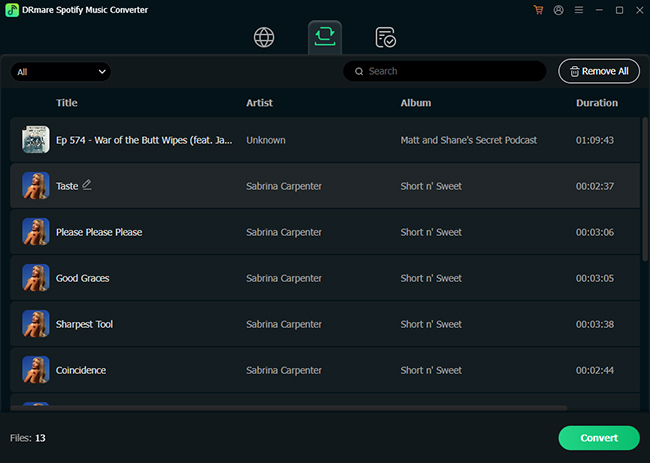
If you are looking to back up entire Spotify albums, full artist discographies, or audiobooks in true loss-free quality without fighting terminal commands or broken YouTube matches, a dedicated desktop solution like DRmare Spotify Music Converter is the most reliable alternative.
During my comparison tests on both Windows and macOS, DRmare solved the biggest pain point of open-source downloaders: matching accuracy and stream fidelity.
Instead of scraping low-bitrate audio from YouTube mirrors, DRmare parses tracks directly from the native stream. When I dropped a full 50-track album into DRmare and ran the exported MP3 files through Spek for acoustic spectrum analysis, the audio extended cleanly up to 20 kHz, confirming true 320 kbps fidelity rather than the 15.5 kHz hard cap typical of YouTube-matched files.
FAQs About Spotify Downloaders on GitHub
Will using these GitHub tools get my Spotify account banned?
Tools that rely solely on public metadata combined with external audio matching interact very little with your actual Spotify account, carrying virtually zero risk of suspension. Conversely, tools that attempt to scrape raw audio streams directly from Spotify's servers often violate platform terms of service and can trigger account restrictions.
Do these tools actually download true 320kbps MP3s or FLAC files?
Most metadata-matching downloaders pull standard 128kbps or 256kbps AAC/Opus streams from public video providers and transcode them into your requested format. While the resulting file container might read as a 320kbps MP3, the underlying acoustic data remains limited to the quality of the source stream.
Are these GitHub Spotify downloaders completely free?
Yes, the projects featured here are open-source software. However, you must supply your own device bandwidth, and occasionally set up free developer credentials (like a Spotify API Client ID).
Why did my downloaded track have the wrong lyrics or audio?
Because these tools use automated algorithmic searches (combining Title + Artist + Duration). If an official music video or fan cover has higher search ranking on YouTube, the downloader might mistakenly match and pull that audio stream instead.
Is there a Spotify audiobook downloader on GitHub?
No, there are no dedicated, reliable Spotify audiobook downloaders on GitHub.
Which One Should You Install?
- Choose spotDL if you are comfortable with command-line tools, want the fastest execution, and manage massive music libraries.
- Choose Sunnify if you want an attractive, hassle-free desktop application on Mac, Windows, or Linux.
- Choose WilliamSchack's App if you are on Windows and want a lightweight, simple GUI tool.
Have you tried any of these GitHub downloaders recently, or are you using a self-hosted Docker setup like Spooty? Let me know what your experience has been!

 Home
Home





User Comments
Leave a Comment