





If you are trying to download your favorite Spotify playlists and music online to MP3 or other common audio files for offline listening anywhere, you have likely come across the name SpotiDown. Finding a reliable Spotify downloader online can be incredibly frustrating, especially when so many tools promise the world but deliver poor audio quality or hide behind paywalls.
In this comprehensive SpotiDown review, we are pulling back the curtain based on real testing. We will dive into how SpotiDown Playlist downloaders actually work, the hidden limitations they do not advertise, and whether they are truly safe to use. If you decide these tools are not for you, we have also curated a list of the best SpotiDown alternatives available now.
Quick Summary:
SpotiDown is not a single service but a group of similarly named websites with very different reliability levels. Our hands-on testing found that both SpotiDown.app and SpotiDown.co rely on re-encoded audio sources rather than true Spotify files, resulting in inflated bitrate claims and noticeable quality limitations.
While they can download Spotify tracks for free, restrictions, ads, and subscription costs make DRmare Spotify Music Converter a stronger option for users who need consistent audio quality and large-scale playlist downloads.
Part 1. What Is SpotiDown? Clearing the Confusion
Before diving into the performance metrics, we need to address a massive point of confusion for users. When you search for "SpotiDown," you will actually find three completely different websites sharing the same brand name.
- SpotiDown.app: The most common paid variant with strict free-tier limits.
- SpotiDown.com: An unstable, heavily ad-ridden platform that is largely non-functional.
- SpotiDown.co: A newer clone offering similar YouTube-ripping features under a slightly different interface.
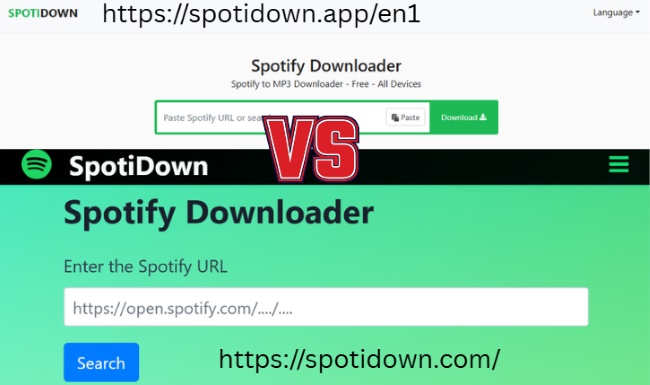
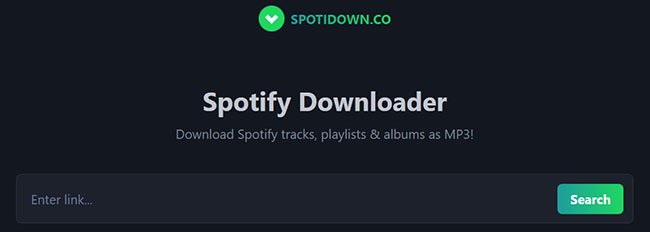
They are run by entirely different operators and offer vastly different user experiences. To give you the most accurate information, we tested all three platforms extensively. Understanding the differences between these URLs is the first step to saving time and avoiding potential malware.
Critical Alert:
Do not confuse these three domains. Our tests show that while .app and .co function as restrictive services, .com poses significant security risks due to broken scripts and pop-ups.
Part 2. In-Depth Review: SpotiDown.app
- Link: https://spotidown.app/en6
- Availability: Mac, Windows, Android, and iOS
- Download Output: MP3, ZIP
- Recommend Level:⭐⭐⭐⭐
What Is SpotiDown.app? Key Features
SpotiDown.app is a web-based downloader designed to help both free and Premium Spotify users download music for offline listening. It presents itself as a sleek cloud tool that requires no Spotify account or software installation. It successfully preserves basic ID3 tags like the song title, album art, and artist details.
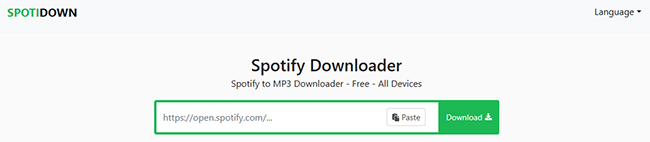
Editor's Test Results of SpotiDown.app
However, independent tests reveal a major catch regarding its audio source. It does not rip high-fidelity audio from Spotify's servers; instead, it searches YouTube for a matching track and converts that video into an MP3. This means you might occasionally end up with a music video version of a song (complete with sound effects) rather than a crisp studio recording.
Furthermore, its free tier is incredibly restrictive for anyone with a large music library:
- Although internal ID3 tags such as Artist, Album, and Year remain untouched, the service prepends its name (e.g., SpotiDown.App) to the filename as a digital watermark.
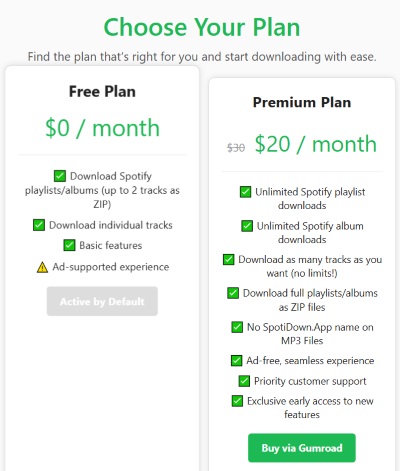
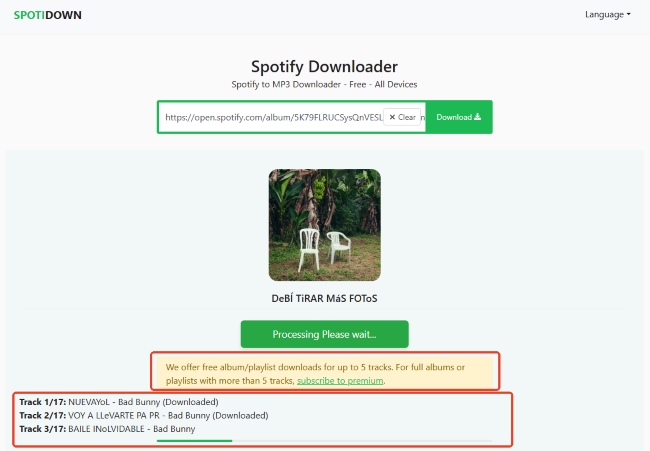
- Free users are strictly limited to downloading the first 5 tracks of a playlist via a single ZIP file.
- To acquire the rest of the playlist, users are forced to manually click the "Download" button for every single remaining track individually, which is highly tedious.
- Unlocking true one-click batch downloading for full playlists requires a premium subscription that costs around $20 per month. Additionally, clicking the download buttons frequently triggers redirects to new, ad-heavy web pages.


Tips:
For the cost of just one month of SpotiDown, you could invest in a professional lifetime license for a tool like DRmare Spotify Music Converter, which offers superior performance and true lossless quality.
Part 3. In-Depth Review: SpotiDown.com
SpotiDown.com Not Working (Editor's Test Result)
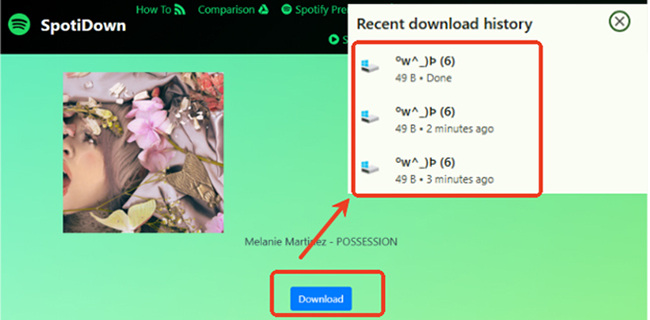
SpotiDown.com claims to download Spotify songs to MP3 files. However, during our tests, the site was highly unstable. Songs frequently failed to download altogether, threw error messages, or saved as unrecognizable "unknown files." Combined with intrusive pop-up ads and confusing branding related to completely unrelated open-source software, the user experience is thoroughly disappointing.
Part 4. In-Depth Review: SpotiDown.co
- Link: https://spotidown.com/
- Availability: Mac, Windows, Android, and iOS
- Download Output: MP3, ZIP, Image (Cover Art)
- Recommend Level:⭐⭐⭐
What Is SpotiDown.co? Key Features
SpotiDown.co operates as a distinct web-based alternative within the SpotiDown naming family. Unlike its highly restrictive counterparts, this platform focuses on providing a more flexible user experience with a surprisingly robust free tier and advanced customization options for your offline library.
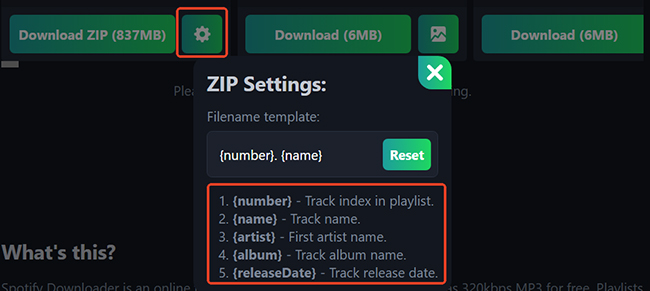
One of its standout capabilities is the Custom ZIP Settings. Before downloading, users can define their preferred filename templates using dynamic metadata tags, ensuring a perfectly organized local folder without any manual renaming.
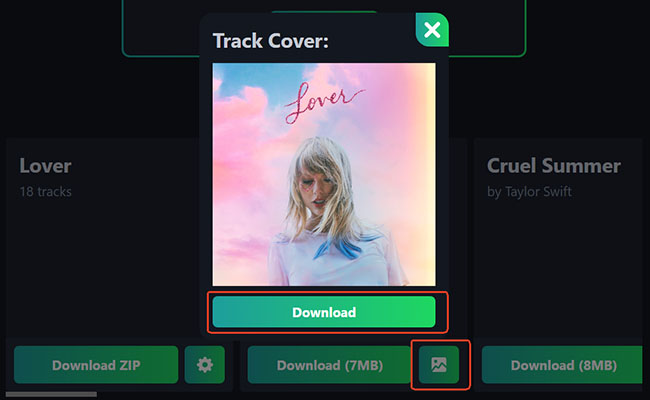
Additionally, the site natively supports downloading Spotify Cover Art, allowing users to easily save high-quality album visuals alongside their audio files.
In practical application, SpotiDown.co is significantly more generous for free users than SpotiDown.app. If you are downloading single songs manually, there are no limits and no forced promotional tags attached to the filenames. For batch downloading, free users can conveniently package up to 50 songs per ZIP file at a time.
To bypass this limit, SpotiDown.co employs a "Support Us" donation model, stating that these funds are necessary to keep the site ad-free and running. Premium access unlocks the ability to download massive playlists (up to 2,666 tracks per batch) and promises up to a 50x faster download speed.
However, the pricing structure for this premium tier is exceptionally steep for a web-based utility:
| Premium Donation Tier | Price | Duration |
|---|---|---|
| Starter Access | $5.00 | 2 Days |
| Weekly Access | $10.00 | 7 Days |
| Standard Access | $20.00 | 18 Days |
| Monthly Access | $30.00 | 31 Days |
Part 5. How to Use SpotiDown.app MP3 Downloader
Using SpotiDown.app to download Spotify tracks as local files for offline playback is a straightforward process that requires no software installation or account registration. Since it is browser-based, you can follow these steps on Windows, macOS, Android, or iOS.
How to Download Spotify Music to MP3 via SpotiDown
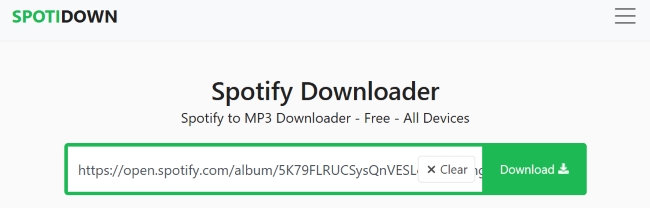
Step 1. Open the Spotify app or web player and find the song, album, or playlist you want to download. Click the three dots (icon), select Share, and then click Copy Link. After that, navigate to SpotiDown.app in your web browser and paste the copied Spotify link into the green input box in the center of the homepage.
Step 2. Click the Download button, and the tool will analyze the link and display the track details, including the cover art and metadata. For playlists or albums, a list of all tracks will appear.
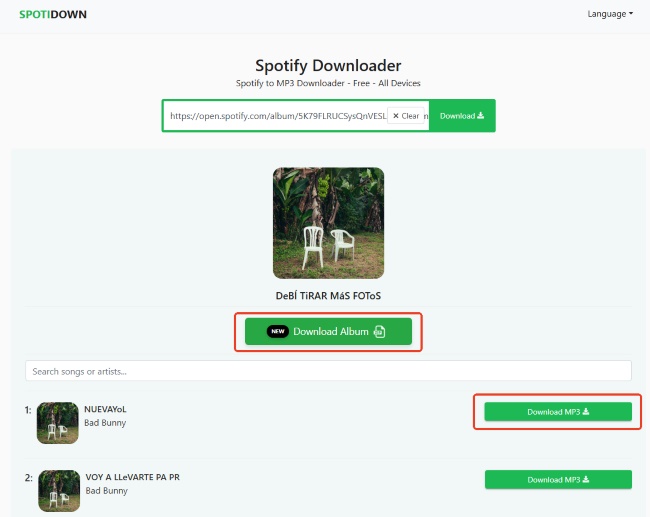
Step 3. For Playlists/Albums: You can click Download Album or Download Playlist to package the available tracks into a single compressed ZIP file. It will automatically download the first 5 tracks in the Spotify playlist or album for free. For downloading all songs, you have to subscribe to SpotiDown Premium.
For Single Tracks: Click the Download MP3 button next to the song. You can also click the Download Cover [HD] button to download Spotify album cover art.
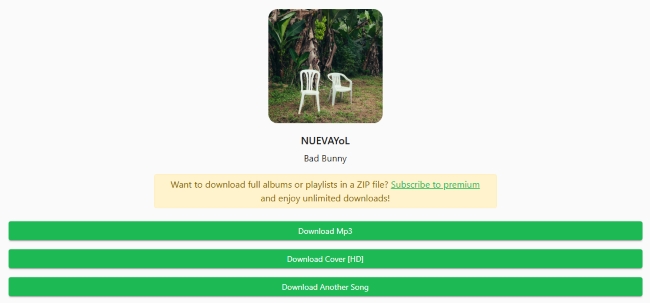
Step 4. Once the conversion reaches 100%, the Spotify MP3 file will be saved to your device's default "Downloads" folder.
SpotiDown Technical Performance: Advertised vs. Real-World Spek Analysis
To provide absolute transparency, we didn't just trust the file properties. We ran multiple tracks downloaded via SpotiDown.app through Spek (an acoustic spectrum analyzer) to look under the hood. Although all file metadata is labeled as 320 kbps, the spectral analysis reveals clear signs of "faking":
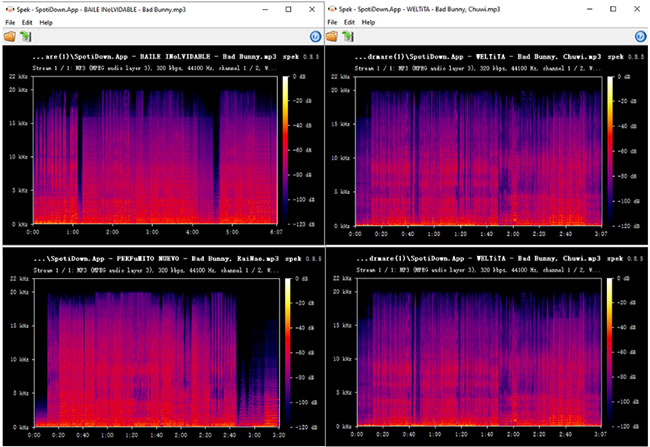
- Significant Frequency Cut-off: In all four music download files, the frequency extension of the audio shows a very clear cut-off at 16 kHz.
- Actual Quality Assessment: A genuine 320 kbps MP3 file usually has an audio spectrum that smoothly extends to 20 kHz or higher. The appearance of a 16 kHz cut-off is a classic characteristic of "low-quality source re-encoding," which corresponds to a 128 kbps or 160 kbps audio source.
Technical Conclusion:
The files downloaded by this tool exhibit obvious "bitrate inflation" (upscaling). By force-converting lower-quality audio files into a 320 kbps container format, it attempts to deceive players and users, making them appear to be high-quality files, even though the high-frequency details lost during the original compression cannot be recovered.
Part 6. How to Use SpotiDown.co Playlist Downloader
SpotiDown.co is a browser-based utility that does not require any software installation. Follow these steps to download your music:
How to Convert Spotify to MP3 via SpotiDown.co
Step 1. Copy your favorite Spotify music link, visit SpotiDown.co website, and paste your link into the input field.
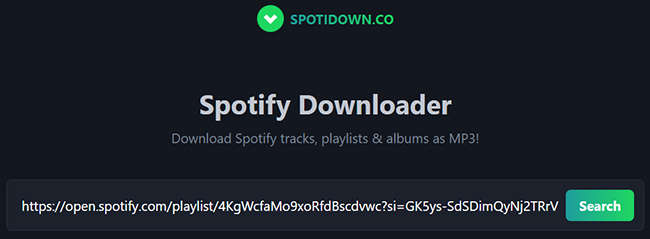
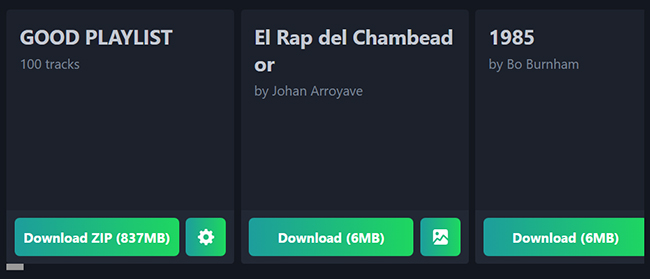
Step 2. You can click the Download ZIP or the Download button next each file to start the download process.
Technical Performance: Spek Spectrogram Analysis
To verify the quality, we analyzed files downloaded from SpotiDown.co using the Spek acoustic spectrum analyzer, as shown in the following image. The analysis reveals that SpotiDown.co does not provide true high-fidelity audio. The output files consistently show a strict frequency cutoff at 16 kHz.
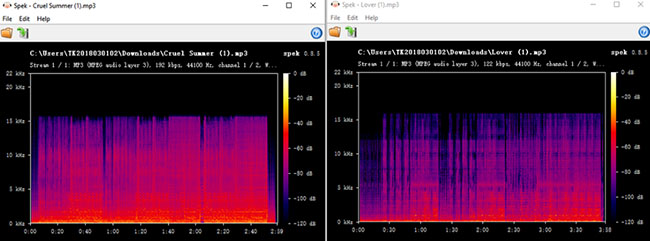
- Inconsistent Bitrates: Even when labeled as higher quality, the actual bitrate varies significantly, with some files testing as low as 122 kbps.
- The 16 kHz Shelf: A genuine 320 kbps file should display data extending smoothly toward 20 kHz, but these files hit a "brickwall" at 16 kHz, confirming the audio is ripped from compressed sources like YouTube rather than original Spotify masters.
Part 7. Best Alternatives to SpotiDown Playlist Downloader
The .app and .co versions hide their best features behind a pricey paywall and rely on YouTube for its audio, while the .com version is unstable and heavily restricts audio quality. All tools expose users to frustrating ad redirects that interrupt the downloading process.
If you want to build a high-quality, offline Spotify music library safely, you are much better off exploring other options. Fortunately, the market is full of superior tools that respect your time and provide genuine value. Depending on your technical comfort level and budget, here are the best SpotiDown alternatives currently available.
DRmare Spotify Music Converter (For True 320kbps Quality)
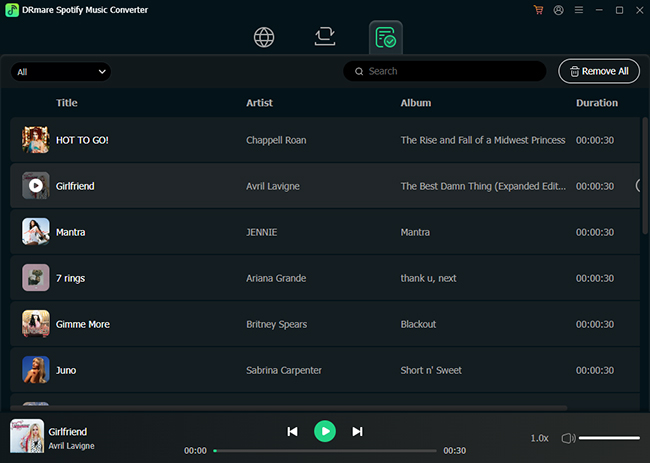
If audio quality is your top priority, dedicated desktop software is the only reliable route. Programs, like DRmare Spotify Music Converter require installation on your PC or Mac, but they offer genuine 320kbps lossless downloads directly from Spotify. It downloads directly from the source, avoiding the YouTube-rip quality loss and unlock the number limit. It also supports true batch downloading without the annoying ad redirects found on web converters and provides multiple audio formats, like MP3, FLAC, WAV, AIFF, and M4A.
SpotiDownloader (Better Free Web Converters)
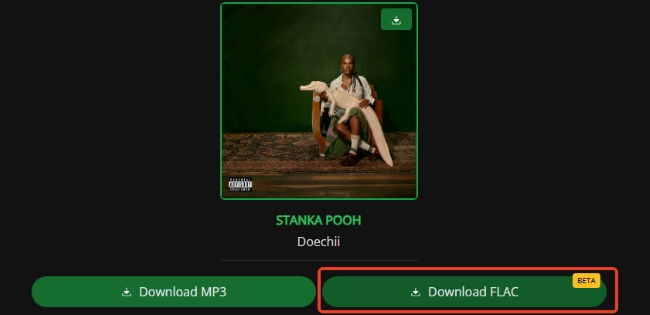
If you absolutely must use a web browser and refuse to install software, tools like SpotiDownloader are slightly better alternatives. While they still limit you to low quality, they are complete free to download the whole playlist or album on Spotify.
Part 8. FAQs about SpotiDown Spotify Downloader
Is SpotiDown safe to use?
While the base websites are generally safe to visit, the ad networks they utilize can trigger redirects to potentially harmful pages. Users should employ robust ad-blockers and avoid clicking on suspicious pop-ups.
Does SpotiDown actually download high-quality files from Spotify?
No. Most free web converters, including SpotiDown, read the Spotify link and fetch a matching audio stream from YouTube to circumvent Spotify's digital rights management (DRM), resulting in lower audio quality.
Does SpotiDown support downloading the full Spotify playlist or album?
The short answer is: It depends on which version of SpotiDown you are using. Free users can only download the first five or fifty tracks of a playlist as a single ZIP file. You have to upgrade to SpotiDown premium version to unlock this feature.
Part 9. In Conclusion
While SpotiDown Spotify Downloader might seem like a quick fix, both the .app, .co, and .com versions fall short of providing a premium, safe, and efficient downloading experience. By understanding their limitations and opting for one of our recommended alternatives, you can save your Spotify playlists offline without sacrificing audio quality or dealing with relentless pop-up ads.

 Home
Home





User Comments
Leave a Comment