





Users are more conscious of sound quality than ever before, especially when choosing a Spotify downloader online. sssSpotify has emerged as a popular option, promising to download and unlock these high-fidelity tracks for offline use.
But before using it, it's important to understand its features, legality, safety concerns, and how it compares to other solutions. In this review, we will dive into the features, pros, and cons of sssSpotify and discuss the best legal alternatives that offer high-quality music downloading options.
Quick Summary:
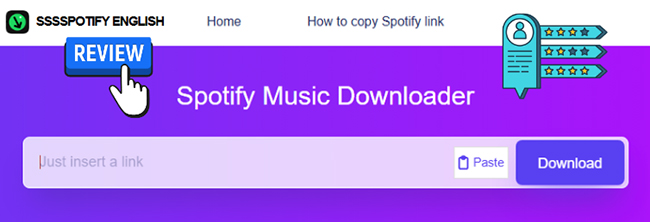
sssSpotify converts individual Spotify tracks into MP3 files without requiring a Spotify account or software installation. Our testing found that it works for single-track downloads but does not support playlists, albums, or batch downloads. While convenient for quick use, it comes with limitations such as pop-up ads, variable audio quality, and MP3-only output. For batch download of all Spotify content in high quality, you can use its best alternative: DRmare Spotify Music Converter.
Part 1. What Is sssSpotify Downloader? Overview
Basic Info:
- sssSpotify Official Website: https://gamepvz.com/
- Support Operating System: Android, iOS, Mac, Windows, Linux, Ubuntu
- Support Spotify Content: Songs Only
- Supported Output Formats: MP3 Only
sssSpotify is a web-based music downloader designed to convert Spotify music links into playable MP3 files. Unlike official downloads, which are encrypted OGG Vorbis files restricted to the Spotify app, sssSpotify aims to provide open files that you can move to any device, from car stereos, smartwatches, smart speakers, to any MP3 players. Below are the main features of sssSpotify:
Key Features of sssSpotify Music Downloader
- Spotify Downloader: It allows users to download individual songs from Spotify to their local devices.
- Audio Format Conversion: After downloading, sssSpotify converts Spotify music into MP3, offering flexibility for users who prefer to play music on popular portable devices.
- No Registration Needed: One of the most attractive features is that you don't need to create an account to use the service. It's entirely free.
- No Spotify Account Needed: It doesn't require you to authorize your Spotify account. Just copy a public Spotify song link, it can detect and download it.
Pros and Cons of Using sssSpotify
When considering whether to use sssSpotify as your go-to Spotify downloader, it's essential to weigh its advantages and drawbacks. Check them out below to help you make an informed decision about whether sssSpotify is the right tool for your needs.
Pros
 sssSpotify is completely free.
- The platform is easy to use with minimal setup.
- No ads within the website.
- Unlimited Spotify song downloads.
- sssSpotify does not require users to create an account or log in.
Cons
 sssSpotify likely violates Spotify's terms of service, which prohibit downloading music without permission.
- sssSpotify may expose users to potential malware and data privacy issues
- No batch download: download Spotify songs one by one
- Limited output format: MP3 only
Part 2. How Does sssSpotify MP3 Downloader Work?
It is a common misconception that sssSpotify downloads audio directly from Spotify's encrypted servers. In reality, the tool functions primarily as a metadata scraper rather than a direct ripper. Here is a step-by-step breakdown of how the process works:
How to Use sssSpotify to Download Spotify Music to MP3
Step 1. Analysis: You paste a Spotify URL into the search box on the sssSpotify website and tap the "Download" button.
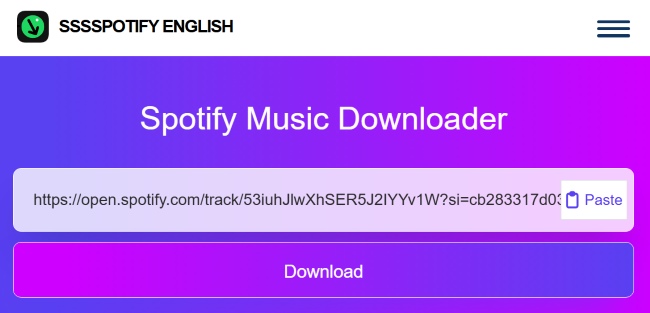
Step 2. Metadata Parsing: The tool extracts the track title, artist name, and album artwork from the link.
Step 3. Source Matching: Based on download behavior and output matching, it searches secondary databases from third-party sources to find a matching audio stream that fits the metadata.
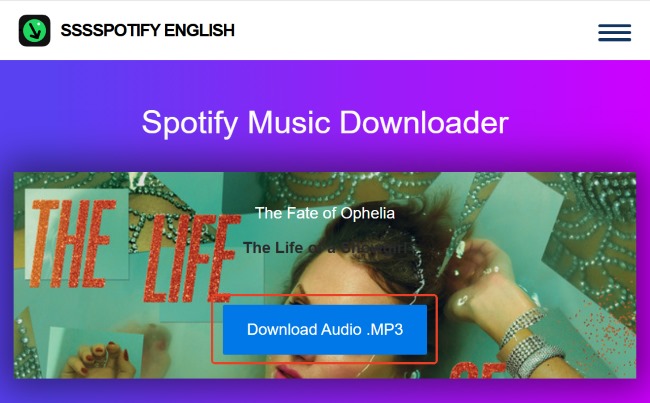
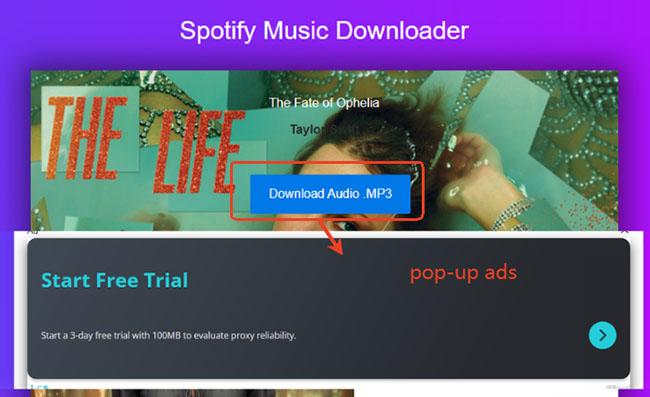
Step 4. Conversion & Delivery: The tool captures that external stream, converts Spotify into an MP3 file, and provides you with a final download link. You can tap the "Download Audio.MP3" button to save it to your local device. You can check it via the Full download library.
Editor's Note: Real-World Test Results of ssssSpotify
Our hands-on testing revealed that while the website is generally clean, the download process has a few nuances you should be aware of:
Test Environment:
- Device: Windows 11/Chrome 138
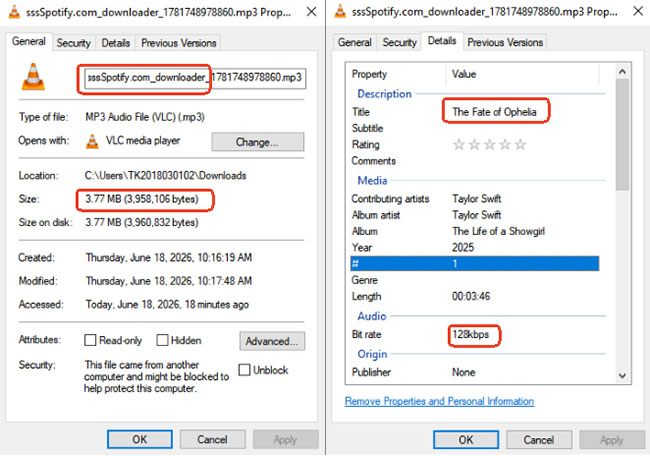
- Test Song: The Fate of Ophelia
- Result: Download Successful
- Output Size: 3.77 MB
- Bitrate: 128 kbps
- Ad Behavior: The site is initially ad-free and supports unlimited individual downloads daily. However, clicking the "Download Audio.MP3" button triggers a pop-up advertisement. You can simply close this window or ignore it; the download will initialize automatically after a brief delay.
- Content Limitations: A significant drawback is that the tool does not support Spotify links for playlists, albums, podcasts, or audiobooks. It is strictly limited to processing individual song links, meaning you must manually input each track one by one.
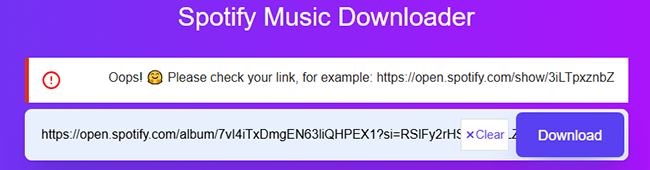
- Messy File Naming: One notable downside is that the output files are not automatically named after the track. Instead, filenames consist of the "sssSpotify" tag followed by a string of meaningless numbers. This makes organizing your library difficult, as you will likely need to manually rename each file to reflect the actual song title and artist.

Note:
Because sssSpotify retrieves tracks from external, third-party databases rather than Spotify itself, the final audio quality is variable. The bitrate and clarity are entirely dependent on the quality of the original source file found by the scraper.
Part 3. Safety & Privacy Audit: Is sssSpotify Safe to Use?
When accessing online Spotify downloaders, safety is the primary concern. In 2026, the risks associated with free web converters have shifted from simple pop-ups to more sophisticated security threats.
Malvertising and Aggressive Redirects
The most immediate threat isn't necessarily the audio file you download, but the "journey" required to get it. Our testing found that clicking the "Download" button frequently triggers malvertising campaigns. These are not just annoying ads; they often lead to:
- Deceptive "System Update" Scams: Fake alerts claiming your device is infected.
- Suspicious Browser Extensions: Prompts to install "helper" tools that may track your browsing data.
- Automatic Redirects: Unwanted tabs opening to high-risk websites without user consent.
Zero Risk to Your Spotify Account
Unlike some third-party tools that require you to log in or authorize access to your personal library via an API, sssSpotify does not require any account integration. Because it operates as an external scraper, searching for matches on public databases rather than accessing Spotify's internal system.
There is no risk of your Spotify account being flagged, suspended, or banned. Your login credentials remain completely private, ensuring your primary streaming account stays 100% secure.
Note:
Never provide your Spotify login credentials to any web-based downloader. sssSpotify does not require account access to function. If a site prompts you for your Spotify password, treat it as a phishing attempt and leave the page immediately.
Part 4. Best sssSpotify Alternatives You Can Use
If the audio quality limits or security risks of sssSpotify don't align with your requirements, several sssSpotify alternatives offer a more stable, professional, and high-fidelity experience.
DRmare Spotify Music Converter (Desktop App)
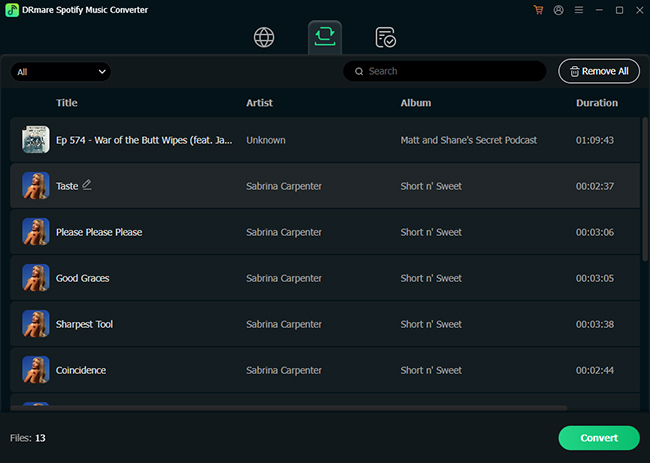
For those who want true 320kbps MP3 or even Lossless FLAC output, DRmare Spotify Music Converter remains the premier choice. DRmare records directly from the Spotify Web Player, ensuring the audio bits are captured without shifting to a secondary source like YouTube.
It supports batch downloading entire Spotify playlists or album with one click, preserves full ID3 tags and lyrics, 15X conversion speed, and is 100% ad-free. The only disadvantage of this software is that it requires a desktop installation (Windows/macOS) and a license for the full version.
SpotiDownloader (Best Free Online Alternative)
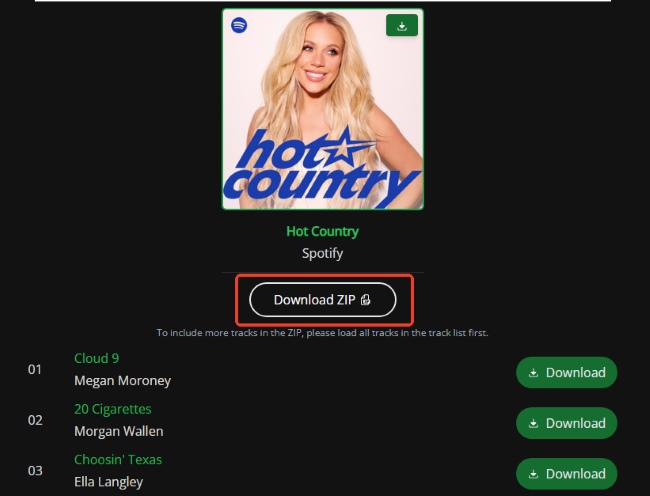
If you prefer a browser-based tool but want a batch download, SpotiDownloader is the current free leader. It is specifically designed to handle larger tasks that other web tools struggle with. It also supports downloading entire Spotify playlists and albums as a MP3 ZIP file, and retains basic metadata tags.
Since it still relies on external databases for audio, the quality is often upscaled and may not match the original Spotify Lossless source. To keep the service free, the site requires you to complete human verification step before the download link is generated. Besides, the output files often include a "SpotiDownloader" tag within the filename.
ssssSpotify vs Its Alternative: Quick Feature Comparison
While sssSpotify offers a quick, no-install solution for single tracks, its technical limitations become apparent when compared to professional software or more advanced web tools. To help you choose the right tool for your specific needs, we have compiled a comparison of the top three solutions available.
| Feature | sssSpotify | SpotiDownloader | DRmare Spotify Music Converter |
|---|---|---|---|
| Platform | Web | Web | Desktop (Win/Mac) |
| Batch Download | No (One-by-one) | Yes (ZIP support) | Yes (Full Playlists/Albums) |
| Output Formats | MP3 Only | MP3, ZIP, FLAC (Limited) | MP3, FLAC, WAV, M4A, AIFF, Lossless, and M4B |
| Max Quality | Variable (Scraped) | Up to 320kbps (Upscaled) | 100% Lossless (320kbps/FLAC) |
| Ads/Safety | Aggressive Pop-ups | Moderate Redirects | 100% Safe & Ad-Free |
Part 5. Final Verdict: Should You Use sssSpotify?
sssSpotify is a convenient quick fix for downloading a single Spotify track to MP3 for playing it on a USB drive or a phone without much hassle. However, it is not a professional-grade tool.
- Use sssSpotify if: You need one or two songs quickly and are using a browser with a strong ad-blocker.
- Avoid sssSpotify if: You care about high-fidelity audio quality, want to download entire playlists, or are worried about your digital privacy.
For a reliable long-term solution, investing in a dedicated desktop converter like DRmare Spotify Music Conveter provides the peace of mind and audio quality that web-based scrapers simply cannot match.

 Home
Home





User Comments
Leave a Comment